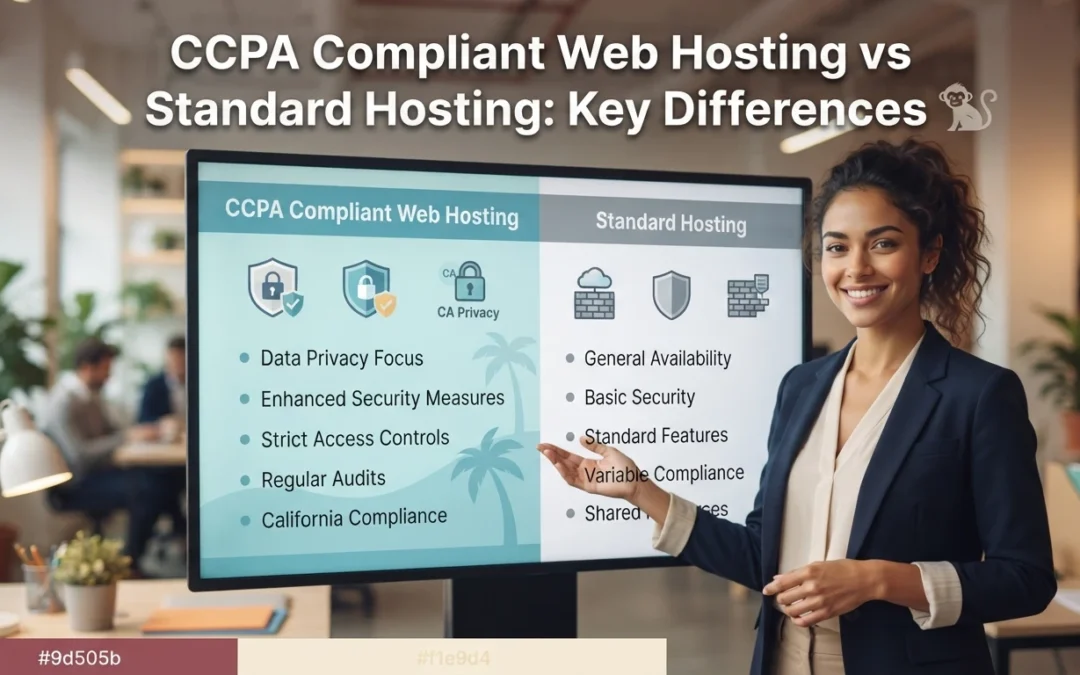
Quick Summary: Under the CCPA, the legal privacy duty always stays with the business, not the hosting provider, so the question is how much server-side work your host takes on. CCPA compliant hosting bundles data processing agreements, US-based data storage, audit records, encrypted logging, and consumer request handling into the plan, while standard hosting leaves notices, deletion requests, and recordkeeping to the site owner. Standard plans fit low-risk sites like brochures with minimal data collection; once you collect names, payments, or health details from California residents, the compliance risk gets heavy fast. Monkey Business is positioned as a done-for-you option that folds CCPA hosting, design, and ongoing compliance maintenance into one plan for California small businesses.
If your California website collects even one name, email, or phone number, CCPA rules already apply. Standard hosting leaves every privacy task on your plate. Compliance hosting handles notices, deletion requests, and records for you. This comparison shows what each tier shifts, so you can pick the compliance hosting that fits.
CCPA Compliant Hosting vs Standard Hosting: At a Glance
Compliance hosting builds California privacy controls, security patching, and service-provider contract terms into the server setup. It suits California businesses that collect personal data from real visitors. You still own the legal duty, but the host absorbs most of the server-side work.
CCPA compliant web hosting
Key strengths
Built to support access, deletion, and opt-out requests
Stronger logging, backups, and audit support
Lower admin workload for the site owner
Standard hosting
Standard hosting gives you server space and core tools, but the privacy plumbing stays your job. Generic contract terms rarely include CCPA-specific language, so consumer requests get handled by hand. It fits low-risk sites with little or no personal data.
Key strengths
Lower upfront cost
Wide provider choice
Simple setup for basic sites
Where the Privacy Duty Actually Lives
Here is the part hosts rarely say out loud: under the CCPA, the legal duty sits with your business, not the hosting company. The law treats you as the business collecting consumer data, so you own the privacy policy, the consumer requests, and the records.
The host reduces work, it does not replace your duty
A compliant host gives you secure servers, encryption, and tools that make compliance easier. That is real help, but it is help, not a handoff. You still decide what data to collect, post an accurate privacy notice, and honor delete or opt-out requests within legal deadlines. A managed privacy compliant website service like Monkey Business bundles those duties with hosting, so nothing falls between providers.
Small business owner reviewing privacy documents beside laptop
What Changes Day to Day: Data, Security, and Consumer Requests
Contracts, data location, and audit support
With standard hosting, you sign the terms and manage privacy duties yourself. A CCPA compliant host gives you a data processing agreement, keeps personal data in the United States, and supplies records you can show during an audit. That paperwork shift matters when a complaint lands. It moves much of the legal burden to a provider built for it.
Security, logging, and responding to requests
Day to day, compliance shows up in monitoring. A compliant host logs access, encrypts data, and helps you answer consumer requests to delete or share information within California’s deadlines. Standard hosting leaves you tracking emails and spreadsheets. Done-for-you providers such as Monkey Business fold these tasks into website maintenance, so requests get handled on time.
When Each Option Actually Pays Off
Stay on standard hosting when the risk is small
If your site is a brochure with a contact form and no tracking beyond basics, standard hosting works. Just add a plain privacy notice and skip analytics tools that sell visitor data.
Upgrade to compliant hosting when you handle real data
Collect names, payments, health details, or lead forms from California residents? Then the legal duty lands on you. Compliant hosting shifts the technical burden to a provider, and services like CCPA compliant web hosting handle it for you.
Bakery owner hands customer a printed receipt
Which Should You Choose: Compliant or Standard?
Serve California residents and collect any personal data? Choose CCPA compliant hosting, because the legal duty to protect that data lands on you, not your host. Standard hosting costs less, but it leaves you holding the compliance risk alone. If you serve only outside California and keep data minimal, standard plans can work fine.
Homepage
Not sure which host carries your legal duty? Monkey Business handles CCPA-compliant hosting, design, and care in one plan. Visit Monkey Business and let us take that burden off you.
Frequently Asked Questions
Q1: CCPA compliant hosting vs regular hosting?
CCPA compliant hosting includes privacy tools like consent banners and data access support. Regular hosting does not, so the legal duty falls on you.
Q2: Does compliant hosting make my site CCPA compliant?
Not alone. You still need a privacy policy, cookie consent, and a process for consumer requests.
Q3: Who handles CCPA updates on my site?
Monkey Business maintains compliance features for clients, so rule changes are handled for you.
The Verdict
Standard hosting gives you servers. CCPA compliant hosting gives you a partner who carries the privacy duty with you. For California small businesses, that difference decides who answers when consumers ask.
Quick Summary: DIY builders like Wix advertise low monthly fees, but once you count your unpaid build time, plugin costs, and California CCPA and ADA compliance work, the real 12-month spend often reaches $2,400 or more. Managed small business website services, including Monkey Business, bundle design, hosting, updates, and compliance into one flat monthly fee and only require 2 to 5 hours of owner input upfront. For hobby sites and simple event pages DIY still fits; for operating California small businesses that need leads and legal compliance without losing evenings to maintenance, a managed service is usually the smarter choice.
Wix looks cheap until you count your hours, plugins, and legal risk. If you run a California small business and need affordable web design, this comparison covers real cost, time, and compliance. You’ll see when DIY works, when a managed site is the smarter affordable web design choice, and why affordable web design usually isn’t the $16-a-month plan.
DIY Builders vs Small Business Websites: At a Glance
$16 to $29 for entry plans, up to $99 to $159 for advanced tiers, plus a domain and paid add-ons
$79 to $399 per month all-in for design, hosting, maintenance, and support, with no large upfront build fee
Your time investment
40 to 100+ hours to design, write, and launch, plus several hours a month for updates and fixes
Roughly 2 to 5 hours of input up front (briefs, brand assets, content review), then near-zero weekly upkeep
Compliance (ADA / CCPA)
Templates are not built for accessibility or privacy compliance; owner is responsible for fixing gaps and responding to demand letters
Built and maintained to current ADA and California privacy standards, with the provider responsible for staying current
Ongoing maintenance
You handle plugin or extension updates, broken layouts, security patches, and backups on your own schedule
The provider handles updates, backups, security patches, uptime, and performance as part of the monthly fee
Best fit for
Hobby projects, very early-stage side businesses, or owners with strong design skills and lots of free time
Operating small businesses, non-profits, and professional services firms that need a credible, compliant website without running it themselves
How DIY Website Builders and Small Business Websites (Professional / WaaS) Compare
DIY Website Builders
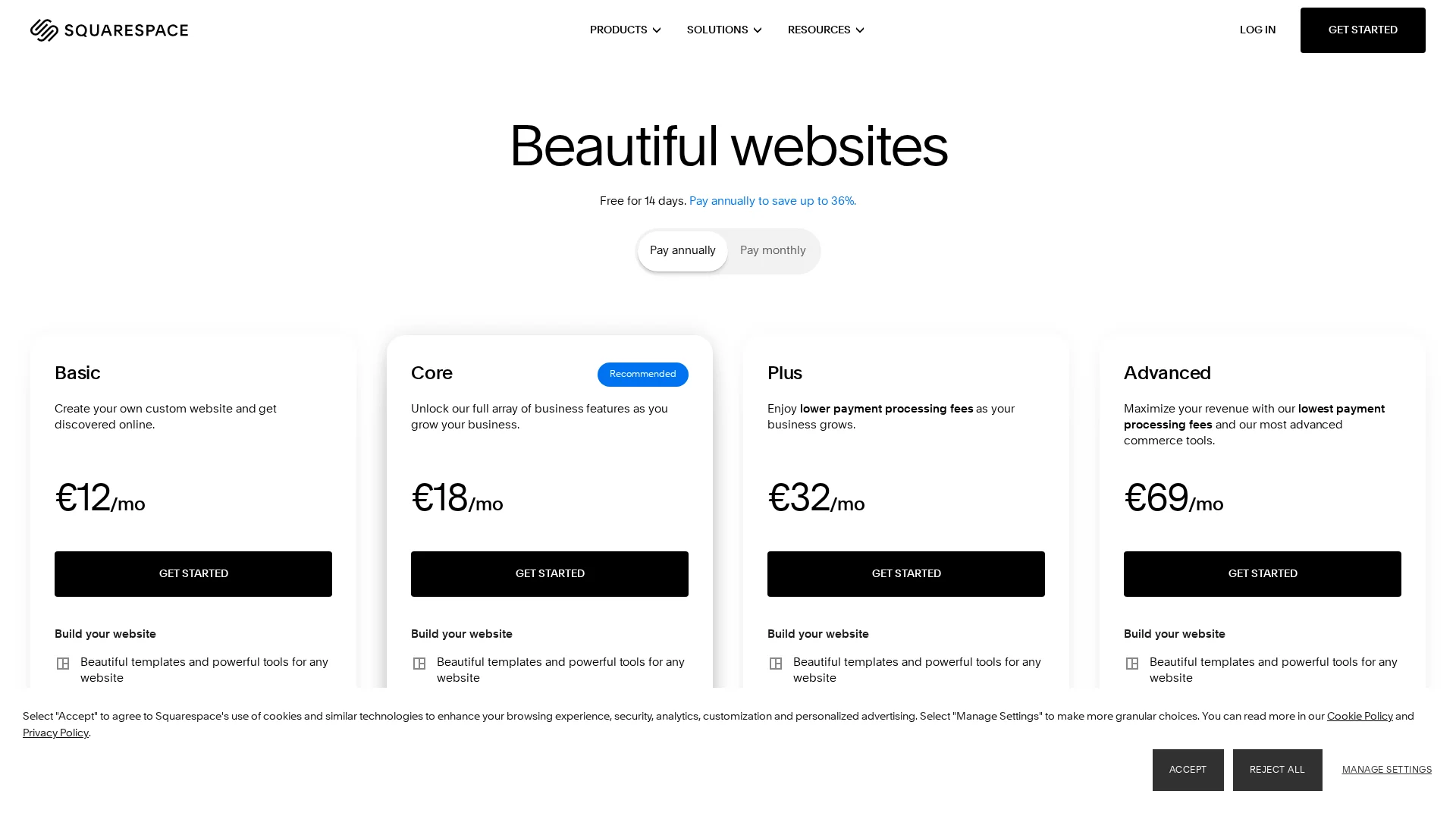
Self-serve platforms like Wix and Squarespace let you drag and drop your own site for a low monthly fee. The sticker price is small, but the design, writing, updates, and compliance work all land on you. That trade suits hobby projects and side businesses with room to spare.
DIY Website Builders
Key strengths
Low entry cost ($16-$29 per month for basic plans)
A managed website service delivers a professionally designed site as a flat monthly subscription. Design, hosting, security, backups, and ADA and California privacy compliance are handled for you. You spend a few hours on the brief, then stay focused on your business.
Small Business Websites (Professional / WaaS)
Key strengths
One all-in monthly price covering design through maintenance
Compliance kept current by the provider
Only 2-5 hours of your time up front
Total Cost Over 12 Months: Subscription vs. Real Spend
What ‘Cheap’ Actually Costs on a DIY Plan
The sticker price looks tiny. Wix starts at $17 a month billed yearly and Squarespace at $16, so the advertised year runs about $200 according to Website Builder Expert.
That is rarely what you pay. Add a custom domain, remove the builder’s ads, and the plan jumps. Squarespace’s top plans reach $99 a month, and Wix’s climb to $159 per Expert Market.
Then come the hidden line items most owners forget:
Real 12-month cost
DIY
Managed WaaS
Subscription
$200-$1,900
Included
Your build hours
40-80 unpaid
$0
Plugins, email, backups
$150-$500
Included
Security and updates
On you
Included
Real total
$350-$2,400+
One flat fee
Time is the biggest cost. If your hours are worth $50, one week of DIY building adds $2,000 the invoice never shows.
Time, Compliance Risk, and the Stuff DIY Builders Don’t Tell You
The Quiet Risk Most DIY Owners Miss
Most small business owners budget for the monthly builder fee. They forget the weekend afternoons spent fixing broken forms, updating plugins, and chasing a support chat. If your time is worth $50 an hour, five hours a month quietly costs more than the subscription.
Then there’s legal exposure. California’s CCPA privacy law applies to your website, and ADA accessibility lawsuits target small businesses every year. DIY templates rarely handle either.
Business owner reviewing compliance paperwork at desk
A managed compliant website shifts that work off your plate. You get design, hosting, updates, and compliance handled for one predictable price.
Which Option Actually Fits a Small Business in 2026
When DIY Is the Right Call
Pick Wix or Squarespace if you have spare time, simple needs, and no privacy or accessibility worries. A hobby site or a temporary event page fits DIY well.
Small business owner editing a website template on a laptop
When a Managed Small Business Website Pays for Itself
If your site must bring in customers and stay compliant with California privacy rules, a managed service wins. You bill clients while someone else handles updates, hosting, and fixes. Monkey Business prices that work as one flat monthly plan.
Which Should You Choose: DIY or a Small Business Website?
Pick DIY if your site is a simple brochure and you enjoy the work. Choose a managed small business website if you want leads, compliance, and support without losing evenings to updates. For most busy owners, done-for-you wins.
Homepage
Your time is worth more than fighting templates. Let Monkey Business design, host, and maintain your site for one flat monthly price. Start today.
Frequently Asked Questions
Q1: Small business websites vs DIY builders?
DIY builders look cheap but eat your hours. A managed service like Monkey Business handles design, hosting, and maintenance for one flat fee.
Q2: Is DIY really cheaper?
Often no. Add plugin costs, security fixes, and your time, and a managed site usually wins.
Q3: What about privacy compliance?
California’s CCPA applies to your website. Professional services handle compliance; DIY leaves it on you.
Conclusion
DIY builders look cheap, but hidden costs in time, compliance, and repairs pile up. A managed website from Monkey Business often costs less once you value your hours.
Quick Summary: A thin website limits your local growth, so you should use distinct, purpose-driven pages to improve SEO and build trust. For California businesses, Monkey Business stands out by providing an all-inclusive service that handles complex ADA and CCPA compliance automatically. Choosing a managed partner ensures your site remains secure and effective without requiring constant technical maintenance.
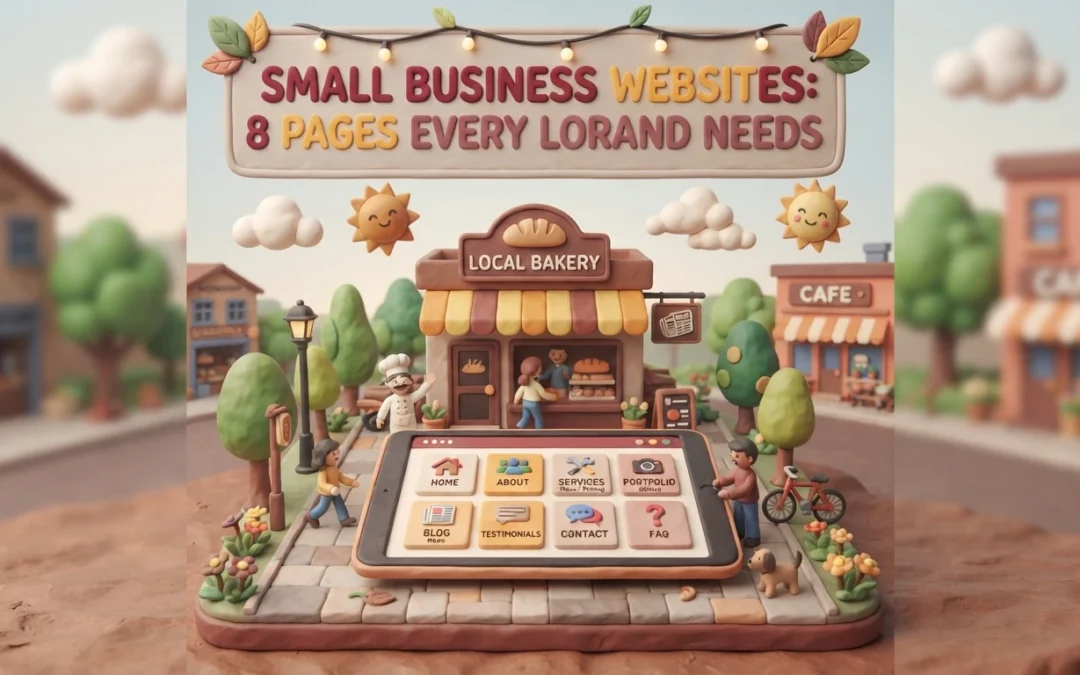
For most local customers, your website is the first and only interaction they have with you before buying. Yet many owners launch a two-page small business site and wonder why the phone stays quiet. A thin small business site works against you, not for you. We break down eight pages that build trust, lift your local rankings, and turn browsers into clients. Each page earned its spot by improving trust, SEO signals, or California compliance. Your small business site deserves the full set.
Your website works harder than a digital brochure. Each page should guide visitors toward one clear action, like calling, booking, or buying, while showing Google what you do and where you do it.
Structure does that job. When content lives on distinct, purpose-driven pages, local customers find answers fast and search engines can index your expertise accurately.
In 2026, that also means a site that is secure and compliant from the start. The eight pages below cover the essentials every local brand needs.
Monkey Business is a California web design agency built around one idea: your site should just work. As a fully compliant Website-as-a-Service provider, it handles design, hosting, maintenance, security, ADA accessibility, and CCPA compliance for you, so you never touch the technical heavy lifting.
Monkey Business
Highlights
Built-in CCPA compliance, the California privacy law covering how sites handle resident data
ADA accessible design from day one
Local SEO built into every build
Pros
Zero technical burden
Compliance included by default
Designed for local search visibility
Cons
Subscription model rather than a one-time payment
Why it ranks here: It balances high-end design with strict California regulations and ongoing management, making it the safest all-in-one pick for compliance-focused growth.
Last updated: October 8, 2026
2. AcumenSites
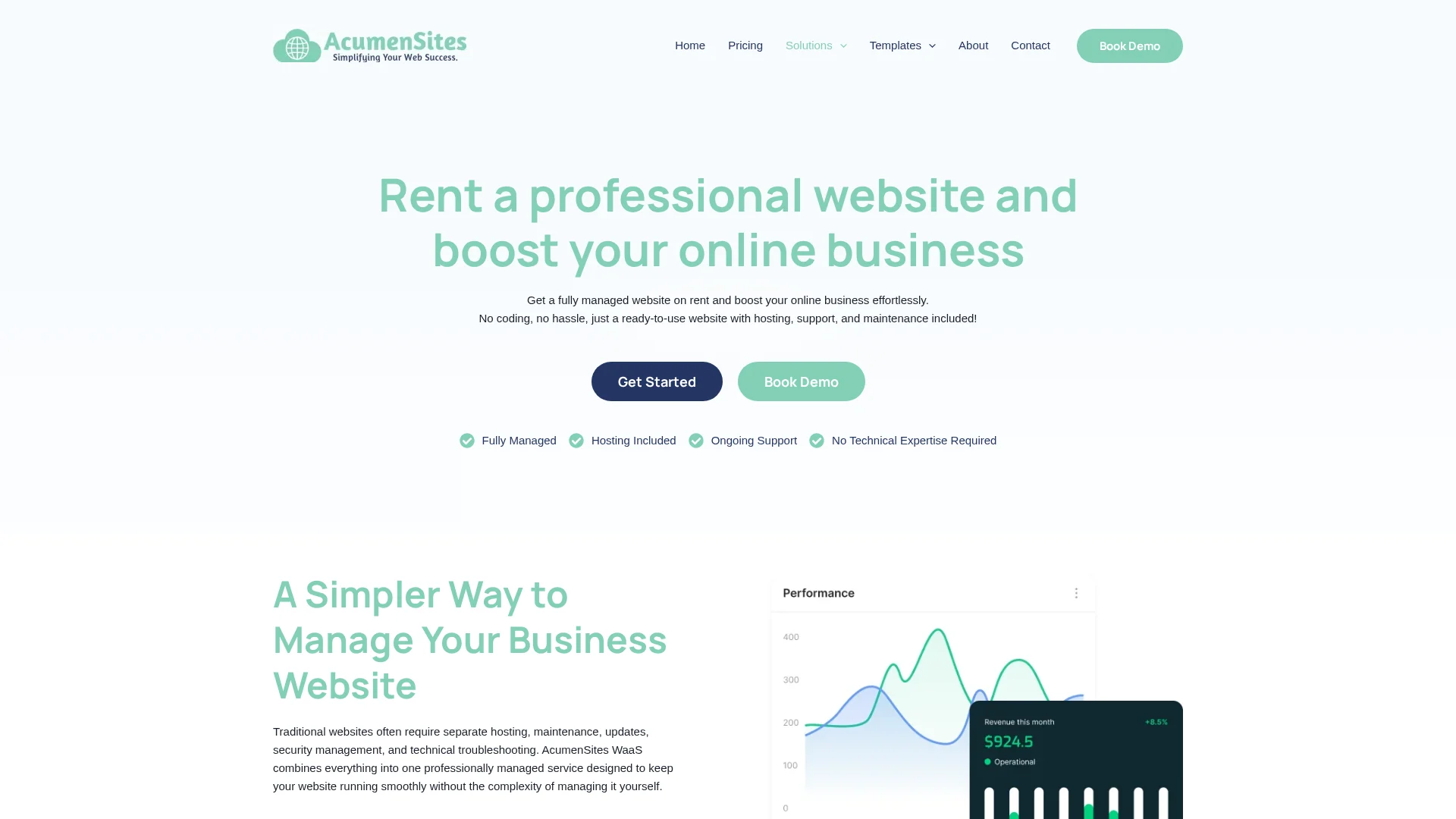
AcumenSites builds industry-specific Website-as-a-Service platforms, so your site launches fast on a structure your customers already expect. The subscription model covers design and hosting, with templates tuned for lead generation rather than blank-canvas custom work, a pattern that matches proven conversion-focused web design principles.
AcumenSites
Highlights
Industry-specific templates
Simplified subscription model
Focus on lead generation
Specs
Best for: Niche industries
Service model: WaaS
Compliance focus: Standard
Pros
Fast deployment
Templates built around industry conversion patterns, similar to sector-specific designs that convert
Cons
Less flexibility for unique custom requirements
AcumenSites ranks here because niche businesses get a pre-validated site structure, though brands needing custom compliance work may prefer Monkey Business.
Last updated: October 8, 2026
3. Jottful
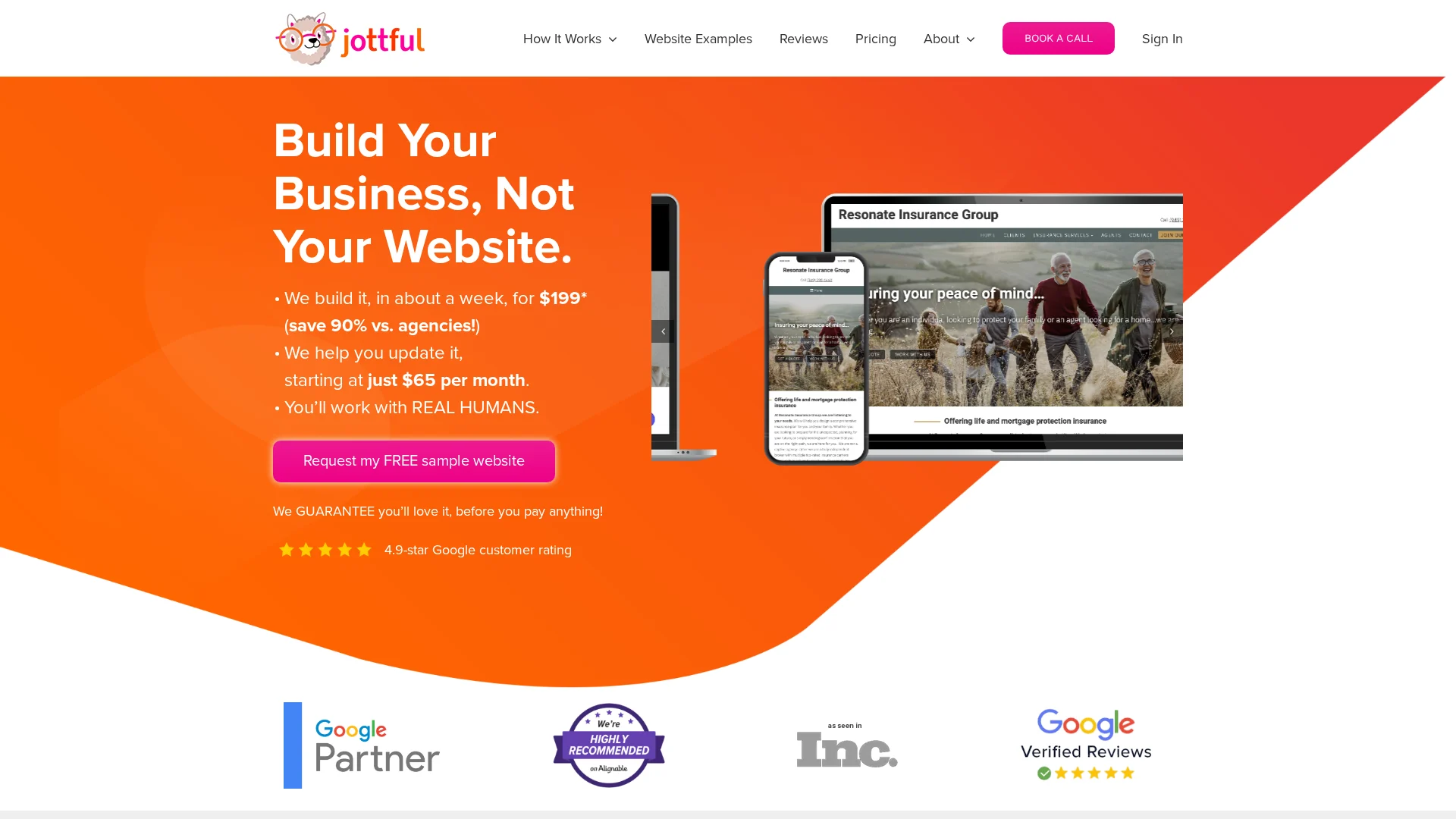
Jottful builds easy-to-manage sites for small business owners, starting around $65/month. It’s a full-service model: they design, host, and maintain everything, so owners with no marketing staff can stay hands-off. Their approach centers on the core pages local brands actually need.
It ranks here because it’s excellent for small businesses that want a personal touch and a clean, non-intimidating website.
Last updated: October 8, 2026
4. Eversite
Eversite focuses on streamlined website creation for modern brands. Its clean, responsive templates set up fast and look sharp on any screen, which matters because most local searches now happen on phones.
Highlights
Clean responsive templates built for mobile-first traffic, where most local searches begin
Fast setup with a managed service model, so you skip complex back-end work
Pros
Beautiful design options
Strong mobile responsiveness
Cons
Requires some content management effort on your end
It ranks here because it delivers a modern, mobile-ready site with minimal technical overhead.
Last updated: October 8, 2026
Additional Considerations
These alternatives can still support your site, though most need more hands-on upkeep than an all-inclusive WaaS setup.
Go Fisherman – Effective for simplified local business branding.
Big Rig Xpress – Useful for specific, high-velocity industry needs.
Website Concierge – Good for those needing a dedicated support partner.
Custom DIY Platform – Suitable for tech-savvy owners with time for maintenance.
How to choose the right partner for your site
Use these five checks before you sign anything:
Compliance knowledge. Ask how they handle CCPA privacy rules and ADA accessibility. If they hesitate, walk away.
Maintenance appetite. Decide whether you want updates handled for you or enjoy doing them yourself.
Local SEO structure. Insist on separate service pages, not one crowded landing page.
Support model. Look for ongoing care, not a one-time build that leaves you stranded.
Portfolio. Confirm they’ve served businesses like yours locally.
For California small businesses, Monkey Business fits all five: all-inclusive WaaS covering design, secure hosting, maintenance, and compliant support, so you just run your business.
Homepage
Missing even one of these pages costs you local customers. Let Monkey Business build a secure, compliant site with all eight, done for you: Monkey Business.
Frequently Asked Questions
Q1: Best small business websites for local companies?
Look for a site with clear service pages, local contact info, fast hosting, and privacy compliance. A WaaS plan like Monkey Business bundles design, hosting, and updates in one monthly fee.
Q2: How much should a small business website cost?
Done-for-you sites typically run $100 to $300 per month, covering design, hosting, security, and support. Custom builds cost more upfront but need paid maintenance.
Q3: Do I really need a privacy policy page?
Yes. California businesses must follow CCPA rules, and a clear privacy policy builds customer trust while reducing legal risk.
Q4: How long does a new website take to launch?
Most small business sites launch in two to six weeks. Timelines depend on content readiness, page count, and how quickly you approve designs.
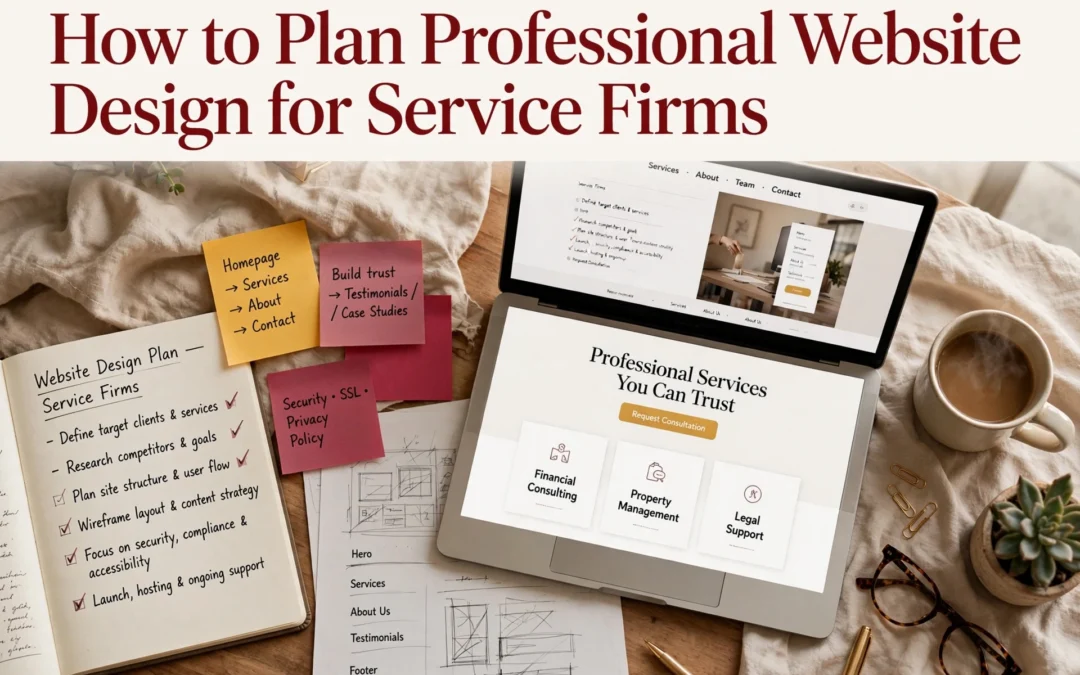
Quick Summary: Service firms should plan their websites in four sequential steps: define audiences and success metrics, map a clear sitemap with essential pages, specify accessibility and privacy requirements like WCAG 2.1 AA and CCPA, then test and maintain the site regularly. Most firms skip planning, which leads to confusing sites, but a structured approach ensures visitors understand the services and can contact the firm within two clicks. Ongoing maintenance is critical since outdated plugins cause most hacks, and managed plans can handle updates for busy owners.
Picture someone comparing three local accounting firms. Within seconds, your corporate site should show what you do, why you’re credible, and what to do next. Most service firms skip the planning step, so their sites confuse visitors instead. This guide walks you through a simple, sequential plan covering content, conversions, accessibility, privacy, and upkeep. Monkey Business has built secure, compliant websites for California small businesses and nonprofits for years, and this framework is how every project starts.
Step 1: Define the Audience, Purpose, and Success Measures
A corporate site fails when it tries to please everyone. Content built for “anyone” connects with no one, a point UW-Madison’s web team makes plain. So name your visitors, what each should do, and how you will know it worked.
Turn Business Goals into Visitor Tasks
Start with your business goal, then translate it into a task a visitor can complete.
List your audiences. A law firm might serve clients, referral partners, and job seekers, as Inc. notes.
Pick one main action per audience. Book a consultation, download a guide, or call your office.
Set a number. Example: 10 consultation requests per month from the corporate site.
Write these down before touching layouts or colors. They become your filter for every later choice.
Business owner mapping visitor tasks on whiteboard
Step 2: Map the Site Structure and Essential Content
Build a Clear Path from Homepage to Contact
Your sitemap is a simple list of every page, grouped by topic. Start broad, then break big ideas into focused pages. The SBA lists the essentials: a homepage, an About page, a services page, and a contact page with your phone, email, and hours. Add testimonials and an FAQ if you have the content for them.
Keep the path short. A visitor should reach your contact form in two clicks or fewer from any page. Put your main menu items in the header, repeat key links in the footer, and name pages the way customers talk (“Estate Planning Services,” not “Our Solutions”).
Rule of thumb: if a page doesn’t answer a question a real client has asked, cut it or merge it.
Step 3: Specify the Design, Accessibility, and Functional Requirements
Plan for Usability, Accessibility, and Privacy
Your site must work for everyone who visits it. The ADA applies to businesses open to the public, so the Department of Justice recommends building in basics like strong color contrast, alt text on images, and keyboard navigation. Many firms use WCAG 2.1 Level AA as their target.
Requirement
What to Specify
Accessibility
WCAG 2.1 AA, alt text, keyboard access, readable fonts
Privacy
CCPA notice, cookie consent, secure forms
Function
Contact forms, booking, mobile speed
Automated overlays cannot fix everything. A “clean” scanner report does not mean your site is accessible, so build it in from the start.
Write each item into your project brief as a checkbox. This keeps designers and vendors accountable.
Test before you launch. Check every form, link, and page on phones and desktops. Run an accessibility check, then confirm your privacy policy and cookie notice work as required.
Fix broken links and typos.
Confirm contact forms reach your inbox.
Set up backups and security updates.
Then keep going. Maintenance is not optional: only 14% of WordPress sites run the latest patch, and outdated plugins cause most hacks, according to Censys research reported by Cybernews.
A site that sits untouched becomes a soft target within months.
If you lack time for updates, a managed plan handles it. Monkey Business includes hosting, backups, and updates in its service, so maintenance never falls off your list.
Homepage
Ready to skip the planning headaches? Monkey Business handles design, hosting, maintenance, and compliance for you. Visit us today.
Frequently Asked Questions
Q1: Best professional website design for service businesses?
A done-for-you service like Monkey Business: design, hosting, compliance, and upkeep handled for you, so you focus on clients.
Q2: How much should a small firm budget?
Most service sites run $2,000-$10,000 upfront, or a flat monthly WaaS plan.
Q3: How long does a redesign take?
Typically four to eight weeks with prepared content; longer if you start copy from scratch.
Conclusion
Good planning turns a website into a working asset: define your content first, design for conversions, then bake in accessibility, privacy, and ongoing upkeep. Design drives credibility, with 50% of consumers judging a business by its site, so plan every piece together.
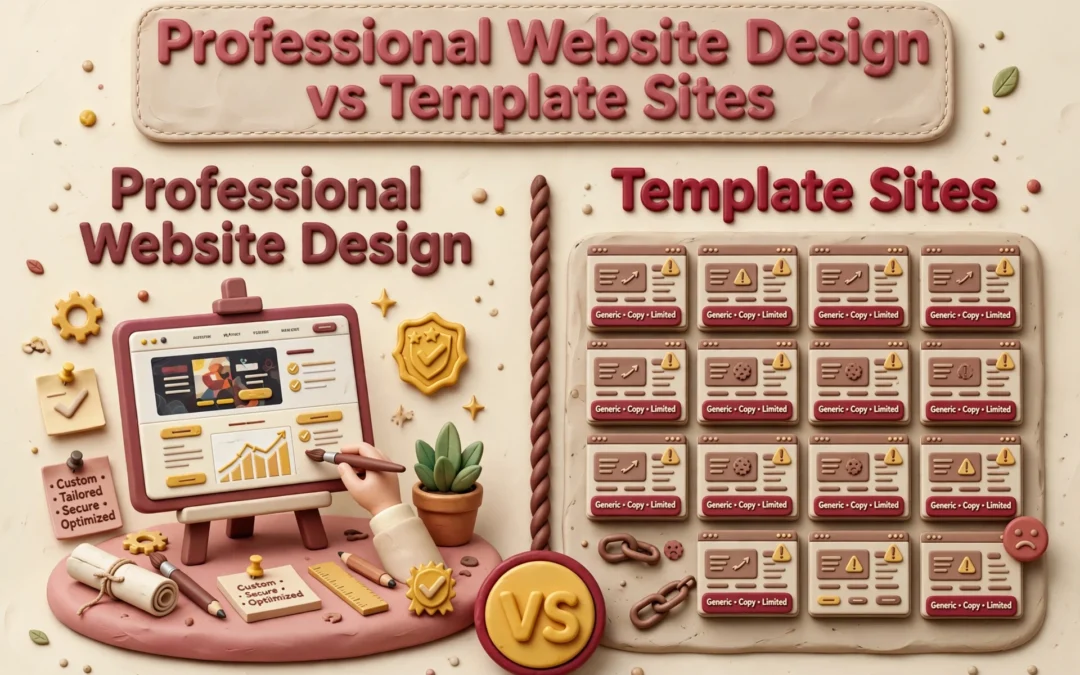
Quick Summary: Professional website design beats DIY templates for businesses that need trust, custom branding, or hands-off maintenance, while templates suit simple sites on tight budgets. A DIY site costs $10-$50 monthly but eats 40-100 hours of your time and often adds $500-$5,000 yearly in unplanned upkeep, whereas a managed service like Monkey Business bundles design, hosting, and support into one flat monthly fee. Nearly half of visitors judge credibility by visual design alone, and one in three local businesses lack a healthy site due to neglect, so done-for-you services prevent that decay. Choose a template for quick, cheap launches, but pick professional design if you need growth, compliance, or zero backend work.
When your California business runs on trust, professional design beats a template. Professional design reflects your brand and stays cared for; a template suits a simple site you maintain yourself. A DIY launch saves money upfront but costs time later. Below, we compare fit, lead flow, ownership, and total commitment.
Professional Website Design vs Template Sites: At a Glance
A tailored design and build service shaped around your goals, brand, and audience. It suits businesses that want custom structure and hands-on help, with managed support options like Monkey Business’s monthly WaaS plans.
A website you assemble yourself from a pre-designed layout on a site-builder platform. It fits simple sites, tight budgets, and owners comfortable handling the setup and content work.
DIY template site
Key strengths
Low starting cost
Fast to publish a simple page
Full owner control
What You Gain From Professional Design
Visitors judge your site fast. In a Stanford study of 2,684 people, nearly half based a site’s credibility on its visual design – layout, fonts, and colors – before reading a word. That research shaped the Stanford Web Credibility guidelines, which tell businesses to make sites look professional and easy to use.
A professional designer gives you:
A custom look that matches your brand, not a template thousands of others use
Clear layout and typography that build instant trust
Accessibility and privacy compliance handled for you
Ongoing updates, security, and support
Templates can’t match that. Services like Monkey Business handle design, hosting, and maintenance together, so you never touch the technical side.
Here’s the honest math. A DIY template site costs $10 to $50 a month but eats 40 to 100 hours of your time, and many small businesses still spend $500 to $5,000 a year on maintenance they didn’t plan for, per this 2025 pricing guide. A custom agency build runs $5,000 to $15,000 upfront and takes months.
Factor
DIY Template
Professional + WaaS
Upfront cost
Low
Bundled monthly
Your time
40-100+ hours
Near zero
Maintenance
Yours
Done for you
With Website-as-a-Service like Monkey Business offers, design, hosting, updates, and support come in one monthly plan, so nobody on your team touches code.
Small business owner reviewing website cost breakdown
A website is never “done.” Plugins need updates, backups need checking, and security holes appear in third-party code. Most small business owners don’t want that job, which is why maintenance plans run $50-$350 a month depending on what’s included.
Templates win on quick edits. Professionals win on scale. Need online booking, ADA compliance, or a new service page next year? A pro site grows with you; a template often forces a rebuild.
Developer updating website maintenance checklist
That’s where Website-as-a-Service fits. Monkey Business bundles design, hosting, updates, and support into one monthly plan, so your site stays current without you touching the backend.
Which Should You Choose: Professional Design or a Template?
Pick a template if your site is simple, your budget is tight, and you have time to maintain it yourself. Pick professional design if your site needs to build trust, meet legal rules, or keep working without you.
Nearly half of small business owners say time is what stops them from keeping a site up, and many sites quietly break within a few years. A 2026 study found one in three local businesses lack a healthy web presence, mostly from neglect.
That’s why done-for-you services exist. Providers like Monkey Business handle design, hosting, and upkeep for one flat fee, so you never touch the back end.
Ready to skip the template trade-offs? Get a professional, done-for-you website with Monkey Business and focus on running your business.
Frequently Asked Questions
Q1: Professional website design vs template sites?
Professional design gives you a custom, secure site built and maintained for you. Templates are cheaper upfront but leave setup, updates, and compliance on your shoulders. Services like Monkey Business offer done-for-you design with hosting and support included.
Q2: How much should a small business website really cost?
A solid DIY template runs $20-50 monthly plus your time. Managed services like Jottful or Monkey Business typically charge flat monthly fees covering design, hosting, and updates.
Q3: Are template sites okay for a professional services firm?
They can work early on. But generic designs rarely build trust with clients comparing you to competitors, and you handle every fix and update yourself.
Make the Choice That Fits Your Business
Templates suit tight budgets and simple sites. Professional design wins on trust, control, and long-term growth. With 83% of small businesses online, match your choice to your goals.
Quick Summary: For most small businesses and nonprofits, an all-in-one turnkey website beats custom development on cost, speed, and simplicity, with flat monthly fees from $100 to $500 versus $12,000-plus upfront builds. Custom code only makes sense when you need complex business logic like custom portals or unusual integrations. Turnkey providers like Monkey Business handle design, hosting, security, and updates, so you avoid tech headaches and surprise bills. Choose custom only if your site must act like software, not just a polished online presence.
If your California business needs a polished site for services, bookings, or donations, an all in one website usually beats custom development on cost, launch speed, and simplicity. Custom code makes sense only when your site must act like software. We’ve built both for small businesses and nonprofits, so this comparison weighs all in one website options against custom builds across total cost, maintenance, ownership, and growth.
All-in-One Website vs Custom Development: At a Glance
A managed, all in one website service that bundles design, hosting, security, maintenance, and support with one provider. You pay a flat monthly fee and stay focused on running your business. Providers like Monkey Business and Jottful serve small businesses, nonprofits, and professional firms this way.
Turnkey website solution
Key strengths
Predictable monthly cost, no surprise bills
Live in weeks, not months
Provider handles updates, backups, and security
Custom website development
A website or web app built from scratch around your exact workflows and requirements. You get maximum control over design and functionality, but you also own everything that comes after launch. It fits organizations that need custom portals, unusual integrations, or complex logic.
Key strengths
Total design and functionality control
Built for complex growth and custom features
Ideal for apps and portals off-the-shelf tools can’t handle
Cost and Time to Launch
Custom development usually runs $12,000 to $45,000 for a small business site and takes 6 to 12 weeks, though complex projects can stretch much longer according to 2025 US pricing guides. Turnkey services spread that cost across a flat monthly fee. Most plans bundle design, hosting, updates, and support, so typical ranges land between $100 and $500 per month instead of one big invoice.
Factor
Turnkey (WaaS)
Custom Development
Upfront cost
Low to none
$12,000+
Launch time
2-6 weeks
6-12+ weeks
Ongoing fees
One flat monthly rate
Separate hosting, fixes, updates
Budget surprises
Rare
Common (scope creep)
Why the Monthly Model Can Be More Predictable
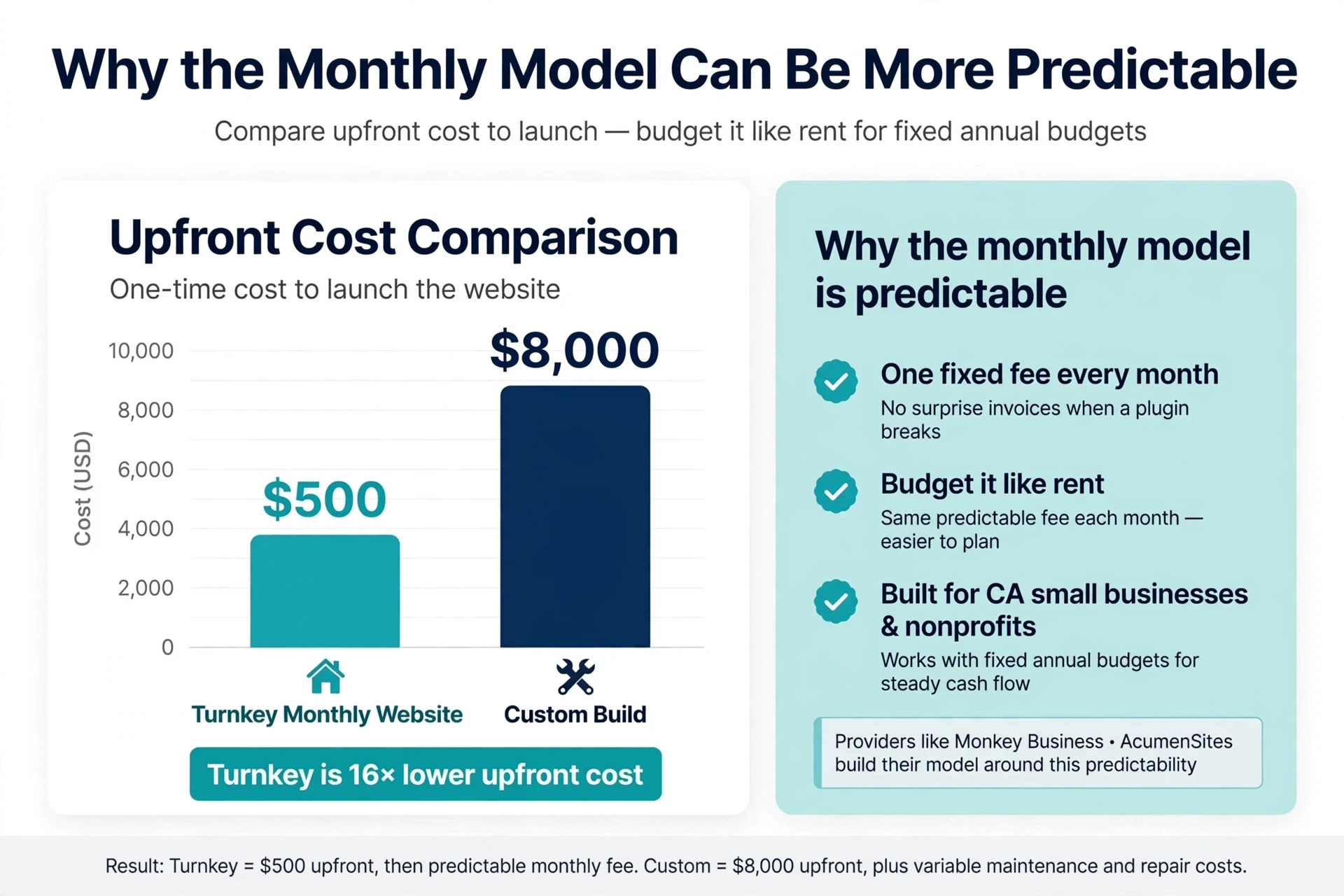
A custom project rarely ends at the quoted price. Revisions, integrations, and post-launch fixes inflate the bill, and maintenance alone often runs $100 to $500 per month on top of the build. Turnkey pricing folds hosting, security updates, backups, and support into one number, so you can budget it like rent. That matters for California small businesses and nonprofits running on fixed annual budgets. Providers like Monkey Business and AcumenSites build their whole model around this predictability: same fee every month, no surprise invoices when a plugin breaks.
Watch the launch date, not just the price. A “cheap” custom build that ships three months late costs you leads the whole time.
Bar chart comparing upfront website costs
Customization, Integrations, and Growth
The Website or the Website’s Business Logic?
Ask what your site actually does, not how it looks. Pages, forms, and a blog fit almost any turnkey plan. But booking systems, quote calculators, CRM syncing, and member portals are business logic – and that is where the two paths split. Custom builds connect to any API or internal system; turnkey plans usually limit you to a fixed connector list. The smarter question: will your needs change in 12 to 24 months? Research on platform limits suggests listing mission-critical integrations first, then choosing. A managed WaaS provider like Monkey Business handles common integrations for you, without hiring a developer.
Small business owner planning booking workflow on whiteboard
With a turnkey plan, the provider owns the technical work. Website-as-a-Service vendors handle hosting, security patches, backups, and updates under one monthly fee. Custom development puts that burden on you or a hired developer – every plugin update and privacy rule lands on your desk. Unpatched plugins remain the top way sites get hacked, which is why managed care matters for busy owners.
The Ownership and Exit Questions to Ask
Before signing, ask:
Do I own my domain and content?
Can I export my site if I leave?
Who fixes a hack – and who pays?
Is CCPA compliance included?
Good providers answer these plainly. Traps hide in vague contracts.
Which Should You Choose: An All-in-One Website or Custom Development?
Pick the all-in-one route if you want a professional site without touching code, hosting, or updates. Pick custom development if you need special features like complex booking systems or custom integrations.
Custom builds offer more control, but they cost more. Projects built by pros often run well into five figures, while builder plans are usually a fixed monthly fee, as Shopify’s comparison explains. Maintenance costs also run higher on custom sites.
For most small businesses and nonprofits, a managed all-in-one plan is the smarter fit. Services like Monkey Business handle design, hosting, security, and updates for one flat monthly price, so you skip the big upfront bill and the tech headaches.
Homepage
Skip the upkeep headaches. Get a done-for-you, compliant website with Monkey Business. Request your free quote today.
Frequently Asked Questions
Q1: Turnkey website solutions vs custom development?
Turnkey means one flat fee covers design, hosting, and upkeep. Custom development costs more upfront and leaves maintenance on you. Most small California businesses get better long-term value from turnkey.
Q2: How much does a turnkey website cost monthly?
Most plans run $100 to $300 per month, depending on features and support level. Custom builds often cost $5,000 or more before ongoing hosting and updates.
Q3: Can I migrate my existing site to a turnkey service?
Usually yes. Providers like Monkey Business handle the transfer, keep your links working, and refresh the design during setup.
Q4: Who owns my website content with a turnkey plan?
You own your text, images, and data. Confirm ownership terms in writing before signing any service agreement.
Conclusion
Turnkey wins on time and peace of mind; custom wins on control. Most California small businesses need the former. SBA guidance on digital readiness supports starting simple.