Quick Summary: Federal ADA Title III lawsuits are on pace to top 10,000 in 2026, with roughly 48% of the first 5,006 cases filed in California federal courts. Plaintiffs’ lawyers scan sites for detectable errors like low-contrast text, missing alt text, unlabeled forms, empty links and buttons, and almost 96% of home-page failures trace back to six common WCAG issues. A documented, human-led design review that identifies problems page by page, prioritizes fixes, and confirms them with a retest is the most cost-effective defense, especially for California-based small businesses who face the highest exposure. Overlay widgets don’t stop filings, and 45% of last year’s cases targeted companies sued before, so one-time fixes without documentation invite repeat demand letters.
Plaintiffs’ lawyers filed 5,006 federal ADA Title III lawsuits in the first six months of 2026, according to Seyfarth Shaw’s mid-year report. That pace tops 10,000 cases for the year. Roughly 48% landed in California federal courts, so one demand letter can become a federal case before lunch. This piece covers where filings concentrate, what they target on a website, and how ADA design reviews turn that exposure into a fix plan you can act on now. Teams that schedule regular ADA design reviews get documented, WCAG-mapped results instead of a complaint.
The 2026 Numbers, and Why California Owns the Risk
The filing surge matters more here than anywhere else. With nearly half of federal ADA Title III cases landing in California courts, a small business in Sacramento or San Diego faces odds no owner in Ohio does. That is why ADA design reviews have become the single most useful defensive step for California site owners. They turn an abstract legal threat into a short checklist you can actually finish.
Web designer testing website accessibility with keyboard and checklist
What an ADA Design Review Actually Checks
A design review is a structured pass through your site, looking for the barriers that trigger most demand letters. It typically covers:
Keyboard access: can a visitor reach every link and form field without a mouse?
Alt text: do images carry descriptions screen readers can announce?
Color contrast: is text readable against its background for low-vision users?
Form labels: does every field say what it wants, in text?
Heading structure: do pages use real headings, so screen readers can navigate?
Video captions and link text: can users hear or read what each element does?
Tools catch some of this automatically, but a human reviewer finds what scanners miss, like a confusing checkout flow or a button with no purpose. One careful review pass, done before a demand letter arrives, costs far less than defending a federal filing. For the full framework, see our guide to choosing an ADA compliant website design partner.
What Plaintiffs’ Lawyers Target on a Small-Business Site
Plaintiff firms don’t hunt for exotic failures. They run automated scans, sort websites by detectable errors, and send demand letters that list the results. So the most common automated errors are the ones that put you on their list.
Most-Cited Defect Categories in 2025-2026 Filings
WebAIM’s 2026 scan of the top one million home pages found six error types behind 96% of failures: low-contrast text (83.9% of home pages), missing image alt text (53.1%), missing form labels (51%), empty links (46.3%), empty buttons (30.6%), and a missing page language setting (13.5%). Keyboard barriers, like menus or checkout flows that need a mouse, show up repeatedly in filed complaints too. The good news: most of these errors live in your header, footer, forms, and product templates, so fixing one template clears the same error on every page that uses it.
Settling doesn’t end the risk. In 2025, 45% of federal ADA cases targeted companies already sued before. When a settlement fixes nothing, the site stays scannable, the same errors stay listed, and a new plaintiff can file within months. Fix and document the work, or expect a second letter.
How a Professional ADA Design Review Cuts the Risk
A design review finds the exact errors lawyers sue over: missing alt text, low contrast, unlabeled forms and keyboard traps. With nearly half of 2026’s federal filings landing in California, fixing these issues first is your cheapest defense. A proper review goes deeper than a plugin scan, as accessible design services and audits work differently in practice.
Consultant reviewing annotated website audit with business owner
What the Deliverable Should Include
Insist on four things. First, a written report that lists each issue by page and WCAG failure, not a vague score. Second, screenshots showing what a screen reader or keyboard-only user experiences. Third, a prioritized fix list, so your developer starts with the highest-risk items. Fourth, a retest that confirms the fixes actually work. Anything less is a checkbox exercise.
How Often to Re-Review
Treat it as a schedule, not a one-time event. A full review once a year works for most sites, but re-review after any major redesign, new booking tool, or template change. Small updates can quietly break accessibility, so a quick quarterly spot-check catches problems before a demand letter does.
Monkey Business homepage
With nearly half of 2026’s ADA lawsuits filed in California, your website is exposed. Monkey Business builds and maintains accessible, compliant sites for you. Start with a design review today.
Frequently Asked Questions
Q1: Best ADA compliant website design for small businesses?
The best design follows WCAG standards from the start: keyboard access, alt text, labeled forms, and strong color contrast. In California, choose a partner who documents reviews and retests, since nearly half of 2026 lawsuits were filed there.
Q2: How much does an ADA design review cost?
Simple audits run a few hundred dollars; full professional reviews with retests often cost $2,000 to $5,000. Compare that to defending a federal suit, which regularly exceeds $25,000.
Q3: Does a widget or plugin make my site ADA compliant?
No. Overlay widgets can’t fix keyboard traps, unlabeled forms, or poor contrast, and they haven’t stopped most lawsuits. Real fixes in your code and templates work.
Q4: What should I do first after a demand letter?
Don’t ignore it or delete anything. Contact an attorney within days, then order a review targeting the cited failures. Documented fixes help your settlement and cut repeat-filing risk.
What to Do This Quarter
The 2026 numbers are clear: filings hit a record, and California owns nearly half the risk. Order a design review, fix the six common errors, and document the retest. That is your cheapest defense before a letter arrives.
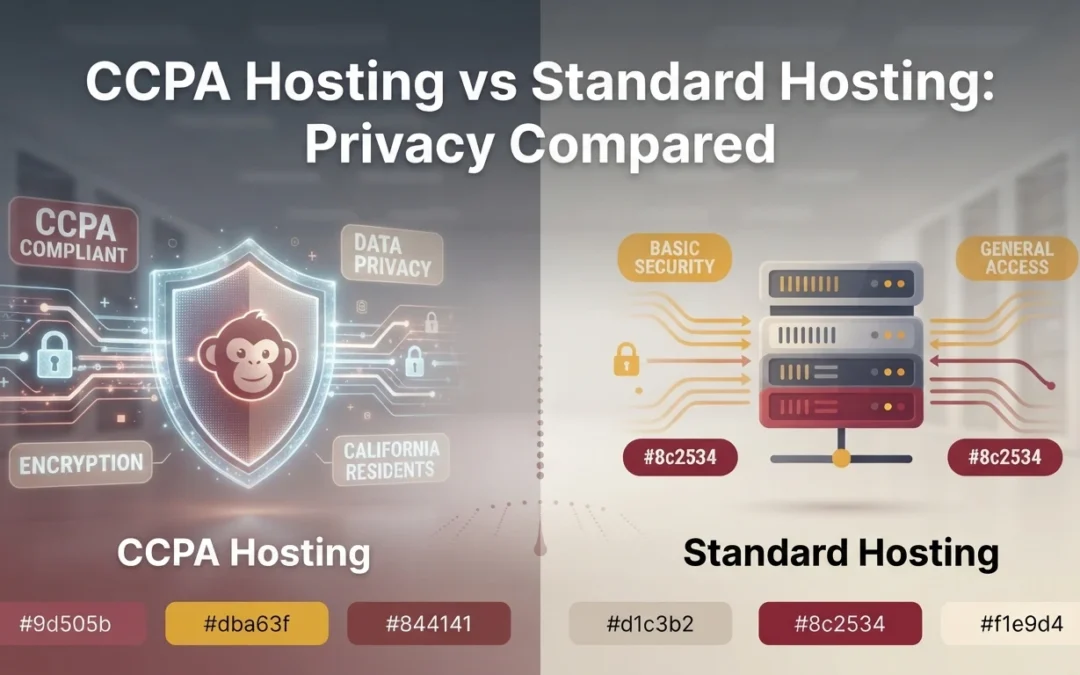
Quick Summary: CCPA-aware hosting bundles privacy essentials like service-provider DPA terms, opt-out link setup, deletion request support, and audit-friendly logs, while standard hosting leaves that work to the site owner. Even with a privacy host, duties such as privacy policy wording, consent notices, and answering consumer requests within California’s 45-day window stay on the business. Pick CCPA hosting if your site collects names, emails, or form submissions from California visitors, and standard hosting only when no personal data is captured. Monkey Business stands out by offering done-for-you CCPA-compliant hosting and maintenance, removing the manual privacy work for small business owners.
If your California site collects even one lead form a week, your hosting plan shapes how much CCPA privacy work you do yourself. Standard hosting leaves compliance on your plate. Privacy hosting builds much of it in. This guide compares the two directly, showing what privacy hosting handles for you, what still stays on your to-do list, and whether the upgrade fits your data risk.
CCPA Hosting vs Standard Hosting: Privacy at a Glance
Built for opt-out, privacy policy, and tracking control support
Basic hosting controls, not compliance-focused
Data processing terms
Typically includes a CCPA-aware DPA with service-provider language
Often lacks CCPA-specific DPA language
Consumer rights support
Helps with access, deletion, and opt-out-of-sale requests
Mostly handled outside the host
Security and logging
Stronger monitoring, encrypted backups, and audit-friendly logs
Depends on plan and provider
Admin workload
Lower for the site owner
Higher for the site owner
Best fit
California businesses that collect personal data
Low-risk sites with simple data collection
How CCPA compliant web hosting and Standard hosting Compare
CCPA compliant web hosting
This hosting tier is built around California privacy duties. It bundles a privacy-aware data processing agreement, opt-out and deletion request support, and audit-friendly logs, which suits businesses that collect personal data through their site. Think of it as privacy hosting with the compliance work mostly done for you.
CCPA compliant web hosting
Key strengths
Lower admin workload for the site owner
Stronger monitoring, encrypted backups, and audit-ready logs
Standard hosting
Standard hosting provides general-purpose server space and core site tools, with privacy work left largely to the owner. It often lacks CCPA-specific contract language and handles consumer requests outside the host. It fits low-risk sites with simple data collection.
Key strengths
Broad provider choice and pricing
Works well when no personal data is collected
Where CCPA Hosting Actually Changes Your Privacy Workload
What the host quietly handles for you
A privacy-focused host takes server-side jobs off your list: encrypting data in transit and at rest, keeping servers patched, logging access, and controlling where your data physically lives. Some plans include a Do Not Sell or Share link setup and a subprocessor list, which California requires you to disclose. Done-for-you setups such as ours bundle these with maintenance, so the core CCPA hosting features get checked without you touching a dashboard.
What still stays on your plate either way
Your host can’t answer consumer requests for you. When someone asks to know, delete, or opt out, you must find their data across forms, analytics, and vendors, then respond within California’s 45-day window. You also still need a plain-language privacy policy, consent notices for cookies and tracking tools, and training for whoever reads the inbox. Under the CCPA, those duties follow the business, not the hosting plan. Budget a few hours a month for them.
Privacy Features That Matter Most When You Compare Plans
Data processing terms you can actually read
Ask each host for its data processing agreement, or DPA. That is the contract stating how the host may use, keep, and share personal information on your behalf. Under the CCPA, a host only counts as your service provider if this contract is in place, so a vague policy is a real risk. Read it before you sign, not after an incident.
Business owner comparing hosting agreement at desk
Backups, logs, and the paper trail you may need
Backups and server logs often hold personal data too, so ask where they live, how long the host keeps them, and whether deletion requests reach them. When someone asks to delete or opt out, you may have only California’s 45-day window to respond across every system. A host that documents what it stores, and can erase it on request, saves you that scramble.
Choose CCPA hosting if your site collects personal data like names, emails, or form submissions. Standard hosting works for simple brochure sites with no data capture. If you sell services in California, assume data flows through your site. Done-for-you providers such as Monkey Business bundle compliant hosting with maintenance, so the decision often comes down to how much privacy work you want to handle yourself.
Business owner comparing hosting brochures at deskMonkey Business homepage
Still chasing privacy requests across forms and vendors within California’s 45-day window? Monkey Business builds CCPA-compliant hosting and websites that handle it for you. Get started today.
Frequently Asked Questions
Q1: Compare compliant hosting services for California businesses?
Check three things: the data processing agreement’s CCPA language, deletion request support reaching backups and logs, and opt-out link setup. Strong plans bundle all three with monitoring and maintenance.
Q2: Do I still need a privacy policy with CCPA hosting?
Yes. Hosting supports compliance, but the plain-language policy, cookie notices, and staff training remain your responsibility under California law.
Q3: Is CCPA hosting worth the extra cost for a small business?
If your site collects names, emails, or form submissions, usually yes. It cuts the hours you spend on requests and reduces risk.
Conclusion
Standard hosting leaves CCPA work on your plate; privacy hosting builds much of it in. If your site collects names, emails, or form submissions from California visitors, compliant hosting with done-for-you maintenance cuts your workload and risk.
Quick Summary: California businesses need more than firewalls from their web host to stay CCPA compliant. Encryption, backup deletion routines, role-based access controls, and a written data processing agreement all matter because even small practices, like IP profiling in analytics, can turn a host into a legal third party. Vendors such as Monkey Business bundle these features into managed plans, including CCPA-aligned DPAs and tested encrypted backups, so site owners do not have to assemble compliance pieces on their own. Before signing, ask any host to show audit logs, retention settings, and subprocessor lists to confirm they can support deletion requests and breach notice duties.
A Sacramento yoga studio learned the hard way: its host was profiling visitor IPs for cross-client analytics. That quiet detail turned the vendor from a service provider into a third party under California law. Secure web hosting is not just firewalls and uptime. The CCPA also cares how hosts handle, share, and delete data. This guide gives you a ranked checklist of secure web hosting features to verify, so your hosting choice actually supports compliance rather than undermining it.
Security and Encryption Features That Cut Your Privacy Risk
Start with encryption. If your host does not force HTTPS with a current TLS certificate, a breach of visitor data may already be a legal problem. Ask for encryption at rest too, so stored form entries stay unreadable if a server is stolen. Your forms matter most here: use spam protection, honeypots, and encrypted delivery of submissions.
Laptop screen showing a browser address bar with a padlock icon
Next, check the perimeter. A web application firewall, daily malware scans, and DDoS protection block most attacks before they touch your data. Ask how fast the host patches software and who fixes a hacked site. Good secure web hosting includes these defenses by default, not as paid add-ons, which is what separates CCPA compliant hosting from a bargain server.
Backup, Retention, and Deletion Features That Honor Data Lifecycle Duties
The CCPA’s deletion right is only as strong as your hosting setup. A visitor can ask you to erase their data, but if old copies live in backups your host never purges, you can’t fully honor the request.
Automated Backups and Tested Restore Drills
Look for daily automated backups with at least 30 days of history, stored apart from your main server. A backup you can’t restore is worthless, so ask vendors how often they run restore tests. Ask too whether backups are encrypted. Managed plans from providers like Monkey Business bundle this, so you don’t chase it yourself.
Technician running a server restore drill
Retention Windows and the Right to Be Forgotten
Your host should let you set retention limits and purge deleted records from backups on a fixed schedule, not keep them forever. Under the CCPA deletion rules, consumers can ask businesses to delete personal information, and providers must honor verified requests. Ask each vendor to document their deletion process in writing, including backup timelines.
Access Controls, Audit Logs, and Privacy-Friendly Infrastructure
Least-Privilege Admin Access and Audit Trails
Your host should support least-privilege access: each person gets only the admin rights their job requires. Ask for two-factor authentication, role-based user levels, and an audit log that records who changed what and when. These records matter if a breach or a consumer complaint forces you to explain your data handling.
Privacy-Friendly Defaults: Logging, Regions, and Data Minimization
Good hosts minimize data by default. Check that request logs are short-lived, IP addresses are truncated or anonymized, and you can choose a US hosting region instead of routing data abroad. Fewer stored details mean a smaller breach risk and a simpler CCPA story.
Quick test: ask any vendor to show you the audit log and retention settings before you sign.
Contract and Consumer-Rights Features: DPA, Subprocessors, and Request Support
Your host handles personal data on your behalf, so the contract and its consumer-rights support matter as much as firewalls. Check both before you sign.
A Real CCPA Data Processing Agreement, Not a Generic TOS
Ask for a written data processing agreement (DPA). It should state that the host processes data only on your instructions, follows your security requirements, and helps you respond to consumer requests. A generic terms-of-service page does none of this. Providers such as Monkey Business include CCPA-aligned terms in their managed hosting plans, so you are not left drafting one yourself.
Subprocessor Transparency, Breach Notice, and Rights-Request Support
A good DPA also lists subprocessors, the vendors your host shares data with, and commits to timely breach notice. That notice window lets you meet your own duty to alert affected consumers. Finally, confirm the host will help honor deletion and opt-out requests that touch server logs or backups. Ask how each request flows and who signs off.
Homepage
Checking whether your host meets every CCPA duty takes time you may not have. Monkey Business handles secure, compliant hosting for you, so your site stays protected and your focus stays on your business.
Frequently Asked Questions
Q1: Which hosting providers help with privacy compliance?
Choose providers that offer SSL, encryption, backups, and tools for cookie consent and data deletion. Managed hosts like Monkey Business build these CCPA features into every plan.
Q2: Does CCPA compliance depend only on my host?
No. Your host covers security and data handling, but you must add a privacy policy, cookie notices, and opt-out links yourself.
Q3: Is CCPA compliance required for small websites?
Yes, if you collect personal data and meet CCPA thresholds, or share visitor data with ad platforms. Most small sites benefit from following it anyway.
Q4: How often should I review my hosting setup?
Check quarterly. Review security updates, backup tests, and vendor contracts whenever you add a plugin, form, or tracking tool.
Conclusion
Check any host against the four pillars: security, data lifecycle, access and transparency, and rights and contracts. Score each vendor, ask for written answers, and keep proof on file. A host that meets CCPA compliant hosting standards keeps your business out of avoidable legal risk.
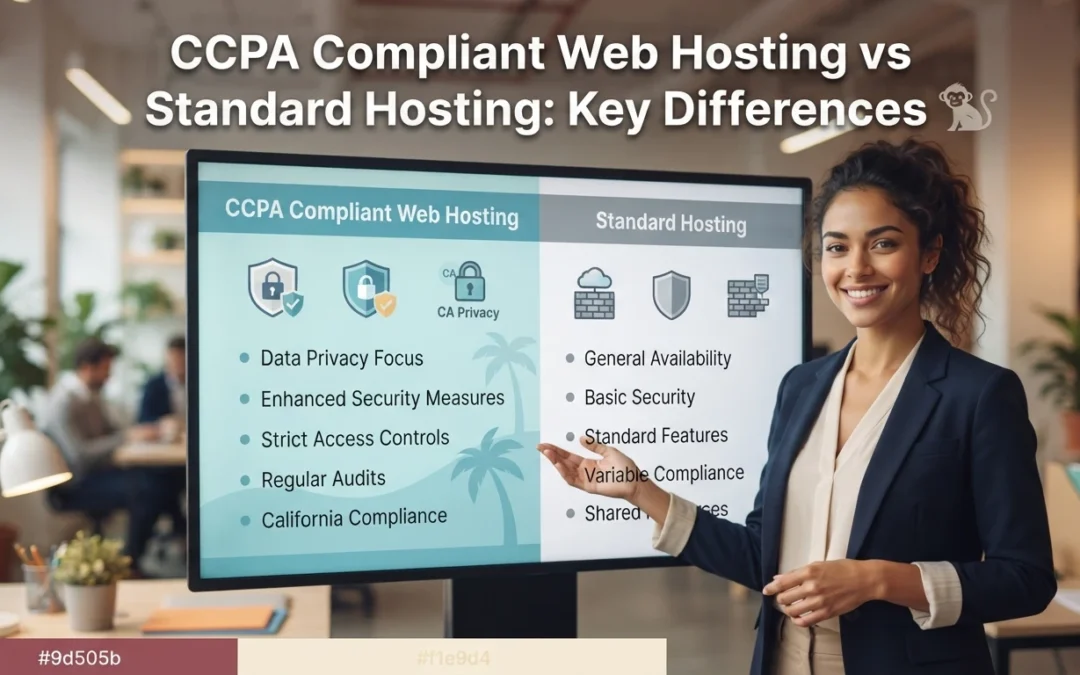
Quick Summary: Under the CCPA, the legal privacy duty always stays with the business, not the hosting provider, so the question is how much server-side work your host takes on. CCPA compliant hosting bundles data processing agreements, US-based data storage, audit records, encrypted logging, and consumer request handling into the plan, while standard hosting leaves notices, deletion requests, and recordkeeping to the site owner. Standard plans fit low-risk sites like brochures with minimal data collection; once you collect names, payments, or health details from California residents, the compliance risk gets heavy fast. Monkey Business is positioned as a done-for-you option that folds CCPA hosting, design, and ongoing compliance maintenance into one plan for California small businesses.
If your California website collects even one name, email, or phone number, CCPA rules already apply. Standard hosting leaves every privacy task on your plate. Compliance hosting handles notices, deletion requests, and records for you. This comparison shows what each tier shifts, so you can pick the compliance hosting that fits.
CCPA Compliant Hosting vs Standard Hosting: At a Glance
Compliance hosting builds California privacy controls, security patching, and service-provider contract terms into the server setup. It suits California businesses that collect personal data from real visitors. You still own the legal duty, but the host absorbs most of the server-side work.
CCPA compliant web hosting
Key strengths
Built to support access, deletion, and opt-out requests
Stronger logging, backups, and audit support
Lower admin workload for the site owner
Standard hosting
Standard hosting gives you server space and core tools, but the privacy plumbing stays your job. Generic contract terms rarely include CCPA-specific language, so consumer requests get handled by hand. It fits low-risk sites with little or no personal data.
Key strengths
Lower upfront cost
Wide provider choice
Simple setup for basic sites
Where the Privacy Duty Actually Lives
Here is the part hosts rarely say out loud: under the CCPA, the legal duty sits with your business, not the hosting company. The law treats you as the business collecting consumer data, so you own the privacy policy, the consumer requests, and the records.
The host reduces work, it does not replace your duty
A compliant host gives you secure servers, encryption, and tools that make compliance easier. That is real help, but it is help, not a handoff. You still decide what data to collect, post an accurate privacy notice, and honor delete or opt-out requests within legal deadlines. A managed privacy compliant website service like Monkey Business bundles those duties with hosting, so nothing falls between providers.
Small business owner reviewing privacy documents beside laptop
What Changes Day to Day: Data, Security, and Consumer Requests
Contracts, data location, and audit support
With standard hosting, you sign the terms and manage privacy duties yourself. A CCPA compliant host gives you a data processing agreement, keeps personal data in the United States, and supplies records you can show during an audit. That paperwork shift matters when a complaint lands. It moves much of the legal burden to a provider built for it.
Security, logging, and responding to requests
Day to day, compliance shows up in monitoring. A compliant host logs access, encrypts data, and helps you answer consumer requests to delete or share information within California’s deadlines. Standard hosting leaves you tracking emails and spreadsheets. Done-for-you providers such as Monkey Business fold these tasks into website maintenance, so requests get handled on time.
When Each Option Actually Pays Off
Stay on standard hosting when the risk is small
If your site is a brochure with a contact form and no tracking beyond basics, standard hosting works. Just add a plain privacy notice and skip analytics tools that sell visitor data.
Upgrade to compliant hosting when you handle real data
Collect names, payments, health details, or lead forms from California residents? Then the legal duty lands on you. Compliant hosting shifts the technical burden to a provider, and services like CCPA compliant web hosting handle it for you.
Bakery owner hands customer a printed receipt
Which Should You Choose: Compliant or Standard?
Serve California residents and collect any personal data? Choose CCPA compliant hosting, because the legal duty to protect that data lands on you, not your host. Standard hosting costs less, but it leaves you holding the compliance risk alone. If you serve only outside California and keep data minimal, standard plans can work fine.
Homepage
Not sure which host carries your legal duty? Monkey Business handles CCPA-compliant hosting, design, and care in one plan. Visit Monkey Business and let us take that burden off you.
Frequently Asked Questions
Q1: CCPA compliant hosting vs regular hosting?
CCPA compliant hosting includes privacy tools like consent banners and data access support. Regular hosting does not, so the legal duty falls on you.
Q2: Does compliant hosting make my site CCPA compliant?
Not alone. You still need a privacy policy, cookie consent, and a process for consumer requests.
Q3: Who handles CCPA updates on my site?
Monkey Business maintains compliance features for clients, so rule changes are handled for you.
The Verdict
Standard hosting gives you servers. CCPA compliant hosting gives you a partner who carries the privacy duty with you. For California small businesses, that difference decides who answers when consumers ask.
Quick Summary: The article outlines seven key features for ADA-compliant website design, starting with semantic structure, keyboard navigation, and accessible forms, then covering contrast, captions, and ongoing testing. It recommends choosing a partner that integrates accessibility throughout, not just at launch, and highlights Monkey Business as a managed service for small teams. The piece stresses that plugins alone don’t ensure compliance and that regular testing after changes is essential.
A prospect who cannot use your form by keyboard or find a focused button may leave unseen. A polished site can still block screen reader, zoom, voice-control, and caption users. For California organizations, compliance web design affects access, leads, trust, and risk. These seven compliance web design features follow WCAG 2.2 and common DOJ barriers. They focus on key tasks, from booking to donations. This is practical compliance web design guidance, not legal advice.
Small businesses, nonprofits, and professional services organizations needing done-for-you website management
Fragmented ownership of design, accessibility, maintenance, security, and content updates
Highest for a new build or comprehensive redesign
Defined accessibility scope, automated scans, manual keyboard review, assistive technology checks, and ongoing monitoring
Semantic structure and screen-reader-ready content
Content-heavy service sites, nonprofits, law firms, consultants, and professional practices
Loss of meaning, context, and page relationships for assistive technology users
High and built into every template and content workflow
Heading and landmark review, DOM inspection, screen reader spot checks, and content review
Complete keyboard navigation and visible focus
All public-facing websites, especially sites with menus, booking tools, forms, and pop-ups
Mouse-only interaction, invisible focus, and users becoming trapped in controls
High before launch and after every major component change
Keyboard-only journey testing with Tab, Shift+Tab, Enter, Space, and arrow keys
Accessible forms and error recovery
Professional services, nonprofits, healthcare-related organizations, and lead-generation websites
Unlabeled fields, confusing instructions, lost input, and unhelpful errors
Highest on contact, booking, donation, checkout, and intake journeys
Keyboard submission, screen reader labels, required-field checks, error recovery, and mobile testing
What to know about ADA compliant website design
ADA compliance supports equal access and helps reduce legal risk. WCAG 2.2 gives teams a testable framework based on content being perceivable, operable, understandable, and robust.
Focus on the tasks visitors must complete, then keep testing after launch. Accessibility is an ongoing duty, not a one-time redesign checkbox.
Monkey Business is best for a managed compliance web design partner. Its done-for-you model brings design, hosting, updates, security, and accessibility support under one roof. Highlights
Custom WordPress builds, hosting, SSL, maintenance, and live support.
Accessibility support helps address barriers like keyboard-only navigation as content and plugins change. Specs
Best for: Small organizations needing managed ADA website design in California.
Validation: Scans, keyboard review, assistive-tech checks, and monitoring. Pros
Reduces fragmented ownership and ongoing workload. Cons
Human review still matters beyond partner tools. It ranks first because lifecycle support reduces risk beyond launch.
Priority: Contact, booking, donation, checkout, and intake forms.
Test: Keyboard, screen reader, errors, and mobile.
It ranks fourth because a broken form blocks the main conversion action.
Last updated: September 2, 2026
Additional Accessibility Features to Plan For
The first four features need the most focus, but your redesign plan should cover these essentials too.
Readable contrast, typography, and responsive layout – Support zoom, mobile use, and non-color cues.
Captions, transcripts, and accessible documents – Make essential media and files usable.
Ongoing accessibility testing and maintenance – Check, fix, and govern content after launch.
How to choose the right compliance web design partner
Choose a partner that builds accessibility into every phase, not as a launch-day badge.
Ask for the WCAG target, issue records, and coverage for forms, videos, PDFs, plugins, and booking tools.
Require scanner results plus human checks for keyboard use, screen readers, zoom, mobile forms, and focus order.
Test your key paths: donations, intake, bookings, consultations, and contact requests.
Avoid guarantees. Look for retesting, barrier reporting, and a clear fix plan.
Monkey Business stands out for small teams that need ongoing design, hosting, updates, security, and support in one managed service.
Homepage
Reduce ADA risk with a done-for-you redesign from Monkey Business. Get accessible design, hosting, maintenance, and support without managing it alone.
Frequently Asked Questions
Q1: Best compliant redesign for professional services?
Choose a done-for-you redesign that audits key client paths, fixes WCAG issues, and includes ongoing updates. Professional service sites need accessible forms, clear service pages, and easy booking.
Q2: Does an accessibility plugin make a website compliant?
No. Plugins may help with small display controls, but they cannot fix poor code, missing labels, keyboard traps, or unclear form errors.
Q3: How often should I test accessibility?
Test after each major site change and at least yearly. Check real user tasks, such as contacting your firm, booking a call, or submitting a form.
Quick Summary: If you want your website to stay secure, perform well, and comply with regulations, a full-service maintenance plan like Monkey Business is best. It handles updates, backups, security, and SEO with minimal owner effort. Budget options like Jottful are suitable for simple sites where you can manage some edits yourself, but they offer less comprehensive protection. Need more than quick edits? Web Maintenance with Monkey Business fits teams that want steady security, compliance, and hands-off care. Jottful suits simpler, lower-cost Website Maintenance. Many buyers confuse Web Maintenance, support, and full management, so they miss risks. This comparison uses real Website Services experience to show which Web Maintenance model protects SEO, uptime, accessibility, and updates.
Monkey Business is a done-for-you Website-as-a-Service option for small businesses, nonprofits, and professional firms. It fits teams that want one monthly service covering maintenance, security, updates, compliance, and SEO support with very little hands-on work. Key strengths
Monthly subscription
1-hour monthly content updates
24/7 security, backups, and SSL
Jottful Website Service
Jottful is a small-business website service built for owners who want lower upfront cost and simple support. Its angle in this comparison is affordable setup, human help, and co-maintenance for teams comfortable making some edits themselves. Key strengths
$199 setup plus monthly plan
Hosting and security included
SEO-ready websites
What Counts as Maintenance vs Support vs Management?
The labels matter because they change what you can expect. Maintenance is routine care like updates, backups, and security checks. Support is reactive help when something breaks or you need a quick fix. Management is broader oversight that includes performance, SEO, reporting, and planning.
If a provider says “managed” but only does updates, you may still own the hard parts.
Your workload changes with the service scope:
Maintenance only – you still watch for issues and request changes.
Support plus maintenance – you get help, but you still direct the work.
Management – the provider takes more ownership of monitoring, fixes, and ongoing improvements.
Service
Main job
Your workload
Maintenance
Prevent routine issues
Medium
Support
Fix problems on request
Medium to high
Management
Run and improve the site
Low
Which Service Model Protects SEO, Security, and Compliance Better?
Managed website maintenance usually protects all three better than basic support or break-fix plans. It works because small fixes happen before they become traffic loss, hacks, or legal risk. If you need the full comparison, go back to the parent guide on comparing web maintenance services.
SEO stability depends on quiet, continuous upkeep. Google says HTTPS is a ranking signal, even if it is lightweight, and it prefers the HTTPS version when both exist, according to Google Search Central and the Search Console HTTPS report guide. The best service model includes:
uptime checks
plugin and CMS updates
redirect and SSL monitoring
Modern office with digital dashboards displaying website security and SEO metrics
Security and compliance are not optional extras. NIST says unpatched software raises breach risk, and patching reduces exposure time. Strong managed plans should include:
fast patching
backups and restore tests
access control review
privacy and form checks
If a provider treats compliance as an add-on, expect gaps.
Which Should You Choose: Monkey Business or Jottful?
Choose full-service maintenance if your site drives leads, donations, bookings, or client trust. Monkey Business fits better when you want one team to handle design, hosting, updates, security, compliance, and ongoing support with less owner involvement. Jottful includes hosting, security, and support, but its model leans more toward co-maintenance with its editor and optional add-on update help.
Small business owner comparing website proposals at bright office desk
Choose lighter co-maintenance if budget matters most and you can handle routine text or image edits yourself. Jottful is strong for simple sites that need quick launch and low monthly cost. Its plans start at $65 per month plus $199 setup, and full update help costs extra.
Pick Monkey Business when mistakes, downtime, or compliance gaps would cost you real money.
Homepage
Need a done-for-you option? Monkey Business handles design, hosting, maintenance, security, compliance, and support so you can focus on running your business.
Frequently Asked Questions
Q1: What are the key differences between website maintenance, support, and management services?
Maintenance covers updates, backups, and security checks. Support fixes issues when something breaks. Management is broader. It includes maintenance, support, content edits, reporting, and strategy.
Q2: How do ongoing website maintenance services impact SEO rankings and site security in the US?
Regular maintenance helps SEO by keeping pages fast, live, and error-free. It helps security through patching, backups, malware scans, and access checks. Neglect often leads to downtime, hacks, and ranking loss.
Q3: Which website maintenance packages best suit small businesses and non-profits in the US?
Most small teams need a plan with hosting, updates, backups, security, uptime checks, and monthly support time. Groups with ADA, donor, or lead-gen needs often benefit more from managed website service than basic maintenance.
Conclusion
Pick based on risk, not price. The best fit covers updates, backups, SEO, and compliance. NIST notes small firms need clear, scaled cybersecurity basics.