Quick Summary: California small businesses often block basic tasks like booking or donating for users without a mouse or perfect vision, but fixing this starts with a manual audit-not just automated scans-focusing on high-impact issues like navigation and forms. Real accessibility means clear headings, keyboard-friendly layouts, and ongoing checks, not a one-time fix, since new content can reintroduce barriers. The ADA treats web accessibility as a legal standard for public-facing sites, so providers should test tasks (not just pages) and avoid vague promises like ‘ADA compliance’ from a single scan. Monkey Business offers a hands-off model for businesses that want design, hosting, and maintenance bundled to keep sites fully usable for everyone.
A California client should be able to book a consult, give to a nonprofit, or request a quote without a mouse, perfect sight, or outside help. Yet many small business sites block these basic tasks. This guide explains what inclusive design looks like, which services matter, and how to judge a provider. Built for California organizations, it connects inclusive design to real user needs, site fixes, and practical risk awareness.
What Accessible Web Design Services Include
Audit, Prioritization, and Remediation
A good service starts with an audit of key pages and customer tasks, not just an automated scan. Providers test forms, menus, images, and keyboard use against WCAG. W3C recommends fixing high-impact barriers first, such as navigation and checkout.
Review priority pages.
Rank issues by user impact.
Fix and retest each change.
Ask for a clear report that names the issue, page, fix, and retest result.
Accessible Design, Development, and Content
Inclusive design should shape new pages before they go live. Services may include:
Clear headings, labels, and link text
Sufficient color contrast and visible focus states
Alt text, captions, and plain-language content
Keyboard-friendly forms and mobile layouts
WCAG 2.2 covers content, design, and code. Ongoing checks help preserve inclusive design as staff add pages.
Why Accessibility Matters for California Small Businesses
The Business Case for Inclusive Design
Accessible design helps more people complete key tasks: read service details, book an appointment, donate, or submit a form. Clear headings, keyboard access, captions, and useful image text also improve the experience for many other visitors. The Department of Justice notes that web barriers can deny equal access to information and services.
Volunteer navigating donation site via keyboard
Tip: Test your contact and checkout forms first. They often decide whether a visitor becomes a customer.
The California Legal Context
California businesses that serve the public should treat accessibility as an ongoing service standard, not a one-time fix. Federal ADA guidance says Title III covers businesses open to the public. ADA.gov explains that this includes many shops, service firms, and nonprofits.
Accessibility needs can change as you add pages, forms, videos, and third-party tools.
Ask how the provider tests real customer tasks, not just pages. The ADA guidance highlights common barriers such as poor contrast, missing image text, inaccessible forms, and mouse-only navigation.
Which standard and level will you build toward?
Will you test keyboard use, screen readers, forms, and video captions?
Do you fix issues after launch and review new content?
Can you show accessible sites similar to ours?
Small business owner reviewing accessibility test results with designer
Warning Signs and Better Alternatives
Avoid a provider who promises “ADA compliance” with one scan, sells a widget as a complete fix, or cannot explain its testing process.
Warning sign: A vague audit report with no task-based fixes.
Better choice: A written scope, human testing, clear fixes, and ongoing support.
Accessibility needs upkeep. New pages, PDFs, and forms can create fresh barriers.
Start with the pages people use to contact, book, buy, or donate. The DOJ highlights common barriers such as weak color contrast, missing alt text, unlabeled forms, and mouse-only navigation in its web accessibility guidance.
Assess: Review key user tasks with keyboard-only navigation.
Fix: Prioritize form labels, clear link text, contrast, headings, and error messages.
Test: Ask real users or a qualified reviewer to test key paths.
Maintain: Check every new page, file, and update before publishing.
Treat accessibility as routine website care, not a one-time repair.
Homepage
Make accessibility part of your website plan. Monkey Business handles design, hosting, maintenance, and support so your team can serve every visitor.
Frequently Asked Questions
Q1: Leading accessible website experts for small businesses?
Choose a provider that pairs accessible design, ongoing updates, and clear support. Monkey Business offers a done-for-you model for California businesses, nonprofits, and professionals.
Q2: How much does accessible web design cost?
Cost depends on site size, content, and needed fixes. Ask for scope, testing, maintenance, and support before comparing quotes.
Q3: Can an existing website be made more accessible?
Yes. An audit can identify priority issues, then a provider can fix templates, forms, navigation, contrast, and content.
Conclusion
Accessible web design means clear content, usable forms, keyboard access, and ongoing checks. It helps more people complete key tasks. The ADA’s web guidance explains how common barriers can deny equal access.
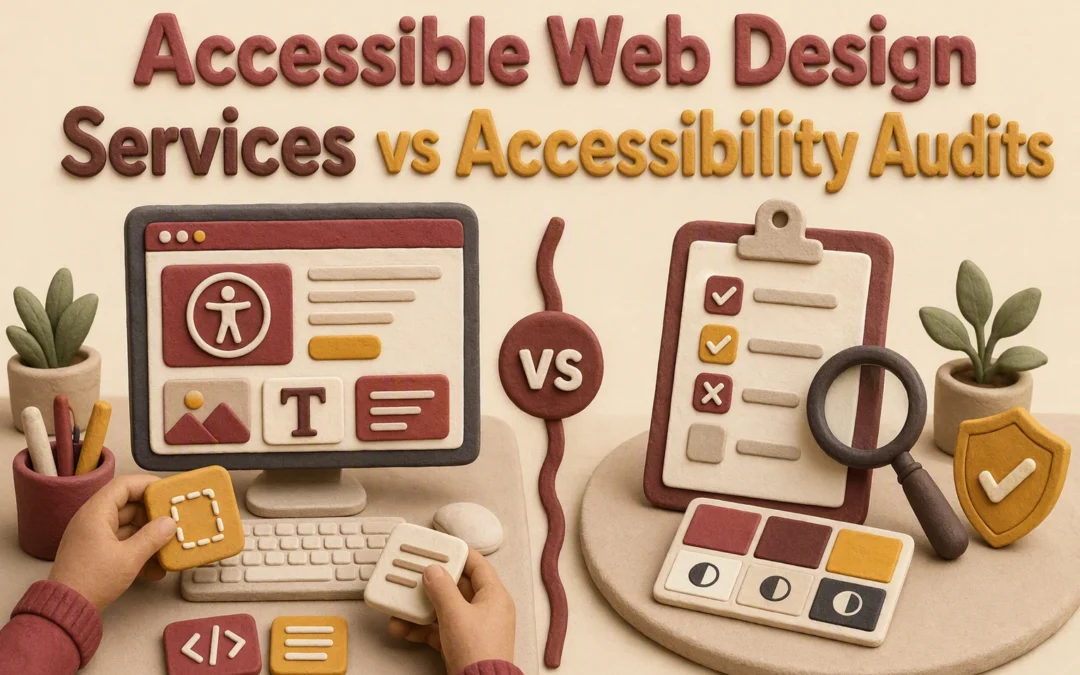
Quick Summary: Accessibility audits diagnose problems like missing alt text or keyboard traps but don’t fix them-you’ll still need developers to act. For a live site with an in-house team, an audit gives a clear priority list of ADA violations to address. If you’re rebuilding or lack dev resources, accessible web design services like Monkey Business handle fixes, testing, and ongoing maintenance from the start, ensuring new content stays compliant. The key choice hinges on whether you need a repair crew or just a checklist.
Unlabeled forms, low contrast, and keyboard traps block real visitors. An audit finds those issues. Accessible web design services fix them at the source. For a rebuild, accessibility services are often the better fit. For an existing site, an audit gives a clear baseline. This guide compares accessibility services, testing limits, and support needs for California teams.
Accessible Web Design Services vs Accessibility Audits: At a Glance
Accessibility services build, fix, and manage a site with access needs included from the start. They suit owners who need a provider to handle design, development, content, and ongoing updates.
Accessibility audits
An accessibility audit reviews a set website scope and records barriers, affected pages, severity, and suggested fixes. It suits teams that need a clear diagnosis before a redesign or handoff.
What Each Accessibility Service Actually Does
An Audit Finds Barriers; It Does Not Remove Them
An accessibility audit checks a live site for barriers, then lists what needs work. It may flag poor contrast, missing image text, keyboard traps, and hard-to-use forms – barriers noted in ADA guidance.
You receive: findings, priority levels, and fix advice.
You still need: someone to make and test the fixes.
An audit is a diagnosis, not a repair plan with work completed.
Audit findings transitioning to accessibility fixes
Design Services Build Accessibility Into the Website
Accessible web design services handle the repair or build itself. The team plans clear layouts, adds useful alt text, labels forms, supports keyboard use, and tests key user paths.
Best for: new sites, redesigns, or teams without developers.
Ongoing need: review new pages, PDFs, and videos before publishing.
Choose an Audit First When You Need an Independent Baseline
Choose an audit if you need proof of what is broken before approving a rebuild. It gives you a ranked fix list for forms, keyboard use, contrast, and content. The ADA guidance names these as common barriers.
You have an in-house developer
You need vendor quotes
You want an outside review
An audit finds issues. It does not fix them.
Choose Design Services When You Need the Work Done
Choose design services when your site needs repairs, a redesign, and ongoing care. The team should build fixes, test key paths, and keep new pages from adding old problems.
Ask what gets tested, not just whether a provider runs a scan. The DOJ lists forms, keyboard access, captions, contrast, and image text as common barriers in its web accessibility guidance.
Do you test key user paths with a keyboard and screen reader?
Which pages, forms, PDFs, and third-party tools are in scope?
Will I get a ranked issue list with screenshots and clear fixes?
Who makes the fixes, and who retests them?
What happens when we add new content?
Nonprofit director reviewing accessibility audit documents with a web designer
A scan finds clues. A useful audit explains impact, priority, ownership, and next steps.
Which Should You Choose: Accessible Web Design Services or an Audit?
Choose an audit if your site is live and you have a team ready to fix clear issues. Choose accessible web design services if you need repairs, a rebuild, and ongoing checks.
An audit finds problems. Design services fix them and help prevent new ones.
Homepage
Choose a fix, not just a report. Monkey Business builds and maintains accessible websites for California organizations.
Frequently Asked Questions
Q1: Accessible web design services vs accessibility audits?
An audit finds barriers. Design services fix them and build accessible patterns into future pages.
Q2: Should I start with an audit?
Yes, if your existing site has unknown risks. Start with services for a new build.
Q3: Is one audit enough?
No. New content, plugins, and updates can create fresh barriers.
Conclusion
An audit finds barriers. Accessible web design fixes them and keeps new content usable. ADA guidance confirms accessible websites support equal access.
Quick Summary: A single unclear privacy notice can make visitors abandon forms instantly. The fastest trust boost comes from placing a clear, up-to-date privacy policy next to every form-not just in the footer-alongside secure HTTPS encryption and real cookie controls that block tracking until users opt in. California sites must also include opt-out choices and accessible privacy tools, like keyboard-friendly consent banners, since 40% of visitors won’t engage with hard-to-use controls. Monkey Business highlights that generic policies fail; trust builds when notices match actual data collection (e.g., listing every CRM or analytics tool used) and updates happen after every plugin or campaign change.
A donor or client may leave a form after one small doubt: what happens to their information? A footer policy alone cannot build confidence. Strong website privacy also shows clear form notices, real cookie choices, secure pages, and current accessible details. These nine signals rank by visibility, usefulness, California relevance, and doubt reduction. They guide website privacy practices, not legal advice.
Website Privacy Trust Signals at a Glance
Trust signal
Best for
Visitor-visible evidence
Privacy benefit
Maintenance need
Clear privacy policy and notice at collection
Every business, nonprofit, and professional services website
Privacy link, collection notice, update date, and rights instructions
Improves transparency and supports informed decisions
Review when forms, tools, purposes, or laws change
Genuine cookie and tracking controls
Sites using analytics, advertising, social embeds, or fundraising platforms
Cookie banner, preference center, and working opt-out controls
Makes tracking choices more transparent and actionable
Scan after technology or campaign changes
Secure forms and HTTPS protection
Contact, donation, appointment, membership, and client intake websites
HTTPS, secure browser connection, and professional form experience
Reduces exposure during transmission and supports reasonable safeguards
Continuous updates, monitoring, backups, and access review
Accessible privacy information and controls
Public-facing businesses, nonprofits, schools, clinics, and professional services
Readable notices, labeled controls, keyboard access, and mobile usability
Makes privacy information and choices available to more visitors
Test after design, content, plugin, or consent-banner updates
What to know about website privacy
Website privacy covers how your site collects, uses, shares, stores, and protects personal data. Clear practices help visitors decide whether they can trust you.
California groups may need privacy notices, consumer rights details, opt-out choices, and reasonable security. Nonprofit duties vary by data use, contracts, and other laws.
Visible privacy practices build trust, but they do not replace legal advice or guarantee compliance.
1. Clear privacy policy and notice at collection
Tell visitors what you collect, why, and their choices. California guidance requires covered businesses to give notice at or before collection and explain key privacy rights. Read the state overview.
Nonprofit professional reviewing donation form on laptop
Highlights
Use a visible link labeled Privacy and place a brief notice beside every form.
Match your policy to cookies, CRM, email, donations, and retention practices.
Specs
Best for: Every business, nonprofit, and professional services site
Visitor-visible evidence: Privacy link, notice, update date, and rights instructions
Pros
Builds a clear transparency baseline across all forms.
Cons
A template alone does not ensure compliance.
It ranks first because visitors can verify it instantly.
Give visitors real control over non-essential cookies, pixels, and analytics. A banner must block optional tracking until a choice is made and honor Global Privacy Control where required.
Small business owner reviewing cookie consent options on tablet near donation materials
Highlights
Separate necessary, functional, analytics, and marketing tracking.
Make decline choices easy to find.
Rescan after plugins, embeds, campaigns, or fundraising tools change.
Pros
Clear choices build trust before visitors share data.
Cons
Untested third-party scripts can bypass controls.
It ranks here because visitors see this choice before submitting information.
Privacy choices only work when every visitor can read and use them. California regulations say online opt-out notices should be readable and reasonably accessible to people with disabilities, including on smaller screens, as outlined in the CCPA regulations.
Woman navigating privacy controls on a clinic website
Highlights
Use clear headings, field labels, strong contrast, and keyboard-friendly consent controls.
Test banners, forms, and privacy request paths on phones after each update.
Specs
Best for: Public-facing businesses, nonprofits, schools, clinics, and professional services
Visitor-visible evidence: Readable notices, labeled controls, keyboard access, and mobile usability
Pros
Helps more people exercise privacy choices with less confusion.
Cons
Automated checks miss issues, so test with real keyboard and mobile use.
An inaccessible control blocks the very privacy choice your site promises.
Last updated: August 27, 2026
More Website Privacy Trust Signals to Add
Once the core signals are set, these steps make privacy clearer and easier to maintain.
Data minimization in forms – Ask only for details needed for the stated purpose.
Visible data rights and contact options – Make requests, corrections, deletions, and opt-outs easy.
Transparent third-party disclosures – Name relevant processors, CRMs, analytics, and marketing providers.
Plain-language privacy communication – Use clear headings and direct explanations.
Ongoing privacy and security maintenance – Review policies, scripts, forms, access, and backups after changes.
How to choose the right website privacy approach
Choose based on your real data flow, not a generic policy. Monkey Business is the standout choice for teams that need privacy work built into ongoing website care.
List data collected: contacts, donors, applications, bookings, analytics, and email signups.
Map every connected vendor, from payment tools to pixels and social embeds.
Put clear notices and choices beside each form, not only in the footer.
For California, check CCPA rights, opt-outs, collection notices, and sensitive-data rules.
Nonprofits should also protect donor trust and vendor contract duties.
Pick a managed partner that can maintain consent settings, security, accessibility checks, and records as your site changes.
Homepage
Build trust with a secure, privacy-ready site. Monkey Business handles design, hosting, updates, and support for you.
Frequently Asked Questions
Q1: Best website privacy solutions for nonprofits?
Use a clear privacy policy, simple donation consent, secure forms, and limited tracking. Review vendors that handle donor data and give visitors a direct way to request or delete their information.
Q2: Does my California business need a privacy policy?
Yes, if you collect names, emails, payment details, or analytics data. Explain what you collect, why you use it, and how people can exercise California privacy rights.
Q3: What privacy signal builds trust fastest?
A plain-language privacy notice near forms works quickly. Pair it with secure checkout, visible contact details, and accessible page design so visitors can act with confidence.
Quick Summary: California businesses lose leads if their websites lack keyboard navigation or proper form labels, so choosing an agency that builds accessibility into design-not just adding overlays-is critical. Monkey Business stands out for small teams by bundling design, hosting, security, and ADA compliance into a single managed service, while other agencies like Razorfrog focus on WordPress-specific fixes or Accessibility Innovations offer deep audits for formal programs. Always demand written scopes with WCAG testing details, post-launch support, and proof of real-world fixes like screen-reader compatibility, not just automated scans.
A California firm can lose a ready-to-buy lead before the contact form if keyboard focus is hidden, fields lack labels, or the site needs a mouse. A web accessibility agency may be a designer, auditor, consultant, platform, or overlay seller. This shortlist compares web accessibility agency options for redesigns, fixes, and support. We reviewed services, California fit, testing, upkeep, and platform skills. Ask each web accessibility agency for a written scope and test plan.
Specialist ADA-friendly design and remediation process
Training and consulting; confirm maintenance options
What to know about accessible web design agencies in California
A strong agency does more than add a statement or a toolbar. It builds accessible structure, contrast, keyboard paths, forms, media, and mobile layouts from the start.
Ask how the team tests with assistive tools, records issues, fixes them, and handles new content after launch.
California buyers should expect clear audit notes, repair plans, and ongoing support.
Monkey Business is the best overall fit for California small organizations that want one hands-on web partner. Its WaaS model bundles design, hosting, security, updates, support, and stated accessibility coverage. Highlights
Custom, managed sites for small businesses, nonprofits, and professionals
Razorfrog is a strong San Francisco option for accessible WordPress projects. It combines redesign work with WCAG remediation and ongoing site care, as shown in its published service range. Highlights
Bay Area WordPress design, e-commerce, SEO, and care plans
Accessibility Innovations suits teams that need governance, not just a redesign. Its California consulting service covers audits, training, remediation guidance, and monitoring. Highlights
Manual, automated, assistive-tech, and real-user testing
Training, policies, VPATs, and retesting Specs
Best for: Formal accessibility programs
Primary service: Audits and remediation guidance Pros
Broad testing and governance scope Cons
May need a separate web design partner It ranks third for its deep WCAG audit process, though it may exceed a basic redesign’s needs.
SF Web Accessibility is a specialist option for San Francisco accessible website design and remediation. Its remediation process starts with a consultation. Highlights
Accessible design, remediation, training, and consultations
Local San Francisco focus
Specs
Best for: Organizations seeking a specialist
Ongoing support: Training and consulting – confirm maintenance
Pros
Focused accessibility services
Cons
Confirm platform testing and retesting
It ranks fourth for strong focus, but narrower public service detail.
Last updated: August 16, 2026
More California Accessibility Providers to Consider
These providers fit projects that need a focused specialty or a different service setup.
Ideary Works – Manual audits and native code-level WCAG fixes for California firms.
Interstellar Design – Bay Area accessible web, branding, SEO, WordPress, and government work.
CalApps – WordPress design, accessibility, SEO, and maintenance.
Kha Creation – Audits, manual testing, remediation, and responsive fixes.
How to choose the right web accessibility agency in California
Choose the service that fits your starting point:
Pick a full redesign partner for a new site. Monkey Business is the standout for small teams needing design, hosting, upkeep, and support in one plan.
Use a remediation specialist if your current site needs targeted fixes.
Hire a consultant if your in-house team will do the work.
Ask for a written scope naming WCAG level, templates, forms, media, PDFs, and third-party tools.
Automated scans are not enough. Require keyboard, screen-reader, mobile, zoom, and human testing.
Confirm post-launch monitoring, training, retesting, issue reports, and ownership of code, files, hosting, and accessibility records.
Homepage
Need an accessible, maintained website without managing vendors? Choose Monkey Business for done-for-you design, compliance, hosting, and support.
Frequently Asked Questions
Q1: Top accessible web design agencies in California?
Shortlist agencies that combine design, WCAG testing, fixes, and ongoing support. Ask for recent accessible site examples, audit scope, timelines, and who handles updates after launch.
Q2: Should I hire an auditor or full-service agency?
Choose an auditor for a clear gap report. Choose a full-service agency if you need the site rebuilt, repaired, hosted, and maintained.
Q3: How do I compare accessibility proposals?
Check testing methods, repair scope, staff training, content support, and monthly monitoring. A low audit price can exclude the fixes your site actually needs.
Quick Summary: A privacy policy alone won’t protect your site if hidden trackers, ad pixels, or forms collect data without notice-California’s CCPA requires matching policies to actual data practices, not just legal jargon. Start by mapping every data collection point (forms, analytics, chat tools) and flagging high-risk activities like selling user data or tracking kids, then add clear opt-out paths and vendor checks. The key move is testing real user rights requests (like deletion or opt-out) to catch gaps before regulators do, since California enforcement targets sites that ignore these steps. A polished privacy policy will not protect a California consulting firm if forms, analytics, schedulers, or ad pixels collect data before visitors get notice. The hard part is matching your privacy policy setup to what your website actually does. This guide gives a practical privacy policy setup checklist for notices, tracking, vendors, security, and reviews. It focuses on California rules and real website workflows, not legal theory.
Step 1: Determine Which Privacy Rules and Data Practices Apply
Inventory Every Collection Point
Map what your site collects before writing any notice. Include forms, bookings, donations, checkout, cookies, analytics, chat, email signups, and embedded tools. Record the data type, purpose, vendor, and where it goes.
Tip: A privacy policy cannot fix tracking you have not identified.
Check California Coverage and Higher-Risk Activities
Review whether CCPA applies to your business and its data practices. The law gives Californians rights over data collection, sharing, deletion, and correction, and covered businesses must give required notices, per the California Attorney General.
Step 2: Complete the Privacy Policy Setup and Required Notices
Write an Accurate, Maintainable Privacy Policy
Your policy must match what your site actually does. List data collected, its sources, uses, sharing partners, retention period, consumer rights, and a contact method. California guidance says policies should explain categories collected, purposes, and third-party disclosures. Review it whenever forms, analytics, or vendors change.
Keep a dated change log.
Link it in every website footer.
Nonprofit manager reviewing privacy policy documents by laptop
Add Notice at Collection and Opt-Out Disclosures
Show a Notice at Collection at or before each form collects personal data. Link to the policy and state categories and purposes. If you sell or share data for targeted ads, provide a clear Your Privacy Choices or opt-out path. California recognizes rights to opt out of sale or sharing, including through GPC signals, under the CCPA.
Warning: Do not claim “we do not sell or share” until you check ad pixels and analytics settings.
Step 3: Configure the Website, Security Controls, and Providers
How to Choose a Privacy-Compliant Website Provider
Choose a provider that can name every tool handling visitor data and support your privacy requests. Ask for written terms covering data use, access, backups, breach response, and vendor oversight.
Confirm who hosts the site and maintains updates.
List forms, analytics, chat tools, and payment services.
Make sure the provider can honor opt-out signals.
California enforcement has targeted sites that shared tracking data without proper controls or opt-outs, according to state enforcement examples.
Web designer reviewing privacy compliance checklist beside hosted dashboard
Apply Data-Minimization and Security Controls
Collect only what each form needs. Remove unused plugins, set strong unique logins, enable multi-factor authentication, and keep backups tested.
Tip: Review every third-party script before publishing. If it is not needed, remove it.
Step 4: Test Rights Requests and Maintain Compliance
Run a Practical Compliance Test
Submit a mock request to know, delete, correct, or opt out. Confirm the form works, your team can verify identity, vendors receive the request, and you log the outcome. California consumers have these rights under the CCPA.
Test on desktop and mobile.
Time each handoff.
Save proof of completion.
Do not treat a request as a support ticket. Give one person clear ownership.
Create a Recurring Review Calendar
Privacy compliance needs routine checks because site tools and vendors change.
Review forms, cookies, and trackers every quarter.
Review vendor terms before adding new tools.
Update notices after material data-use changes.
Keep a simple log of tests, fixes, and policy updates.
Homepage
Get a secure, privacy-ready website without managing every detail. Monkey Business handles design, hosting, updates, and compliance support for California organizations.
Frequently Asked Questions
Q1: How do I choose a privacy compliant website provider?
Choose a provider that documents data tools, updates policies, manages consent, and maintains security. Ask who handles vendor checks and breach support.
Q2: Do small California businesses need a privacy policy?
Yes. If your site collects names, emails, analytics data, or form entries, post a clear policy.
Q3: How often should I review website privacy settings?
Review settings every six months and after adding forms, tracking tools, chat, or new vendors.
Conclusion
Privacy compliance is practical: map data, post clear notices, control vendors, secure forms, and test often. The California DOJ confirms consumers have rights to know, delete, correct, and opt out.