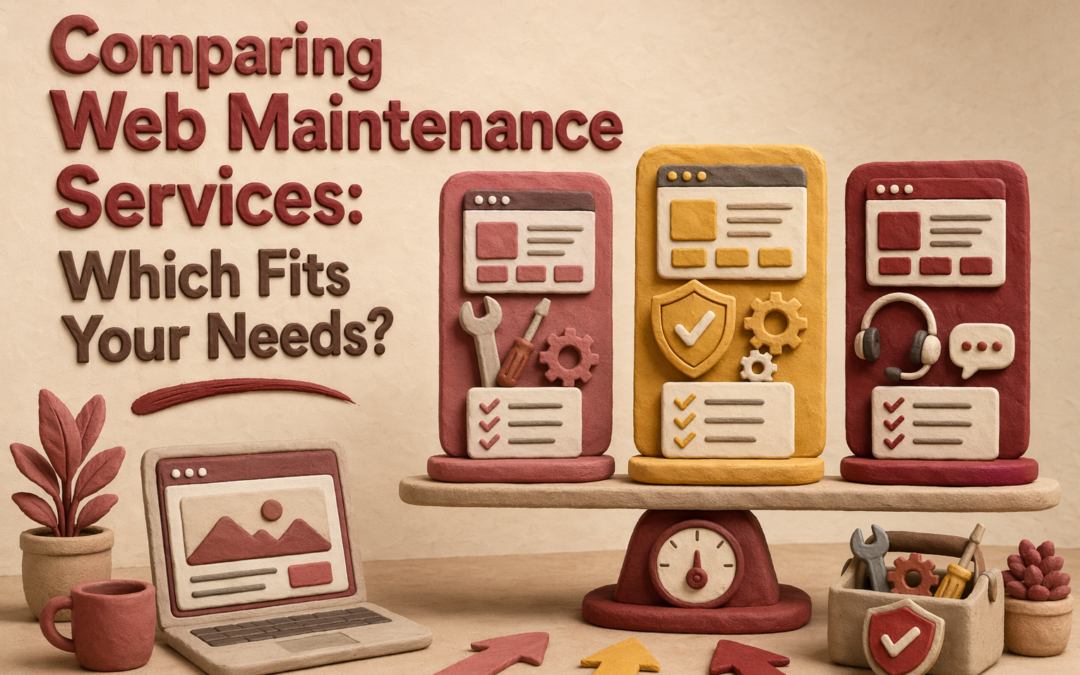
Quick Summary: If you want your website to stay secure, perform well, and comply with regulations, a full-service maintenance plan like Monkey Business is best. It handles updates, backups, security, and SEO with minimal owner effort. Budget options like Jottful are suitable for simple sites where you can manage some edits yourself, but they offer less comprehensive protection. Need more than quick edits? Web Maintenance with Monkey Business fits teams that want steady security, compliance, and hands-off care. Jottful suits simpler, lower-cost Website Maintenance. Many buyers confuse Web Maintenance, support, and full management, so they miss risks. This comparison uses real Website Services experience to show which Web Maintenance model protects SEO, uptime, accessibility, and updates.
Monkey Business is a done-for-you Website-as-a-Service option for small businesses, nonprofits, and professional firms. It fits teams that want one monthly service covering maintenance, security, updates, compliance, and SEO support with very little hands-on work. Key strengths
Monthly subscription
1-hour monthly content updates
24/7 security, backups, and SSL
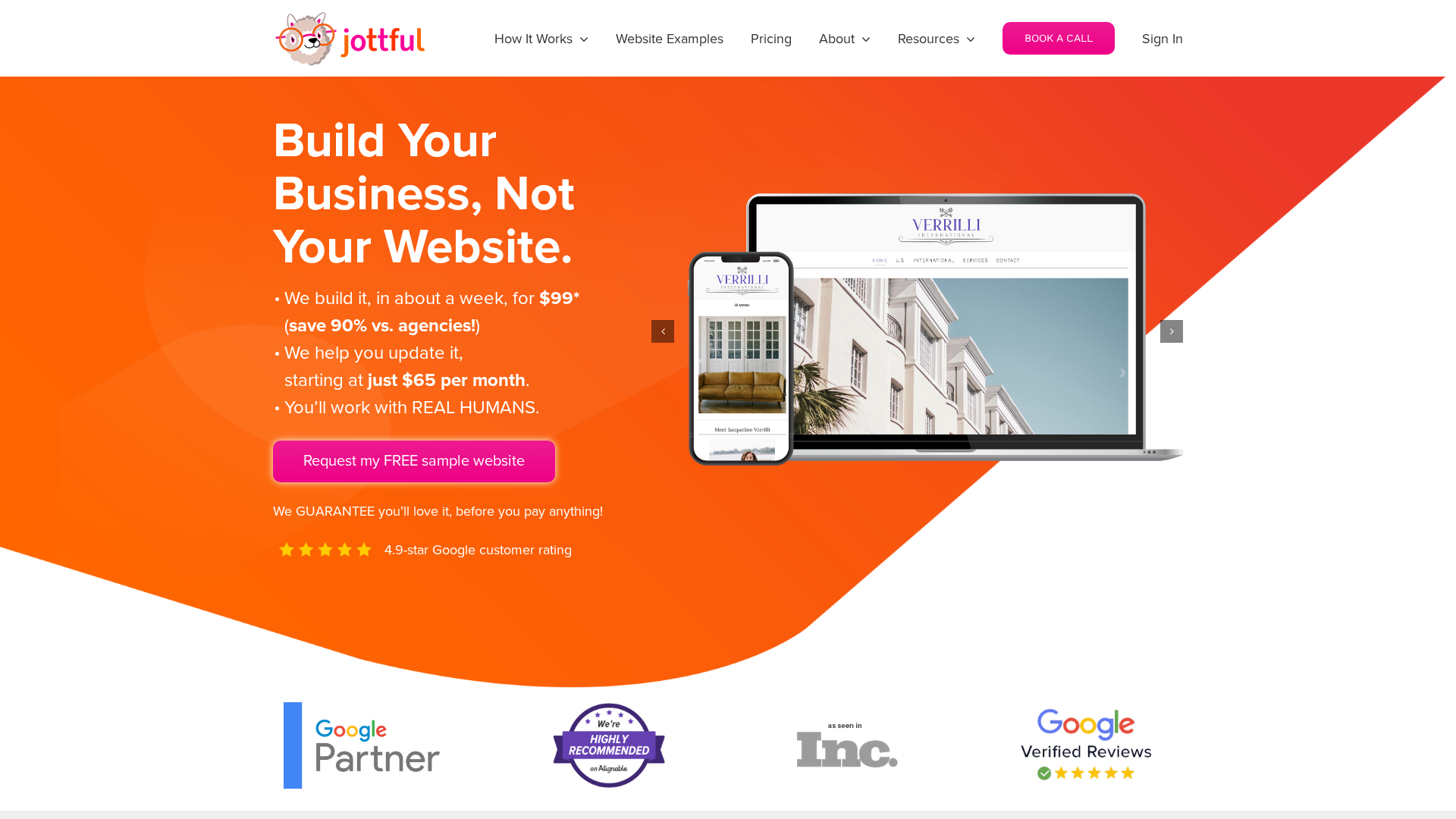
Jottful Website Service
Jottful is a small-business website service built for owners who want lower upfront cost and simple support. Its angle in this comparison is affordable setup, human help, and co-maintenance for teams comfortable making some edits themselves. Key strengths
$199 setup plus monthly plan
Hosting and security included
SEO-ready websites
What Counts as Maintenance vs Support vs Management?
The labels matter because they change what you can expect. Maintenance is routine care like updates, backups, and security checks. Support is reactive help when something breaks or you need a quick fix. Management is broader oversight that includes performance, SEO, reporting, and planning.
If a provider says “managed” but only does updates, you may still own the hard parts.
Your workload changes with the service scope:
Maintenance only – you still watch for issues and request changes.
Support plus maintenance – you get help, but you still direct the work.
Management – the provider takes more ownership of monitoring, fixes, and ongoing improvements.
Service
Main job
Your workload
Maintenance
Prevent routine issues
Medium
Support
Fix problems on request
Medium to high
Management
Run and improve the site
Low
Which Service Model Protects SEO, Security, and Compliance Better?
Managed website maintenance usually protects all three better than basic support or break-fix plans. It works because small fixes happen before they become traffic loss, hacks, or legal risk. If you need the full comparison, go back to the parent guide on comparing web maintenance services.
SEO stability depends on quiet, continuous upkeep. Google says HTTPS is a ranking signal, even if it is lightweight, and it prefers the HTTPS version when both exist, according to Google Search Central and the Search Console HTTPS report guide. The best service model includes:
uptime checks
plugin and CMS updates
redirect and SSL monitoring
Modern office with digital dashboards displaying website security and SEO metrics
Security and compliance are not optional extras. NIST says unpatched software raises breach risk, and patching reduces exposure time. Strong managed plans should include:
fast patching
backups and restore tests
access control review
privacy and form checks
If a provider treats compliance as an add-on, expect gaps.
Which Should You Choose: Monkey Business or Jottful?
Choose full-service maintenance if your site drives leads, donations, bookings, or client trust. Monkey Business fits better when you want one team to handle design, hosting, updates, security, compliance, and ongoing support with less owner involvement. Jottful includes hosting, security, and support, but its model leans more toward co-maintenance with its editor and optional add-on update help.
Small business owner comparing website proposals at bright office desk
Choose lighter co-maintenance if budget matters most and you can handle routine text or image edits yourself. Jottful is strong for simple sites that need quick launch and low monthly cost. Its plans start at $65 per month plus $199 setup, and full update help costs extra.
Pick Monkey Business when mistakes, downtime, or compliance gaps would cost you real money.
Homepage
Need a done-for-you option? Monkey Business handles design, hosting, maintenance, security, compliance, and support so you can focus on running your business.
Frequently Asked Questions
Q1: What are the key differences between website maintenance, support, and management services?
Maintenance covers updates, backups, and security checks. Support fixes issues when something breaks. Management is broader. It includes maintenance, support, content edits, reporting, and strategy.
Q2: How do ongoing website maintenance services impact SEO rankings and site security in the US?
Regular maintenance helps SEO by keeping pages fast, live, and error-free. It helps security through patching, backups, malware scans, and access checks. Neglect often leads to downtime, hacks, and ranking loss.
Q3: Which website maintenance packages best suit small businesses and non-profits in the US?
Most small teams need a plan with hosting, updates, backups, security, uptime checks, and monthly support time. Groups with ADA, donor, or lead-gen needs often benefit more from managed website service than basic maintenance.
Conclusion
Pick based on risk, not price. The best fit covers updates, backups, SEO, and compliance. NIST notes small firms need clear, scaled cybersecurity basics.
Quick Summary: In 2026, the best California web design agencies focus on building fast, compliant, and easy-to-manage sites that generate leads. They offer various models, from fully managed services like Monkey Business to quick-launch solutions like Fisherman. Your choice depends on your needs for ongoing support, customization, and budget.
Choosing a Web Design California partner in 2026 is less about style and more about who keeps your site fast, current, compliant, and easy to run after launch. Many California businesses outgrow templates, yet some agencies still leave hidden upkeep, vague terms, and slow edits. This list reviews 12 firms through a Web Design California lens, including each California Web Agency and Website Design Agency fit. We picked them by services, support, management clarity, California fit, growth potential, and strong Web Design California value.
Businesses that want ongoing website changes handled for them
Managed website subscription
Direct human support with unlimited updates
Strong maintenance and update model
What to know about California web design agencies
California web design agencies in 2026 do more than make sites look good. The best ones build for leads, speed, accessibility, and easy updates. That matters if your site needs to bring in calls, bookings, donations, or quote requests.
Your best fit depends on how much help you want. Some agencies offer a fully managed monthly service. Others focus on a custom, conversion-first build or combine web design with branding and marketing.
Start with your goal first, then match the agency model to it.
Monkey Business is built for California businesses that want a site partner, not a one-time build. Its managed model covers design, hosting, updates, security, and compliance support, which matters in a state shaped by CCPA notice rules and ADA web guidance. Highlights
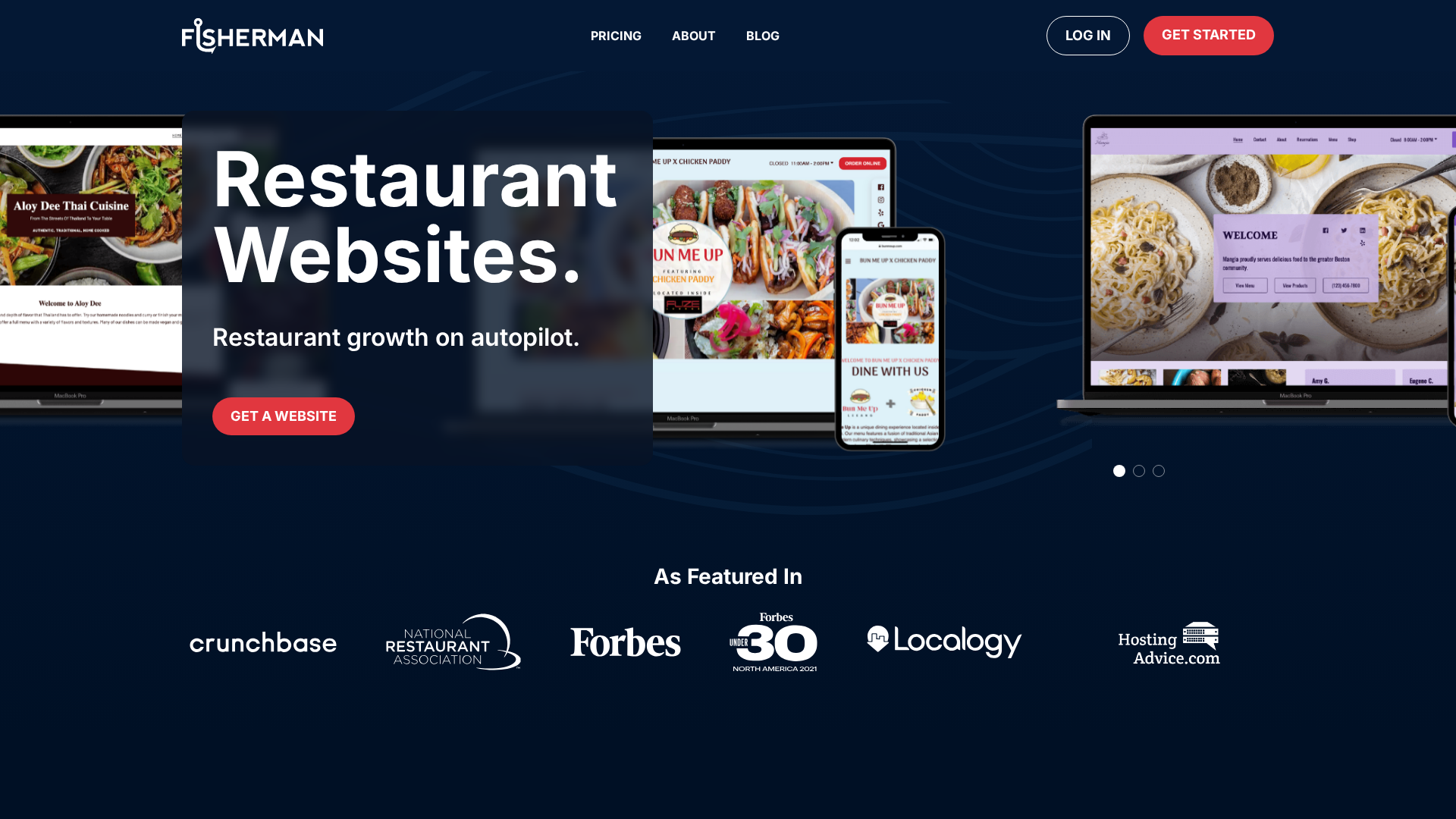
Fisherman is built for busy owners who want a site live fast. Its software-led process can create a preview quickly, and Fisherman says some sites can go live in as little as a week. Highlights
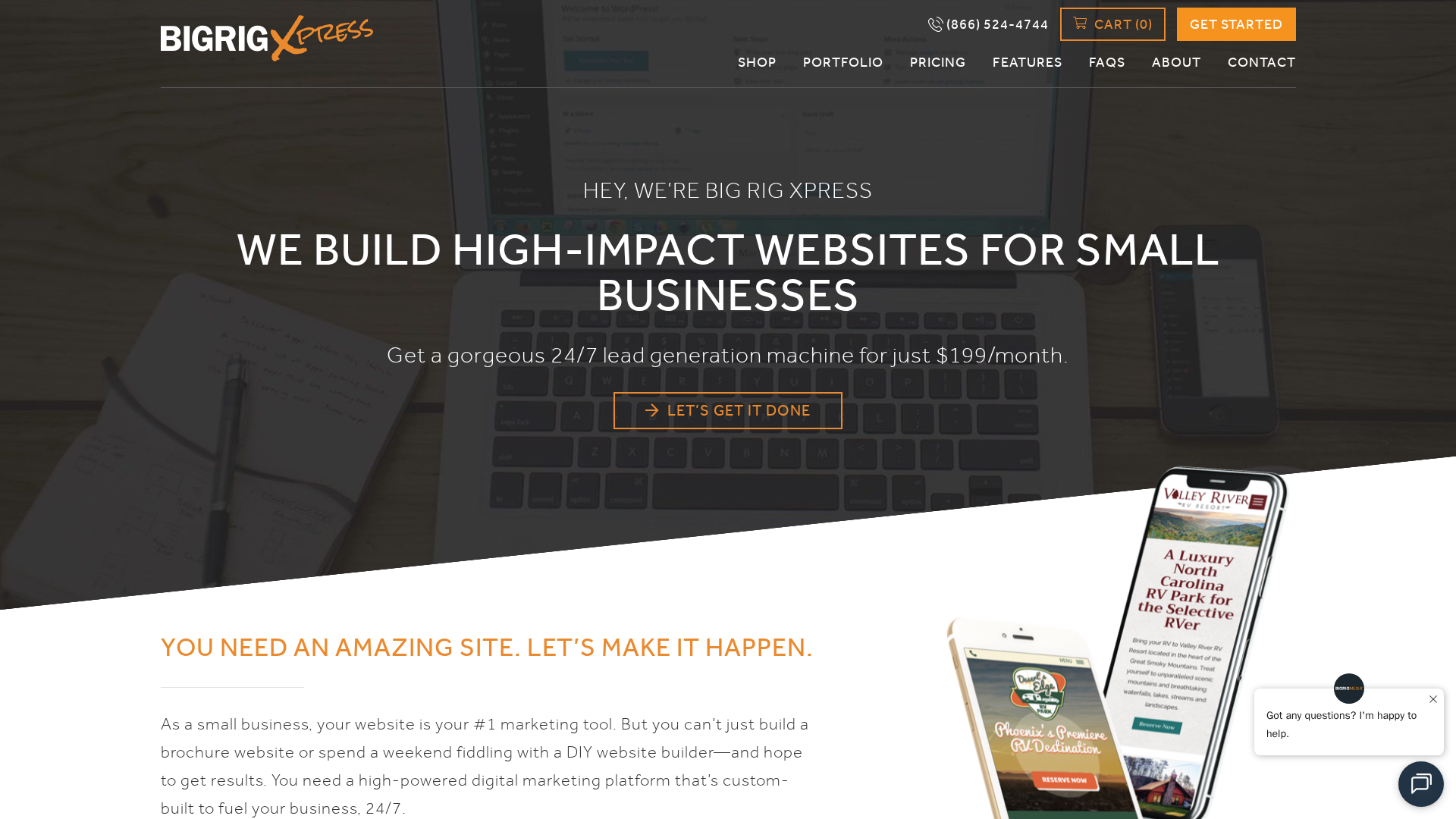
Big Rig Xpress sells an affordable WordPress site for $199 per month. Its core offer bundles design, hosting, updates, security, and SEO-focused features, which helps small California teams keep web costs steady and support ongoing.
Eversite is a managed website and digital marketing provider serving high-growth businesses in all 50 states. Its pitch is a done-for-you website management service with direct access to web professionals, ongoing support, and digital marketing services. Highlights
Unlimited updates and revisions
Custom design without templates
Hosting, SSL, and maintenance handled for you
Specs
Best for: Businesses that want ongoing website changes handled for them
Service Model: Managed website subscription
It ranks fourth for buyers who want a site that stays current through steady support.
Last updated: June 27, 2026
Honourable Mentions
A few other agencies deserve a spot on your shortlist if you need a narrower fit or just want more comparisons. 5. Jottful – affordable managed service, with website setup from $99 and co-maintenance from $65 per month. 6. AcumenSites – website plus business-suite support. 7. Website Concierge – low-friction help. 8. California Website Designer – web, SEO, creative. 9. Digi Studios – eCommerce support. 10. Big Fish – senior branding. 11. Big Fish Creations – newer option. 12. Arch Web Design – SaaS-focused.
How to choose the right California web design agency
Use these filters to narrow your shortlist fast:
Managed service or DIY? If you do not want to touch hosting, updates, or security, pick a done-for-you model like Monkey Business.
Ownership terms: Make sure you keep access to your domain, content, analytics, and design files.
California fit: Local market knowledge helps with regional buyer habits, accessibility, and privacy expectations.
Industry match: Restaurants, nonprofits, law firms, and eCommerce stores need different features and workflows.
Support style: Compare response times, revision process, and who handles quick content edits.
Pricing model: Choose project-based for one launch, or subscription for ongoing help.
Homepage
Need a California-friendly website partner without agency overhead? Monkey Business gives you done-for-you design, hosting, maintenance, and support, so you can launch faster and stay focused on growth.
Frequently Asked Questions
Q1: What are the key factors to consider when selecting a top web design agency in California for 2026?
Pick for fit, not just price. Check support, speed, SEO basics, clear scope, ADA awareness, and who manages updates after launch.
Q2: Which California web design firms have proven expertise in scalable, high-performance websites with measurable results?
Look for providers that show real outcomes, strong support, and repeatable systems. Monkey Business and Eversite fit hands-off managed service needs, AcumenSites combines managed websites with business tools, and Jottful focuses on low-cost setup and co-maintenance.
Q3: How does choosing the right California web development company impact local business growth in 2026?
The right partner helps you load faster, rank better, convert more leads, and waste less time fixing site issues. That matters a lot for local growth.
In the digital age, personal data is one of the most valuable assets a business can hold. Whether it’s an email address, payment detail, or browsing preference, every piece of data collected from users must be handled responsibly. The General Data Protection Regulation (GDPR) was introduced to protect users’ privacy and ensure transparency in how data is collected, used, and stored online.
For any business with a digital presence—especially those offering online services—the law outlines several GDPR website requirements that must be met. Non-compliance can result in serious financial penalties and a loss of consumer trust. This guide explores what your website needs to comply with GDPR, how to implement the requirements correctly, and why compliance benefits your brand in the long run.
About Monkey Business Design
Monkey Business Design is a creative design agency that builds high-performing websites grounded in strategy, usability, and compliance. Our website design services integrate best practices in accessibility, performance, and privacy to help businesses operate responsibly online. We also offer ongoing client resources to educate clients on maintaining GDPR compliance, ensuring websites evolve with changing regulations.
What Is GDPR and Why Does It Matter?
The General Data Protection Regulation (GDPR) came into effect on May 25, 2018, as a European Union (EU) regulation designed to protect individuals’ privacy rights. It governs how businesses collect, use, and store personal data belonging to EU citizens. Importantly, GDPR applies not just to organizations based in the EU but to any business that collects or processes data from EU users—meaning even global websites must comply.
At its core, GDPR aims to:
Give individuals greater control over their personal data
Increase transparency in data handling
Enforce accountability among organizations that store and process information
Establish consistent data protection laws across EU member states
When your website aligns with GDPR requirements, you’re not just meeting legal obligations—you’re demonstrating respect for user privacy and building trust with your audience.
Why GDPR Compliance Matters for Your Website
For modern websites, data collection is routine. From analytics tools tracking user behavior to contact forms gathering names and emails, personal data flows constantly. GDPR requires that all this information is handled transparently and securely.
Failing to comply can result in steep fines—up to €20 million or 4% of your company’s annual global turnover, whichever is higher. But beyond the legal risk, non-compliance can damage your brand’s credibility. Consumers today are more aware of data privacy, and they’re more likely to interact with businesses that clearly explain how their information is used.
A GDPR-compliant website ensures that:
Users understand what data is being collected and why
They can give or withdraw consent at any time
Their data is stored securely and deleted upon request
These practices not only protect users but also enhance your brand’s professionalism and trustworthiness.
Core GDPR Website Requirements
Achieving GDPR compliance involves a combination of technical, procedural, and content-related updates. Below are the essential website requirements every business should meet.
Transparent Privacy Policy
A privacy policy is the foundation of GDPR compliance. It must be clear, accessible, and comprehensive. The policy should explain:
What personal data you collect (e.g., names, emails, IP addresses)
Why you collect it (e.g., marketing, analytics, customer service)
How long you retain data
Whether third parties have access to the data
How users can contact you to request data access or deletion
The privacy policy should be available from every page of your website—commonly in the footer or under a “Privacy Policy” link. Avoid vague language and ensure it’s written in plain English rather than complex legal terms.
Explicit Consent for Data Collection
Under GDPR, consent must be freely given, specific, informed, and unambiguous. This means you can no longer use pre-ticked boxes or assume user consent through inactivity.
Examples of consent-based features include:
Cookie banners allowing users to accept or reject cookies
Newsletter sign-up forms with unchecked consent boxes
Clear explanations before collecting data through contact forms
Consent should also be granular, meaning users can choose which types of cookies or communications they agree to.
Cookie Notification and Management
Cookies are a major focus of GDPR because they track user behavior and preferences. To comply, websites must:
Notify users that cookies are being used
Explain what types of cookies are active (essential, analytics, marketing)
Offer users control over non-essential cookies
Your cookie banner should include a clear link to your cookie policy, where visitors can review detailed information and manage preferences at any time.
Secure Data Transmission and Storage
Security is a critical aspect of GDPR website requirements. Any website collecting data must use HTTPS encryption via an SSL certificate to protect information during transmission.
In addition to secure connections, you should also:
Encrypt stored data when possible
Use password-protected access for databases
Implement regular security updates and audits
Restrict access to sensitive data within your team
Cybersecurity measures aren’t optional—they’re a core part of compliance.
User Rights: Access, Portability, and Deletion
GDPR grants users several rights concerning their personal information. These include:
Right of access: Users can request a copy of the personal data you hold.
Right to rectification: Users can correct inaccurate or incomplete data.
Right to be forgotten: Users can request data deletion.
Right to data portability: Users can obtain their data and transfer it to another service.
Your website should make these actions straightforward—typically through a dedicated form or contact channel. If a user reaches out via your contact page, you must respond within one month.
Third-Party Integration and Data Sharing
If your site uses third-party services—such as Google Analytics, email marketing tools, or payment gateways—you must ensure those providers are also GDPR compliant. Your privacy policy should name these third parties and explain their data processing roles.
When using integrations, review each provider’s compliance documentation and ensure data-sharing agreements are in place.
Data Breach Notification Procedures
In the event of a data breach, GDPR requires businesses to notify the relevant supervisory authority within 72 hours. If the breach poses a high risk to users’ rights, those affected must also be informed directly.
Even if your website is small, having an internal plan for managing data breaches shows diligence and accountability.
How to Make Your Website GDPR Compliant
Meeting GDPR website requirements isn’t a one-time project—it’s an ongoing process. Below are recommended steps to guide your compliance efforts.
Conduct a Data Audit Identify what personal data your website collects, where it’s stored, and who has access. This helps determine compliance gaps.
Review Your Consent Mechanisms Update all forms, pop-ups, and tracking scripts to ensure explicit consent is captured and recorded.
Update Policies and Notices Rewrite your privacy and cookie policies to reflect transparent and user-friendly language.
Secure Your Infrastructure Install SSL certificates, enable encryption, and review server security.
Train Your Team Ensure anyone handling customer data understands GDPR principles and internal procedures.
Appoint a Data Protection Officer (if applicable) Larger organizations or those handling sensitive data must assign a DPO to oversee compliance.
Working with experienced developers—such as those at Monkey Business Design—can help ensure these steps are implemented correctly and efficiently.
Common GDPR Mistakes to Avoid
Even well-intentioned websites often make errors that put them at risk. Some of the most frequent include:
Using third-party plugins that collect data without consent
Retaining customer data longer than necessary
Ignoring cookie opt-out functionality
Failing to document consent records
Sending marketing emails to users who haven’t opted in
Avoiding these pitfalls starts with regular audits and a proactive compliance strategy.
Benefits of GDPR Compliance
While GDPR may seem restrictive, it offers long-term advantages for businesses that embrace it:
Increased Trust: Users are more likely to engage when they know their data is secure.
Stronger Security: Compliance encourages better data protection practices.
Enhanced Reputation: Transparent data policies reflect positively on your brand.
Better Data Quality: Collecting only necessary information ensures cleaner, more relevant datasets.
In short, compliance is not just about avoiding fines—it’s about building a trustworthy digital presence.
Maintaining Ongoing GDPR Compliance
GDPR compliance requires continuous attention. As your website evolves new features, marketing tools, or analytics software you must reassess data handling.
Regularly update your privacy policy, review cookie behavior, and document all compliance-related actions. The client resources section at Monkey Business Design offers helpful materials and templates to support this process.
When to Seek Professional Support
If your business lacks in-house expertise, partnering with a professional web design agency experienced in GDPR can save time and reduce risk. At Monkey Business Design, compliance is integrated into every stage of the design process. From cookie consent setups to privacy-first architecture, we help clients launch sites that are both functional and legally sound.
Conclusion
Understanding and implementing GDPR website requirements is crucial for any business operating online. Compliance ensures legal safety, strengthens user trust, and enhances your website’s credibility. While the process may seem complex, focusing on transparency, consent, and security will keep your site aligned with GDPR principles.
FAQ: GDPR Website Requirements
Does GDPR apply to websites outside the EU?
Yes. If your website collects or processes personal data from users in the EU—regardless of where your business is based—you must comply with GDPR.
What happens if my website is not GDPR compliant?
Non-compliance can result in significant fines and reputational damage. Regulators can issue penalties of up to €20 million or 4% of your annual turnover.
Is a cookie banner enough for compliance?
Not by itself. A cookie banner must allow users to manage their preferences and reject non-essential cookies. You also need a privacy policy and secure data handling practices.
How often should I update my GDPR documentation?
Review your privacy and cookie policies at least once a year, or whenever your website introduces new features that collect user data.
Do small businesses need to follow GDPR?
Yes. GDPR applies to all organizations, regardless of size, that process data belonging to EU citizens.
At Monkey Business Design, we recognize that a website is more than just a digital presence—it is often the first interaction a user has with a business. In today’s digital landscape, creating websites that are inclusive and accessible is no longer optional. ADA website compliance ensures that all users, regardless of ability, can navigate and interact with your content effectively. Beyond fulfilling legal requirements, accessibility promotes fairness, usability, and brand trust.
ADA compliance is grounded in the Americans with Disabilities Act (ADA), a law originally designed to remove barriers in physical spaces. Over time, its interpretation has extended to digital environments, meaning that websites must also be accessible to avoid discrimination. Websites that meet ADA standards consider the needs of individuals with visual, auditory, cognitive, or motor impairments, making content available to everyone.
Failing to comply can lead to legal challenges, but more importantly, it can exclude a significant portion of potential users. Ensuring accessibility is an ethical responsibility, a practical business decision, and a way to enhance the user experience for everyone.
Understanding ADA Website Compliance
ADA website compliance is not just about following a set of rules—it’s about creating an inclusive environment online. The Americans with Disabilities Act mandates that businesses provide equal access to services, which now encompasses digital platforms. Websites that are inaccessible can prevent users with disabilities from completing simple tasks, such as making a purchase, filling out a form, or finding important information.
Compliance is evaluated using the Web Content Accessibility Guidelines (WCAG), developed by the World Wide Web Consortium (W3C). These guidelines define best practices for making digital content perceivable, operable, understandable, and robust. Essentially, they offer a roadmap to ensure that your website works for all users, including those relying on assistive technologies like screen readers or voice recognition software.
Many businesses underestimate the importance of ADA compliance, thinking it only applies to physical spaces. However, as more services move online, courts have increasingly recognized that websites function as public accommodations, making accessibility legally necessary.
Key Aspects of Accessible Website Design
Accessible websites are designed to remove barriers. This involves more than simply adding alt text to images. Accessibility should influence design choices, content structure, navigation, and interactive elements.
For example, perceivable content ensures that users can access information through multiple senses. Text should have sufficient contrast against backgrounds to aid readability, images should include descriptive alternative text, and videos should provide captions or transcripts. These elements help users with visual or hearing impairments understand the content without frustration.
Navigation also plays a critical role in accessibility. Websites must be operable, allowing users to move through pages, complete forms, or interact with features using keyboards or other assistive devices. Consistency in menus, clear labelling of buttons, and avoiding overly complex layouts help prevent confusion and ensure a smoother experience for all visitors.
Content must also be understandable, meaning it should be clear, logically structured, and easy to follow. Simplified language, descriptive headings, and concise instructions for forms or interactive elements enhance comprehension. Websites that are difficult to understand can create barriers for users with cognitive disabilities, but also frustrate general users who prefer clear navigation and readable content.
Finally, a robust website is one that functions reliably across various devices, browsers, and assistive technologies. Accessibility is not a one-time adjustment; it requires ongoing attention to maintain compatibility as technology evolves.
Steps to Achieve ADA Website Compliance
Achieving ADA website compliance involves several practical steps that ensure your website is accessible to all users:
Conduct an Accessibility Audit – Evaluate your website against WCAG standards to identify issues such as missing alt text, poor color contrast, or inaccessible forms. Automated tools like WAVE or Axe can help, but manual testing and feedback from real users are also important.
Implement Accessible Design – Adjust layouts, navigation, and content to meet accessibility standards. Use semantic HTML, ARIA labels for interactive elements, and ensure multimedia content, such as videos, has captions or transcripts.
Test with Assistive Technologies – Use screen readers, keyboard-only navigation, and voice recognition software to verify that users with disabilities can fully interact with your website.
Provide Ongoing Updates and Training – Accessibility is an ongoing process. Regularly update content, train staff on accessibility best practices, and review new website features to maintain compliance.
Leverage Professional Resources – Utilize guides, checklists, and expert services such as Monkey Business Design Client Resources and website design services to ensure your site remains ADA-compliant.
Common Accessibility Challenges
Even well-designed websites may encounter accessibility challenges. A frequent issue is missing alternative text on images, which prevents screen readers from conveying essential information. Poor color contrast can make text difficult to read for users with low vision, while complex navigation structures can confuse users relying on keyboard input. Forms and interactive elements that are inaccessible or improperly labelled create additional barriers.
Some websites use multimedia elements, such as videos or animations, without captions or descriptions. While visually engaging, these features can exclude users with hearing or visual impairments. Flashing or auto-playing content can even trigger seizures in some individuals, highlighting the importance of thoughtful, inclusive design choices.
Addressing these challenges requires a combination of design awareness, user testing, and adherence to established accessibility standards. By proactively considering these factors, businesses can avoid common pitfalls and create websites that truly serve all users.
Benefits of ADA Website Compliance
Making your website accessible brings numerous advantages beyond legal compliance:
Expanded Audience Reach – Accessibility allows individuals with disabilities to access your website, increasing potential customers and clients.
Improved User Experience – Clear navigation, readable text, and accessible multimedia enhance usability for all visitors, not just those with disabilities.
SEO Advantages – Accessibility features, such as descriptive headings and alt text, improve search engine indexing and organic traffic.
Enhanced Brand Reputation – Businesses that prioritize accessibility demonstrate social responsibility, building trust and loyalty with customers.
Legal Protection – ADA compliance reduces the risk of lawsuits and penalties related to inaccessible websites.
Long-Term Cost Savings – Addressing accessibility proactively prevents expensive redesigns and fixes in the future.
Resources and Support for Accessibility
Businesses looking to improve website accessibility have access to a variety of resources. WCAG guidelines provide detailed recommendations for creating accessible content, while accessibility testing tools like WAVE, Axe, and Lighthouse can identify potential barriers. For companies seeking professional guidance, Monkey Business Design’s website design services offer expertise in creating ADA-compliant websites that are both functional and visually appealing.
Client resources, such as those offered at Monkey Business Design Client Resources, provide valuable checklists, tutorials, and best practices for maintaining accessibility. By leveraging these tools, businesses can ensure their websites remain inclusive and user-friendly, even as technology and design trends evolve.
The Role of Accessibility in Business Growth
Accessible websites are not just a compliance requirement—they are a strategic advantage. By considering the needs of all users, businesses can improve customer satisfaction, increase engagement, and drive conversions. Inclusive design helps reduce frustration, allowing users to find information quickly and complete actions efficiently.
Furthermore, accessibility can help prevent costly legal challenges. Lawsuits related to website inaccessibility have been increasing in recent years, making proactive compliance a sound business decision. By implementing ADA website compliance standards, companies can mitigate risk while demonstrating a commitment to ethical practices.
In the long term, accessibility promotes innovation. Designing for a wide range of users encourages creative problem-solving and fosters more flexible, adaptable web solutions. Inclusive design principles often lead to better performance, cleaner code, and more sustainable websites.
Looking Ahead: The Future of Accessibility
As digital technology continues to evolve, accessibility will remain a critical consideration. Emerging trends, such as AI-powered accessibility tools, automated captioning, and voice navigation, are making it easier for websites to meet compliance standards. Mobile accessibility is also becoming increasingly important, as more users rely on smartphones and tablets to access online content.
Inclusive design, which prioritizes accessibility from the initial planning stages, is gaining recognition as a best practice. Businesses that adopt these principles are better positioned to provide seamless, accessible experiences, maintain compliance, and stay ahead in a competitive digital landscape.
For companies seeking guidance, contact Monkey Business Design to learn more about creating websites that are both accessible and effective. Their team can provide expert support for achieving ADA website compliance while ensuring the design remains engaging and functional.
Frequently Asked Questions (FAQ)
Q1: What is ADA website compliance?
ADA website compliance ensures that websites are accessible to all users, including those with disabilities, in accordance with the Americans with Disabilities Act.
Q2: How do I make my website accessible?
Accessibility is achieved by auditing your website, implementing design improvements, testing with assistive technologies, and maintaining ongoing updates.
Q3: Why is ADA compliance important for my business?
Compliance broadens your audience, enhances usability, improves SEO, and helps avoid legal risks.
Q4: What are some common accessibility issues?
Common issues include missing alt text, poor color contrast, inaccessible forms, and complex navigation that hinders user experience.
Q5: Where can I find resources to help with ADA compliance?
Resources include WCAG guidelines, accessibility testing tools, and Monkey Business Design Client Resources.
In 2025, a strong online presence isn’t optional—it’s vital. For small businesses and non-profits, your website is often the first interaction prospects have with your brand. A skilled design partner shapes not only your brand’s visual identity, but also how easily users find you, and how well your site converts—whether that’s raising awareness, generating leads, or selling products.
Choosing the right partner directly influences branding, lead generation, and overall user experience. With evolving web standards—think mobile-first, accessible design, and SEO-friendly architecture—the decision you make now will determine your online performance for years to come.
Below are seven essential steps and three red-flag cues to guide you toward a confident decision.
Step 1 – Clarify Your Business Goals and Website Needs
Before contacting agencies, clarify why you need a website. Is it for e-commerce, lead generation, community outreach, or brand awareness? Understanding these shapes feature requirements like secure carts, contact forms, or resource libraries.
Other essentials in 2025 include:
SEO – Optimized structures, speed, and metadata for organic visibility
Accessibility – Compliant with ADA/WCAG, ensuring usability for all
Mobile-friendliness – Fully responsive across devices
Aligning your goals with these functionalities helps you find a partner who will deliver the tools you truly need for real business impact.
Step 2 – Research Potential Web Design Partners Thoroughly
Local vs. remote agencies: Local firms may provide in‑person collaboration and hands‑on support, while remote specialists can offer lower rates and niche expertise. Decide what matters most for you.
Next, evaluate:
Portfolios – Look for creativity and technical depth
Testimonials & reviews – Seek genuine feedback from past clients
Case studies – Look for measurable results (traffic growth, conversions)
A clear track record of success—especially with similar businesses—is a powerful sign of capability.
Step 3 – Evaluate Experience and Expertise in Relevant Niches
Experience in your industry matters. A partner familiar with non-profit websites understands donation workflows and compliance, while those who’ve worked with small business owners know how to optimize lean budgets and scalable growth.
Also consider:
Certifications – Google Partner, HubSpot, accessibility training
Awards and recognition – Industry kudos signal thought leadership
Published work or speaking – Shows credibility and vision
This boosts confidence that your partner is more than just a vendor—they’re a strategic ally.
Step 4 – Assess Communication, Process, and Collaboration Style
Transparent communication is non-negotiable. Ask how often they’ll touch base, and through which channels—email, Slack, Zoom?
Understand their process:
Design to development flow – Wireframes → mockups → build
Tools used – Trello, Asana, Figma, GitHub
Approval cycles – How many rounds of feedback are included?
A clear, collaborative workflow reduces surprises and keeps your project on schedule.
Technical SEO – Schema markup, clean URLs, fast loading
Local SEO – Google My Business optimization, location pages
Bonus: ongoing marketing services like email newsletters, PPC support, or social media help boost momentum post-launch.
Conclusion – Making a Confident Choice for Your Business Success
Choosing the right web design partner in 2025 means aligning goals, evaluating expertise, understanding communication, and digging into value—not just price. With a qualified partner, your website becomes a powerful tool for growth, brand identity, and audience engagement.
If you’re ready to elevate your online presence with a partner who blends creativity, technical skill, and ongoing support, connect with Monkey Business Design for tailored web solutions.
Web design is constantly evolving, and with 2025 now here, businesses in California need to be aware of emerging trends to stay competitive. Web design plays a pivotal role in creating a seamless user experience, enhancing brand image, and ensuring accessibility across devices. In this post, we will explore the key web design trends for 2025, helping you understand how to apply them effectively to your website.
As the leading web design agency in California, Monkey Business Design is committed to staying at the forefront of these innovations. Our team combines cutting-edge technology with creative strategies to deliver websites that not only look great but also perform optimally. If you’re looking to create a website that aligns with the latest trends and sets you apart from your competition, we’re here to help. Contact us today for expert assistance in achieving your web design goals.
Minimalism and Simplicity
In 2025, we expect minimalism to remain a dominant trend in web design. Minimalistic websites focus on clean, streamlined designs with the least distractions. The key here is not just removing unnecessary elements but ensuring that the design enhances the user experience (UX) by allowing users to focus on the content that matters most.
A minimalist approach often includes:
Simple color schemes
Clean typography
High-quality images and visuals
User-friendly navigation
Minimalism in web design can significantly improve load times and performance, which are essential for SEO and user engagement. By focusing on key design elements, minimalist websites promote clarity, making it easier for visitors to navigate and find the information they need.
Dark Mode and Customizable Themes
Dark mode has seen a surge in popularity, and it’s not going away anytime soon. Many users prefer dark-themed websites because they reduce eye strain, particularly in low-light environments. For web designers, the ability to create websites that offer both light and dark mode options gives users the power to choose their preferred viewing experience.
In 2025, we expect websites to offer more customizable themes, where users can toggle between dark and light modes based on their preferences. This added functionality creates a personalized experience, which can improve user engagement and retention. Implementing customizable themes also signals to search engines that your website is adaptive, potentially boosting your SEO ranking.
3D and Immersive Visuals
Websites in 2025 will embrace 3D design elements and immersive visuals to enhance user experience. With the advancement of web technologies like WebGL and CSS3, designers can integrate 3D elements and interactive graphics that captivate users. These elements can include:
3D models
Interactive animations
Virtual reality (VR) and augmented reality (AR) integration
As immersive visuals continue to evolve, websites can create virtual showrooms, product demonstrations, or even gamified experiences, all of which can significantly improve user engagement.
If you’re interested in incorporating these interactive design elements into your website, reach out to Monkey Business Design for expert guidance. We can help you bring your website to life with the latest in immersive design technology.
AI-Powered Web Design
Artificial Intelligence (AI) is revolutionizing web design by automating many elements of the process. AI-powered design tools can analyze user behavior, identify design preferences, and recommend changes that improve the user experience. For instance, AI can generate personalized website layouts, colors, and content that match user behavior patterns.
AI is also being used to optimize websites for SEO by analyzing and suggesting keywords, metadata, and on-page elements. This allows designers to create websites that are not only aesthetically pleasing but also optimized for search engines.
By integrating AI into your web design strategy, you can create a more personalized experience for users while streamlining the design process. If you’re curious about how AI can benefit your website, contact us at Monkey Business Design to discuss AI-powered solutions for your next project.
Microinteractions and Animations
Microinteractions are small animations or design elements that respond to user actions, such as button clicks, page scrolling, or hovering over an element. These interactions enhance the user experience by providing feedback, guiding users, and making the website feel more dynamic.
For example, when a user hovers over a button, it might slightly change color, indicating that it’s clickable. Or, a page might smoothly scroll when the user reaches the end of a section, enhancing the browsing experience.
Microinteractions can help make websites more engaging and intuitive. However, it’s essential to use them sparingly, as excessive animation can lead to distractions or slower loading times. Monkey Business Design ensures that all animations on your site are carefully implemented for maximum impact without negatively affecting performance.
Voice User Interface (VUI) Integration
With the rise of voice-activated devices like Amazon Alexa and Google Assistant, incorporating a Voice User Interface (VUI) into websites is becoming a must-have feature. Voice search is growing in importance, and by 2025, businesses that want to remain competitive need to ensure their websites are optimized for voice interaction.
VUI allows users to search, navigate, and interact with websites using voice commands. This can significantly improve website accessibility, making it easier for users with disabilities or those on the go to interact with your site. The future of VUI will likely involve AI-powered voice assistants that can guide users through complex tasks or provide personalized recommendations based on their preferences.
If you’re interested in making your website more accessible and future-proof, reach out to Monkey Business Design to learn how we can integrate voice features into your website.
Sustainability in Web Design
As environmental consciousness increases, web designers are focusing on creating websites that are energy-efficient and eco-friendly. Sustainable web design practices can help reduce a website’s carbon footprint by optimizing code, reducing image sizes, and minimizing unnecessary scripts and animations.
Additionally, using green hosting services that rely on renewable energy sources is another step toward sustainable web design. By choosing environmentally-friendly hosting solutions and reducing the energy consumption of your website, you contribute to a more sustainable internet ecosystem.
At Monkey Business Design, we are committed to helping businesses implement sustainable web design practices that align with both your brand values and the growing demand for environmental responsibility.
Mobile-First Design
In 2025, mobile-first design will continue to be a critical focus. With over 50% of web traffic now coming from mobile devices, websites need to be optimized for smaller screens and touch-based navigation. Mobile-first design ensures that the user experience on smartphones and tablets is as seamless as on desktops.
A mobile-first approach prioritizes:
Optimizing page load speed
Simplified navigation
Responsive layouts
Easy-to-read text and buttons
By making mobile usability a priority, you not only enhance the user experience but also improve your website’s SEO, as search engines like Google prioritize mobile-friendly websites in search rankings.
Conclusion
As we move into 2025, web design trends are all about creating more personalized, immersive, and efficient experiences for users. From the simplicity of minimalist designs to the complexities of AI and 3D visuals, the future of web design is bright and full of possibilities.
At Monkey Business Design, we stay ahead of these trends to ensure that your website is not only visually stunning but also optimized for performance, SEO, and user engagement. Ready to create a cutting-edge website that stands out in 2025? Contact us today to discuss how we can bring your vision to life.