Quick Summary: Small business website costs in 2026 range from under $300 a year for a DIY builder to $15,000 or more up front for an agency, with freelancers landing in the $1,500-$5,000 middle range. Page count, custom features, and compliance work like ADA accessibility and privacy policies drive most of the price differences, and many owners forget yearly hosting, apps, and maintenance costs after launch. The article suggests matching the option to your time and budget, and highlights flat monthly subscription plans (such as Monkey Business) as a way to bundle design, hosting, upkeep, and compliance into one predictable bill.
Most 2026 quotes are not really comparable. You may be looking at four different products: a DIY platform subscription, a one-time freelancer build, a custom agency project, or a monthly plan that bundles the build with hosting and edits. Only one is priced like a utility bill. This guide puts all four on the same footing, with first-year and 12-month totals plus the compliance work other comparisons skip. It draws on web design for small businesses work across California, so the numbers reflect real budgets.
What a Small Business Website Costs in 2026
A small business website in 2026 can run from under $300 a year to more than $15,000 up front. The gap comes down to who builds it and who keeps it running. Here are the four routes most California businesses weigh.
Monkey Business
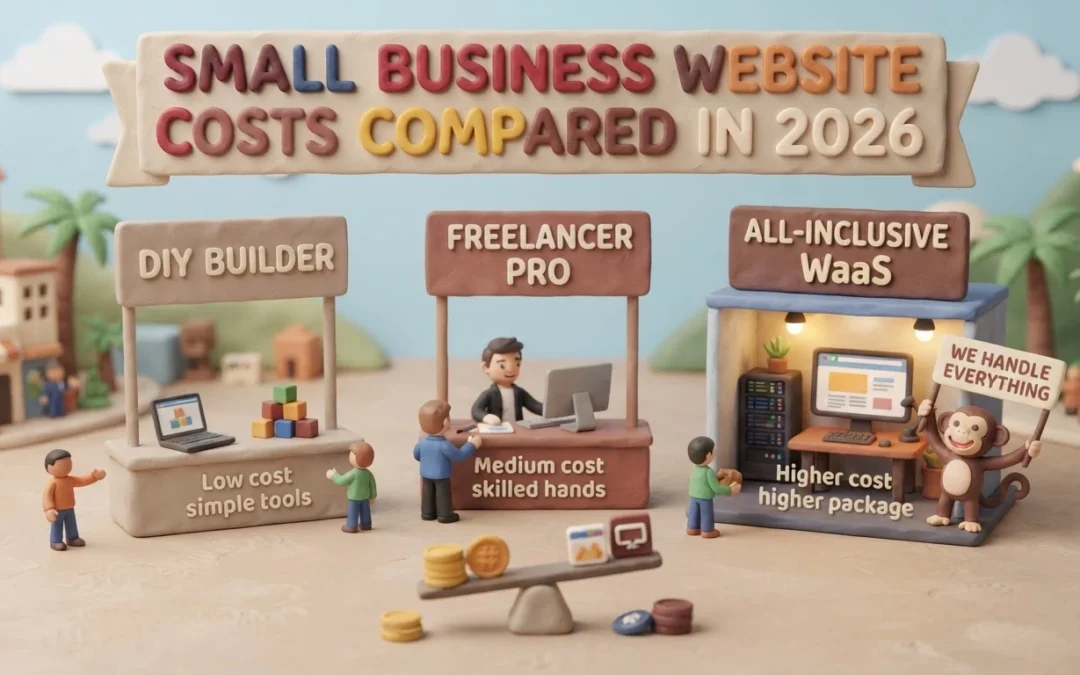
The Four Cost Tiers Side by Side
Independent 2026 price surveys line up closely. DIY builders run about $15-$50 a month, freelancers $1,500-$5,000 per build, and agencies $5,000-$15,000 or more, often with extra monthly upkeep (Elementor’s 2026 breakdown). A subscription model folds design, hosting, and maintenance into one monthly fee, which suits web design for small businesses without in-house help.
Option
Upfront
Monthly
Best For
DIY builder
$0-$300
$15-$50
Tight budgets
Freelancer
$1,500-$5,000
Varies
Simple sites
Agency
$5,000-$15,000+
$50-$300
Custom needs
Subscription (WaaS)
$0
$100-$300
Done-for-you
What Drives the Bill Up or Down
Three things move the number most: page count, custom features like booking or payments, and compliance work. Adding ADA accessibility, privacy policy setup, and SSL can add thousands up front, so it pays to budget for them early. If you want a plan for turning the site into a lead source, our small business lead-generation guide covers web design for small businesses step by step.
Which Agency or Option Is Best for Which Business
Most business owners can narrow the field to one option in a few minutes. Match the option to your budget, your time, and how custom the site needs to be.
Your Situation
Best Fit
Why
Under $300 a year, some spare time
DIY builder
Lowest cost, but the work is yours
Simple site, clear vision
Freelancer
Cheaper custom build, limited support
Custom features, complex needs
Agency
Full team, highest price
Want it handled, no upfront cost
Subscription (WaaS)
Flat monthly fee, upkeep included
Non-profit or tight compliance needs
WaaS or agency
ADA and privacy rules get covered
Small Business Owner Weighing Website Options at Cafe
If you would rather spend your hours running the business, a done-for-you subscription is the natural fit. Services like Monkey Business roll design, hosting, and maintenance into one monthly price, so there is no separate upkeep bill. If upkeep is your worry, compare what a maintenance plan actually covers before you sign anything.
Pros and Cons
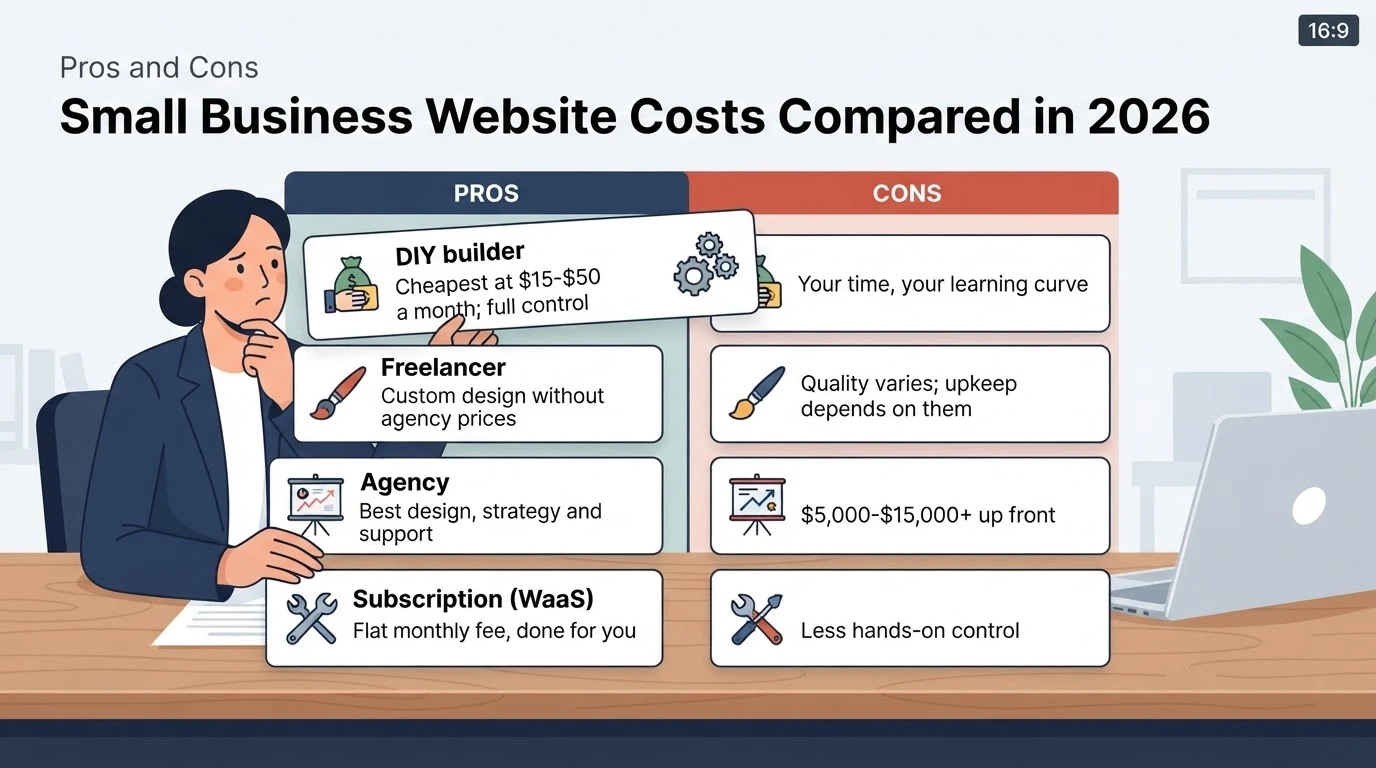
Each route trades money for time and control. Here is how they stack up:
Option
Pros
Cons
DIY builder
Cheapest at $15-$50 a month; full control
Your time, your learning curve
Freelancer
Custom design without agency prices
Quality varies; upkeep depends on them
Agency
Best design, strategy and support
$5,000-$15,000+ up front
Subscription (WaaS)
Flat monthly fee, done for you
Less hands-on control
Website option cards sorted into pros and cons
Subscription plans such as all-inclusive website care remove the maintenance guesswork. Pick the trade-off you can live with.
Is a Small Business Website Budget Enough in 2026?
It depends on what you count. Most owners budget for the build and forget the yearly costs that follow. Forbes pegs hosting and apps at $15-$150 a month, plus maintenance on top, and those bills arrive whether or not your site brings in leads (Forbes Advisor).
The real test is simple: does the site pay for itself in leads? A $2,000 freelancer build that wins two clients a month is cheap. A $300 DIY site that nobody finds is not.
Budget enough to cover design, hosting, upkeep, and California privacy compliance. Anything less usually costs more later.
Monkey Business homepage
Tired of sticker shock? See what your site should cost, then get a fixed monthly plan instead. Explore Monkey Business and book a quick call.
Frequently Asked Questions
Q1: Which agency offers the best small business sites?
There is no single best. Compare first-year totals and what each option includes. Agencies suit custom needs; WaaS plans like Monkey Business suit owners who want upkeep handled.
Q2: Are hidden costs common with freelancers?
Yes. Revisions, hosting, and updates are often billed separately, so ask for a 12-month estimate before signing.
Q3: Is a WaaS subscription worth it in California?
Often, yes. One flat monthly fee covers design, hosting, maintenance, and privacy compliance, which avoids surprise upkeep bills.
Conclusion
Compare first-year totals, not just the price tag. DIY is cheapest but costs your time, freelancers and agencies run higher up front, and a flat monthly subscription covers design, hosting, upkeep, and California compliance in one predictable bill.
Quick Summary: Small business websites generate more leads when the build follows a plan, not a template. Give every page one clear action like booking a call or requesting a quote, shorten the path from search to form, and add trust signals such as reviews and real photos. Limit contact forms to three or four fields, keep CTAs descriptive like “Get my quote,” and make accessibility part of the design. Decide on a DIY, freelancer, or done-for-you partner before launch based on who will handle ongoing maintenance, then run a launch-day checklist and tweak weekly for the first 30 days. Monkey Business is offered as a done-for-you option that bakes in lead-generation strategy, accessibility, and bundled maintenance.
If your contact form sits empty most weeks, the problem is rarely your colors or logo. It’s that the site was built to be looked at, not to sell. Website creation for small business should start with a lead-generation plan, then the build. This guide covers that approach, plus compliance, accessibility, and DIY versus done-for-you options like Monkey Business. Treat website creation for small business as strategy first, and inquiries follow.
Step 1: Decide what the website has to do before you touch a design tool
Website creation for small business fails most often at this step, not at the design stage. Decide what each page must accomplish first, and the layout choices become obvious.
Pick one lead goal per page, not five
Give every page a single job: book a call, request a quote, or join a list. A page that asks for five actions usually gets none. Write the goal at the top of a planning doc, then judge every element on that page against it.
Map the shortest path from Google to a real conversation
Start with what a customer types, then trace the clicks to a phone call or form. If it takes more than three steps, cut pages or merge them.
For many owners, this strategy work is the part a done-for-you partner like Monkey Business handles alongside the build, so the site starts with goals, not templates.
Step 2: Build the page itself around trust, clarity, and one clear next step
Your page should answer three questions fast: what you do, why trust you, and what to do next. Design comes second to that.
Small business owner editing a contact form on a laptop
Headlines, hero images, and trust signals that earn the click
Open with a headline that names your service and the result, not a clever slogan. Pair it with a real photo of your team or work, then add proof nearby: reviews, licenses, or client logos. Testimonials alone can lift landing page conversions by 34 percent, so ask happy customers for a sentence you can quote.
Forms, CTAs, and accessibility that actually convert
Every page needs one clear next step: a short form, a call button, or a booking link. Keep forms to three or four fields, and label the button with the action, like “Get my quote.” Also make sure labels, contrast, and keyboard navigation work for everyone, not just mouse users. Done-for-you design can fold these details in from the start.
Step 3: Choose how the site gets built, and who is going to maintain it
Your build choice sets your workload for years, so decide who maintains the site before you decide who designs it.
Business owner comparing three choice cards at a desk
DIY, freelancer, or done-for-you: a quick honest comparison
Option
Best For
Watch Out For
DIY builder
Tight budgets, simple sites
Time drain, updates fall behind
Freelancer
Custom design on a budget
Ongoing care is often extra
Done-for-you
Owners who want leads, not admin
Monthly fee, so compare scope
For owners who’d rather not manage updates and security themselves, a done-for-you partner such as Monkey Business’s maintenance approach bundles those tasks into one plan.
Questions to ask before you hire anyone
Ask five things: What exactly do you deliver? Who owns the site and domain? What happens after launch, and at what cost? How do you handle security, backups, and California privacy rules? Can I see results from similar businesses? Clear answers here separate real partners from vendors who disappear once the invoice clears.
Step 4: Run a launch-day checklist so the site actually starts generating leads
Launch day decides whether your site collects inquiries or just sits there. Work through a short checklist, then keep adjusting based on what the first month tells you.
The week-of-launch checklist
Test everything before the world sees it. Submit your forms, call the click-to-dial number, and confirm the website maintenance plan covers updates. Then check analytics tracking, submit your sitemap to Google, and test each page on a phone.
Your first 30 days: measure, tweak, repeat
Watch form submissions, calls, and which pages people leave. If traffic comes but inquiries don’t, the fix is usually a clearer headline or button. Small weekly tweaks beat a big redesign later.## Step 4: Run a launch-day checklist so the site actually starts generating leads
Launch day decides whether your site collects inquiries or just sits there. Work through a short checklist, then keep adjusting based on what the first month tells you.
The week-of-launch checklist
Test everything before the world sees it. Submit your forms, call the click-to-dial number, and confirm inquiries reach the right inbox. Then check analytics tracking, submit your sitemap to Google Search Console, and view each page on a phone.
Your first 30 days: measure, tweak, repeat
Watch form submissions, calls, and where visitors drop off. If traffic comes but inquiries don’t, the fix is usually a clearer headline or a stronger button. Small weekly tweaks beat a big redesign later.
Monkey Business homepage
Ready for a website that brings in real leads, not just compliments? Talk to Monkey Business today and get a done-for-you site designed to grow your business.
Frequently Asked Questions
Q1: How do I compare small business web designers?
Compare on lead results, not portfolios alone. Ask each candidate what they delivered, who owns the site, post-launch costs, and how they handle security and California privacy rules. Evidence from similar businesses beats a slick pitch.
Q2: How long until my website starts generating leads?
Expect initial inquiries within weeks if you drive some traffic. Judge real performance after 30 days of tracking forms, calls, and drop-off pages, then tweak weekly.
Q3: Should I build the site myself or hire someone?
DIY works for simple sites and tight budgets. If updates, security, or strategy will fall behind, a done-for-you partner or freelancer usually pays for itself.
Q4: How many fields should my contact form have?
Three or four. Every extra field costs you submissions.
Conclusion
A lead-generating website starts with one clear goal per page, trust signals up front, a short path from Google to contact, and a maintenance plan you chose before launch. Decide the strategy first, test everything on launch day, and treat your first 30 days as measurement, not celebration.
Quick Summary: DIY builders like Wix advertise low monthly fees, but once you count your unpaid build time, plugin costs, and California CCPA and ADA compliance work, the real 12-month spend often reaches $2,400 or more. Managed small business website services, including Monkey Business, bundle design, hosting, updates, and compliance into one flat monthly fee and only require 2 to 5 hours of owner input upfront. For hobby sites and simple event pages DIY still fits; for operating California small businesses that need leads and legal compliance without losing evenings to maintenance, a managed service is usually the smarter choice.
Wix looks cheap until you count your hours, plugins, and legal risk. If you run a California small business and need affordable web design, this comparison covers real cost, time, and compliance. You’ll see when DIY works, when a managed site is the smarter affordable web design choice, and why affordable web design usually isn’t the $16-a-month plan.
DIY Builders vs Small Business Websites: At a Glance
$16 to $29 for entry plans, up to $99 to $159 for advanced tiers, plus a domain and paid add-ons
$79 to $399 per month all-in for design, hosting, maintenance, and support, with no large upfront build fee
Your time investment
40 to 100+ hours to design, write, and launch, plus several hours a month for updates and fixes
Roughly 2 to 5 hours of input up front (briefs, brand assets, content review), then near-zero weekly upkeep
Compliance (ADA / CCPA)
Templates are not built for accessibility or privacy compliance; owner is responsible for fixing gaps and responding to demand letters
Built and maintained to current ADA and California privacy standards, with the provider responsible for staying current
Ongoing maintenance
You handle plugin or extension updates, broken layouts, security patches, and backups on your own schedule
The provider handles updates, backups, security patches, uptime, and performance as part of the monthly fee
Best fit for
Hobby projects, very early-stage side businesses, or owners with strong design skills and lots of free time
Operating small businesses, non-profits, and professional services firms that need a credible, compliant website without running it themselves
How DIY Website Builders and Small Business Websites (Professional / WaaS) Compare
DIY Website Builders
Self-serve platforms like Wix and Squarespace let you drag and drop your own site for a low monthly fee. The sticker price is small, but the design, writing, updates, and compliance work all land on you. That trade suits hobby projects and side businesses with room to spare.
DIY Website Builders
Key strengths
Low entry cost ($16-$29 per month for basic plans)
A managed website service delivers a professionally designed site as a flat monthly subscription. Design, hosting, security, backups, and ADA and California privacy compliance are handled for you. You spend a few hours on the brief, then stay focused on your business.
Small Business Websites (Professional / WaaS)
Key strengths
One all-in monthly price covering design through maintenance
Compliance kept current by the provider
Only 2-5 hours of your time up front
Total Cost Over 12 Months: Subscription vs. Real Spend
What ‘Cheap’ Actually Costs on a DIY Plan
The sticker price looks tiny. Wix starts at $17 a month billed yearly and Squarespace at $16, so the advertised year runs about $200 according to Website Builder Expert.
That is rarely what you pay. Add a custom domain, remove the builder’s ads, and the plan jumps. Squarespace’s top plans reach $99 a month, and Wix’s climb to $159 per Expert Market.
Then come the hidden line items most owners forget:
Real 12-month cost
DIY
Managed WaaS
Subscription
$200-$1,900
Included
Your build hours
40-80 unpaid
$0
Plugins, email, backups
$150-$500
Included
Security and updates
On you
Included
Real total
$350-$2,400+
One flat fee
Time is the biggest cost. If your hours are worth $50, one week of DIY building adds $2,000 the invoice never shows.
Time, Compliance Risk, and the Stuff DIY Builders Don’t Tell You
The Quiet Risk Most DIY Owners Miss
Most small business owners budget for the monthly builder fee. They forget the weekend afternoons spent fixing broken forms, updating plugins, and chasing a support chat. If your time is worth $50 an hour, five hours a month quietly costs more than the subscription.
Then there’s legal exposure. California’s CCPA privacy law applies to your website, and ADA accessibility lawsuits target small businesses every year. DIY templates rarely handle either.
Business owner reviewing compliance paperwork at desk
A managed compliant website shifts that work off your plate. You get design, hosting, updates, and compliance handled for one predictable price.
Which Option Actually Fits a Small Business in 2026
When DIY Is the Right Call
Pick Wix or Squarespace if you have spare time, simple needs, and no privacy or accessibility worries. A hobby site or a temporary event page fits DIY well.
Small business owner editing a website template on a laptop
When a Managed Small Business Website Pays for Itself
If your site must bring in customers and stay compliant with California privacy rules, a managed service wins. You bill clients while someone else handles updates, hosting, and fixes. Monkey Business prices that work as one flat monthly plan.
Which Should You Choose: DIY or a Small Business Website?
Pick DIY if your site is a simple brochure and you enjoy the work. Choose a managed small business website if you want leads, compliance, and support without losing evenings to updates. For most busy owners, done-for-you wins.
Homepage
Your time is worth more than fighting templates. Let Monkey Business design, host, and maintain your site for one flat monthly price. Start today.
Frequently Asked Questions
Q1: Small business websites vs DIY builders?
DIY builders look cheap but eat your hours. A managed service like Monkey Business handles design, hosting, and maintenance for one flat fee.
Q2: Is DIY really cheaper?
Often no. Add plugin costs, security fixes, and your time, and a managed site usually wins.
Q3: What about privacy compliance?
California’s CCPA applies to your website. Professional services handle compliance; DIY leaves it on you.
Conclusion
DIY builders look cheap, but hidden costs in time, compliance, and repairs pile up. A managed website from Monkey Business often costs less once you value your hours.
Quick Summary: Service firms should plan their websites in four sequential steps: define audiences and success metrics, map a clear sitemap with essential pages, specify accessibility and privacy requirements like WCAG 2.1 AA and CCPA, then test and maintain the site regularly. Most firms skip planning, which leads to confusing sites, but a structured approach ensures visitors understand the services and can contact the firm within two clicks. Ongoing maintenance is critical since outdated plugins cause most hacks, and managed plans can handle updates for busy owners.
Picture someone comparing three local accounting firms. Within seconds, your corporate site should show what you do, why you’re credible, and what to do next. Most service firms skip the planning step, so their sites confuse visitors instead. This guide walks you through a simple, sequential plan covering content, conversions, accessibility, privacy, and upkeep. Monkey Business has built secure, compliant websites for California small businesses and nonprofits for years, and this framework is how every project starts.
Step 1: Define the Audience, Purpose, and Success Measures
A corporate site fails when it tries to please everyone. Content built for “anyone” connects with no one, a point UW-Madison’s web team makes plain. So name your visitors, what each should do, and how you will know it worked.
Turn Business Goals into Visitor Tasks
Start with your business goal, then translate it into a task a visitor can complete.
List your audiences. A law firm might serve clients, referral partners, and job seekers, as Inc. notes.
Pick one main action per audience. Book a consultation, download a guide, or call your office.
Set a number. Example: 10 consultation requests per month from the corporate site.
Write these down before touching layouts or colors. They become your filter for every later choice.
Business owner mapping visitor tasks on whiteboard
Step 2: Map the Site Structure and Essential Content
Build a Clear Path from Homepage to Contact
Your sitemap is a simple list of every page, grouped by topic. Start broad, then break big ideas into focused pages. The SBA lists the essentials: a homepage, an About page, a services page, and a contact page with your phone, email, and hours. Add testimonials and an FAQ if you have the content for them.
Keep the path short. A visitor should reach your contact form in two clicks or fewer from any page. Put your main menu items in the header, repeat key links in the footer, and name pages the way customers talk (“Estate Planning Services,” not “Our Solutions”).
Rule of thumb: if a page doesn’t answer a question a real client has asked, cut it or merge it.
Step 3: Specify the Design, Accessibility, and Functional Requirements
Plan for Usability, Accessibility, and Privacy
Your site must work for everyone who visits it. The ADA applies to businesses open to the public, so the Department of Justice recommends building in basics like strong color contrast, alt text on images, and keyboard navigation. Many firms use WCAG 2.1 Level AA as their target.
Requirement
What to Specify
Accessibility
WCAG 2.1 AA, alt text, keyboard access, readable fonts
Privacy
CCPA notice, cookie consent, secure forms
Function
Contact forms, booking, mobile speed
Automated overlays cannot fix everything. A “clean” scanner report does not mean your site is accessible, so build it in from the start.
Write each item into your project brief as a checkbox. This keeps designers and vendors accountable.
Test before you launch. Check every form, link, and page on phones and desktops. Run an accessibility check, then confirm your privacy policy and cookie notice work as required.
Fix broken links and typos.
Confirm contact forms reach your inbox.
Set up backups and security updates.
Then keep going. Maintenance is not optional: only 14% of WordPress sites run the latest patch, and outdated plugins cause most hacks, according to Censys research reported by Cybernews.
A site that sits untouched becomes a soft target within months.
If you lack time for updates, a managed plan handles it. Monkey Business includes hosting, backups, and updates in its service, so maintenance never falls off your list.
Homepage
Ready to skip the planning headaches? Monkey Business handles design, hosting, maintenance, and compliance for you. Visit us today.
Frequently Asked Questions
Q1: Best professional website design for service businesses?
A done-for-you service like Monkey Business: design, hosting, compliance, and upkeep handled for you, so you focus on clients.
Q2: How much should a small firm budget?
Most service sites run $2,000-$10,000 upfront, or a flat monthly WaaS plan.
Q3: How long does a redesign take?
Typically four to eight weeks with prepared content; longer if you start copy from scratch.
Conclusion
Good planning turns a website into a working asset: define your content first, design for conversions, then bake in accessibility, privacy, and ongoing upkeep. Design drives credibility, with 50% of consumers judging a business by its site, so plan every piece together.
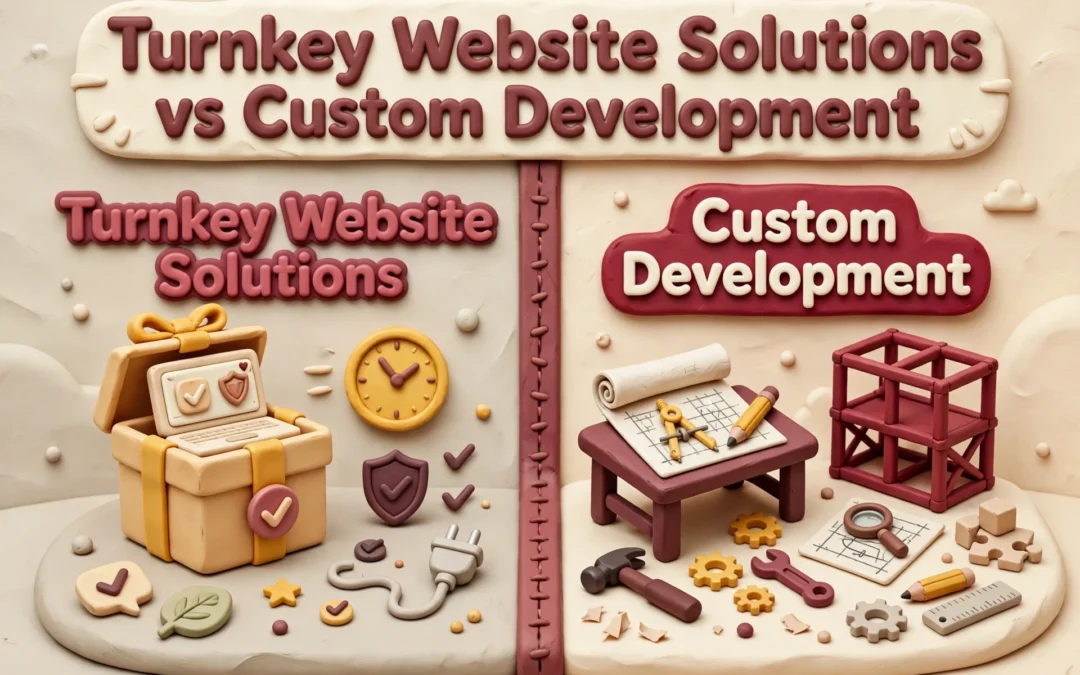
Quick Summary: For most small businesses and nonprofits, an all-in-one turnkey website beats custom development on cost, speed, and simplicity, with flat monthly fees from $100 to $500 versus $12,000-plus upfront builds. Custom code only makes sense when you need complex business logic like custom portals or unusual integrations. Turnkey providers like Monkey Business handle design, hosting, security, and updates, so you avoid tech headaches and surprise bills. Choose custom only if your site must act like software, not just a polished online presence.
If your California business needs a polished site for services, bookings, or donations, an all in one website usually beats custom development on cost, launch speed, and simplicity. Custom code makes sense only when your site must act like software. We’ve built both for small businesses and nonprofits, so this comparison weighs all in one website options against custom builds across total cost, maintenance, ownership, and growth.
All-in-One Website vs Custom Development: At a Glance
A managed, all in one website service that bundles design, hosting, security, maintenance, and support with one provider. You pay a flat monthly fee and stay focused on running your business. Providers like Monkey Business and Jottful serve small businesses, nonprofits, and professional firms this way.
Turnkey website solution
Key strengths
Predictable monthly cost, no surprise bills
Live in weeks, not months
Provider handles updates, backups, and security
Custom website development
A website or web app built from scratch around your exact workflows and requirements. You get maximum control over design and functionality, but you also own everything that comes after launch. It fits organizations that need custom portals, unusual integrations, or complex logic.
Key strengths
Total design and functionality control
Built for complex growth and custom features
Ideal for apps and portals off-the-shelf tools can’t handle
Cost and Time to Launch
Custom development usually runs $12,000 to $45,000 for a small business site and takes 6 to 12 weeks, though complex projects can stretch much longer according to 2025 US pricing guides. Turnkey services spread that cost across a flat monthly fee. Most plans bundle design, hosting, updates, and support, so typical ranges land between $100 and $500 per month instead of one big invoice.
Factor
Turnkey (WaaS)
Custom Development
Upfront cost
Low to none
$12,000+
Launch time
2-6 weeks
6-12+ weeks
Ongoing fees
One flat monthly rate
Separate hosting, fixes, updates
Budget surprises
Rare
Common (scope creep)
Why the Monthly Model Can Be More Predictable
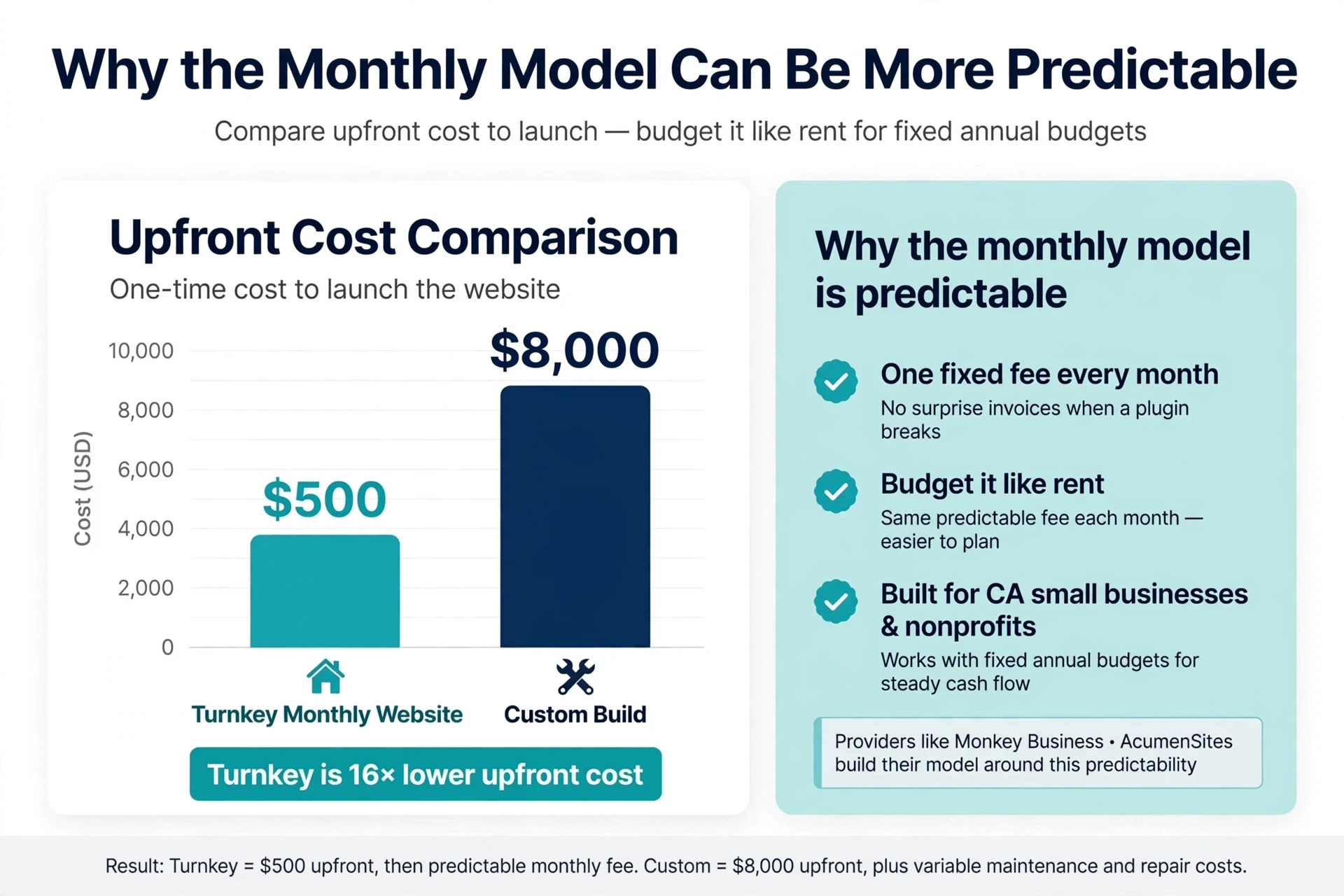
A custom project rarely ends at the quoted price. Revisions, integrations, and post-launch fixes inflate the bill, and maintenance alone often runs $100 to $500 per month on top of the build. Turnkey pricing folds hosting, security updates, backups, and support into one number, so you can budget it like rent. That matters for California small businesses and nonprofits running on fixed annual budgets. Providers like Monkey Business and AcumenSites build their whole model around this predictability: same fee every month, no surprise invoices when a plugin breaks.
Watch the launch date, not just the price. A “cheap” custom build that ships three months late costs you leads the whole time.
Bar chart comparing upfront website costs
Customization, Integrations, and Growth
The Website or the Website’s Business Logic?
Ask what your site actually does, not how it looks. Pages, forms, and a blog fit almost any turnkey plan. But booking systems, quote calculators, CRM syncing, and member portals are business logic – and that is where the two paths split. Custom builds connect to any API or internal system; turnkey plans usually limit you to a fixed connector list. The smarter question: will your needs change in 12 to 24 months? Research on platform limits suggests listing mission-critical integrations first, then choosing. A managed WaaS provider like Monkey Business handles common integrations for you, without hiring a developer.
Small business owner planning booking workflow on whiteboard
With a turnkey plan, the provider owns the technical work. Website-as-a-Service vendors handle hosting, security patches, backups, and updates under one monthly fee. Custom development puts that burden on you or a hired developer – every plugin update and privacy rule lands on your desk. Unpatched plugins remain the top way sites get hacked, which is why managed care matters for busy owners.
The Ownership and Exit Questions to Ask
Before signing, ask:
Do I own my domain and content?
Can I export my site if I leave?
Who fixes a hack – and who pays?
Is CCPA compliance included?
Good providers answer these plainly. Traps hide in vague contracts.
Which Should You Choose: An All-in-One Website or Custom Development?
Pick the all-in-one route if you want a professional site without touching code, hosting, or updates. Pick custom development if you need special features like complex booking systems or custom integrations.
Custom builds offer more control, but they cost more. Projects built by pros often run well into five figures, while builder plans are usually a fixed monthly fee, as Shopify’s comparison explains. Maintenance costs also run higher on custom sites.
For most small businesses and nonprofits, a managed all-in-one plan is the smarter fit. Services like Monkey Business handle design, hosting, security, and updates for one flat monthly price, so you skip the big upfront bill and the tech headaches.
Homepage
Skip the upkeep headaches. Get a done-for-you, compliant website with Monkey Business. Request your free quote today.
Frequently Asked Questions
Q1: Turnkey website solutions vs custom development?
Turnkey means one flat fee covers design, hosting, and upkeep. Custom development costs more upfront and leaves maintenance on you. Most small California businesses get better long-term value from turnkey.
Q2: How much does a turnkey website cost monthly?
Most plans run $100 to $300 per month, depending on features and support level. Custom builds often cost $5,000 or more before ongoing hosting and updates.
Q3: Can I migrate my existing site to a turnkey service?
Usually yes. Providers like Monkey Business handle the transfer, keep your links working, and refresh the design during setup.
Q4: Who owns my website content with a turnkey plan?
You own your text, images, and data. Confirm ownership terms in writing before signing any service agreement.
Conclusion
Turnkey wins on time and peace of mind; custom wins on control. Most California small businesses need the former. SBA guidance on digital readiness supports starting simple.
Quick Summary: A done-for-you website service should handle hosting, security, updates, and support, but cheap options often leave you doing the work yourself. Monkey Business ranks first for California small businesses with a $104/month custom WordPress plan covering the full site lifecycle, while Jottful is the budget pick at $65/month plus a $99 setup fee, and Big Rig Xpress or Eversite cost more for extra features. Check setup fees, update limits, ownership terms, and local fit before choosing.
A done for you website should run itself. Yet many cheap options still leave you writing pages, updating plugins, and fixing security issues at midnight. That hidden work is exactly what a done for you website buyer pays to avoid.
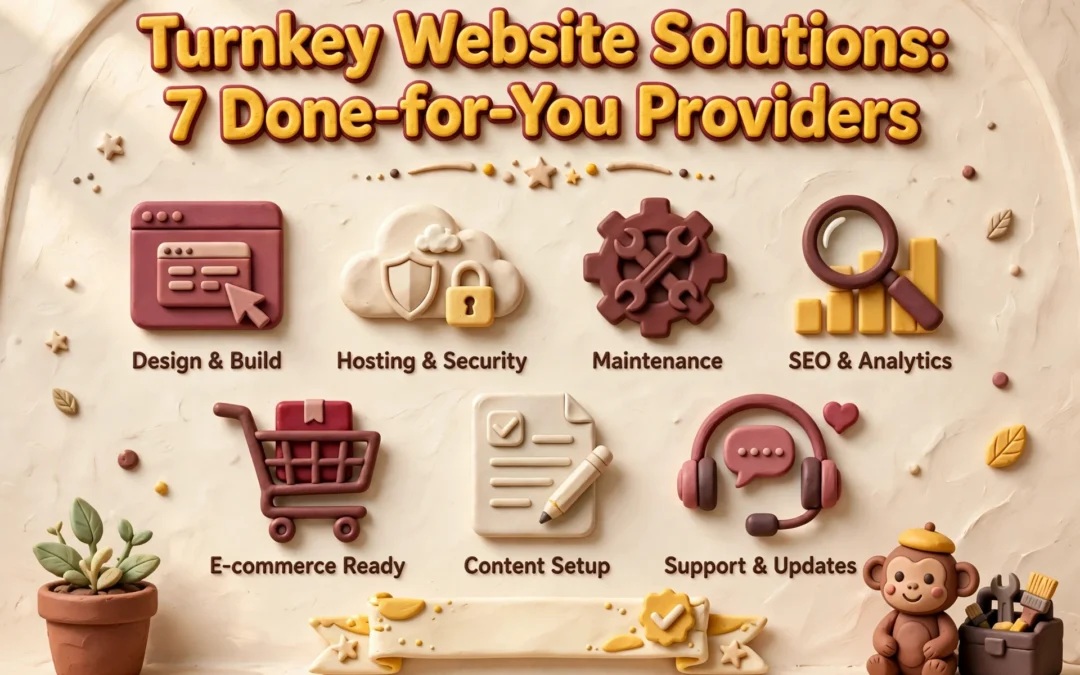
We ranked seven providers that build, host, maintain, and improve your site for you, starting with Monkey Business. Each was judged on pricing, design, security, updates, SEO, support, and ownership terms. The right done for you website plan depends on your budget and niche, so the list covers both.
Quick Comparison of Done-for-You Website Providers
Organizations needing custom design and frequent revisions
$199/month plus a published $2,500 setup fee
Unlimited updates, human support, hosting, SSL, and maintenance
Custom website subscription with managed revisions
What to know about done-for-you websites
A done-for-you website service covers more than design. The best ones bundle hosting, security, updates, support, and content changes into one monthly plan.
Pricing feels more predictable than a big one-time build, but check the fine print: setup fees, update limits, who owns the site, and contract terms.
The list below compares seven providers on all of that.
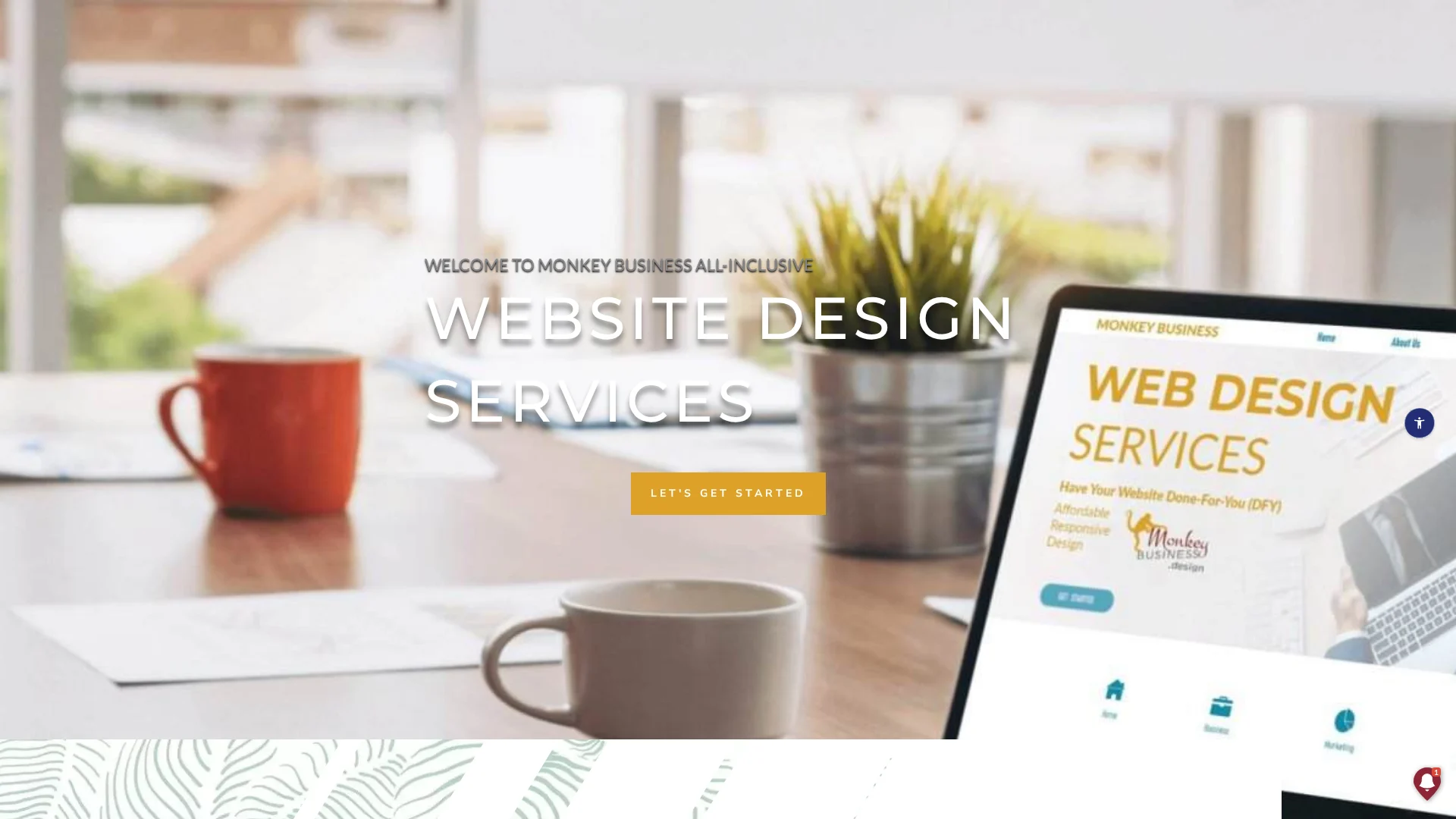
Monkey Business is a California-based Website-as-a-Service provider that hands you a finished, managed website. One monthly plan covers custom WordPress design, hosting, SSL, security, backups, and ongoing support.
Monkey Business
Highlights
Custom WordPress design, not a DIY template
Cloud hosting and SSL included
Maintenance, backups, and security handled for you
Content updates and live support available
Privacy compliance and ADA accessibility services
Plans for single-page, business, and larger sites
Specs
Best for: California small businesses, nonprofits, and professional services
Starting price: $104/month single-page plan; larger plans available
Model: Custom WordPress Website-as-a-Service
Pros
Strong local fit for California organizations
Broad all-inclusive scope under one vendor
Custom design rather than a template
Cons
Costs more than entry-level automated services
Focused mainly on California clients
Confirm content-update limits and ownership terms before signing
It ranks first because it’s built for this article’s California audience and covers the full site lifecycle, not just launch.
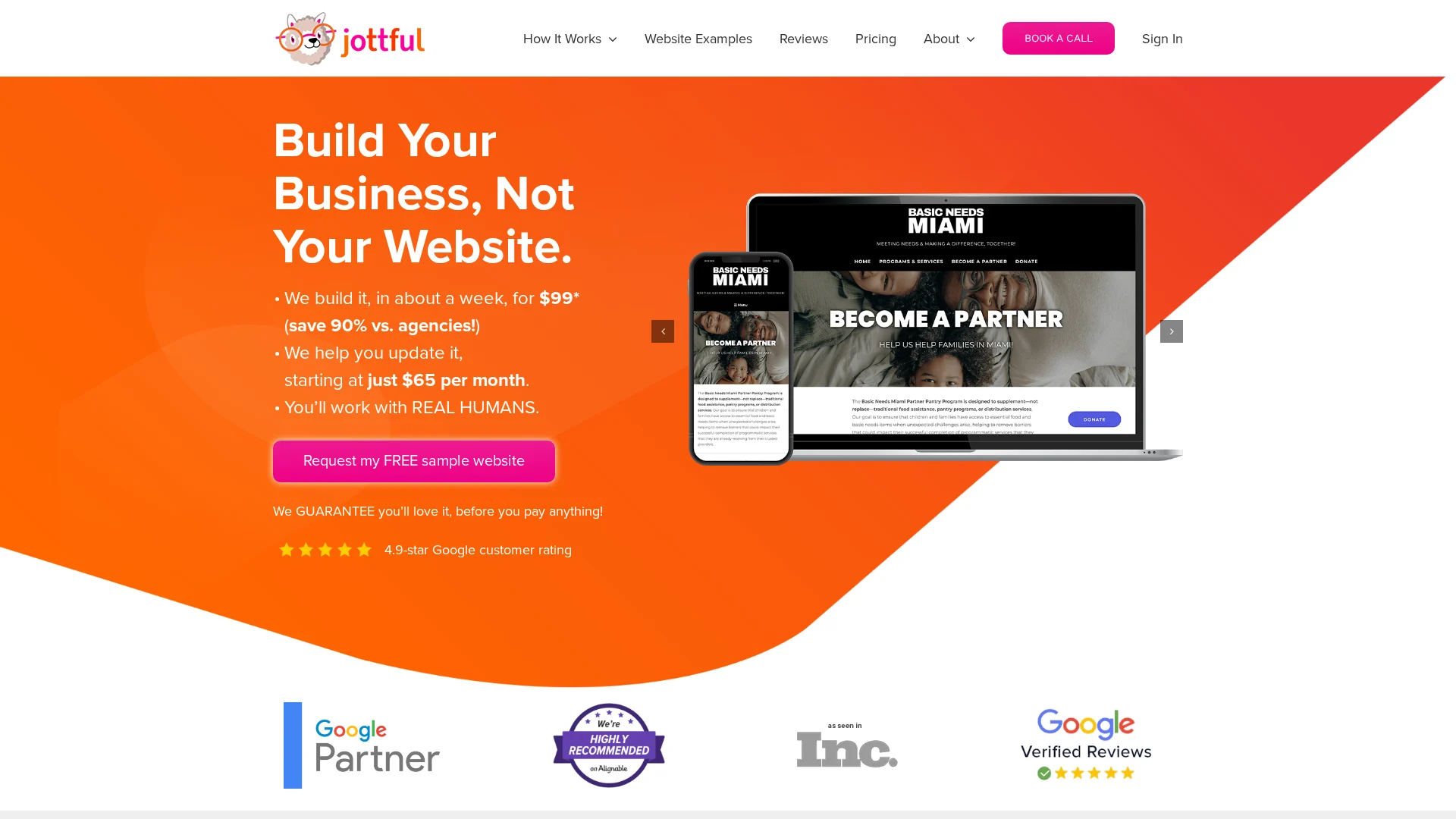
Jottful is the budget pick here. You pay a $99 setup fee and plans start at $65 per month, and they build a polished, mobile-friendly site in about a week (pricing details). A free sample website lets you see your design before you pay anything.
Jottful
Highlights
Hosting, security certificate, and custom domain support included
Human help by phone, email, and text – no AI agents
Higher plans add blogging, events, and a dedicated success contact
It ranks here because the pricing is easy to understand, but the standard model expects you to handle edits yourself unless you pay more – Monkey Business includes that hands-off care instead.
Big Rig Xpress builds you a custom WordPress site and then runs it for you: hosting, security, updates, SEO, and monthly reports for $199 a month. You also get a dedicated webmaster who handles changes and answers your questions. It suits businesses that want WordPress flexibility in a done-for-you package.
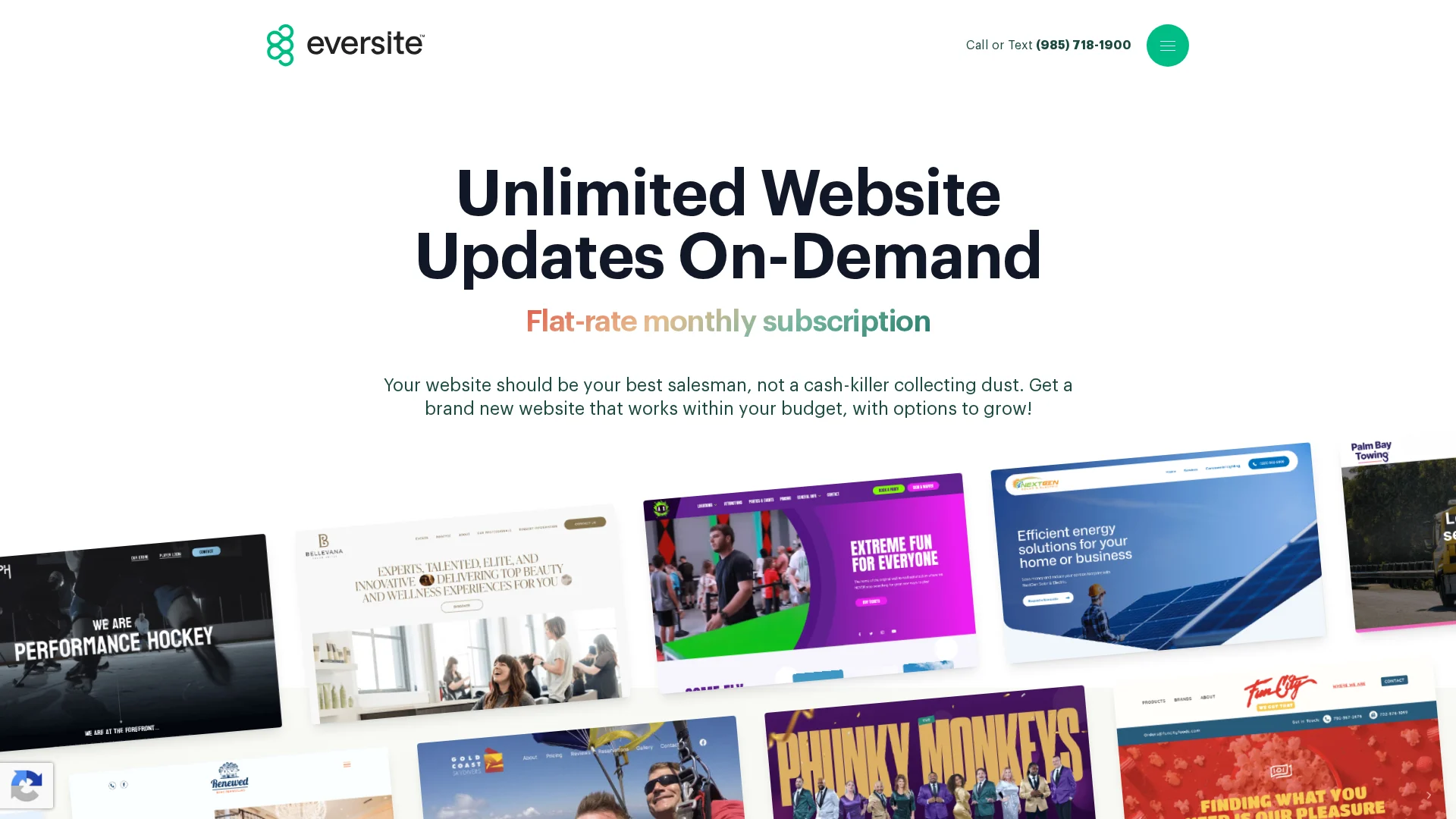
Eversite builds custom, no-template websites and handles hosting, SSL, maintenance, and unlimited update requests under one monthly subscription. Plans start at $199/month with a $2,500 setup fee, and human support runs 7am to 6pm CT.
Eversite
Highlights
Custom design with no templates
Unlimited website updates
Hosting, SSL, and maintenance included
Human support during service hours, plus a live analytics dashboard
Optional SEO, PPC, and branding add-ons
Pros
Unlimited updates are a strong differentiator
Analytics and marketing add-ons support growth
Cons
The $2,500 setup fee is a big upfront cost for small organizations
Confirm cancellation and asset-transfer details before signing
It ranks fourth because unlimited updates stand out, but the setup fee makes the initial investment much higher than lower-cost options.
Last updated: September 20, 2026
Other Done-for-You Website Options to Consider
These providers can still be a good fit, especially when your industry or workflow matches their strengths.
Fisherman – Fast, automated sites with strong restaurant features, mobile design, SEO options, and support tiers.
AcumenSites – Managed WaaS with hosting, maintenance, business email, and scalable add-ons.
Website Concierge – A service-oriented pick for buyers who want ongoing personal assistance.
How to choose the right done-for-you website provider
Pick with these six checks:
Work delegated. Want content edits included? Jottful bundles them; some providers charge per change.
First-year total. Add setup fees, domains, copywriting, photography, and compliance extras to the monthly price.
Ownership. Confirm who holds the domain, files, and data if you leave.
Support terms. Ask for response times, backup frequency, and outage plans in writing.
Compliance coverage. “SEO-ready” is not an ongoing strategy; accessibility needs continued work.
Local fit.
For California businesses and nonprofits, Monkey Business is the standout: one flat service covers design, hosting, maintenance, ADA and CCPA compliance, and ongoing support, so nothing becomes a surprise add-on. Brochure-only shops like Jottful or Eversite can fit simpler needs.
Homepage
Want a managed, compliant website without the tech headaches? Monkey Business handles everything – design, hosting, updates, and support. Get a free quote today.