Quick Summary: CCPA-aware hosting bundles privacy essentials like service-provider DPA terms, opt-out link setup, deletion request support, and audit-friendly logs, while standard hosting leaves that work to the site owner. Even with a privacy host, duties such as privacy policy wording, consent notices, and answering consumer requests within California’s 45-day window stay on the business. Pick CCPA hosting if your site collects names, emails, or form submissions from California visitors, and standard hosting only when no personal data is captured. Monkey Business stands out by offering done-for-you CCPA-compliant hosting and maintenance, removing the manual privacy work for small business owners.
If your California site collects even one lead form a week, your hosting plan shapes how much CCPA privacy work you do yourself. Standard hosting leaves compliance on your plate. Privacy hosting builds much of it in. This guide compares the two directly, showing what privacy hosting handles for you, what still stays on your to-do list, and whether the upgrade fits your data risk.
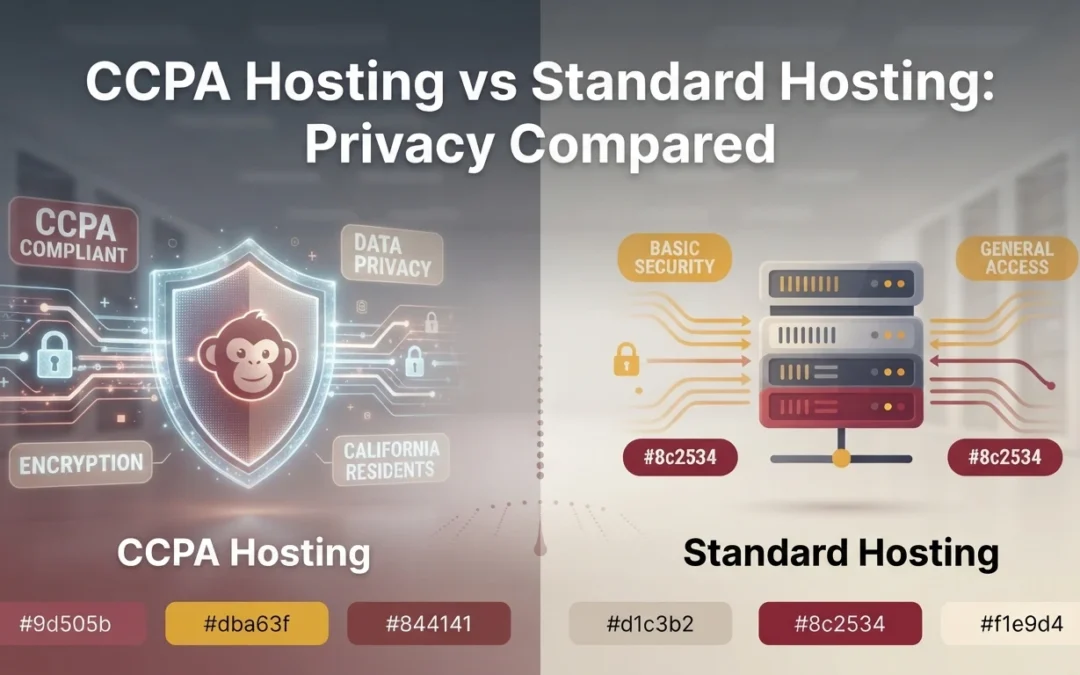
CCPA Hosting vs Standard Hosting: Privacy at a Glance
Built for opt-out, privacy policy, and tracking control support
Basic hosting controls, not compliance-focused
Data processing terms
Typically includes a CCPA-aware DPA with service-provider language
Often lacks CCPA-specific DPA language
Consumer rights support
Helps with access, deletion, and opt-out-of-sale requests
Mostly handled outside the host
Security and logging
Stronger monitoring, encrypted backups, and audit-friendly logs
Depends on plan and provider
Admin workload
Lower for the site owner
Higher for the site owner
Best fit
California businesses that collect personal data
Low-risk sites with simple data collection
How CCPA compliant web hosting and Standard hosting Compare
CCPA compliant web hosting
This hosting tier is built around California privacy duties. It bundles a privacy-aware data processing agreement, opt-out and deletion request support, and audit-friendly logs, which suits businesses that collect personal data through their site. Think of it as privacy hosting with the compliance work mostly done for you.
CCPA compliant web hosting
Key strengths
Lower admin workload for the site owner
Stronger monitoring, encrypted backups, and audit-ready logs
Standard hosting
Standard hosting provides general-purpose server space and core site tools, with privacy work left largely to the owner. It often lacks CCPA-specific contract language and handles consumer requests outside the host. It fits low-risk sites with simple data collection.
Key strengths
Broad provider choice and pricing
Works well when no personal data is collected
Where CCPA Hosting Actually Changes Your Privacy Workload
What the host quietly handles for you
A privacy-focused host takes server-side jobs off your list: encrypting data in transit and at rest, keeping servers patched, logging access, and controlling where your data physically lives. Some plans include a Do Not Sell or Share link setup and a subprocessor list, which California requires you to disclose. Done-for-you setups such as ours bundle these with maintenance, so the core CCPA hosting features get checked without you touching a dashboard.
What still stays on your plate either way
Your host can’t answer consumer requests for you. When someone asks to know, delete, or opt out, you must find their data across forms, analytics, and vendors, then respond within California’s 45-day window. You also still need a plain-language privacy policy, consent notices for cookies and tracking tools, and training for whoever reads the inbox. Under the CCPA, those duties follow the business, not the hosting plan. Budget a few hours a month for them.
Privacy Features That Matter Most When You Compare Plans
Data processing terms you can actually read
Ask each host for its data processing agreement, or DPA. That is the contract stating how the host may use, keep, and share personal information on your behalf. Under the CCPA, a host only counts as your service provider if this contract is in place, so a vague policy is a real risk. Read it before you sign, not after an incident.
Business owner comparing hosting agreement at desk
Backups, logs, and the paper trail you may need
Backups and server logs often hold personal data too, so ask where they live, how long the host keeps them, and whether deletion requests reach them. When someone asks to delete or opt out, you may have only California’s 45-day window to respond across every system. A host that documents what it stores, and can erase it on request, saves you that scramble.
Choose CCPA hosting if your site collects personal data like names, emails, or form submissions. Standard hosting works for simple brochure sites with no data capture. If you sell services in California, assume data flows through your site. Done-for-you providers such as Monkey Business bundle compliant hosting with maintenance, so the decision often comes down to how much privacy work you want to handle yourself.
Business owner comparing hosting brochures at deskMonkey Business homepage
Still chasing privacy requests across forms and vendors within California’s 45-day window? Monkey Business builds CCPA-compliant hosting and websites that handle it for you. Get started today.
Frequently Asked Questions
Q1: Compare compliant hosting services for California businesses?
Check three things: the data processing agreement’s CCPA language, deletion request support reaching backups and logs, and opt-out link setup. Strong plans bundle all three with monitoring and maintenance.
Q2: Do I still need a privacy policy with CCPA hosting?
Yes. Hosting supports compliance, but the plain-language policy, cookie notices, and staff training remain your responsibility under California law.
Q3: Is CCPA hosting worth the extra cost for a small business?
If your site collects names, emails, or form submissions, usually yes. It cuts the hours you spend on requests and reduces risk.
Conclusion
Standard hosting leaves CCPA work on your plate; privacy hosting builds much of it in. If your site collects names, emails, or form submissions from California visitors, compliant hosting with done-for-you maintenance cuts your workload and risk.
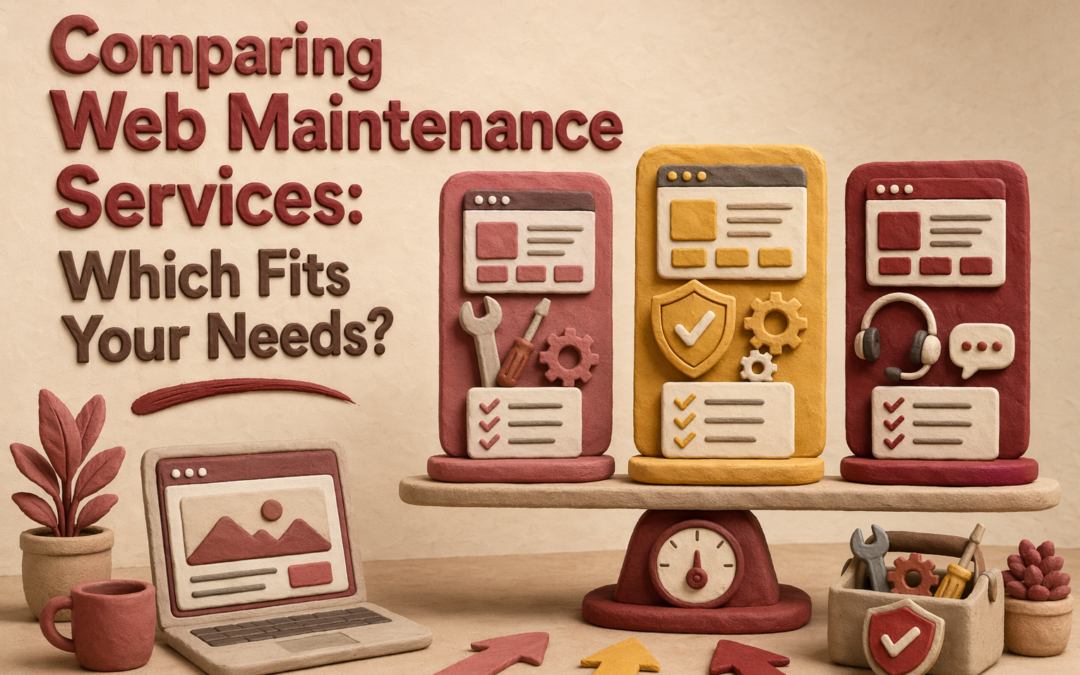
Quick Summary: If you want your website to stay secure, perform well, and comply with regulations, a full-service maintenance plan like Monkey Business is best. It handles updates, backups, security, and SEO with minimal owner effort. Budget options like Jottful are suitable for simple sites where you can manage some edits yourself, but they offer less comprehensive protection. Need more than quick edits? Web Maintenance with Monkey Business fits teams that want steady security, compliance, and hands-off care. Jottful suits simpler, lower-cost Website Maintenance. Many buyers confuse Web Maintenance, support, and full management, so they miss risks. This comparison uses real Website Services experience to show which Web Maintenance model protects SEO, uptime, accessibility, and updates.
Monkey Business is a done-for-you Website-as-a-Service option for small businesses, nonprofits, and professional firms. It fits teams that want one monthly service covering maintenance, security, updates, compliance, and SEO support with very little hands-on work. Key strengths
Monthly subscription
1-hour monthly content updates
24/7 security, backups, and SSL
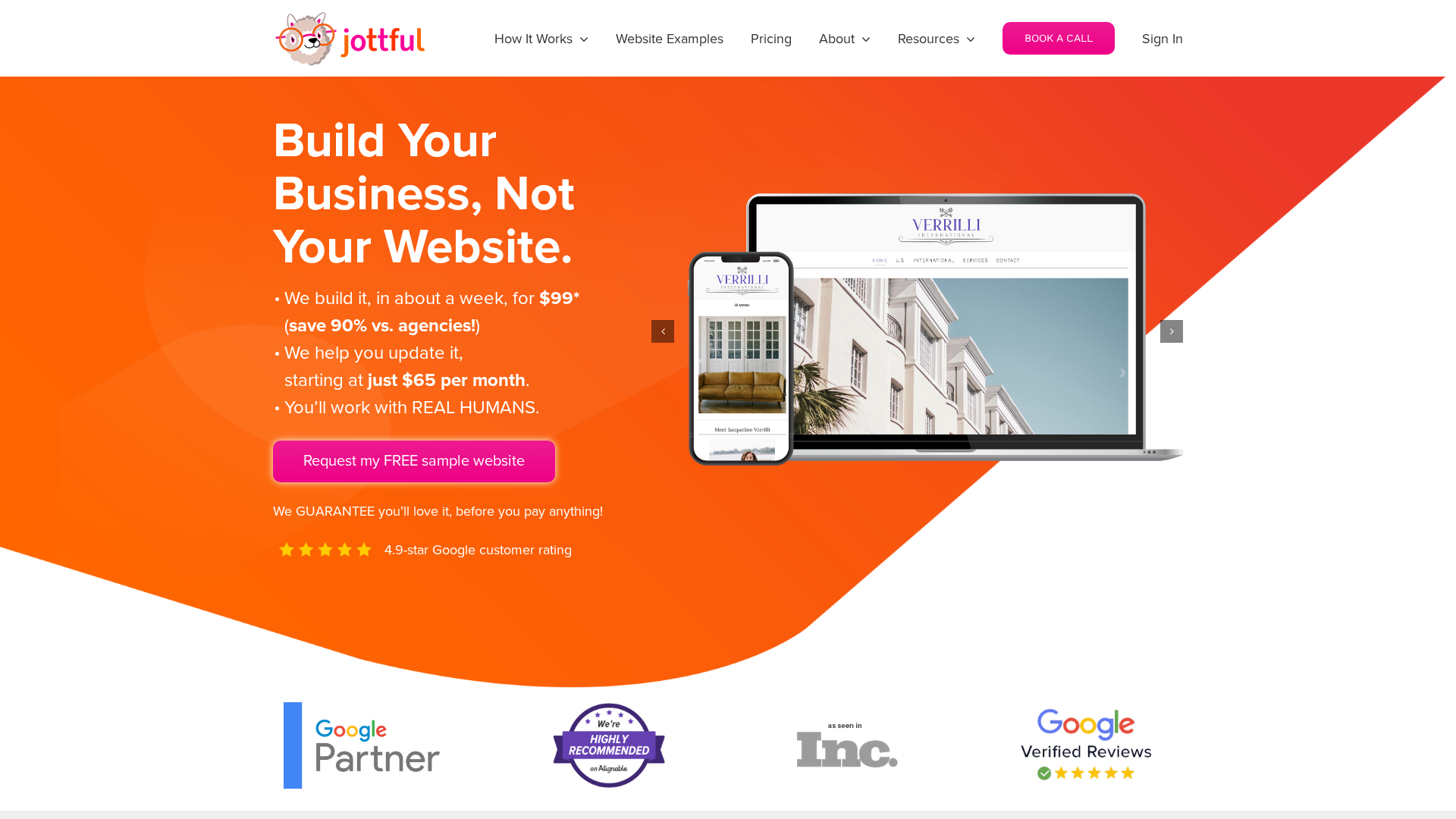
Jottful Website Service
Jottful is a small-business website service built for owners who want lower upfront cost and simple support. Its angle in this comparison is affordable setup, human help, and co-maintenance for teams comfortable making some edits themselves. Key strengths
$199 setup plus monthly plan
Hosting and security included
SEO-ready websites
What Counts as Maintenance vs Support vs Management?
The labels matter because they change what you can expect. Maintenance is routine care like updates, backups, and security checks. Support is reactive help when something breaks or you need a quick fix. Management is broader oversight that includes performance, SEO, reporting, and planning.
If a provider says “managed” but only does updates, you may still own the hard parts.
Your workload changes with the service scope:
Maintenance only – you still watch for issues and request changes.
Support plus maintenance – you get help, but you still direct the work.
Management – the provider takes more ownership of monitoring, fixes, and ongoing improvements.
Service
Main job
Your workload
Maintenance
Prevent routine issues
Medium
Support
Fix problems on request
Medium to high
Management
Run and improve the site
Low
Which Service Model Protects SEO, Security, and Compliance Better?
Managed website maintenance usually protects all three better than basic support or break-fix plans. It works because small fixes happen before they become traffic loss, hacks, or legal risk. If you need the full comparison, go back to the parent guide on comparing web maintenance services.
SEO stability depends on quiet, continuous upkeep. Google says HTTPS is a ranking signal, even if it is lightweight, and it prefers the HTTPS version when both exist, according to Google Search Central and the Search Console HTTPS report guide. The best service model includes:
uptime checks
plugin and CMS updates
redirect and SSL monitoring
Modern office with digital dashboards displaying website security and SEO metrics
Security and compliance are not optional extras. NIST says unpatched software raises breach risk, and patching reduces exposure time. Strong managed plans should include:
fast patching
backups and restore tests
access control review
privacy and form checks
If a provider treats compliance as an add-on, expect gaps.
Which Should You Choose: Monkey Business or Jottful?
Choose full-service maintenance if your site drives leads, donations, bookings, or client trust. Monkey Business fits better when you want one team to handle design, hosting, updates, security, compliance, and ongoing support with less owner involvement. Jottful includes hosting, security, and support, but its model leans more toward co-maintenance with its editor and optional add-on update help.
Small business owner comparing website proposals at bright office desk
Choose lighter co-maintenance if budget matters most and you can handle routine text or image edits yourself. Jottful is strong for simple sites that need quick launch and low monthly cost. Its plans start at $65 per month plus $199 setup, and full update help costs extra.
Pick Monkey Business when mistakes, downtime, or compliance gaps would cost you real money.
Homepage
Need a done-for-you option? Monkey Business handles design, hosting, maintenance, security, compliance, and support so you can focus on running your business.
Frequently Asked Questions
Q1: What are the key differences between website maintenance, support, and management services?
Maintenance covers updates, backups, and security checks. Support fixes issues when something breaks. Management is broader. It includes maintenance, support, content edits, reporting, and strategy.
Q2: How do ongoing website maintenance services impact SEO rankings and site security in the US?
Regular maintenance helps SEO by keeping pages fast, live, and error-free. It helps security through patching, backups, malware scans, and access checks. Neglect often leads to downtime, hacks, and ranking loss.
Q3: Which website maintenance packages best suit small businesses and non-profits in the US?
Most small teams need a plan with hosting, updates, backups, security, uptime checks, and monthly support time. Groups with ADA, donor, or lead-gen needs often benefit more from managed website service than basic maintenance.
Conclusion
Pick based on risk, not price. The best fit covers updates, backups, SEO, and compliance. NIST notes small firms need clear, scaled cybersecurity basics.
Cybercriminals no longer just target large corporations. Small and midsize businesses are increasingly in the crosshairs, often because they lack robust cybersecurity protocols. Automated bots, phishing schemes, and malware attacks can compromise business websites in seconds—making digital security a business-critical concern.
Impact of a Breach: Lost Revenue, Trust, and SEO Ranking
A single breach can result in massive consequences. Downtime leads to lost sales, data theft damages customer relationships, and compromised websites often plummet in search rankings. Worse, once a website’s credibility is lost, it can take months—or longer—to rebuild user trust and regain visibility.
Google’s Penalties for Unsecured Websites
Google takes security seriously. Sites without HTTPS are flagged as “Not Secure” in most browsers, causing many users to leave immediately. Additionally, insecure websites may be penalized in search rankings, resulting in lower visibility and less organic traffic.
SSL Certificates: The Foundation of a Secure Site
What SSL Does and Why It Matters (HTTPS vs. HTTP)
SSL (Secure Socket Layer) certificates encrypt communication between the user’s browser and your website. This prevents hackers from intercepting sensitive data like passwords, credit card numbers, and contact details. Sites using HTTPS instead of HTTP are instantly more secure and trustworthy.
How It Protects Customer Data and Login Credentials
SSL encryption is essential for protecting data transferred through contact forms, user accounts, eCommerce checkouts, and any login portals. It shields both users and businesses from data breaches and identity theft.
SSL as a Google Ranking Factor
Beyond protection, SSL is now a recognized ranking factor. Google gives preference to secure websites, and users are more likely to stay engaged when they see the secure padlock icon in their browser bar.
How Monkey Business Ensures SSL Is Properly Configured
Monkey Business Design ensures SSL certificates are installed correctly, redirects all pages to HTTPS, resolves mixed content errors, and monitors for certificate expiration. It’s more than a one-time setup—ongoing management is critical.
Firewall Implementation to Block Unauthorized Access
What Is a Web Application Firewall (WAF)?
A Web Application Firewall (WAF) acts as a protective barrier between your website and malicious traffic. It filters, monitors, and blocks potentially harmful requests, helping to prevent unauthorized access, hacks, and data breaches.
Protection from DDoS Attacks, Brute Force Login Attempts, and Bots
WAFs are effective against distributed denial-of-service (DDoS) attacks, brute-force login attempts, and spam bots. These firewalls help keep your site online and responsive even when under attack.
Cloud-Based vs. Server-Based Firewall Solutions
Cloud-based firewalls are scalable and easy to implement, while server-based options offer more granular control. The best choice depends on your site’s size, structure, and traffic volume.
Firewall Integration for WordPress and Other CMS
Firewalls can be easily integrated into platforms like WordPress, Shopify, or custom CMS solutions. Monkey Business Design configures the firewall rules specific to your platform to block threats without disrupting user experience.
Malware Protection: Scanning and Removal Tools
Common Types of Website Malware
Malware threats include redirect hacks, ransomware, spam injections, and hidden scripts designed to harvest data. These issues not only hurt performance but also put your users at risk.
How Malware Infects Vulnerable Plugins and Outdated Code
Malicious code often enters through outdated plugins, poorly maintained themes, or weak server configurations. Routine updates and audits are essential to close these vulnerabilities.
Real-Time Scanning and Automatic Quarantine Tools
Proactive malware scanning tools detect threats before they spread. Many tools automatically quarantine infected files and alert administrators to take immediate action.
Manual Malware Removal vs. Using Security Partners
While some developers attempt manual removal, professional-grade tools and security partners ensure deeper scans, faster cleanup, and reduced risk of reinfection. Monkey Business Design offers both automated tools and expert oversight.
Secure Hosting: Your First Line of Defense
What Makes Hosting “Secure”?
Secure hosting providers offer built-in protections like DDoS mitigation, malware scanning, frequent backups, and account isolation. Choosing the right host is a foundational step in safeguarding your site.
Shared vs. Managed Hosting: Pros and Cons
Shared hosting is affordable but often less secure due to shared server resources. Managed hosting offers enhanced security, dedicated resources, and routine maintenance—ideal for businesses that prioritize uptime and protection.
Features to Look for: Daily Backups, DDoS Protection, Isolation
Look for hosts offering daily backups, secure FTP access, SSL certification, DDoS protection, and file isolation. These features dramatically reduce the risk of breaches or data loss.
How Monkey Business Helps Clients Choose Secure Hosting Providers
Monkey Business Design evaluates hosting options based on business needs, ensuring you get the right balance of performance, security, and cost. They also manage migrations and configuration for added convenience.
Regular Software & Plugin Updates
Why Outdated Code Is a Hacker’s Dream
Outdated software is the leading cause of website vulnerabilities. Hackers often exploit known flaws in old plugins or themes. Regular updates eliminate those weaknesses and improve functionality.
How to Set Up Automatic Updates Safely
Automatic updates can be enabled for minor changes, while major version upgrades should be tested in staging environments. Monkey Business Design ensures updates are scheduled and safely implemented to avoid site breakage.
Importance of Plugin Vetting and Theme Updates
Only reputable, well-maintained plugins should be installed. Monkey Business thoroughly vets each plugin or theme before implementation to avoid conflicts and future vulnerabilities.
Backup Solutions for Disaster Recovery
How Often Should You Back Up Your Website?
High-traffic or content-heavy sites should be backed up daily. Less dynamic sites may require weekly backups. Regardless of frequency, backups must be routine and consistent.
Offsite vs. Onsite Backups
Offsite backups stored in the cloud offer protection in case of local server failures or physical damage. Onsite backups are faster for restoration but risk being lost in server crashes. A combination is best.
Testing Backups to Ensure Recovery Works When Needed
Having a backup isn’t enough—it must be tested. Monkey Business Design performs recovery simulations to ensure data can be restored quickly and accurately when needed.
Integrating Backup into Your Overall Website Care Plan
As part of a complete care plan, backups should be automated, encrypted, stored securely, and tested regularly to form a reliable recovery strategy.
Access Control and Login Security
Enforce Strong Passwords and 2FA
All users should use strong, unique passwords. Two-factor authentication (2FA) adds an extra layer of protection, making unauthorized access much more difficult.
Role-Based Access to Limit Internal Risks
Not every user needs full access. Role-based permissions help prevent accidental changes or internal breaches. Only administrators should have access to critical features.
Login Attempt Monitoring and IP Blacklisting
Monitoring failed login attempts helps detect brute force attacks. IP blacklisting blocks repeated offenders and reduces the risk of unauthorized access.
How Monkey Business Design Protects Client Websites
Ongoing Maintenance + Security Monitoring
Monkey Business Design provides continuous security monitoring, software updates, and system audits. Their team addresses potential threats before they can escalate.
SSL Management, Firewall Setup, and Malware Removal
From SSL installation and firewall configuration to malware cleanup and plugin vetting, Monkey Business covers all bases. Their hands-on management ensures every security layer is maintained.
Emergency Support and Recovery for Hacked Sites
If a site is compromised, their team responds swiftly to isolate the breach, remove malware, restore data, and reinforce weak points to prevent recurrence.
Conclusion
Website security is no longer optional—it’s a non-negotiable aspect of doing business in the digital age. From SSL encryption and firewalls to regular updates, malware protection, secure hosting, and reliable backups, each measure plays a vital role in safeguarding your site from threats. The long-term return on investing in proactive protection far outweighs the costs and consequences of a cyberattack. By prioritizing security now, businesses can ensure uninterrupted operations, protect customer trust, and maintain a strong online presence. For tailored solutions and peace of mind, partnering with a team like Monkey Business Design ensures your website stays secure, functional, and future-ready.
The digital realm can be both a treasure trove and a minefield for small businesses. Navigating the vast landscape of the internet comes with exciting opportunities for growth, but it also brings forth the pressing need for robust website security for small businesses. In a world where cyber threats loom large and data breaches can spell disaster, safeguarding your online assets is not just a precautionary measure—it's a strategic imperative for the success and longevity of your business.
Key Security Measures for Small Business Websites
Small businesses often underestimate the importance of robust website security practices. However, with cyber threats on the rise, it's crucial for small business owners to prioritize the security of their online assets. Implementing key security measures can significantly reduce the risk of data breaches and cyber attacks.
Implementing Strong Password Policies
One of the simplest yet most effective security measures for small business websites is enforcing strong password policies. Encourage employees to use complex passwords that include a combination of letters, numbers, and special characters. Additionally, consider implementing multi-factor authentication (MFA) for an added layer of security.
Regular Software Updates and Patches
Keeping your website's software up to date is essential for addressing known security vulnerabilities. Hackers often exploit outdated software to gain unauthorized access to websites. Ensure that all content management systems (CMS), plugins, and themes are regularly updated to patch any security flaws.
Using SSL Certificates for Encryption
Securing data in transit is vital for maintaining the confidentiality and integrity of your website. By installing SSL certificates, you enable encrypted communication between your website and its visitors. This not only protects sensitive information such as login credentials and payment details but also boosts your site's credibility.
Additional Resource:
For more information on SSL certificates and their importance for website security, check out Verizon's SSL Certificate Services.
By implementing these key security measures, small businesses can proactively enhance their website security posture and safeguard against potential threats. Remember, investing in website security is an investment in the long-term success and reputation of your business.
Training Employees on Security Best Practices
Educating your employees on security best practices is a critical component of a comprehensive website security strategy for small businesses. Human error remains one of the leading causes of security breaches, making staff training an essential investment in bolstering your overall cybersecurity defense.
Importance of Employee Training
Phishing Awareness: Train employees to recognize phishing emails that aim to steal sensitive information or install malware.
Social Engineering: Educate staff on how cybercriminals use social engineering tactics to manipulate individuals into divulging confidential data.
Password Security: Emphasize the importance of creating strong passwords and encourage regular password updates.
Educating Staff on Phishing Scams and Social Engineering
Conduct regular training sessions on spotting phishing attempts and suspicious online behavior.
Provide real-world examples of successful phishing attacks to illustrate the risks.
Utilize simulated phishing exercises to enhance awareness and response readiness among employees.
By empowering your employees with the knowledge and skills to identify and respond to security threats effectively, you create a culture of vigilance that strengthens the overall security posture of your small business.
Additional Resource:
For comprehensive training programs on cybersecurity awareness and phishing prevention, refer to IBM Security Learning Services.
Investing in ongoing employee training not only mitigates the risk of security incidents but also cultivates a security-conscious workforce that plays a proactive role in safeguarding your business's digital assets.
Backup and Recovery Strategies
In the world of website security for small businesses, having robust backup and recovery strategies in place is indispensable. Data loss can occur due to various factors, including cyber attacks, hardware failures, and human error. Implementing reliable backup procedures and recovery plans is essential to ensure business continuity and mitigate potential data loss risks.
Importance of Regular Backups
Data backups act as a safety net in the event of a security breach or system failure. Regularly backing up your website data, databases, and files helps you recover quickly and minimize downtime in critical situations. Automated backup tools can streamline this process and ensure consistency in data protection practices.
Developing a Data Recovery Plan
Risk Assessment: Identify potential risks to your website data and prioritize critical assets for backup.
Backup Frequency: Determine the appropriate backup frequency based on the volume and sensitivity of your data.
Off-Site Storage: Store backups in secure, off-site locations to prevent data loss in case of physical damage or theft.
Importance of Off-Site Storage
Consider cloud-based backup solutions for secure and scalable off-site storage.
Regularly test the restoration process to validate the integrity and accessibility of your backups.
Document the data recovery plan and ensure all relevant stakeholders are familiar with their roles and responsibilities.
Additional Resource:
For cloud-based backup solutions tailored to small businesses, explore Microsoft Azure Backup.
By proactively implementing backup and recovery strategies, small businesses can safeguard their valuable data assets and bounce back swiftly from unexpected incidents, ensuring uninterrupted operations and maintaining customer trust.
Securing E-commerce Transactions
For small businesses operating e-commerce websites, ensuring the security of online transactions is paramount to building customer trust and protecting sensitive financial information. Implementing robust security measures throughout the transaction process can help mitigate the risk of data breaches and safeguard both your business and your customers.
Ensuring Payment Gateway Security
Securing the payment gateway is a critical aspect of e-commerce website security. By encrypting transaction data and adhering to industry standards such as Payment Card Industry Data Security Standard (PCI DSS), you can create a secure environment for processing online payments. It's essential to choose reputable payment processors that prioritize security and compliance.
PCI Compliance for E-commerce Websites
Understanding PCI DSS: Familiarize yourself with the requirements of PCI DSS and ensure your e-commerce website meets the necessary security standards.
Regular Security Audits: Conduct periodic security audits to assess compliance with PCI requirements and address any vulnerabilities.
Secure Data Storage: Implement secure data storage practices to protect customers' payment information from unauthorized access.
Importance of Secure Payment Processing
Display trust badges and security seals to reassure customers about the safety of their transactions.
Enable secure socket layer (SSL) encryption on your e-commerce site to protect data in transit.
Stay informed about emerging payment security trends and technologies to enhance transaction security.
Additional Resource:
Stay up-to-date on the latest payment security practices by referring to Visa's Payment Security Services.
By prioritizing security in e-commerce transactions, small businesses can instill confidence in their customers, drive sales, and build a reputation for reliability and trustworthiness in the digital marketplace.
Monitoring and Incident Response
Monitoring your website's security in real-time and having a well-defined incident response plan are crucial components of a proactive approach to website security for small businesses. By actively monitoring for suspicious activities and having a structured response strategy in place, businesses can detect and mitigate security incidents promptly, minimizing potential damage and downtime.
Implementing Security Monitoring Tools
Effective security monitoring tools provide continuous visibility into your website's security posture. Intrusion detection systems, security information and event management (SIEM) tools, and website vulnerability scanners can help identify threats and vulnerabilities in real-time. Regularly review security logs and alerts to stay ahead of potential security breaches.
Developing an Incident Response Plan
Incident Identification: Establish clear procedures for identifying and categorizing security incidents based on severity and impact.
Response Team: Designate a dedicated response team responsible for coordinating incident response efforts and communicating with stakeholders.
Containment and Recovery: Define steps for containing security incidents, assessing their impact, and executing recovery processes to restore normal operations.
Importance of Simulated Incidents
Conduct regular tabletop exercises and simulated security incidents to test the effectiveness of your response plan.
Document lessons learned from previous incidents and incorporate feedback to continuously improve your incident response procedures.
Collaborate with cybersecurity experts or incident response firms to enhance the effectiveness of your response strategies.
By investing in proactive security monitoring and developing a robust incident response plan, small businesses can detect and respond to security incidents swiftly, minimizing potential damage and maintaining the integrity of their online presence.
GDPR Compliance and Data Protection
For small businesses operating websites, compliance with data protection regulations such as the General Data Protection Regulation (GDPR) is paramount to ensure the privacy and security of customer data. Ensuring GDPR compliance not only protects sensitive information but also enhances the trustworthiness of your brand among customers. Here are some key considerations for small businesses regarding GDPR compliance and data protection:
Understanding GDPR Requirements
Data Collection Limitation: Limit the collection of personal data to what is necessary for the intended purpose and obtain explicit consent from individuals.
Data Security Measures: Implement appropriate security measures to protect personal data from unauthorized access, disclosure, or loss.
Data Subject Rights: Be prepared to fulfill data subject rights requests, including access to data, rectification, erasure, and data portability.
Steps Small Businesses Should Take for Compliance
Conduct a data protection impact assessment to evaluate data processing activities and potential risks to data subjects.
Update privacy policies and terms of service to reflect GDPR requirements and communicate data processing practices transparently to users.
Regularly review and update data processing procedures to ensure ongoing compliance with GDPR regulations.
Seek legal guidance or consult with data protection experts to address specific compliance challenges and ensure adherence to GDPR requirements.
Additional Resource:
For comprehensive guidance on GDPR compliance for small businesses, refer to Google's GDPR Compliance Guide for Small Businesses.
By prioritizing GDPR compliance and data protection practices, small businesses can demonstrate their commitment to safeguarding customer data and maintaining compliance with regulations, ultimately fostering trust and loyalty among their customer base.
Conclusion
In conclusion, safeguarding your small business website with robust security measures is not just a best practice; it's a necessity in today's digital landscape. By prioritizing website security for small businesses, you not only protect your data and customer information but also enhance your brand's credibility and trustworthiness. From implementing strong password policies and SSL encryption to developing incident response plans and ensuring GDPR compliance, every aspect of website security plays a crucial role in fortifying your online presence.
As cyber threats continue to evolve, staying vigilant and proactive in monitoring, maintaining, and enhancing your website's security is key to mitigating risks and maintaining a secure digital environment for your business and your customers. Remember, investing in website security is an investment in the long-term success and sustainability of your small business.
With the right security measures in place, small businesses can operate confidently in the digital realm, knowing that their online assets are protected from potential threats. Embrace a proactive approach to website security, stay informed about emerging trends and technologies, and prioritize the protection of your digital assets to build a resilient and secure online presence for your small business.
Together, let's secure the future of your small business website and safeguard your valuable data with a steadfast commitment to website security best practices.
By adopting a comprehensive approach to website security and leveraging the expertise of reputable service providers like Monkey Business, small businesses can navigate the complex landscape of cybersecurity with confidence and peace of mind. Get started on your journey to a safer and more resilient website today.
Learn more about Monkey Business's Website Security Solutions
Prices Starting at $104/month
Unlock the full potential of your small business website security with Monkey Business's affordable monthly plans starting at just $104. With a focus on providing comprehensive security solutions tailored to small businesses, Monkey Business offers a range of features to ensure your website remains protected from cyber threats.
Affordable Website Security Plans
Cost-Effective Solutions: Say goodbye to expensive security services with Monkey Business's budget-friendly monthly plans.
Tailored for Small Businesses: Designed with small businesses in mind, our security plans are scalable and customizable to meet your unique needs.
Transparent Pricing: Enjoy transparent pricing and no hidden fees, making it easy to budget for your website security needs.
Benefits of Monkey Business Website Security Plans
Round-the-clock monitoring and threat detection to keep your website secure.
Regular updates and patches to address vulnerabilities and ensure optimal security.
Dedicated support team ready to assist with any security concerns or issues you may encounter.
Get Started with Monkey Business
Take the first step towards safeguarding your small business website with Monkey Business's affordable website security plans. Benefit from expert security solutions without breaking the bank, and protect your online assets with confidence.
Learn more about Monkey Business's Website Security Plans
Success Through Outsourcing
Outsourcing website security solutions for small businesses can be a strategic decision to ensure optimal protection and focus on core business activities. By enlisting the expertise of a professional service provider like Monkey Business, small business owners can benefit from a range of advantages that enhance their online security posture.
Enhancing Website Security Effortlessly
Outsourcing website security to a dedicated provider allows small businesses to access cutting-edge security technologies and expertise without the need for in-house specialists. This ensures that your website is continuously monitored, updated, and secure, freeing up valuable time and resources for business growth and innovation.
Cost-Effective Security Solutions
Reduced Overhead Costs: By opting for outsourced website security, small businesses can avoid the high costs associated with maintaining an in-house security team.
Predictable Budgeting: Subscription-based security services offer predictable monthly costs, making it easier to budget for ongoing security needs.
Scalable Protection: Outsourced security solutions can easily scale with your business growth, ensuring that your website remains secure as your business expands.
Focus on Business Growth
By entrusting website security to experts, small business owners can prioritize revenue-generating activities and strategic initiatives.
Expert support and guidance from the outsourcing provider can help small businesses navigate complex security challenges and stay ahead of evolving threats.
Outsourcing security responsibilities allows small businesses to focus on delivering value to customers and driving business success.
Get Started with Monkey Business
Maximize the potential of your small business website with Monkey Business's comprehensive outsourced website security solutions. Benefit from expert support, cutting-edge technologies, and peace of mind knowing that your online presence is in safe hands.
Learn more about Monkey Business's Outsourced Website Security Solutions
Monkey Business – Your Trusted Website Security Partner
At Monkey Business, we understand the critical importance of website security for small businesses. Our all-inclusive website solutions not only focus on enhancing your online presence but also prioritize the safety and protection of your digital assets. By partnering with Monkey Business, small business owners can benefit from a range of website security features tailored to meet their unique security needs.
Comprehensive Website Security Features
Proactive Threat Detection: Our advanced security tools monitor your website round-the-clock, detecting and mitigating potential threats before they can cause harm.
Regular Security Updates: Stay ahead of cyber threats with timely updates and patches to address vulnerabilities and ensure your website is fortified against emerging risks.
Dedicated Support: Our team of security experts is always ready to assist you in addressing security concerns, implementing best practices, and maintaining a secure online environment for your business.
Partner with Monkey Business for Peace of Mind
Benefit from industry-leading security technologies and expertise without the hassle of managing security in-house.
Secure your website with cost-effective and scalable security solutions designed specifically for small businesses.
Focus on growing your business while we take care of your website security, ensuring uninterrupted operations and customer trust.
Elevate Your Online Security with Monkey Business
Discover the peace of mind that comes with knowing your small business website is protected by expert security professionals. Partner with Monkey Business today and prioritize the security of your online assets in an ever-evolving digital landscape.
Learn more about Monkey Business's Website Security Solutions
1. What are the common cyber threats that small businesses face?
Small businesses are targets of various cyber threats, including phishing attacks, ransomware, malware infections, and DDoS (Distributed Denial of Service) attacks. Cybercriminals often exploit vulnerabilities in websites to steal sensitive data or disrupt business operations.
2. How can strong password policies enhance website security?
Enforcing strong password policies, such as requiring complex passwords and implementing multi-factor authentication (MFA), can significantly increase website security. Strong passwords make it harder for hackers to gain unauthorized access to sensitive information.
3. What role does SSL encryption play in website security?
SSL (Secure Sockets Layer) encryption is essential for securing data in transit between a website and its visitors. It encrypts information such as login credentials and payment details, protecting them from interception by malicious actors.
4. Why is GDPR compliance important for small business websites?
GDPR (General Data Protection Regulation) compliance is crucial for small business websites as it ensures the protection of customer data and demonstrates a commitment to data privacy. Non-compliance can result in hefty fines and damage to the business's reputation.
5. How can outsourcing website security benefit small businesses?
Outsourcing website security to dedicated providers like Monkey Business can offer small businesses access to expert security solutions, cost-effective services, and round-the-clock monitoring. It allows businesses to focus on core activities while ensuring their websites are protected from cyber threats.
In today’s digital age, having a strong online presence is no longer a luxury, it’s a necessity. Whether you’re a business aiming to reach new customers or an individual showcasing your talents, a well-designed and developed website is crucial for success. But navigating the world of website development can be overwhelming, especially for those unfamiliar with the process.
This comprehensive guide, brought to you by Monkey Business, a leading website development and design agency in California, aims to demystify the website development process for everyone. We’ll walk you through every step, from defining your goals to launching and maintaining your website, ensuring you have the knowledge and confidence to embark on your unique online journey.
Planning and Strategy: Laying the Foundation for Success
Before diving into the technical aspects of website development, it’s crucial to establish a solid foundation. This involves carefully planning and strategizing to ensure your website aligns with your overall objectives and resonates with your target audience.
Defining Your Website Goals and Objectives
The first step is to clearly define what you want your website to achieve. Ask yourself:
What are your overall business goals? (e.g., increase brand awareness, generate leads, boost sales)
What are your specific website objectives? (e.g., capture email addresses, provide customer support, showcase your portfolio)
Understanding your core objectives will guide every decision you make throughout the development process.
Understanding Your Website Needs
Knowing what type of website aligns with your goals is essential. Here are some common types:
Single-page Website: Suitable for concise and impactful content presentation.
Standard Website (5+ pages): Comprehensive website to provide detailed content about your business, portfolio, and/or services.
Blog Site (news & magazine, bloggers, vloggers, foodies/recipes, podcasters): Diverse content platforms for various interests and industries to share their expertise and attract audiences.
Online Forums (social media platforms, membership sites, directories, chamber of commerce): Interactive websites to engage with users and build communities, memberships, listings, and business networks.
E-commerce: Dedicated to selling products and services online.
Once you determine your website type, identify the essential features and functionalities it needs, such as contact forms, online booking systems, or social media integration.
Competitive Research: Learning from the Best
Take some time to research your competitors’ websites. Analyze their strengths and weaknesses, including website layout, design elements, and content. Use this information to differentiate your website and offer a unique and valuable experience to your visitors.
Design and Development: Bringing Your Vision to Life
With a clear plan in place, it’s time to translate your vision into reality. This involves designing the user interface (UI) and developing the website’s functionality.
Information Architecture and User Experience (UX) Design
Information architecture involves organizing your website’s content in a logical and user-friendly manner. This ensures visitors can easily find the information they need, leading to a positive user experience (UX).
Wireframes and mockups are essential tools in this stage. Wireframes are low-fidelity sketches that define the website’s basic layout and functionality, while mockups add visual elements like colors, fonts, and images to provide a more realistic representation of the final product.
Visual Design Principles: Creating a Memorable Impression
The visual design of your website plays a crucial role in capturing attention, conveying your brand image, and influencing user behavior. Here are some key design principles to consider:
Color: Use colors that are consistent with your brand identity and evoke desired emotions.
Typography: Choose fonts that are easy to read and visually appealing, maintaining brand consistency.
Imagery: High-quality, relevant images enhance engagement and storytelling.
White space: Utilize white space effectively to avoid overwhelming viewers and improve readability.
Content Creation: The Heart and Soul of Your Website
High-quality, informative, and engaging content is the heart and soul of any website. It attracts visitors, establishes your expertise, and converts them into leads or customers.
Different types of content are suitable for various purposes:
Blog posts: Share insights, educate your audience, and improve SEO.
Product descriptions: Inform and persuade potential buyers.
Case studies: Showcase your expertise and build trust.
Testimonials: Share positive feedback from satisfied customers.
Development Process: Building the Engine of Your Website
Website development involves building the technical infrastructure that powers your website. This can be broken down into two key areas:
Front-end development: This focuses on the visual elements and functionalities that users interact with directly, such as menus, buttons, and animations.
Back-end development: This deals with the server side.
Programming languages and technologies: Common technologies for web development include:
HTML, CSS, JavaScript: Core languages for structuring content, styling, and adding interactivity.
Programming languages: Python, Java, PHP, and Ruby on Rails are popular for back-end development.
Databases: Databases like MySQL and PostgreSQL manage and store website data.
Content management systems (CMS): Platforms like WordPress, Wix, or Squarespace simplify website creation and management.
Launch and Maintenance: Unveiling Your Website and Keeping it Thriving
The excitement builds as you move closer to launching your website. However, the journey doesn’t end there. Post-launch maintenance and promotion are crucial to ensure your website’s continued success.
Website Testing and Quality Assurance (QA)
Before unveiling your website to the world, rigorous testing is essential to identify and fix any errors or bugs. Here are some testing types:
Functionality testing: Testing to make sure forms, links, and other interactive elements work as intended.
Usability testing: Observing real users navigate your website to spot potential issues with ease of use.
Cross-browser and device compatibility testing: Ensuring your website looks great and functions properly on various browsers and devices.
Website Launch and Promotion
Once testing is complete and you’re confident in your website, it’s time to launch! Now, the focus shifts to promoting your website and attracting visitors. Some effective strategies include:
Search engine optimization (SEO): Optimizing your content and website structure to rank higher in search engine results for relevant keywords.
Social media marketing: Promoting your website on various social media platforms to reach your target audience.
Email marketing: Engaging your existing email subscribers with news about your website and compelling content.
Content marketing: Consistently creating and sharing valuable content to attract organic traffic and drive engagement.
Website Maintenance and Updates
Your website is not a ‘set it and forget it’ project. Regular maintenance ensures security, optimal performance, and a consistently positive user experience. This includes:
Security updates: Installing security patches to protect your website from vulnerabilities.
Content updates: Adding new content and refreshing existing content to keep things engaging.
Performance monitoring: Addressing slow loading times and other performance issues.
Technical maintenance: Updating plugins, themes, and core software to keep things running smoothly.
Working with a Professional Website Development Agency
While self-driven website creation is possible, working with a professional website development agency offers significant advantages. Agencies like Monkey Business in California possess deep industry knowledge, technical expertise, and experience to deliver high-quality websites that achieve your goals.
Benefits of working with an expert team include:
Strategic Guidance: They’ll develop a strategy tailored to your unique needs and objectives.
Faster Timelines: Experienced developers complete projects efficiently, saving you time and resources.
Best Practices: They implement the latest design and development trends to ensure your website is ahead of the curve.
Dedicated Support: Agencies provide ongoing maintenance and technical support, helping you resolve potential issues quickly.
Conclusion
A well-developed website is an invaluable asset, opening doors to new opportunities and empowering you to reach your full online potential. By understanding the website development process’s key phases, you’ll be well-equipped to create a website that meets your needs and resonates with your audience.
Remember, investing in professional website development is often a wise decision. If you’re seeking top-notch website solutions, don’t hesitate to reach out to Monkey Business. Our team boasts unmatched expertise in developing websites that captivate audiences and deliver results. Let us help you create a website that empowers your online presence and drives success.
Call to action: Contact Monkey Business today to discuss your website development project and embark on a journey toward a powerful online presence!