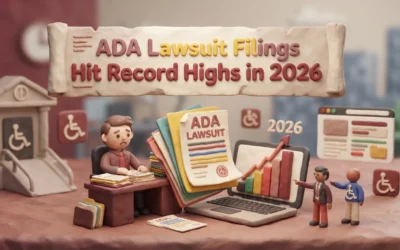
Quick Summary: Making your website more accessible involves following recognized accessibility practices. WCAG 2.2 is a useful current target for many teams, while the DOJ Title II rule for state and local governments specifies WCAG 2.1 Level AA. Key steps include using clear text, good contrast, keyboard navigation, and accessible media like captions and transcripts. Start by auditing your most important pages and fixing major barriers first, then regularly review your site to stay compliant. Ignoring accessibility can lead to legal risks and lost customers, especially in California where laws are strict.
A form that only works with a mouse, color-only labels, and videos with no captions can stop real customers before they contact you. That is the core ADA Website Compliance problem. This guide explains ADA Website Compliance, Accessibility Website Design, and how to improve an ADA Compliance Website using WCAG 2.2, legal context, and a practical fix-first plan. It is built for business owners who need clear ADA Website Compliance advice, not legal fog.
What ADA Website Compliance Means in Practice
ADA is the law. WCAG is the technical playbook teams use to meet that goal. For state and local governments, the DOJ requires WCAG 2.1 Level AA under Title II. The 2026 interim final rule extended the compliance deadline to April 26, 2027, for entities with populations of 50,000 or more, and to April 26, 2028, for entities with populations under 50,000 and special district governments.
ADA vs. WCAG: What’s the Difference?
Think of ADA as the legal duty to give people equal access. Think of WCAG as the design and content standards that help you do it. In practice, that means basics like alt text, keyboard access, captions, clear forms, and readable contrast.
If your site blocks someone from using core pages or forms, you have a real risk issue.
Who Needs to Pay Attention?
State and local governments clearly do under Title II. Businesses open to the public should address website accessibility because DOJ guidance says the ADA applies to their goods and services, including those offered online. However, the DOJ’s WCAG 2.1 Level AA Title II rule applies specifically to state and local governments, not generally to private businesses.
Also Read: The Future of Accessible Web Design: Trends for 2026
The Core Design Elements That Make a Website Accessible
Accessible design starts with content people can read, use, and understand. WCAG 2.2 sets the standard most teams follow.
- Text, Contrast, and Visual Clarity
Use clear headings, plain labels, and readable font sizes. Keep strong color contrast, avoid text inside images, and let users zoom without breaking the layout. Section 508 guidance also stresses resizable text, headings, and contrast.

- Keyboard Navigation and Focus
Every menu, button, link, and popup should work without a mouse. Users need a visible focus state so they can track where they are. Skip links, logical tab order, and clear button names prevent people from getting stuck.
If you cannot use the site with only a keyboard, it is not accessible enough.
- Forms, Media, and Alternative Content
Forms need real labels, helpful error messages, and simple instructions. Videos need captions, audio needs transcripts, and images need useful alt text. Decorative images should stay silent so screen readers only announce what matters.
Also Read: Best Accessible Web Design Services for 2026
How Businesses Should Assess and Prioritize Compliance
Start with Your Most Important Pages
Audit the pages that drive money, leads, and trust first. Use a representative sample, not just the homepage, as W3C’s evaluation method recommends. Start with:
- Home
- Contact
- Service pages
- Forms
- Checkout or donation flow

Use More Than One Testing Method
Do not trust one scanner. WCAG 2.2 is meant to be checked with both automated tools and human review.
- Run automated scans
- Test with keyboard only
- Check with a screen reader
- Review templates on mobile too
A green scan does not mean your site is accessible.
Fix High-Impact Issues First
Fix barriers that block basic tasks before cosmetic issues.
- Form labels and errors
- Keyboard traps
- Low contrast on key buttons
- Missing alt text on critical images
Also Read: Latest News on Web Accessibility and Compliance in 2026
California Risk, Common Mistakes, and What to Do Next
California businesses face extra risk because the Unruh Act says an ADA violation is also a state law violation under California Civil Code Section 51. That can raise pressure, cost, and urgency, especially for sites that sell, book, intake, or serve the public online.
Common mistakes include:
- treating accessibility like a one-time plugin fix
- skipping keyboard, form, and alt text checks
- posting PDFs or menus that screen readers cannot use
- waiting for a complaint before testing
A 2026 California proposal, AB-2190, addresses internet website accessibility, but it has not become law. The bill is listed as an active measure in the legislative process and was ordered to the inactive file on May 21, 2026.
Your best next step is simple: run an audit, fix the highest-risk pages first, and set a repeat review process. If you need done-for-you help, pick a provider that bakes accessibility into design, content, hosting, and upkeep.

Need a compliant site without the stress? Monkey Business builds, hosts, maintains, and supports accessible websites so you can focus on your business.
Frequently Asked Questions
Q1: What are the essential elements of creating an ADA compliant website?
Use clear headings, keyboard access, alt text, strong color contrast, form labels, captions, and readable error messages. Test key pages first.
Q2: How does WCAG 2.2 guide the legal ADA website compliance standards for US businesses?
WCAG 2.2 gives the practical rules courts and auditors often look to. It is not the ADA itself, but it shapes what “accessible” usually means.
Q3: What legal risks and lawsuits are small businesses in the US facing without ADA website compliance?
Small businesses face demand letters, lawsuits, legal fees, rushed fixes, and brand damage. California risk is higher because state law can add claims and costs.
Conclusion
ADA compliant website design means lower risk, better access, and a stronger user experience. Use WCAG 2.2 as a practical accessibility target where appropriate, fix high-impact barriers first, and note that the DOJ’s Title II compliance deadlines for state and local governments now extend to April 26, 2027, or April 26, 2028, depending on entity size.