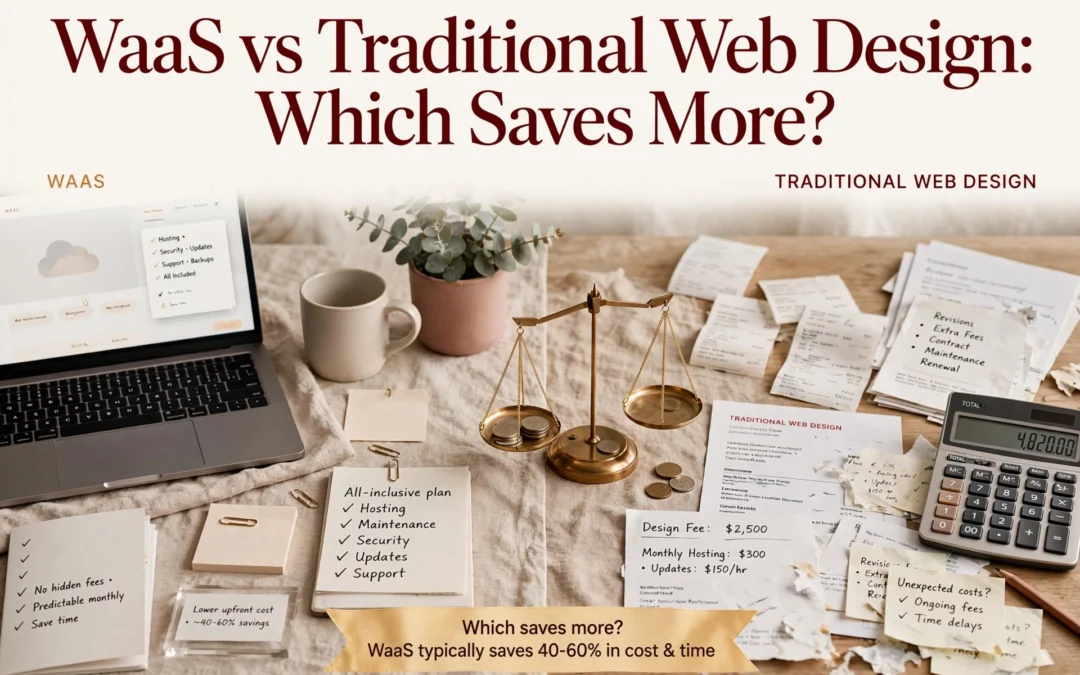
Quick Summary: WaaS usually costs less over three years and launches faster, with plans costing $99 to $299 per month and covering hosting, security, updates, backups, and support. Traditional web design costs $1,500 to $10,000 or more upfront and takes 6 to 12 weeks, but gives you full ownership of the code plus greater freedom for custom features and integrations. Choose WaaS for predictable pricing and hands-off maintenance, or a custom build when full control and specialized functionality matter more.
Ask anyone with a five-year-old custom site what it really costs: hosting, plugin updates, security patches and hourly tweaks dwarf the original build fee. WaaS turns that into one flat monthly price. This comparison stacks both models on cost over time, launch speed, maintenance, ownership and control, so you can pick with confidence.
WaaS vs Traditional Web Design at a Glance
Website-as-a-Service (WaaS)
Traditional Web Design
Upfront cost
Minimal or none; often a one-time setup or onboarding fee
Roughly $1,500 to $10,000+ for a small business site
Monthly cost
Typically $99 to $299 per month depending on features and support
Not required, but hosting plus maintenance typically adds $20 to $500+ per month
Time to launch
Days, sometimes under a week
Several weeks, often 6 to 12 for a full custom build
Ongoing maintenance
Hosting, SSL, updates, backups and support included
Billed separately by the hour or through a retainer
Ownership and control
Provider-managed; content and brand yours, code and stack usually not
Client owns the site and the code after handover
Best for
Small businesses, non-profits and professionals needing a reliable site fast
Businesses needing custom features, integrations or unique brand design
How Website-as-a-Service (WaaS) and Traditional Web Design Compare
Website-as-a-Service (WaaS)
WaaS is a subscription website model: one provider designs, hosts, secures and maintains your site for a monthly fee. It suits small businesses, non-profits and professionals who need a reliable, done-for-you site fast, with build, hosting, updates and support bundled into one payment.
Key strengths
Little or no upfront cost, usually $99 to $299 monthly
Launch in days, sometimes under a week
Hosting, SSL, backups and support included
Traditional Web Design
Traditional web design is a one-time project: an agency scopes, designs and builds a custom site, then hands it over. You own the code, but hosting and updates are billed separately. It fits businesses that need custom features, integrations or a unique brand design.
Key strengths
Full ownership of site and code after handover
Bespoke design and custom integrations
No required monthly fee to the design agency
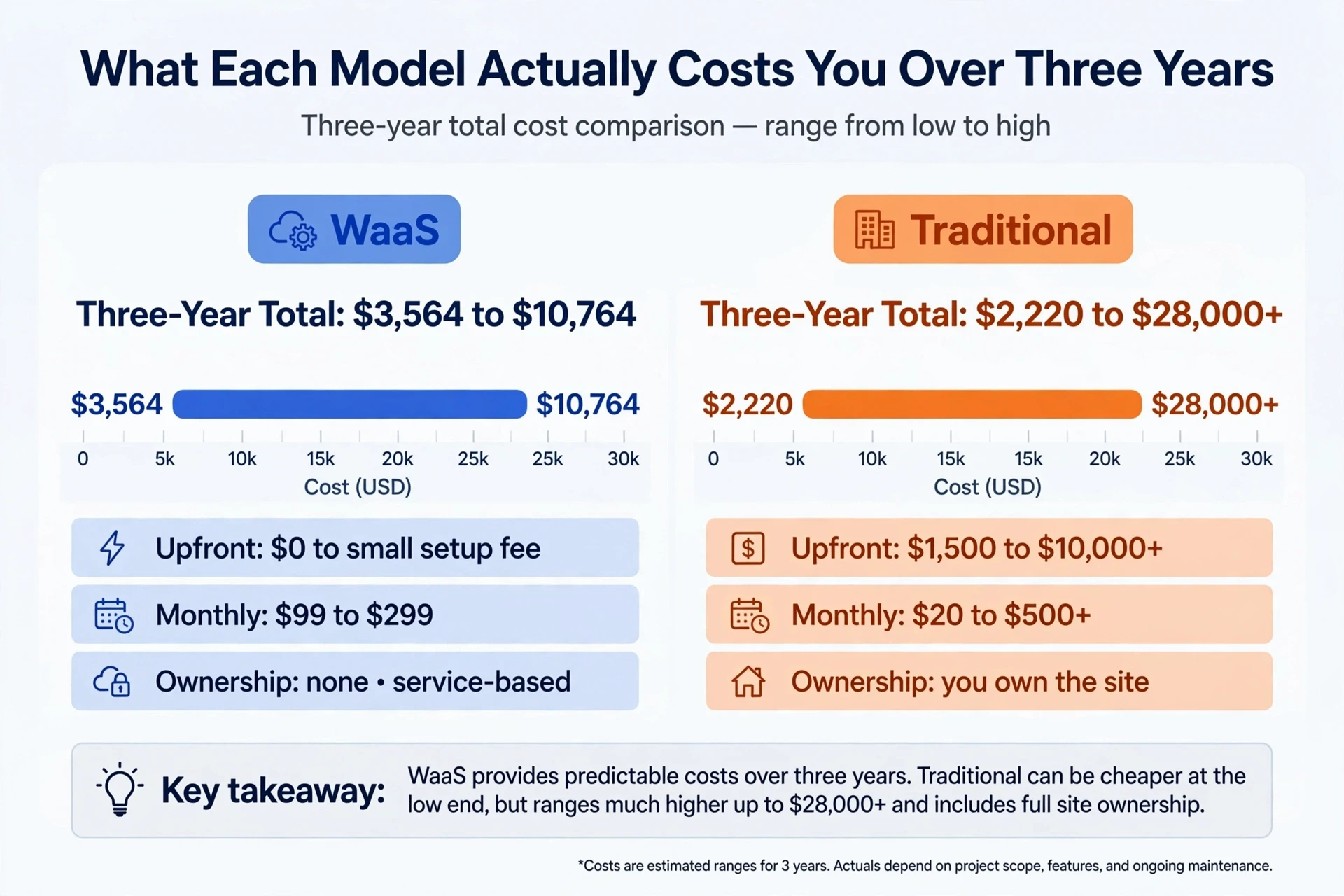
What Each Model Actually Costs You Over Three Years
Cost
WaaS
Traditional
Upfront
$0 to small setup fee
$1,500 to $10,000+
Monthly
$99 to $299
$20 to $500+
Three-year total
$3,564 to $10,764
$2,220 to $28,000+
Ownership
none, service-based
you own the site
Three-Year Total Costs: WaaS vs Traditional
Small-business maintenance often runs higher than owners expect, around $50 to $500 a month according to Network Solutions. Hourly edits, updates, and renewals quietly stack up. A subscription website bundles that upkeep, which is why understanding what maintenance services should include matters before you compare totals.
Website as a Service vs Traditional Web Design: What Actually Changes Day to Day
The money math matters, but daily life with a subscription website differs most from a traditional build. Two areas show it clearly: launch speed and who handles the technical work after launch.
Business owner approves website draft with designer
Speed to Launch and the Onboarding Difference
With a done-for-you subscription, a small site often launches in days because the platform, hosting and templates already exist. A traditional build takes 6 to 12 weeks: scoping, design drafts, revisions and development all stack up. This is how WaaS shortens that timeline.
Hosting, Security and Accessibility Compliance
After launch, the difference grows. Traditional sites leave hosting, updates, backups and fixes to you or a hired developer. A WaaS plan bundles website hosting and maintenance, so someone else patches security and keeps an ADA compliant website design current.
Control, Customization and What You Actually Own
Do you own your website with a WaaS provider? Usually not in the way a custom build works. The design, hosting and maintenance stay with the provider, and you cancel if you leave. You own your content and domain, so plan your exit before you sign.
When a Custom Build Is the Only Real Option
A custom build makes sense when you need complete ownership, complex integrations, custom software features or strict data rules that a subscription can’t cover. As WaaS explained shows, most small business sites don’t need that depth, so the trade-off is often worth it.
Which Should You Choose: WaaS or Traditional Web Design?
Pick WaaS if you need a site fast, want predictable monthly costs, and lack time or staff to manage updates. Pick a traditional build if you own the design outright, need heavy custom features, or expect no ongoing changes. Still unsure? Ask two questions: Can you fund $1,500 to $10,000 today? Will you handle hosting and upkeep yourself?
How to Make the Switch If You Already Have a Site
Migrating an existing site is straightforward. First, inventory your pages, then redirect old URLs so you keep search rankings. Next, move content and forms, and test everything on mobile. A provider offering website migration and redesign can handle the transfer, so your site stays live while the new one is built behind the scenes.
Monkey Business homepage
Still weighing the costs? Monkey Business handles design, hosting, and care for one flat monthly fee. Get your free quote today.
Frequently Asked Questions
Q1: Website as a service vs traditional web design?
WaaS costs $99-$299 monthly with upkeep included; traditional builds cost $1,500-$10,000 upfront plus separate maintenance.
Q2: Do I own my WaaS website?
No, the code stays with the provider, but your content and domain are yours.
Q3: When is a custom build better?
When you need full code ownership, complex integrations, or strict data rules.
Conclusion
Over three years, WaaS usually costs less and launches faster; a custom build wins on ownership and complex features. Match the model to your budget, timeline and technical support.
Quick Summary: A high-converting small business website must quickly explain what the company does, who it serves, and the outcome it delivers, then make the next step obvious with repeated, descriptive calls to action. Fast mobile performance, accessible design, privacy signals, social proof, and logical navigation build trust and reduce the friction that stops visitors from enquiring. Start where enquiries are being lost, often by fixing calls to action before visual polish, and choose an accountable partner such as Monkey Business to handle design, secure hosting, maintenance, and ongoing performance.
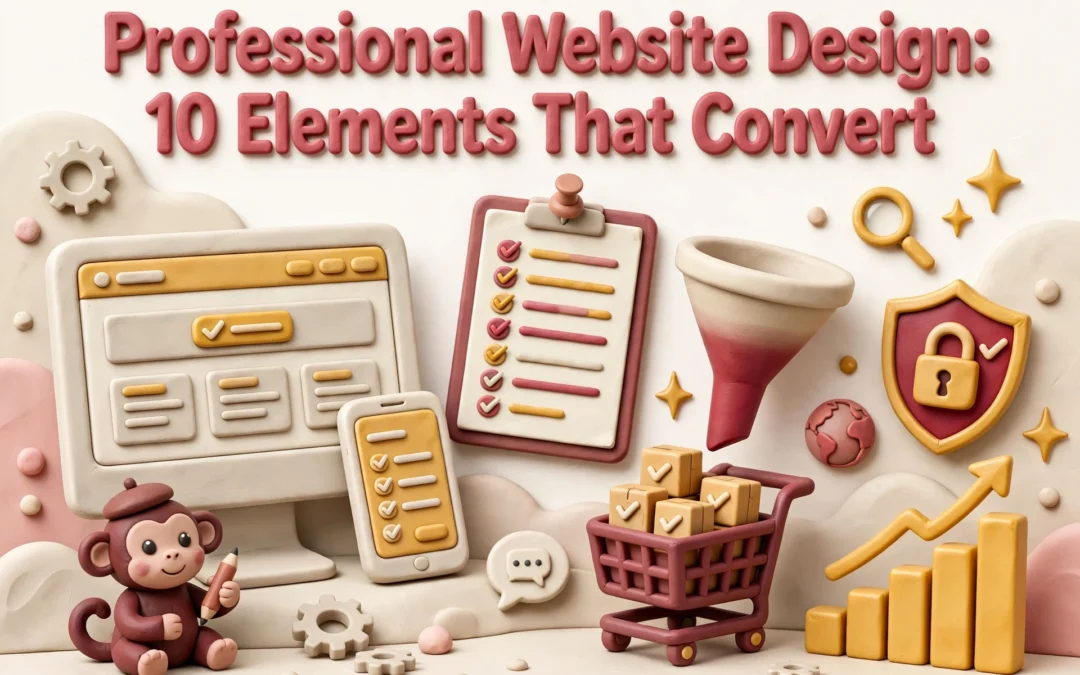
Most small business websites do not fail because they look bad. They fail because a visitor on a phone cannot tell within five seconds what you do, who you serve, or how to start. Owners often judge a redesign on looks alone, while obligations like ADA accessibility and CCPA privacy sit unaddressed. This professional website design framework ranks ten elements by how directly each drives enquiries, including the polished layout and compliance details buyers expect, so you can fix your biggest gaps first.
Website Design Elements at a Glance
Element
Best for
Primary conversion lever
A benefit-led hero message
Consultants, professional firms and non-profits with a narrow, well defined offer
Comprehension and message match for qualified visitors
Clear, repeated calls to action
Service businesses aiming to book consultations or quote requests
Form submissions and booked calls
Fast page performance
Local businesses and any site with high mobile traffic
Reduced bounce rate and higher page reach
Accessible, compliant design
Non-profits, regulated sectors and any business serving older or disabled visitors
Broader audience reach and lower legal exposure
What Professional Website Design Actually Means
Professional website design is the disciplined use of a polished layout, clear messaging, speed, accessibility, and trust signals to turn attention into enquiries. For consultants, firms, and non-profits, the site is often the only sales conversation a prospect has before contacting you.
Every element either builds confidence or removes friction. The list below separates what measurably moves conversions from what merely looks current.
1. A benefit-led hero message
One clear sentence telling a qualified visitor exactly what you do and for whom. The hero is where competence is won or lost, so name the service, the audience and the outcome. A clear value proposition lifts conversion rates, and it does the positioning work you would otherwise repeat on every first call. Strong first impressions hinge on offer comprehension within seconds of arrival.
Lead with the client’s outcome, not the deliverable or your company name, and keep a polished layout out of the way of the message
Place one supporting line and a single call to action directly beneath the headline
Design the hero for mobile and desktop so nothing truncates
Mirror the exact language prospects use in their enquiries
Specs
Best for: Consultants, professional firms and non-profits with a narrow, well defined offer
Primary conversion lever: Comprehension and message match for qualified visitors
Pros
Improves both enquiry volume and enquiry quality
Cuts wasted sales time on unqualified calls
Cheapest fix on this list, often just copy edits
Cons
Demands genuine clarity about positioning, which many owners have never written down
No layout can rescue a vague offer
It ranks first because nothing below the hero matters unless it answers what you do and who you help.
Last updated: November 3, 2026
2. Clear, repeated calls to action
Visitors rarely scroll to a footer to learn what to do next. Put one obvious call to action in the hero, after each service block, near proof sections, and in a sticky header. A sticky button alone lifted sales 25% in one test. For a lead generation website, book a consultation beats a vague Learn More.
Highlights
Use descriptive button labels rather than generic text
Repeat the primary action across the scroll depth
Keep forms short and pre-fill obvious fields
Track submissions by page so you know which sections earn enquiries
Specs
Best for: Service businesses aiming to book consultations or quote requests
Primary conversion lever: Form submissions and booked calls
Pros
Fastest measurable win for most existing sites
Easy to test and iterate without a redesign
Supports clear reporting on enquiry sources
Cons
Over-repetition can feel pushy and reduce trust
Underperforming forms can mask a broken call to action
A page that renders quickly on a mid-range phone and a weak signal. Speed is a design decision, not just a hosting one: image weight, script count and layout all decide how long a visitor waits, and Google research shows bounce probability rises 32% as load time goes from one to three seconds. Slow sites lose people before they read a word. Fast website performance also lifts paid campaign efficiency and search visibility, and steady page speed needs ongoing care that fits routine website maintenance services.
User checking website on smartphone with weak signal
Highlights
Compress and resize images rather than uploading originals
Limit third-party scripts and tracking pixels
Reserve space for media so content does not jump on load
Test on mobile and throttled connections, not just office broadband
Specs
Best for: Local businesses and any site with high mobile traffic
Primary conversion lever: Reduced bounce rate and higher page reach
Pros
Improves search visibility and paid campaign efficiency at once
Benefits every other element on the list
Compounds trust, since slow sites read as neglected
Cons
Often requires hosting and platform work beyond design scope
Trade-offs between visual richness and load time
It ranks here because speed is a precondition for everything else on this list: a fast, accessible layout still fails if the visitor never waits for it to load.
Last updated: November 3, 2026
4. Accessible, compliant design
Colour contrast, keyboard navigation and readable type widen your audience. In California, accessibility also carries legal weight, so treat ADA compliant website design as a commercial asset, not a chore: better contrast and labelled forms lift completion for every visitor.
Visitor using keyboard on accessible contact form
Highlights
Meet contrast and text size guidelines as a baseline, not an extra
Give every form control a visible label and keyboard focus state
State what data you collect and why, in plain language
Document alt text and heading structure, not just a compliance claim
Specs
Best for: Non-profits, regulated sectors and any business serving older or disabled visitors
Primary conversion lever: Broader audience reach and lower legal exposure
Pros
Broadens the audience without adding marketing spend
Reduces risk for professional services and non-profit organisations
Improves form completion and search visibility
Cons
Requires specialist review rather than a visual inspection
Can constrain certain design choices and custom interactions
It ranks here because few elements expand reach while reducing legal exposure, and it supports form completion for everyone.
Last updated: November 3, 2026
Honourable Mentions
The top four earn the most revenue, but the next six stack up: each one compounds the gains of the elements ranked above it.
Social proof and credentials – Testimonials, case studies, licences and memberships reduce perceived risk on high-value services
Logical service navigation – A scannable structure lets buyers reach the right service page in one or two clicks
Consistent typography and spacing – A restrained type and spacing system is the fastest way to make a site read as polished
Original imagery and visual storytelling – Real photos of people, work and results outperform generic stock imagery
Mobile-first responsive rendering – The same design, re-laid-out for phones, where most small business traffic arrives
Privacy and security signals – Visible policy links, HTTPS and clear data handling make contact forms easier to submit
How to Choose the Right Website Design Approach
Fix the element losing you enquiries today, not the trendiest one. Rank your options with five criteria:
Start where enquiries leak. If forms sit unsubmitted, tackle calls to action before aesthetics.
Check trust and compliance first. Professional buyers look for credentials, ADA accessibility and CCPA privacy signals before novelty.
Prefer one accountable partner. Design, secure hosting and maintenance in a single scope beats juggling vendors. That is why we recommend an all-inclusive service like Monkey Business, which bundles polished layout, hosting and ongoing support.
Know who maintains the site. If it is not you, pick a model with updates, security and monitoring included.
Set a measurable target. Judge each change on numbers like form completion rate.
For consultants and firms, choose distinct service pages over one long homepage.
Monkey Business homepage
Your website should earn its keep. Monkey Business designs, hosts, and maintains conversion-focused sites for California businesses, so you can focus on running yours.
Frequently Asked Questions
Q1: Who offers leading website design for consultants and firms?
Look for a partner that leads with benefit-driven messaging, clear calls to action, fast pages and ADA compliant design. All-inclusive providers like Monkey Business bundle design, secure hosting and maintenance in one scope, so accountability stays with a single team.
Q2: How do I make my website look more polished?
Use consistent typography, even spacing and real photos instead of stock images. A restrained type system, plus good contrast and aligned sections, makes any site read as professionally designed.
Q3: Which fix should I tackle first?
Start where enquiries leak. If visitors arrive but never submit a form, fix your calls to action before aesthetics.
Quick Summary: Vet California web design agencies by reading recent reviews across Google, Yelp, and Clutch before relying on polished portfolios. Test their knowledge of CCPA and ADA compliance, domain ownership, maintenance costs, and working habits, then request a small paid project with written scope, price, and deadlines. Compare proposals line by line, including month-three costs, before signing.
Three California agencies made your shortlist. Every portfolio looks polished, and each one can quote real work. So the only real difference left is the agency reviews you have not read yet, and those reviews tell you how each California web design agency behaves after the contract is signed. That is the hard part of vetting local talent, and this guide walks you through it: reading reviews first, then pricing, CCPA and ADA compliance, contracts, and nonprofit options.
Step 1: Read the Reviews Before You Read the Portfolio
A portfolio shows only the wins. Agency reviews show what happens when a launch slips or an invoice grows. Start there.
Where California agency reviews actually live
Read Google Business reviews, Yelp, and Clutch for any California web design agency you shortlist. Google shows volume and recent ratings. Clutch adds project budgets and timelines. Cross-check at least two sources, and weigh reviews from the last 18 months most heavily.
A pattern across platforms beats a single five-star page every time.
Reading reviews for nonprofits in California
The top California web design agencies for nonprofits usually show up in reviews from other mission-driven clients, not just commercial ones. Look for mentions of grant budgets, volunteer-friendly handoffs, and donation tools. If a nonprofit review praises clear pricing and patient training, that agency likely understands your world.
Business owner reviews website compliance checklist with designer
Questions that expose how they will actually work with you
Compliance aside, ask questions to ask a web design agency that reveal daily working habits:
How often will we meet, and who is my single contact?
What do website maintenance and hosting costs run after launch?
What web design agency contract red flags should I watch for in your proposal?
Hesitation on ownership or pricing tells you plenty. Clear, written answers tell you more.
Step 3: Make Them Prove It With a Paid Test or a Small Real Build
Reviews and portfolios tell you what an agency has done. A paid test shows how it works with you. Before you sign a long contract, ask for a low-risk first engagement.
What a low-risk first engagement looks like
A good trial might be a one-page audit, a landing page build, or a fixed-fee design sprint. Agree on the scope, price and deadline in writing. Many providers, including Monkey Business, offer month-to-month service instead of long contracts, which lets you leave if the work disappoints.
Owner signs a fixed-fee agreement with a web designer in a bright studio
Spotting a proposal that avoids specifics
Vague wording is a red flag. Watch for proposals that skip the timeline, name no deliverables, or quote a range with no scope behind it. A serious proposal lists pages, revisions, deadlines and who owns the domain and content. If it dodges those details, ask why before you pay anything.
Step 4: Compare Proposals Line by Line Before You Sign
Put both bids into the same grid so you compare costs, not vibes.
The comparison sheet every bid should fill in
Line item
Bid A
Bid B
Design and build cost
Monthly maintenance and hosting
Domain and content ownership
ADA and CCPA compliance scope
Timeline and revision limits
Any agency that can’t fill in the ownership row is a red flag.
The questions to settle before signing
Ask each bidder: who owns the domain and files, what happens if you leave, and whether support after launch is billed hourly or included. Compare month-three costs, not just the launch fee, since website maintenance and hosting costs vary widely between models. This is where an all-inclusive website maintenance and hosting setup is easier to price against a build-then-bill bid.
Monkey Business homepage
Vetting agencies takes weeks. Monkey Business skips the guesswork with done-for-you, compliant websites built for California businesses. Start today.
Frequently Asked Questions
Q1: Top California web design agencies for nonprofits?
Look for reviews from other mission-driven clients mentioning grant budgets, donation tools, and patient training. Cross-check Google, Yelp, and Clutch before shortlisting.
Q2: What questions should I ask a web design agency before signing a contract?
How will you handle CCPA and ADA compliance?
Who owns the domain and content if I leave?
What are monthly maintenance and hosting costs?
Are revisions and support included?
Q3: Do I need to hire a California agency in person?
No. Many work remotely, but local agencies know CCPA, ADA, and California market rates, and reviews from nearby clients are easier to verify.
Conclusion
Vetting a California web design agency comes down to reading reviews first, asking sharp compliance and ownership questions, and comparing proposals line by line. Do those three things, and the polished portfolios stop mattering more than how an agency treats you after launch.