Quick Summary: Under the CCPA, the legal privacy duty always stays with the business, not the hosting provider, so the question is how much server-side work your host takes on. CCPA compliant hosting bundles data processing agreements, US-based data storage, audit records, encrypted logging, and consumer request handling into the plan, while standard hosting leaves notices, deletion requests, and recordkeeping to the site owner. Standard plans fit low-risk sites like brochures with minimal data collection; once you collect names, payments, or health details from California residents, the compliance risk gets heavy fast. Monkey Business is positioned as a done-for-you option that folds CCPA hosting, design, and ongoing compliance maintenance into one plan for California small businesses.
If your California website collects even one name, email, or phone number, CCPA rules already apply. Standard hosting leaves every privacy task on your plate. Compliance hosting handles notices, deletion requests, and records for you. This comparison shows what each tier shifts, so you can pick the compliance hosting that fits.
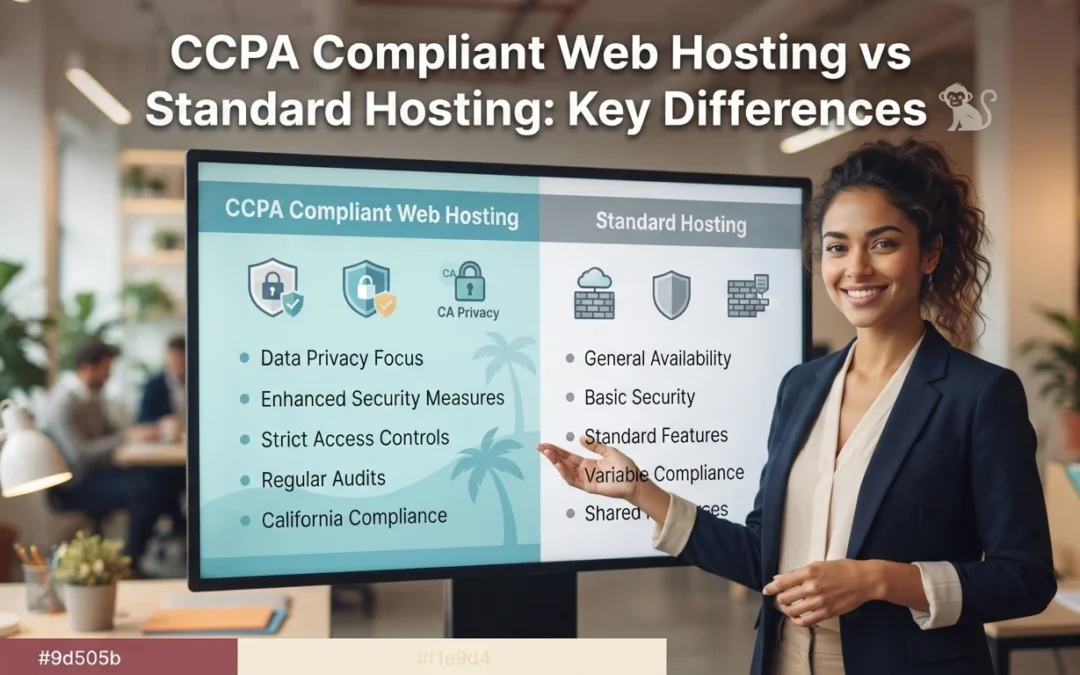
CCPA Compliant Hosting vs Standard Hosting: At a Glance
Compliance hosting builds California privacy controls, security patching, and service-provider contract terms into the server setup. It suits California businesses that collect personal data from real visitors. You still own the legal duty, but the host absorbs most of the server-side work.
CCPA compliant web hosting
Key strengths
Built to support access, deletion, and opt-out requests
Stronger logging, backups, and audit support
Lower admin workload for the site owner
Standard hosting
Standard hosting gives you server space and core tools, but the privacy plumbing stays your job. Generic contract terms rarely include CCPA-specific language, so consumer requests get handled by hand. It fits low-risk sites with little or no personal data.
Key strengths
Lower upfront cost
Wide provider choice
Simple setup for basic sites
Where the Privacy Duty Actually Lives
Here is the part hosts rarely say out loud: under the CCPA, the legal duty sits with your business, not the hosting company. The law treats you as the business collecting consumer data, so you own the privacy policy, the consumer requests, and the records.
The host reduces work, it does not replace your duty
A compliant host gives you secure servers, encryption, and tools that make compliance easier. That is real help, but it is help, not a handoff. You still decide what data to collect, post an accurate privacy notice, and honor delete or opt-out requests within legal deadlines. A managed privacy compliant website service like Monkey Business bundles those duties with hosting, so nothing falls between providers.
Small business owner reviewing privacy documents beside laptop
What Changes Day to Day: Data, Security, and Consumer Requests
Contracts, data location, and audit support
With standard hosting, you sign the terms and manage privacy duties yourself. A CCPA compliant host gives you a data processing agreement, keeps personal data in the United States, and supplies records you can show during an audit. That paperwork shift matters when a complaint lands. It moves much of the legal burden to a provider built for it.
Security, logging, and responding to requests
Day to day, compliance shows up in monitoring. A compliant host logs access, encrypts data, and helps you answer consumer requests to delete or share information within California’s deadlines. Standard hosting leaves you tracking emails and spreadsheets. Done-for-you providers such as Monkey Business fold these tasks into website maintenance, so requests get handled on time.
When Each Option Actually Pays Off
Stay on standard hosting when the risk is small
If your site is a brochure with a contact form and no tracking beyond basics, standard hosting works. Just add a plain privacy notice and skip analytics tools that sell visitor data.
Upgrade to compliant hosting when you handle real data
Collect names, payments, health details, or lead forms from California residents? Then the legal duty lands on you. Compliant hosting shifts the technical burden to a provider, and services like CCPA compliant web hosting handle it for you.
Bakery owner hands customer a printed receipt
Which Should You Choose: Compliant or Standard?
Serve California residents and collect any personal data? Choose CCPA compliant hosting, because the legal duty to protect that data lands on you, not your host. Standard hosting costs less, but it leaves you holding the compliance risk alone. If you serve only outside California and keep data minimal, standard plans can work fine.
Homepage
Not sure which host carries your legal duty? Monkey Business handles CCPA-compliant hosting, design, and care in one plan. Visit Monkey Business and let us take that burden off you.
Frequently Asked Questions
Q1: CCPA compliant hosting vs regular hosting?
CCPA compliant hosting includes privacy tools like consent banners and data access support. Regular hosting does not, so the legal duty falls on you.
Q2: Does compliant hosting make my site CCPA compliant?
Not alone. You still need a privacy policy, cookie consent, and a process for consumer requests.
Q3: Who handles CCPA updates on my site?
Monkey Business maintains compliance features for clients, so rule changes are handled for you.
The Verdict
Standard hosting gives you servers. CCPA compliant hosting gives you a partner who carries the privacy duty with you. For California small businesses, that difference decides who answers when consumers ask.
Quick Summary: DIY builders like Wix advertise low monthly fees, but once you count your unpaid build time, plugin costs, and California CCPA and ADA compliance work, the real 12-month spend often reaches $2,400 or more. Managed small business website services, including Monkey Business, bundle design, hosting, updates, and compliance into one flat monthly fee and only require 2 to 5 hours of owner input upfront. For hobby sites and simple event pages DIY still fits; for operating California small businesses that need leads and legal compliance without losing evenings to maintenance, a managed service is usually the smarter choice.
Wix looks cheap until you count your hours, plugins, and legal risk. If you run a California small business and need affordable web design, this comparison covers real cost, time, and compliance. You’ll see when DIY works, when a managed site is the smarter affordable web design choice, and why affordable web design usually isn’t the $16-a-month plan.
DIY Builders vs Small Business Websites: At a Glance
$16 to $29 for entry plans, up to $99 to $159 for advanced tiers, plus a domain and paid add-ons
$79 to $399 per month all-in for design, hosting, maintenance, and support, with no large upfront build fee
Your time investment
40 to 100+ hours to design, write, and launch, plus several hours a month for updates and fixes
Roughly 2 to 5 hours of input up front (briefs, brand assets, content review), then near-zero weekly upkeep
Compliance (ADA / CCPA)
Templates are not built for accessibility or privacy compliance; owner is responsible for fixing gaps and responding to demand letters
Built and maintained to current ADA and California privacy standards, with the provider responsible for staying current
Ongoing maintenance
You handle plugin or extension updates, broken layouts, security patches, and backups on your own schedule
The provider handles updates, backups, security patches, uptime, and performance as part of the monthly fee
Best fit for
Hobby projects, very early-stage side businesses, or owners with strong design skills and lots of free time
Operating small businesses, non-profits, and professional services firms that need a credible, compliant website without running it themselves
How DIY Website Builders and Small Business Websites (Professional / WaaS) Compare
DIY Website Builders
Self-serve platforms like Wix and Squarespace let you drag and drop your own site for a low monthly fee. The sticker price is small, but the design, writing, updates, and compliance work all land on you. That trade suits hobby projects and side businesses with room to spare.
DIY Website Builders
Key strengths
Low entry cost ($16-$29 per month for basic plans)
A managed website service delivers a professionally designed site as a flat monthly subscription. Design, hosting, security, backups, and ADA and California privacy compliance are handled for you. You spend a few hours on the brief, then stay focused on your business.
Small Business Websites (Professional / WaaS)
Key strengths
One all-in monthly price covering design through maintenance
Compliance kept current by the provider
Only 2-5 hours of your time up front
Total Cost Over 12 Months: Subscription vs. Real Spend
What ‘Cheap’ Actually Costs on a DIY Plan
The sticker price looks tiny. Wix starts at $17 a month billed yearly and Squarespace at $16, so the advertised year runs about $200 according to Website Builder Expert.
That is rarely what you pay. Add a custom domain, remove the builder’s ads, and the plan jumps. Squarespace’s top plans reach $99 a month, and Wix’s climb to $159 per Expert Market.
Then come the hidden line items most owners forget:
Real 12-month cost
DIY
Managed WaaS
Subscription
$200-$1,900
Included
Your build hours
40-80 unpaid
$0
Plugins, email, backups
$150-$500
Included
Security and updates
On you
Included
Real total
$350-$2,400+
One flat fee
Time is the biggest cost. If your hours are worth $50, one week of DIY building adds $2,000 the invoice never shows.
Time, Compliance Risk, and the Stuff DIY Builders Don’t Tell You
The Quiet Risk Most DIY Owners Miss
Most small business owners budget for the monthly builder fee. They forget the weekend afternoons spent fixing broken forms, updating plugins, and chasing a support chat. If your time is worth $50 an hour, five hours a month quietly costs more than the subscription.
Then there’s legal exposure. California’s CCPA privacy law applies to your website, and ADA accessibility lawsuits target small businesses every year. DIY templates rarely handle either.
Business owner reviewing compliance paperwork at desk
A managed compliant website shifts that work off your plate. You get design, hosting, updates, and compliance handled for one predictable price.
Which Option Actually Fits a Small Business in 2026
When DIY Is the Right Call
Pick Wix or Squarespace if you have spare time, simple needs, and no privacy or accessibility worries. A hobby site or a temporary event page fits DIY well.
Small business owner editing a website template on a laptop
When a Managed Small Business Website Pays for Itself
If your site must bring in customers and stay compliant with California privacy rules, a managed service wins. You bill clients while someone else handles updates, hosting, and fixes. Monkey Business prices that work as one flat monthly plan.
Which Should You Choose: DIY or a Small Business Website?
Pick DIY if your site is a simple brochure and you enjoy the work. Choose a managed small business website if you want leads, compliance, and support without losing evenings to updates. For most busy owners, done-for-you wins.
Homepage
Your time is worth more than fighting templates. Let Monkey Business design, host, and maintain your site for one flat monthly price. Start today.
Frequently Asked Questions
Q1: Small business websites vs DIY builders?
DIY builders look cheap but eat your hours. A managed service like Monkey Business handles design, hosting, and maintenance for one flat fee.
Q2: Is DIY really cheaper?
Often no. Add plugin costs, security fixes, and your time, and a managed site usually wins.
Q3: What about privacy compliance?
California’s CCPA applies to your website. Professional services handle compliance; DIY leaves it on you.
Conclusion
DIY builders look cheap, but hidden costs in time, compliance, and repairs pile up. A managed website from Monkey Business often costs less once you value your hours.
Quick Summary: A thin website limits your local growth, so you should use distinct, purpose-driven pages to improve SEO and build trust. For California businesses, Monkey Business stands out by providing an all-inclusive service that handles complex ADA and CCPA compliance automatically. Choosing a managed partner ensures your site remains secure and effective without requiring constant technical maintenance.
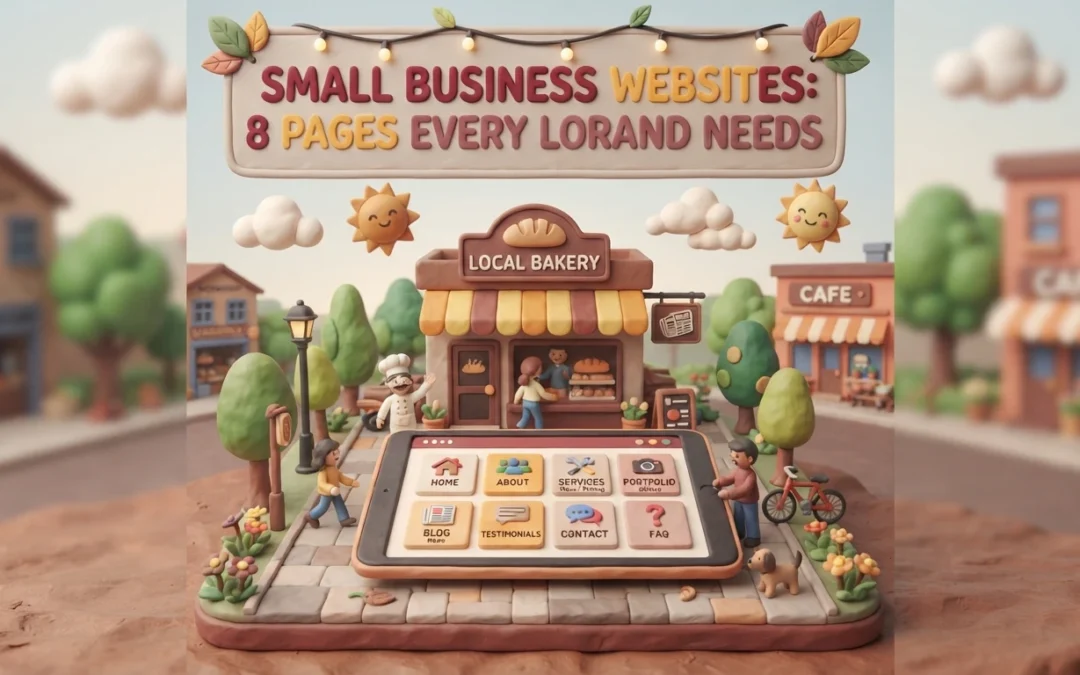
For most local customers, your website is the first and only interaction they have with you before buying. Yet many owners launch a two-page small business site and wonder why the phone stays quiet. A thin small business site works against you, not for you. We break down eight pages that build trust, lift your local rankings, and turn browsers into clients. Each page earned its spot by improving trust, SEO signals, or California compliance. Your small business site deserves the full set.
Your website works harder than a digital brochure. Each page should guide visitors toward one clear action, like calling, booking, or buying, while showing Google what you do and where you do it.
Structure does that job. When content lives on distinct, purpose-driven pages, local customers find answers fast and search engines can index your expertise accurately.
In 2026, that also means a site that is secure and compliant from the start. The eight pages below cover the essentials every local brand needs.
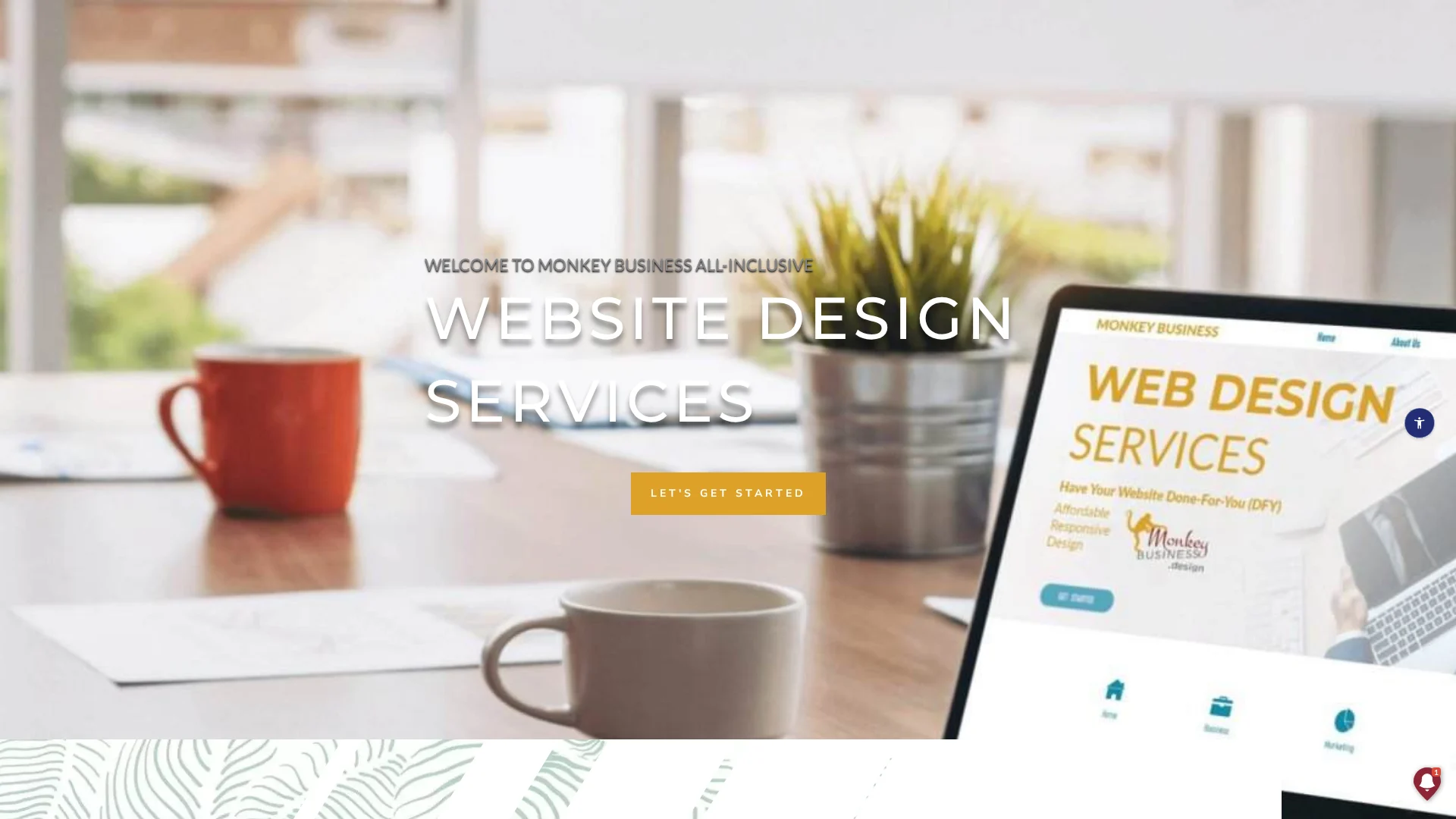
Monkey Business is a California web design agency built around one idea: your site should just work. As a fully compliant Website-as-a-Service provider, it handles design, hosting, maintenance, security, ADA accessibility, and CCPA compliance for you, so you never touch the technical heavy lifting.
Monkey Business
Highlights
Built-in CCPA compliance, the California privacy law covering how sites handle resident data
ADA accessible design from day one
Local SEO built into every build
Pros
Zero technical burden
Compliance included by default
Designed for local search visibility
Cons
Subscription model rather than a one-time payment
Why it ranks here: It balances high-end design with strict California regulations and ongoing management, making it the safest all-in-one pick for compliance-focused growth.
Last updated: October 8, 2026
2. AcumenSites
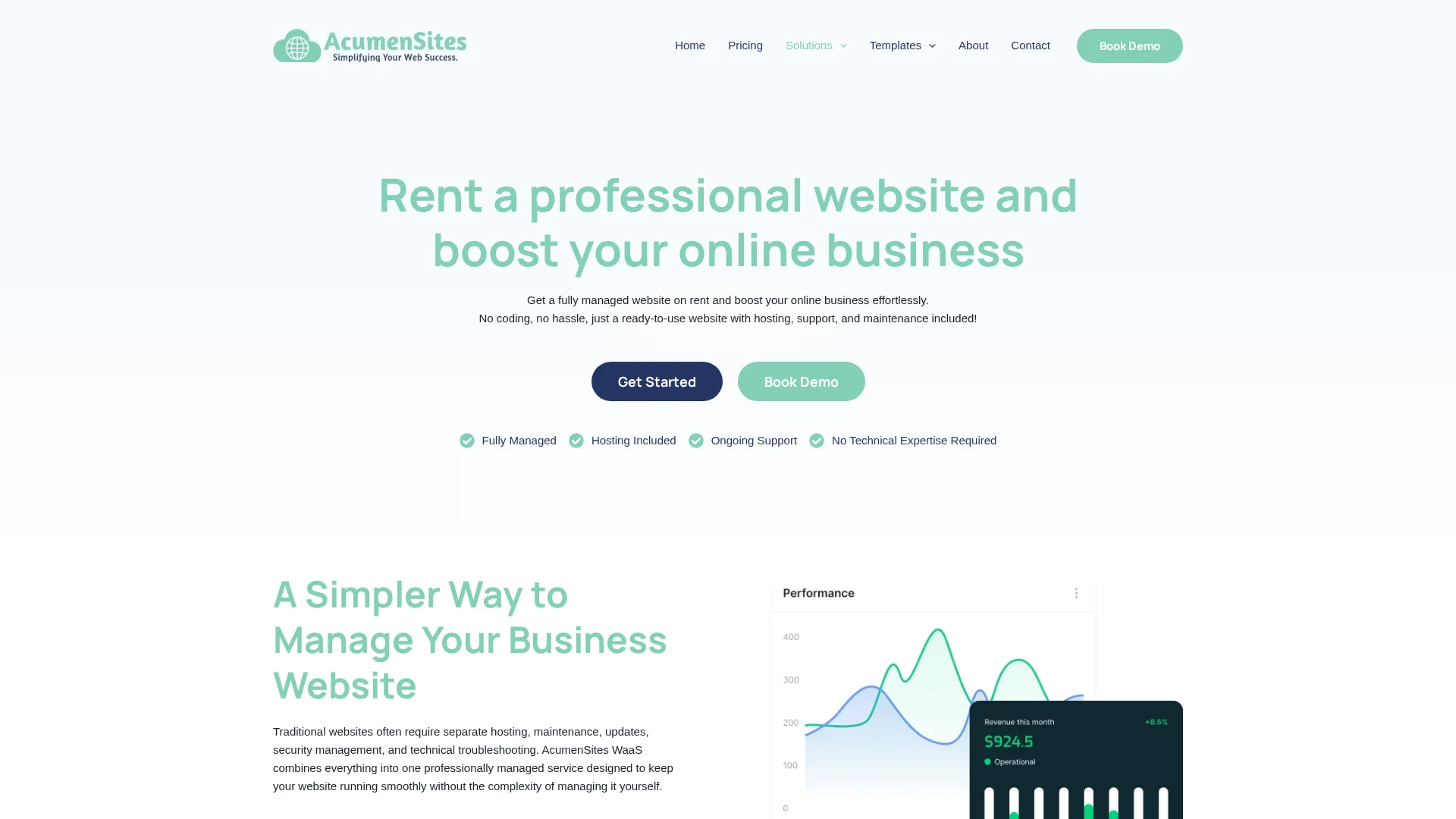
AcumenSites builds industry-specific Website-as-a-Service platforms, so your site launches fast on a structure your customers already expect. The subscription model covers design and hosting, with templates tuned for lead generation rather than blank-canvas custom work, a pattern that matches proven conversion-focused web design principles.
AcumenSites
Highlights
Industry-specific templates
Simplified subscription model
Focus on lead generation
Specs
Best for: Niche industries
Service model: WaaS
Compliance focus: Standard
Pros
Fast deployment
Templates built around industry conversion patterns, similar to sector-specific designs that convert
Cons
Less flexibility for unique custom requirements
AcumenSites ranks here because niche businesses get a pre-validated site structure, though brands needing custom compliance work may prefer Monkey Business.
Last updated: October 8, 2026
3. Jottful
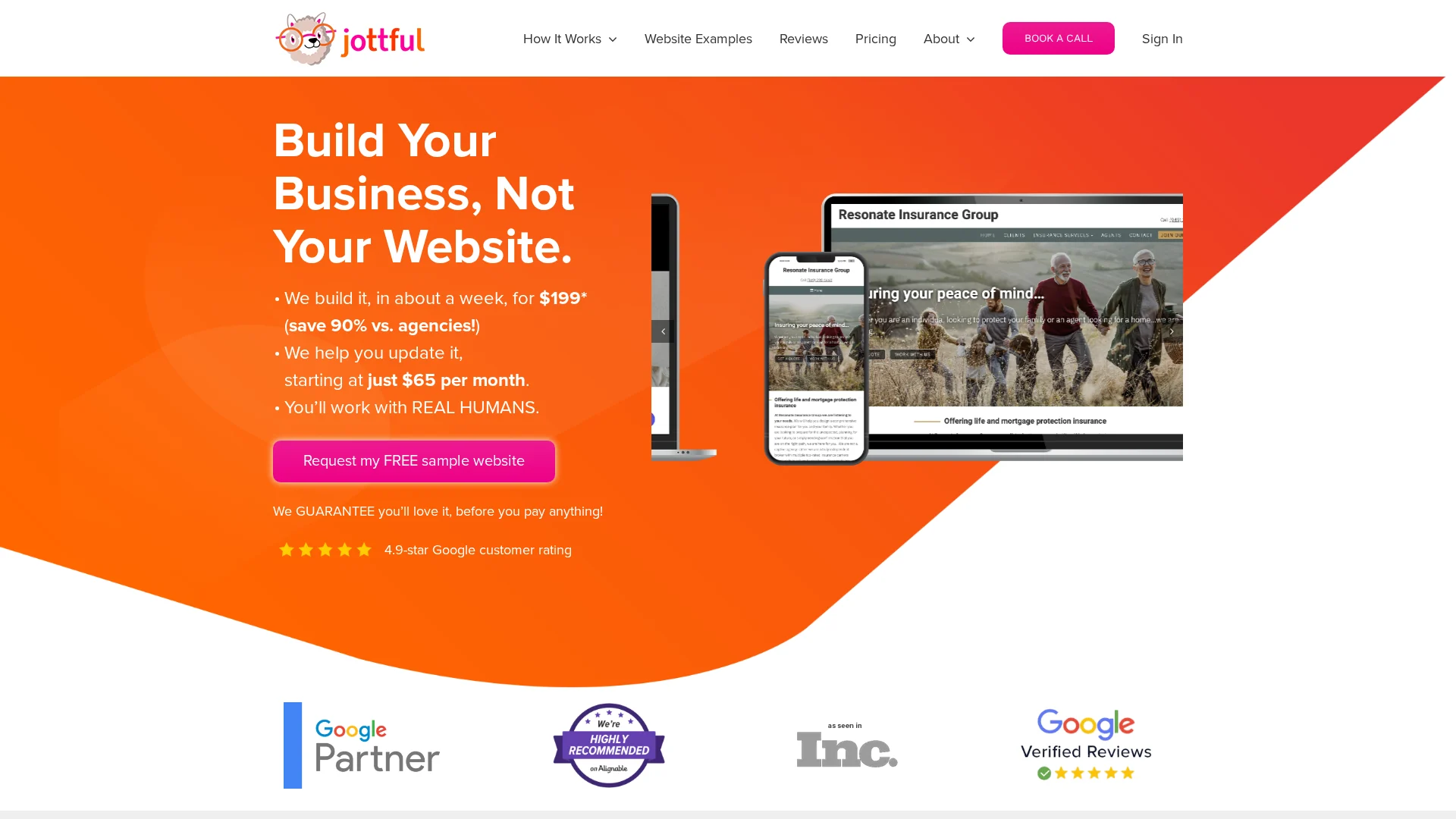
Jottful builds easy-to-manage sites for small business owners, starting around $65/month. It’s a full-service model: they design, host, and maintain everything, so owners with no marketing staff can stay hands-off. Their approach centers on the core pages local brands actually need.
It ranks here because it’s excellent for small businesses that want a personal touch and a clean, non-intimidating website.
Last updated: October 8, 2026
4. Eversite
Eversite focuses on streamlined website creation for modern brands. Its clean, responsive templates set up fast and look sharp on any screen, which matters because most local searches now happen on phones.
Highlights
Clean responsive templates built for mobile-first traffic, where most local searches begin
Fast setup with a managed service model, so you skip complex back-end work
Pros
Beautiful design options
Strong mobile responsiveness
Cons
Requires some content management effort on your end
It ranks here because it delivers a modern, mobile-ready site with minimal technical overhead.
Last updated: October 8, 2026
Additional Considerations
These alternatives can still support your site, though most need more hands-on upkeep than an all-inclusive WaaS setup.
Go Fisherman – Effective for simplified local business branding.
Big Rig Xpress – Useful for specific, high-velocity industry needs.
Website Concierge – Good for those needing a dedicated support partner.
Custom DIY Platform – Suitable for tech-savvy owners with time for maintenance.
How to choose the right partner for your site
Use these five checks before you sign anything:
Compliance knowledge. Ask how they handle CCPA privacy rules and ADA accessibility. If they hesitate, walk away.
Maintenance appetite. Decide whether you want updates handled for you or enjoy doing them yourself.
Local SEO structure. Insist on separate service pages, not one crowded landing page.
Support model. Look for ongoing care, not a one-time build that leaves you stranded.
Portfolio. Confirm they’ve served businesses like yours locally.
For California small businesses, Monkey Business fits all five: all-inclusive WaaS covering design, secure hosting, maintenance, and compliant support, so you just run your business.
Homepage
Missing even one of these pages costs you local customers. Let Monkey Business build a secure, compliant site with all eight, done for you: Monkey Business.
Frequently Asked Questions
Q1: Best small business websites for local companies?
Look for a site with clear service pages, local contact info, fast hosting, and privacy compliance. A WaaS plan like Monkey Business bundles design, hosting, and updates in one monthly fee.
Q2: How much should a small business website cost?
Done-for-you sites typically run $100 to $300 per month, covering design, hosting, security, and support. Custom builds cost more upfront but need paid maintenance.
Q3: Do I really need a privacy policy page?
Yes. California businesses must follow CCPA rules, and a clear privacy policy builds customer trust while reducing legal risk.
Q4: How long does a new website take to launch?
Most small business sites launch in two to six weeks. Timelines depend on content readiness, page count, and how quickly you approve designs.
A supporter hears about your food pantry, opens your site on a phone, and cannot tell what a gift funds. She tries to finish the donation form, but it will not work with her keyboard. That lost gift comes from design, not from doubt. An accessible nonprofit site fixes this. This guide shows you how to build an accessible nonprofit site step by step, so your website supports giving.
Step 1: Map the Mission and Supporter Journey
Make the First Visit Clear
Before you pick colors or software, write down what your site must do. Most donors land on your homepage for one of three reasons: to give, to learn what you do, or to volunteer. Your job is to guide each one in under ten seconds.
Put your mission in one plain sentence near the top of the page. Then place a Donate button where eyes go first, usually the top right corner. Follow the visitor’s path from homepage to donation form and remove every step that does not help. That means fewer form fields, clear costs, and mobile-friendly pages. An accessible nonprofit site also means readable fonts, strong color contrast, and text that works with screen readers, so no supporter is blocked from giving.
An accessible web design partner can handle those details for you, but your team should still own the map: who visits, what they need, and what action you want from them.
Quick checklist:
Priority
Action
Why It Matters
Mission
One clear sentence above the fold
Visitors understand you fast
Donate
Button visible on every page
Cuts friction at the key moment
Accessible nonprofit site
Contrast, alt text, keyboard navigation
Every supporter can give
Step 2: Choose a Website Setup Your Team Can Maintain
Compare Features With Real Workflows
The best platform is the one your volunteers can actually run. Before you compare prices, map out who will post updates, how often, and what happens when someone goes on vacation.
Then test each option against that routine:
Update ease: Can a non-designer swap a photo or event date in under ten minutes?
Donations built in: Does it handle recurring gifts, receipts, and mobile giving without extra plugins?
Support when stuck: Is help available by phone or chat, not just forums?
Maintenance included: Who applies security updates and backups?
Many small nonprofits skip this step and outsource everything to a service instead. A managed plan like website maintenance from Monkey Business covers hosting, updates, and fixes for one monthly fee, which suits teams with no technical staff.
Setup Type
Upfront Cost
Ongoing Work
DIY platform
Low
You handle all updates
Managed service
Low monthly fee
Provider handles maintenance
Custom developer
High
Depends on contract
Generated illustration
Whichever route you pick, ask for a trial run. Post one real update yourself before you commit.
Step 3: Build an Accessible, Trustworthy Giving Path
Remove Common Barriers From the Donation Flow
Your donation page should let someone give in under two minutes. Every extra field, forced account, or confusing button costs you gifts, so cut the form to the basics: amount, payment, contact, and an optional note. Offer preset amounts with clear labels, plus a monthly option, and make the “Donate” button easy to spot on every page.
Accessibility matters just as much. Use large, readable text, strong color contrast, and keyboard-friendly navigation. Add alt text to images and label form fields clearly, because screen readers depend on them. If you want a fuller walkthrough, our guide to non-profit website accessibility covers the details.
Trust closes the gift. Show your secure checkout badge, explain where the money goes, and confirm each donation with a clear thank-you page and receipt email.
Test the full flow yourself, on a phone, before launch. Give five dollars, then try to cancel the monthly plan. If that frustrates you, it frustrates donors.
Generated illustration
Step 4: Test, Launch, and Keep the Site Useful
Before launch, test on a phone, a tablet, and a laptop. Give a small donation yourself and fix anything confusing. Check the site with a screen reader if you can.
After launch, the work shifts to upkeep: software updates, backups, and security checks. Assign one person to own these tasks, or hand them off. Many small nonprofits use ongoing website maintenance services so staff can stay focused on the mission.
Tip: Review your site every quarter. Update stale photos, test the donate form, and thank recurring donors.
Homepage
Need a giving-ready site but lack the time or web skills? Monkey Business handles design, hosting, and care for you, so your team can focus on the mission.
Frequently Asked Questions
Q1: Top nonprofit website packages for small teams?
Look for bundles that include design, hosting, maintenance, and donation tools in one monthly plan. Managed services like Monkey Business suit small teams best.
Q2: How much should a nonprofit website cost?
Expect $30-$150 monthly for managed plans, or $3,000+ upfront for custom builds.
Q3: Do we need ADA compliance?
Yes. Accessible design protects your nonprofit legally and helps every visitor give.
Build a Website That Makes Giving Easier
A strong nonprofit site shares your mission clearly, makes donating simple, and stays secure and accessible. Build it step by step, and plan for ongoing maintenance so every visit turns into support.
Quick Summary: Small charities should treat accessibility as mission-critical because a blocked donation form costs real gifts, not just a sale. The article says to test the highest-stakes paths first, like donating, volunteering, and contact pages, using keyboard-only navigation and screen reader checks. Free fixes such as alt text and color contrast come before any rebuild. For most small charities, a done-for-you monthly plan from Monkey Business beats a one-off build since it covers accessible design, hosting, and maintenance without burdening volunteers.
A blocked donation form stops a supporter cold. A business site may lose a sale, but a charity loses mission impact. Mission driven design treats every visitor, from donors to people seeking services, as essential. We compare both site types through mission driven design principles, then give you a short plan to fix what matters first. That is mission driven design in practice.
Nonprofit vs. Business Websites: Accessibility at a Glance
Nonprofit website
General business website
Primary user journeys
Donating, volunteering, finding services, learning about impact
Researching, contacting, booking, or purchasing
Accessibility priorities
Usable navigation, content, forms, and assistive-technology support
Usable navigation, content, forms, and assistive-technology support
Calls to action
Donation, volunteer, service-access, and advocacy paths
Product inquiry, booking, purchase, or contact
Content and media
Mission stories, program details, impact information, campaign media
Product or service details, proof points, and customer information
Ongoing review
Recheck pages and forms as campaigns and content change
Recheck pages and transactional flows as content changes
How Nonprofit website and General business website Compare
Nonprofit website
A nonprofit website exists to serve a mission, not a sale. Its key journeys are donating, volunteering, finding services, and learning about impact, so accessibility work focuses on clear navigation, simple forms, and support for assistive technology like screen readers. Because campaigns and content change often, pages and forms need regular rechecks.
Key strengths
Mission stories and impact content build trust with supporters
Multiple action paths: give, volunteer, get help, advocate
General business website
A general business website is built around product or service discovery and customer conversion. Visitors research, contact, book, or buy, so accessibility priorities cover usable navigation, readable content, and smooth transactional flows. Any time offers or checkout steps change, those paths deserve a fresh check.
Key strengths
Conversion-focused structure makes next steps obvious
Product details and proof points answer buyer questions quickly
Where Accessibility Needs Overlap, and Where Charity Sites Differ
Most needs overlap: every site needs clear text, keyboard navigation, alt tags, and readable color contrast. A business site and a charity site both fail visitors the same way.
Charities differ in how people use them. Donors come to give, volunteers come to sign up, and families in crisis come to find help fast. That means your donation form, event sign-up, and contact page carry the heaviest accessibility load. Test those first.
Volunteer assisting senior donor with online donation form
Make the Charity’s Most Important Tasks Accessible
For a small charity, the key jobs are usually donating, signing up to volunteer, and finding your contact details or service hours. Walk each of those paths yourself before launch, then ask someone else to try it. If a task takes more than a few clicks, fix it.
Test Forms and Navigation from Start to Finish
Follow every step of a donation and a volunteer sign-up with your keyboard only. Can you reach each field with Tab? Do labels read clearly to a screen reader? Does the submit button work without a mouse? One broken step costs real gifts, so test with our accessibility checklist in hand.
Hands typing on keyboard testing donation form
Prioritize Fixes a Small Charity Can Maintain
Start with what your team can actually keep up. A missing alt text habit or bad color contrast matters more than a perfect audit you never revisit. Fix the basics first: add alt text to images, check color contrast, label your forms, and make sure every page works with a keyboard alone. These are one-time edits that last.
Skip heavy rebuilds until the simple wins are done. If ongoing upkeep feels out of reach, a managed option like accessible web design services keeps standards in place without extra staff.
Which Website Approach Should a Small Charity Choose?
For most small charities, a done-for-you monthly plan beats a one-off build. You get accessible design, hosting, maintenance, and support handled for one predictable fee. Freelancers cost less up front but leave updates and compliance on your plate, and DIY builders shift the accessibility burden to your volunteers. Weigh your team’s time honestly. If nobody can maintain the site, a service like non-profit website design is the safer, cheaper choice over three years.
Homepage
Want an accessible site without hiring a developer? Monkey Business builds and maintains compliant nonprofit websites for you, so visit today.
Frequently Asked Questions
Q1: Non-profit websites vs general business websites?
A non-profit site must guide donors, volunteers, and people seeking help, so accessibility supports each journey differently. Clear donate buttons, readable forms, and screen-reader-friendly text matter more than sales features.
Q2: What is the cheapest accessibility fix for a small charity?
Add alt text to images and check color contrast. Both are free, fast, and help the most visitors, including those using screen readers.
Q3: Do accessibility rules apply to small charities?
Yes. If your site serves the public, courts and the ADA generally expect reasonable access, regardless of budget or staff size.
Q4: Can a done-for-you service handle compliance?
It can. Providers like Monkey Business include accessible design, hosting, and maintenance, so volunteers never touch code.
Make Accessibility Part of the Mission
Accessible design helps more donors, volunteers, and the people you serve. Simple checks fix most barriers, so treat accessibility as part of your mission.