Quick Summary: For any website that sells, books, or accepts applications, building accessibility into the design from day one is usually cheaper than handling an ADA demand letter or lawsuit. Accessible design adds a moderate upfront cost and ongoing audits, but it reduces legal exposure through documented WCAG 2.1 Level AA conformance, while accessibility widgets cannot fix underlying barriers. Monkey Business offers this approach for businesses and nonprofits, whereas standard design makes sense mainly for low-exposure projects such as internal tools, short-lived campaign pages, and brochure sites.
A standard build costs about half of an ADA compliant one, but small business ADA website settlements often run $5,000 to $20,000 before legal fees. So the compliant build is usually the cheaper path for anyone selling, booking, or taking applications online. This comparison weighs cost against legal risk reduction, maintenance, and launch speed, so you can decide before a demand letter decides for you.
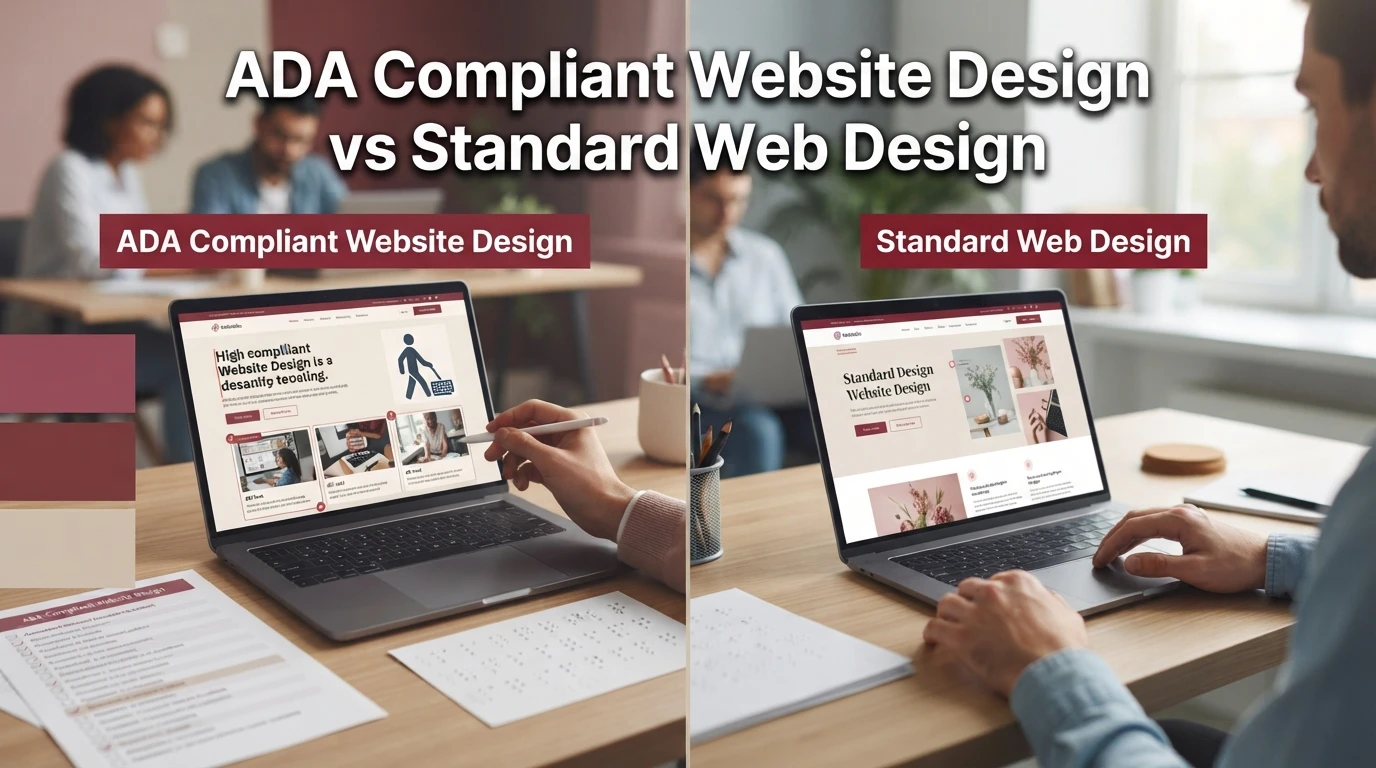
ADA Compliant Website Design vs Standard Web Design: At a Glance
| ADA Compliant Website Design | Standard Web Design | |
|---|---|---|
| Legal risk exposure | Substantially reduced; documented conformance lowers exposure to demand letters and suits | Higher; no accessibility baseline means no defense in a complaint |
| Accessibility standard applied | WCAG 2.1 Level AA, manually audited and maintained | None by default, some incidental keyboard and alt text hygiene |
| Build cost | Moderate premium over a standard build; reflects audit and remediation work | Lowest; fewer development hours and no audit step |
| Ongoing maintenance | Accessibility checks and updates included in an ongoing care plan | Standard updates only; accessibility regressions go unnoticed |
| Best for | Businesses and non-profits taking orders, bookings, or applications online | Internal sites, campaign microsites, and non-transactional brochures |
| Time to launch | Standard agency build timeline with accessibility baked in from the start | Fastest; fewer review gates before launch |
How ADA Compliant Design and Standard Web Design Compare
ADA Compliant Website Design
This approach builds accessibility into the site from day one, meeting WCAG 2.1 Level AA through manual audits. It suits California businesses, non-profits, and professionals who take orders, bookings, or applications online and want documented conformance that lowers exposure to ADA demand letters. Build cost carries a moderate premium, with accessibility checks included in ongoing maintenance.

Key strengths
- Documented conformance reduces legal risk
- Accessibility baked in from the start, no costly retrofit
- Ongoing ADA website maintenance in a care plan
Standard Web Design
A conventional engagement focused on visual design, messaging, and conversion, with no accessibility baseline or documentation. It works well for internal sites, campaign microsites, and non-transactional brochures where transactions and public-facing legal exposure are minimal. It launches fastest and costs least, but accessibility regressions go unnoticed over time.
Where the Two Approaches Actually Diverge
Build Methodology and Code Structure
An accessible build starts with semantic HTML, so headings, labels and landmarks carry real meaning. Keyboard operation and color contrast are designed in, then checked against WCAG 2.1 Level AA through a manual audit. Standard builds treat those as afterthoughts.

What a Standard Build Leaves Untested
Nobody tests how a screen reader moves through the page, whether forms announce errors, or if users can tab out of a menu. The site looks fine and clicks fine. It just quietly fails people using assistive technology, which is where lawsuits start.
Legal Risk Reduction: What Each Approach Puts on the Table
Do accessibility widgets prevent ADA lawsuits? No. A widget adds a script on top of your existing code, so the underlying barriers remain. Courts and plaintiff experts routinely find overlay sites non-compliant, and several vendors face class actions of their own. A widget buys a false sense of safety, not protection.

The Current Enforcement Picture
Plaintiffs filed 3,117 website accessibility lawsuits in federal court in 2025, a 27% jump from 2024, with most suits aimed at small businesses. An ADA demand letter typically triggers a settlement, so risk runs in the five figures even without a trial. See Seyfarth’s filing data.
Why Overlays Do Not Transfer Risk
An overlay widget does not fix semantic code, contrast, or keyboard traps underneath it. Because the ADA measures your actual site, a widget can appear as evidence you knew about the problem. Manual compliance built to WCAG 2.1 Level AA is the only defense that holds up.
California and Non-Profit Specific Exposure
California adds the [Unruh Act]{no search needed, plain text}, which lets plaintiffs collect $4,000 per violation on top of ADA claims, and Attorney General enforcement targets repeat offenders. Non-profits get no exemption from Title III coverage of their public-facing services. Compliant design removes that stacked exposure; standard design leaves it open.
Is ADA Compliant Design Worth the Extra Cost?
Yes. For most small businesses, the compliance path costs less than a single lawsuit. Budgeting $5,000 to $20,000 in year one for an accessible build beats settling a demand letter, which often runs $5,000 to $50,000 plus legal fees and forced audits and monitoring.
Remediation Cost Against Settlement Cost
A lawsuit carries two bills: the settlement and the required fixes. Typical single-plaintiff cases settle for $5,000 to $50,000, and you still pay to remediate under a deadline. Building to WCAG 2.1 Level AA from the start means one predictable cost instead of two.
The Ongoing Cost of Staying Compliant
Compliance is not a one-time project. New pages, forms, and plugins need review, so plan for annual audits and maintenance. A done-for-you WaaS plan from Monkey Business folds those checks into hosting and support. Factor roughly a few hundred to a few thousand dollars a year, then compare it to defending one ADA website lawsuit.
Which Should You Choose: ADA Compliant or Standard Web Design?
Where Standard Design Is Still the Right Call
Standard design can work when your site faces little public legal exposure. Think of a simple internal tool, a short-lived campaign page, or a side project with no audience relying on assistive technology. If you accept the risk and budget for a later rebuild, that trade can make sense. For anything serving customers, though, an accessible web design approach costs less over time than fixing or defending a site after a demand letter arrives.

One lawsuit can cost more than a compliant site. Monkey Business builds accessibility in from day one. See how at Monkey Business.
Frequently Asked Questions
Q1: Is ADA compliant design worth the extra cost?
Yes. Settlements typically run $5,000 to $50,000 plus legal fees, so paying a moderate build premium once costs less than one lawsuit.
Q2: Can I retrofit an existing site instead of rebuilding?
Often, yes, though remediation under a lawsuit deadline costs more than building accessibility in from the start.
Q3: Do accessibility overlay widgets make a site compliant?
No. Widgets leave underlying barriers intact and can even appear as evidence you knew about the problem.
Q4: Do non-profits have to comply with the ADA?
Yes. Public-facing non-profit services fall under Title III, and California’s Unruh Act stacks $4,000 per violation on top.
Conclusion
For any site that sells, books, or takes applications, ADA compliant design built to WCAG 2.1 Level AA costs less over time than one demand letter. Standard design suits low-exposure projects only. Choose compliance first, and your budget stays predictable instead of litigated.