Quick Summary: A clear website brief starts with a specific business goal and defines target audience and desired actions. It should list the core pages, features, content responsibilities, and design preferences, including references and constraints. Finalizing and reviewing the brief carefully helps prevent scope creep and delays, ensuring a professional, credible website aligned with business needs.
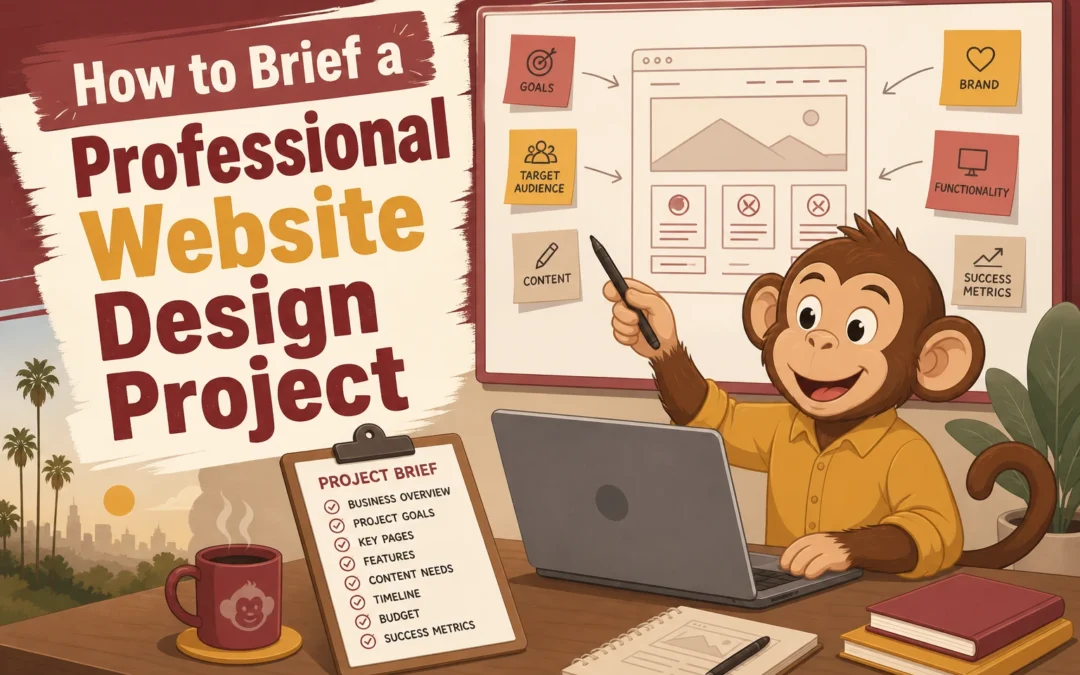
Hiring a designer? Your brief shapes the proposal more than the first meeting, whether you run a California law firm, nonprofit, or small business. Most bad projects start with vague goals, missing pages, and fuzzy budgets. This guide fixes that with clear Website Design Tips, a practical Website Brief Template, and smarter Professional Website Planning. These Website Design Tips come from real client brief patterns that affect scope, timeline, and price.
1. Define the business goal first
Your brief should start with one clear business goal. If the goal is fuzzy, the design will be too. Columbia recommends setting website goals that are specific and measurable, not vague wishes like “look more modern” Define Website Goals.
Write one primary outcome statement, such as:
Get 20 qualified consultation requests a month
Increase online donations
Reduce phone calls by answering common questions online
Business owner reviewing website goal notes with designer
Then name the audience and the conversion action. KU notes that a website should match its purpose, audience, and desired actions Purpose and Audience Analysis. Good Website Design Tips always tie the site to one main visitor task.
Tip: “More traffic” is not the goal. What you want visitors to do is the goal.
A vague page list leads to vague pricing. Spell out what the site includes so your designer can quote the right build.
Map the essential pages Start with the core pages your visitors expect. The U.S. Small Business Administration highlights Home, About, Products or Services, Contact, and Testimonials as key pages for small business sites in its guide. Add any extras, then note the purpose of each page.
Home
About
Service pages
Contact
FAQ or testimonials
Blog or resources
Document features and integrations List every feature in plain English. If you skip this, small items turn into change orders later. Use a simple priority method like Must have, Should have, Could have, which the CloudSwitched template recommends for keeping scope under control in its requirements document.
Contact forms
Booking
Payments
Search
Member login
Email signup
CRM or calendar sync
Tip: Also list what is out of scope for phase one.
Clarify who creates the content Say who writes copy, finds photos, and approves edits. That one step prevents delays.
3. Add design direction, references, and constraints
Share 3 to 5 website examples and say exactly what you like. Point to things like layout, tone, menu style, or how calls to action are placed. Stanford found people judge credibility fast based on visual design, ease of use, and signs of expertise in this web credibility research. Include a short “avoid this” list too, so your designer does not guess wrong.
Designer reviewing mood board with color swatches and website references
State limits early. List your budget range, launch date, required pages, legal needs, accessibility needs, and any brand rules. Stanford also notes accessibility should not be treated as an add-on. Clear limits help agencies scope the job right and reduce scope creep later.
Read the brief one last time before sending it. Check scope, goals, pages, features, timeline, budget range, and decision-makers. Make sure contact details are current. If you share public-facing files, remember that electronic documents should be accessible under Section 508 guidance.
A short checklist now can prevent days of back-and-forth later.
Send it in a practical format
Send one clean PDF for easy review and one editable file if feedback is expected. Name files clearly, such as Website-Brief-ClientName-Date. If you export from Word, review accessibility first because Massachusetts guidance on Word-to-PDF export notes issues are easier to fix before export.
Homepage
Ready to brief your project with less guesswork? Monkey Business helps you turn goals, scope, and needs into a done-for-you website plan that stays clear, compliant, and manageable.
Frequently Asked Questions
Q1: What are the essential components of an effective website brief for professional design projects?
Include goals, audience, sitemap, features, content ownership, brand rules, budget, timeline, approvals, and examples.
Q2: How can a detailed website brief help prevent scope creep and manage client expectations in the US?
It sets clear deliverables, limits revisions, and shows what is not included from the start.
Q3: What key questions should U.S.-based small businesses answer when briefing a web design agency?
Define who the site serves, what actions matter, what content exists, and who signs off.
Conclusion
A strong website brief sets scope, goals, content, roles, and budget before design starts. That clarity cuts waste and confusion. Stanford research shows users judge credibility fast through professional design and ease of use and design look.
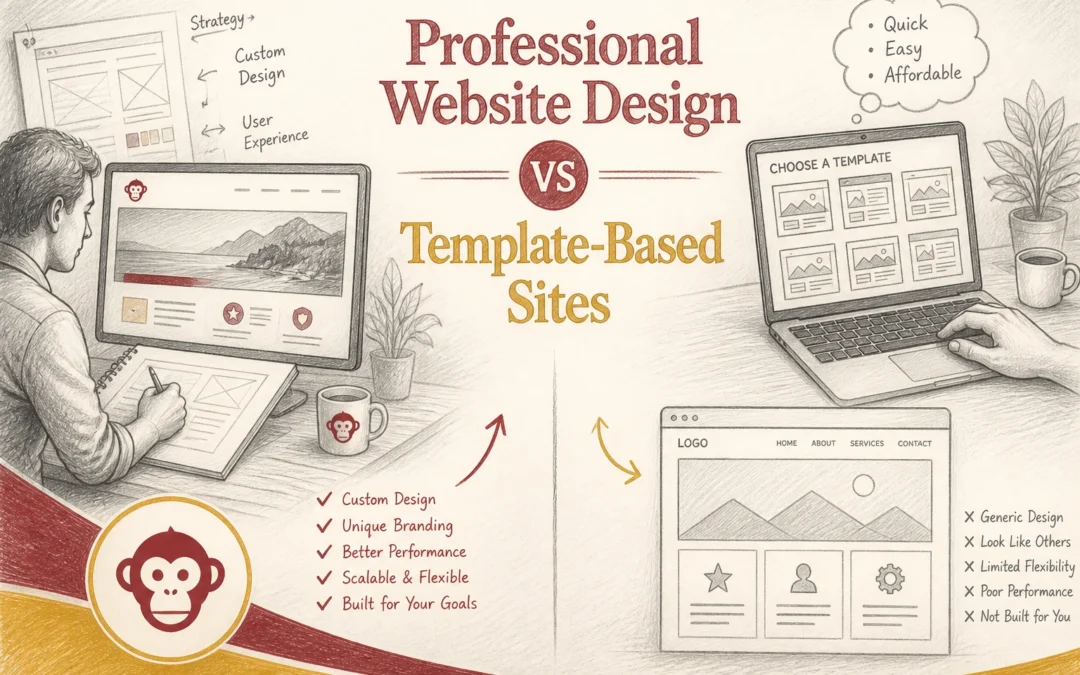
Quick Summary: Professional website design offers better SEO, faster load times, and higher trust, making it ideal for businesses aiming to generate leads and grow. Templates are cheaper upfront but often lead to higher long-term costs due to slower performance, limited flexibility, and security issues. For businesses that need credibility and ranking, investing in custom design pays off over time, while templates suit quick, simple projects or tight budgets. If your site needs to win leads, Website Design is not just about launch speed. For many U.S. businesses, Professional Websites beat Template Websites on SEO, speed, trust, and growth. This Website Design comparison shows what affects rankings, credibility, and long-term cost, so you can choose smart. We work with lead-focused Website Design decisions every day.
Professional Website Design vs Template Websites: At a Glance
A custom site is built around your brand, offers, and lead goals. It fits firms that need trust fast, since Stanford found design look shapes credibility judgments in a large web credibility study. ![Clean service business homepage on laptop beside notes and coffee mug]
Template websites
Template websites start with a ready-made layout, then swap in your copy, colors, and photos. They fit simple sites, small budgets, and fast launches where getting online matters more than full control.
SEO and performance: where custom design pulls ahead
Custom sites often win here because they remove what does not help leads. Google says good Core Web Vitals support search success, with targets like LCP within 2.5 seconds and INP under 200 ms in its Core Web Vitals guidance. Faster pages keep forms, calls, and booking clicks from stalling. Template sites often load extra scripts, fonts, and app code you never asked for.
Speed is not just an SEO metric. It shapes trust before a visitor reads a single line.
Custom design also gives tighter control over page structure. You can set clean heading order, internal links, and page-specific schema without fighting a theme. Google says structured data helps it understand page meaning and can improve rich results. That matters for local services, nonprofits, and professional firms that need clear search snippets, not bloated layouts.
Cost and long-term value: cheap today or cheaper over time?
The hidden costs of templates
Template sites look cheap because the first bill is low. The real cost shows up later. You pay with slow edits, plugin conflicts, weak SEO control, and redesigns when the site stops fitting your business. Security is part of the bill too. The FTC says small firms should update software regularly and secure vendors because cyberattacks hit companies of all sizes FTC small business cybersecurity guidance.
Comparison infographic of website costs and security features
When professional design pays for itself
A professional site costs more upfront, but it usually cuts waste over time.
Better structure helps SEO
Faster pages improve lead flow
Cleaner builds reduce patchwork fixes
The SBA also warns small businesses to budget for updates, backups, and stronger security SBA cybersecurity guide. That is why done-for-you WaaS plans, like Monkey Business, can be cheaper than a bargain template once support, maintenance, and rebuild risk are counted.
Pick a template site if you need a basic online brochure fast and cheap. Pick professional design if your site needs to win leads, rank well, and build trust. Stanford research found design look shaped credibility in 46.1% of comments, so looks are not just cosmetic Stanford credibility study.
Business owner comparing polished website mockup and generic template on desk
Best fit by business type
Template: side projects, event pages, short-term campaigns
Professional design: law firms, clinics, consultants, nonprofits, contractors
If one new client can repay the site, go professional.
Skip the template trap. Get a fast, professional, done-for-you site with Monkey Business today.
Frequently Asked Questions
Q1: What are the main differences between professional custom website design and template-based sites?
Custom sites fit your brand, goals, and lead flow. Templates are faster but often generic, harder to scale, and packed with features you may not need.
Q2: How does custom web design enhance SEO and site performance over template sites?
Custom design removes extra code, sharpens page structure, and improves speed. That helps search rankings, user trust, mobile experience, and conversion rates.
Q3: Which website approach is more cost-effective for small businesses in the U.S.: custom or templates?
Templates cost less upfront. Custom often costs less over time because you avoid rebuilds, plugin issues, lost leads, and design limits as your business grows.
Conclusion
Template sites save money early. Professional design usually wins on speed, trust, SEO, and growth. Stanford notes professional design builds credibility, which matters when your website must convert, not just exist.
Quick Summary: Clients judge website professionalism in seconds based on visual hierarchy, mobile responsiveness, trust signals, and speed. Clear layout, fast load times, and credible trust badges help convert visitors into clients. Prioritizing these elements creates a trustworthy, user-friendly site that encourages engagement.
Clients judge your site in seconds. They do not score it like a designer. They ask if it feels credible, clear, and easy to trust. Many small business sites look fine at first glance but still lose leads because the page feels messy, uneven, or hard to use. This list ranks the nine website design elements clients notice first, based on first-impression trust, scanning, mobile use, and how confidently someone takes the next step.
Quick Comparison
Element
Best for
Client impact
Why it matters
Priority
Clear visual hierarchy
Helping clients understand your offer immediately
Very high
Best for helping clients instantly understand what you do and where to look first.
Highest
Responsive mobile layout
Clients browsing on phones and tablets
Very high
Best for making the site feel modern, usable, and credible on phones.
Highest
Trust signals
Converting cautious prospects
Very high
Best for reducing hesitation before a client contacts you.
Highest
Fast load speed
Reducing early bounce and friction
High
Best for preventing early drop-off and frustration.
Very high
What to know about professional website design
Professional website design shapes what clients assume about your business in seconds. It is not just about style. It shows whether you are clear, credible, and easy to trust.
For service businesses, that matters right now because buyers compare fast and decide fast. A strong site removes doubt, answers key questions, and makes the next step feel simple before someone calls, books, or fills out a form.
1. Clear visual hierarchy
Clients should know what matters in seconds. Visual hierarchy sets that order so the headline, benefits, proof, and CTA stand out first. NN/g notes that clear hierarchy guides the eye, and people often scan instead of read.
Business owner reviewing homepage mockup with organized content sections
Highlights
Strong headline hierarchy
Distinct section spacing
One obvious primary action
Scannable content blocks
Specs
Best for: Helping clients understand your offer immediately
A professional site should feel polished on every screen. Since Google uses the mobile version of a site for indexing and strongly recommends responsive design, clients notice fast when mobile layouts feel cramped or outdated.
Service business owner testing mobile contact form
Trust signals help cautious visitors feel safe enough to reach out. They answer the quiet question every service site faces: can I trust you with my time, money, or case?
Consultant presenting client testimonials at conference table
Highlights
Specific testimonials beat vague praise. The FTC warns businesses to keep reviews honest and not deceptive in its reviews guidance.
Real phone, email, address, licenses, and memberships add legitimacy. BBB standards also stress clear business contact details.
Pros
Reduces hesitation
Supports premium pricing
Makes contact decisions easier
Cons
Generic quotes feel weak
Too many badges can look cluttered
It ranks this high because trust, not design taste, often decides whether a prospect contacts you.
A slow site feels less professional the moment it hesitates. Clients may not know the cause, but they notice lag right away. Google’s PageSpeed Insights measures real user signals like load and responsiveness, and web.dev explains that faster sites keep users engaged longer.
Designer comparing high-resolution and compressed website images on dual monitors
Highlights
Quick first paint
Compressed media
Lightweight scripts
Smooth page transitions
Specs
Best for: Reducing early bounce and friction
Client impact: High
Priority: Very high
Pros
Improves first-impression polish
Supports engagement and conversion
Cons
Oversized images and heavy plugins slow pages down
Speed needs ongoing maintenance
It ranks high because speed shapes trust before clients read a word.
Last updated: July 31, 2026
More design signals clients notice
These did not make the top of the list, but clients still pick up on them fast.
Readable typography – Clients notice right away if the text feels easy to read.
Professional photography – Authentic images make a site feel real, not generic.
Consistent branding – A cohesive look helps the business feel established.
Simple navigation – Clients should find what they need without thinking too hard.
Strong CTA placement – A professional website makes the next step obvious.
How to choose the right design elements for your site
Start with what clients judge fastest, not what looks clever. See the full professional website design guide for the bigger picture.
Pick visual hierarchy, mobile layout, trust signals, and speed first.
If you serve local or high-trust buyers, favor reviews, clear contact info, and proof over style extras.
Your home page should answer: What do you do? Who is it for? How do I contact you?
Check mobile first. Many clients decide there.
Choose consistency over novelty if trust matters.
For done-for-you service businesses, Monkey Business is the strongest fit because it keeps the focus on clarity, trust, and next-step action.
Homepage
If your site misses the details clients notice, let Monkey Business handle it. Get a done-for-you, professional website that looks credible, stays secure, and supports growth.
Frequently Asked Questions
Q1: What are the key design elements that make a professional website stand out to clients?
Clients notice clear layout, fast load speed, easy navigation, strong headlines, readable text, clean mobile design, real photos, trust signals, and clear calls to action first.
Q2: How does responsive layout impact client perception of professional websites in the US?
A responsive layout tells visitors your business is current, careful, and easy to work with. If pages break on phones, clients often assume service quality will feel sloppy too.
Q3: What role do trust signals and CTA placement play in client notice of website professionalism?
Trust signals lower doubt. Good CTA placement lowers friction. Together they help clients feel safe, understand the next step, and contact you without hunting around the page.
Quick Summary: Evaluating turnkey website providers in 2026 requires focusing on ownership, support, mobile performance, and SEO, not just sales pitches. Check who owns your content and how easily you can leave, and ensure the site is fast, mobile-friendly, and well-supported. Use a scoring system to compare providers and avoid red flags like hidden exit costs or unclear ownership.
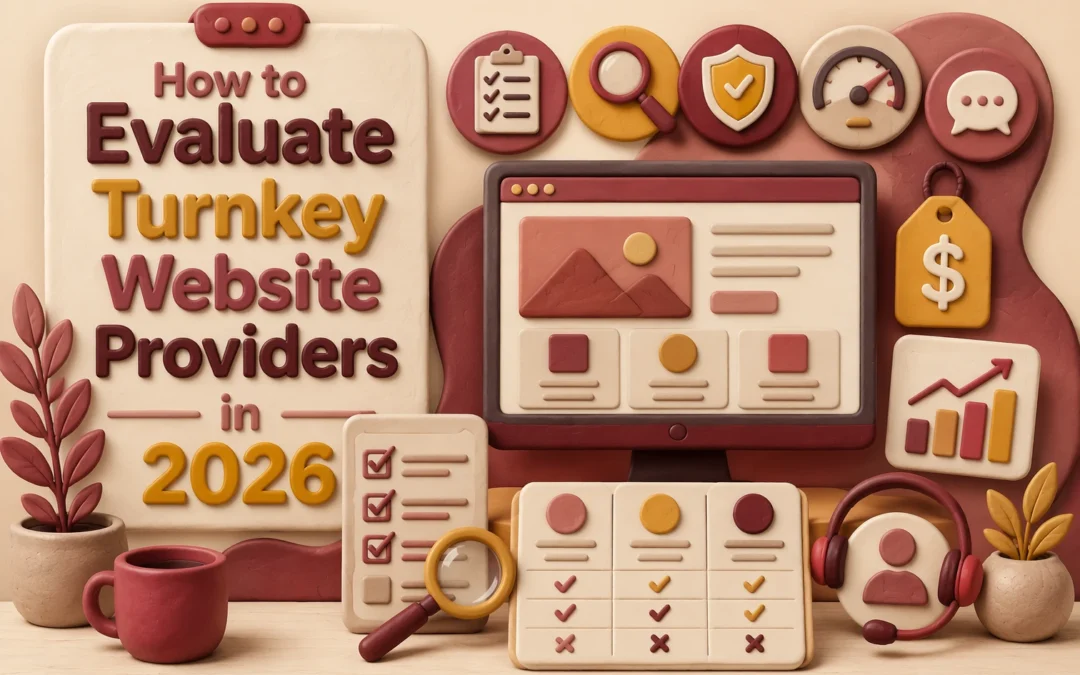
If you run a California service business, good Website Evaluation starts with a hard question: which provider will still help after year one, when you need edits, lead tracking, or a move to a new platform? That is where many Website Providers fall short. This guide gives a practical Website Evaluation framework for comparing lock-in, support, mobile speed, SEO setup, and risk, so you can judge the Best Website Services with less guesswork.
1. Start With Business Fit, Not the Sales Pitch
Good Website Evaluation starts with your site’s real job. If you need leads, judge the provider on calls, forms, and follow-up flow. If you need trust, look at bios, reviews, and clear service pages. Clutch found 83% of small businesses now have a website, so simply having one is not the edge anymore – fit is the edge.
Ask for proof they know your kind of work. A nonprofit needs donations and events. A law firm needs intake and trust. A California service business may need fast updates and local SEO. In Website Evaluation, industry fit beats a smooth demo every time.
Warning: A polished sales pitch can hide weak support, weak process, or the wrong build for your team.
2. Check the Technology, Design, and Mobile Experience
Start with the phone view. Google uses the mobile version for indexing, and it recommends responsive design with the same key content on mobile and desktop in its mobile-first indexing guidance. Ask the provider to show:
live client sites on iPhone and Android
tap targets, menu use, and form speed
whether content, headings, and metadata match on mobile and desktop
If the mobile site feels cramped, slow, or stripped down, treat that as a risk.
Business owner reviewing responsive website on mobile and desktop
Ask how they handle SEO, accessibility, and performance together, not as add-ons. Google says page experience still matters as part of helpful content guidance. Use a quick checklist:
Do they write clean titles, meta descriptions, and heading structure?
Do they test image alt text, contrast, keyboard use, and forms?
Do they improve Core Web Vitals and real mobile load times?
3. Compare Ownership, Hosting, and Ongoing Support
Check the contract before you compare design samples. You need to know who owns the domain, content, design files, analytics, and customer data, plus how fast you can export them and leave. The FTC says recurring services must offer a simple way to cancel, so hard exits are a red flag.
Business owner reviewing website support documentation
Support quality matters just as much. Ask for:
response times for urgent issues
update and backup frequency
who handles plugin, security, and form failures
A real SLA should define uptime, response windows, and credits if service slips. > If a provider bundles hosting, edits, and support, ask what happens after cancellation and whether migration help costs extra.
4. Make the Final Decision With a Simple Scoring Checklist
Use a weighted scorecard before signing. Score each provider from 1 to 5 on portability, support, mobile speed, SEO basics, security, price, and contract terms. Then weight what matters most. If leads drive your business, give more points to speed, support, and SEO. This keeps flashy demos from beating real value.
Know the red flags that should end the conversation. Walk away if a provider will not explain ownership, exit terms, support response times, or renewal rules. The FTC says recurring offers should disclose key terms and allow simple cancellation in its 2026 negative option rulemaking notice.
Need a lower-risk website partner? Monkey Business gives you done-for-you design, hosting, maintenance, and support, so you can compare providers with confidence and move faster.
Frequently Asked Questions
Q1: What are the key factors to consider when evaluating turnkey website providers in 2026?
Check ownership, portability, support speed, mobile performance, SEO basics, security, and total monthly cost. Ask who controls the domain, content, and files. A low price means little if moving later is hard or support is slow.
Q2: How does the quality of supplier relationships impact the success of a turnkey ecommerce website?
Strong supplier ties help with stock accuracy, shipping speed, pricing, and returns. Weak ties create delays and unhappy buyers. If a provider supports ecommerce, ask how product updates, order flow, and vendor issues get handled day to day.
Q3: What features should I look for in a modern, mobile-optimized turnkey website solution in the US?
Look for fast load times, clear mobile layouts, simple navigation, SSL, ADA-aware design, local SEO settings, analytics, and easy updates. For service firms and nonprofits, strong forms, calls to action, and reliable support matter as much as design.
Conclusion
Choose the provider you can leave, not just the one you can launch with. Prioritize ownership, support, and mobile speed. Google still recommends strong Core Web Vitals, and the FTC still flags recurring billing and cancellation risks in negative option practices.
Quick Summary: Turnkey website solutions are ideal for startups needing quick, low-cost launches with limited customization, while custom-built sites suit those requiring deep control, unique features, and scalability. Turnkey options can go live in days and are less expensive upfront, but custom sites take longer and cost more initially. The choice depends on whether speed or control is the priority for the startup’s growth and functionality needs.
If you need to launch fast and protect founder time, turnkey Website Building Platforms often make sense. If your Startup Website Design needs special flows, deeper testing, or room to grow, Custom Website Development is the smarter bet. We assess Startup Website Design choices every week, so this comparison focuses on speed, cost, ownership, flexibility, and when Custom Website Development beats fast-launch options.
Turnkey Website Solutions vs Custom-Built Sites for Startups: At a Glance
A turnkey website solution is a done-for-you service for startups that need to launch fast with less founder time. Options like Wix show the core angle well – quick setup, bundled support, and lower upfront cost, with some limits on deep changes. Key strengths
Custom-built site projects fit startups that need Custom Website Development around brand, workflows, and future growth. This path takes longer and costs more up front, but it gives stronger control, distinct UX, and room for deeper integrations. Key strengths
High customization
Strong ownership and flexibility
Speed, Launch Friction, and Time to Market
Turnkey sites win when speed matters. A simple brochure site can go live in 1-3 days DIY or 1-2 weeks with a pro, while large custom builds often take 4-6+ months according to Elementor’s 2026 timeline guide. Fewer handoffs, fewer tech choices, and built-in hosting cut launch friction fast.
Custom work earns its extra time when the site needs logic, not just pages. If you need portals, custom workflows, or deep integrations, the slower path can save a rebuild later. A 2026 comparison notes custom projects usually land in the 4-16 week range because they allow full control over features and scale from the start.
Turnkey pricing works early because it keeps risk low. You pay a flat monthly fee, launch faster, and avoid a large upfront bill while cash is tight. That matters for startups still testing demand. A 2026 cost review from grEEff.dev notes that total website ownership often grows well beyond the first invoice.
Bar chart comparing initial custom build cost and ongoing turnkey website fees over time
Custom can win later if your site keeps outgrowing its setup. Repeated redesigns, plugin fixes, and migrations add up fast. One 2026 breakdown from Project Cost Estimator says redesigns can cost more than new builds because of content, SEO, and legacy cleanup.
If you need speed now, turnkey is often smarter. If you need deep control later, custom may cost less overall.
Which Should You Choose: Turnkey Website Solution or Custom-Built Site?
Choose turnkey if you need proof fast. A startup site often needs to test demand, collect leads, and get you live without a long build cycle. That fits the MVP mindset. Several 2026 startup guides stress that early validation beats overbuilding, because weak demand kills more startups than bad code RaftLabs’ MVP guide. If your goal is speed, clarity, and low lift, turnkey wins.
Founder reviewing website mockups and notes in bright startup office
Choose custom if the website is part of the product itself. That means custom workflows, user accounts, payments, dashboards, or deep integrations. In that case, your site is not just marketing. It is core business logic. Refact’s 2026 MVP web development guide also notes that scope drives risk, so custom makes sense when one critical flow must work your way.
Start with the business goal, not the build style.
Homepage
Need a startup site without custom-build delays? See how Monkey Business gives you secure, done-for-you website support fast.
Frequently Asked Questions
Q1: What are the main differences between turnkey website solutions and custom-built sites for startups?
Turnkey sites launch faster, cost less, and include hosting, updates, and support. Custom sites give deeper control, unique features, and harder integrations, but they take more time, money, and hands-on project management.
Q2: How does choosing a turnkey website benefit small startups compared to custom development?
Small startups save cash, reduce delays, and avoid hiring extra specialists. A provider like Monkey Business can handle design, security, maintenance, and compliance, so founders stay focused on sales, service, and early growth.
Q3: What key features should a startup look for in a turnkey website solution?
Look for mobile design, easy edits, fast hosting, SSL, backups, SEO basics, clear pricing, support, and room to grow. Check ownership terms too, so you know what happens if you switch providers later.
Conclusion
Turnkey wins when you need speed, lower risk, and simple needs. Custom wins when growth needs control. Stanford found design and ease of use shape credibility strongly in web credibility research.