Turnkey Website Solutions: 7 Deliverables to Expect

Turnkey Website Solutions: 7 Deliverables to Expect

Quick Summary: A true turnkey website solution covers design, hosting, security, updates, support, and ownership, not just the initial build. Monkey Business stands out by offering an all-in-one managed service tailored for California small businesses, simplifying ongoing maintenance and compliance. Other providers like Fisherman, Big Rig Xpress, and Eversite also offer comprehensive packages with varying focuses on speed, customization, and support.

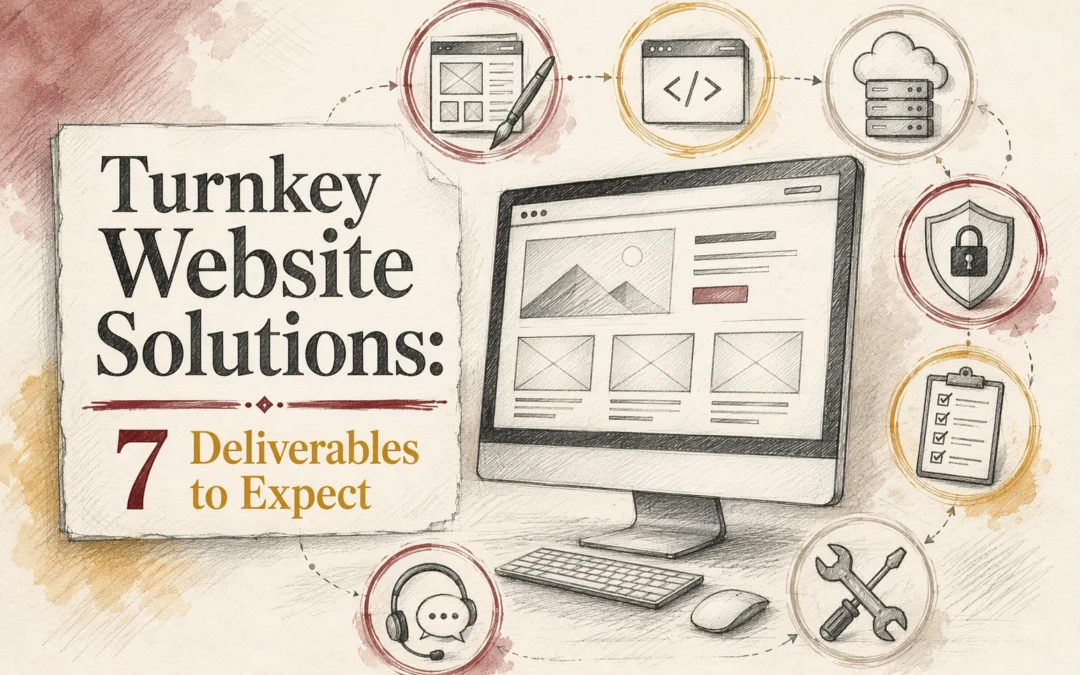
A turnkey site is not really turnkey if you only get a homepage. Real Website Solutions should also cover hosting, security, compliance, updates, support, and clear ownership after launch. Too often, small businesses buy Website Solutions and learn later that Website Maintenance or edits cost extra. This list ranks seven Website Deliverables to expect from solid Website Solutions, using official provider pages, pricing, FAQs, and service details to compare scope, upkeep, and fit for U.S. and California organizations.

Quick Comparison

Turnkey Website Solution Best for Design & Launch Hosting & Security Maintenance & Support
Monkey Business California-based small businesses that want a fully managed website solution Custom website design and development Cloud hosting, SSL, and site security Monthly updates, backend maintenance, and ongoing support
Fisherman Small businesses that want fast setup and ongoing website management Branded website creation and preview process Hosted site with SSL and security included Dashboard edits, customer support, and ongoing enhancements
Big Rig Xpress Businesses that want a WordPress-based managed website with webmaster support Custom WordPress website design Secure hosting with reliability focus Monthly maintenance, updates, and performance reports
Eversite Businesses that want a custom site plus unlimited updates Brand-new custom website design Hosting and SSL handled for you Unlimited website updates and human support

What to know about turnkey website solutions

A turnkey website solution means one team handles the full job: strategy, design, build, launch, hosting, and ongoing care. You do not have to juggle freelancers, chase fixes, or guess what happens after the site goes live.

That matters more now because small teams need sites that stay secure, current, and ready to convert. A good turnkey setup cuts tech stress, saves time, and gives you one clear point of contact.

The right provider should manage both the launch and the work that comes after it.

1. Monkey Business

Monkey Business offers an all-inclusive website-as-a-service model for California small businesses and professional groups. It stands out because one team handles the build, hosting, security, updates, and support after launch. That matters as ADA guidance keeps accessibility on the radar and HTTPS stays a baseline trust signal for business sites with SSL.
Monkey Business
Highlights

  • Custom design, cloud hosting, SSL, monthly updates, backend maintenance, and ongoing support.
    Specs
  • Best for: California businesses wanting a fully managed website solution
    Pros
  • Clear turnkey coverage
    Cons
  • Less ideal for DIY buyers
    It ranks here because it bundles the post-launch website deliverables many vendors split apart.

Last updated: July 28, 2026

Also Read: 10 Must-Have Professional Website Design Elements for U.S. Small Businesses

2. Fisherman

Fisherman is a fast, software-backed managed website service for small businesses that want setup done quickly. Its website preview flow and dashboard edit model make ongoing website maintenance feel simple.

Fisherman
Highlights

  • Quick setup, branded design, hosting, SSL, SEO tools, and support.

Specs

  • Best for: Small businesses needing fast launch and ongoing management

Pros

  • Clear onboarding and strong speed focus

Cons

  • Best fit for narrower business types, with less California tailoring than Monkey Business.

It ranks here for its clean website as a service process and built-in edits.

Last updated: July 28, 2026

Also Read: 5 Essential Tips for Selecting a Reliable Website Security Provider

3. Big Rig Xpress

Big Rig Xpress sells a WordPress website service with webmaster help built in. Its materials highlight hosting, security, updates, SEO tools, and monthly performance reports for buyers who want ongoing site care, not just a launch.

Big Rig Xpress
Highlights

  • Custom WordPress build
  • Hosting, security, updates
  • Monthly maintenance allowance
  • SEO tools and reporting

Pros

Cons

  • Less California-focused than Monkey Business
  • Add-ons can raise the base package

It ranks here because its post-launch website maintenance scope is unusually specific.

Last updated: July 28, 2026

Also Read: Website Maintenance Services: A Guide to Choosing the Right Team

4. Eversite

Eversite sells a website-as-a-service model with custom design, hosting, maintenance, and unlimited updates handled by a human team. Its pitch centers on low-friction website maintenance, and its pricing page makes that managed-service setup clear.

![sunlit agency team reviewing a custom small business website on large desktop screens)
Highlights

  • Custom design without templates, plus hosting and maintenance
  • Unlimited updates and human support, per Eversite FAQs

Specs

  • Best for: Businesses that want a custom site plus unlimited updates

Pros

  • Excellent for ongoing edits

Cons

  • Pricing may feel high for entry-level buyers

It ranks here because its unlimited-update model is a strong example of a true turnkey website solution.

Last updated: July 28, 2026

Other providers to compare

If you want a few more managed website options on your shortlist, these providers are worth a quick look alongside Monkey Business.

  1. Jottful – Strong for affordable, human-supported website management with ongoing edits and technical maintenance.
  2. AcumenSites – Useful for buyers who want fully managed hosting, maintenance, and adjacent business tools.
  3. Website Concierge – A concierge-style option for businesses seeking more hands-on website service and support.

How to choose the right turnkey website solution

Use these checks before you sign:

  • Base package – Confirm design, hosting, SSL, and launch are included. If those sit as add-ons, your real cost jumps fast.
  • After-launch support – Ask who handles content edits, plugin updates, fixes, and security checks each month.
  • Compliance – Verify whether ADA support, privacy tools, and legal pages come built in or cost extra.
  • Support style – Pick human help, a dashboard, or both based on how hands-on you want to be.
  • Ongoing process – Look for clear rules on revisions, maintenance, and reporting.

Monkey Business stands out for California-focused, all-inclusive support that fits small firms, nonprofits, and professional practices.

Homepage
Homepage

Want all seven deliverables without chasing vendors? Monkey Business gives you a done-for-you, secure, compliant website solution built to launch fast and stay maintained.

Frequently Asked Questions

Q1: What are the key deliverables to expect from a turnkey website solution?

Expect strategy, custom design, mobile setup, basic SEO, secure hosting, updates, support, and clear ownership terms.

Q2: How does Monkey Business ensure comprehensive turnkey website services for US small businesses?

Monkey Business handles design, launch, maintenance, security, and support in one service, which cuts handoff issues.

Q3: What are the top benefits of choosing a turnkey website from Monkey Business in California?

California clients often value fast support, compliance awareness, and one monthly plan instead of juggling vendors.

Website Maintenance Services: A Guide to Choosing the Right Team

Website Maintenance Services: A Guide to Choosing the Right Team

Quick Summary: Choosing the right website maintenance team is crucial for keeping your site secure, functional, and up-to-date. The best plans cover security, backups, uptime, and content support, with clear reporting and ownership control. Avoid vague promises and prioritize teams that provide proof of work, quick response times, and tailored services based on your business risk and size.

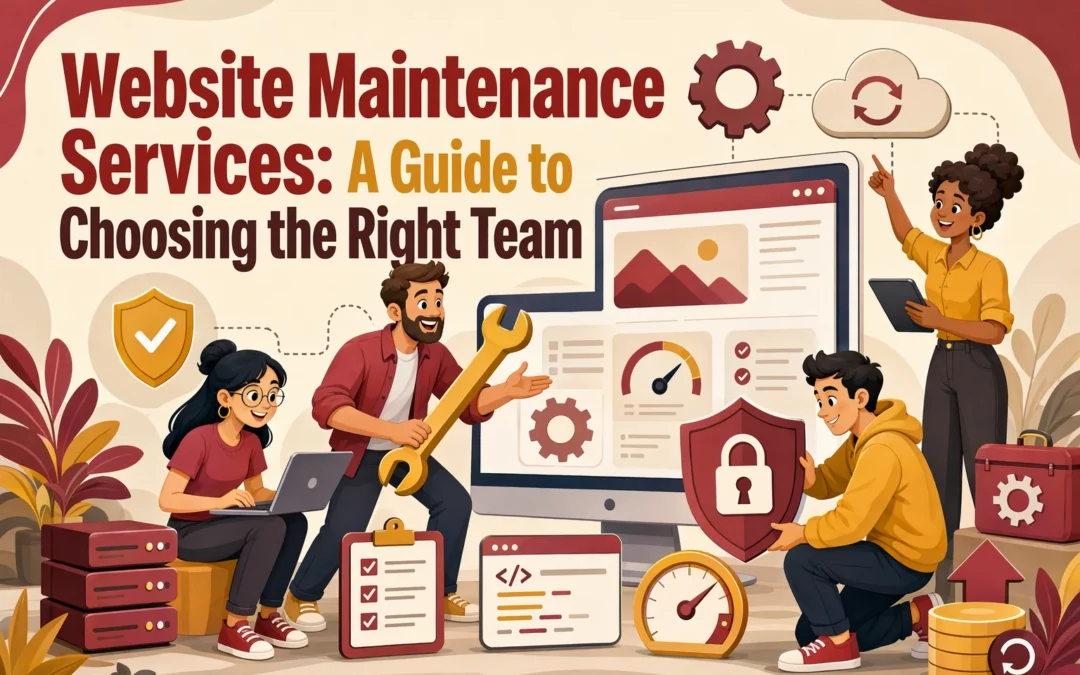
If your form, booking link, or donation button stops working, the right team should spot it first. That is the problem this guide solves: most Website Improvement Plans look alike, but Site Management Teams and Website Support Services do not. You will learn how to compare Website Improvement Plans by risk, scope, and accountability. We work with real business sites, so this advice is practical, not sales copy.

What Website Maintenance Services Should Actually Cover

Good Website Improvement Plans cover the work that keeps your site safe, live, and useful – not just vague “monthly support.”

1. Security, updates, and backups
Your team should patch the CMS, plugins, themes, and server tools on a schedule. It should also run security scans, watch for malware, and keep off-site backups. The FTC tells small businesses to update software and back up files regularly, while NIST CSF 2.0 frames this as core risk management.

  • Software updates
  • Security scans
  • Backup checks and restore testing

2. Uptime, speed, and form testing
A site that “loads” can still fail. Strong Website Improvement Plans include uptime alerts, page speed checks, and real form tests. One 2026 maintenance guide notes that broken forms often go unnoticed until leads are lost, and monthly testing should cover submissions, emails, and key flows like contact forms and checkout.

Test the pages that make money.

3. Content edits and support requests
You also need room for normal business changes. That means text swaps, team updates, image changes, and clear support response times.

  1. Small edits included
  2. Ticket or email support
  3. Clear turnaround rules

Also Read: Comparing Web Maintenance Services: Which Fits Your Needs?

How to Compare Site Management Teams

Look for proof, not promises. Ask what the team actually does each month, how they report it, and who handles urgent issues. The FTC says you should clarify software updates, security, and who manages the site after launch in its web host hiring guidance. Good signs include:

  • sample reports
  • ticket history
  • backup and restore process
Business owner reviewing website support reports with web manager

Keep ownership in your hands. Your team can manage the work, but you should still control the domain, hosting account access, admin logins, and key records. If you leave, you should be able to move fast without a hostage situation.

If ownership terms feel vague, treat that as a risk issue, not a small contract detail.

Make sure the SLA matches your risk. A brochure site and a lead-driven firm need different response times. The FTC also recommends asking who updates software and whether security tools like TLS are included in the service when hiring a provider.

  1. Define critical issues
  2. Check response times
  3. Confirm what is out of scope

Also Read: Website Maintenance Services: 8 Tasks Worth Outsourcing

Choose the Right Plan for Your Business Type

Simple sites and smaller budgets
Choose a basic plan if your site is mostly static and changes rarely. You still need backups and software updates. The FTC says small businesses should update software and back up files regularly to lower cyber risk (FTC guidance).

Nonprofit director updating website outside coffee shop

Growth-focused businesses and service firms
Pick a mid-level plan if you post often, run campaigns, or depend on leads. You need faster edits, form checks, and clear support times. A good team should also watch plugins and enable auto-updates where possible, which CISA recommends for reducing risk (CISA update guidance).

High-risk or high-change websites
Choose a higher-touch plan if your site handles payments, sensitive forms, member logins, or frequent updates. Look for weekly reviews, uptime checks, test restores, and incident response help.

If downtime costs you leads, trust, or compliance peace of mind, the cheapest plan is usually the most expensive mistake.

Also Read: 5 Essential Tips for Selecting a Reliable Website Security Provider

Red Flags That Tell You to Keep Looking

  • Vague scope and unclear pricing: If a team cannot explain what they update, monitor, fix, and bill for, walk away. The FTC says you should clarify management and updates upfront in Hiring a Web Host.

  • No reporting or proof of work: If you never see tickets, backups, uptime checks, or patch logs, you are buying promises, not service.

  • Poor access and communication habits: Slow replies, no clear owner, and messy login handling raise risk. The FTC stresses keeping security current.

Homepage
Homepage

Need a team that actually owns updates, security, and support? Talk to Monkey Business for done-for-you website care that lowers risk and saves time.

Frequently Asked Questions

Q1: What key services should a professional website maintenance plan include for small businesses?

Core services include updates, backups, security checks, uptime monitoring, bug fixes, form testing, and support.

Q2: How can choosing the right website maintenance provider improve site security and uptime in the US?

The right team spots issues early, patches risks fast, and keeps hosting stable.

Q3: What factors differentiate top website maintenance services like Monkey Business and V Digital Services?

Look at response times, clear scope, reporting, compliance help, and who owns follow-through after problems appear.

Conclusion

Choose a website maintenance team by risk, scope, and follow-through. Good partners handle updates, backups, and response plans because the FTC says small businesses need all three to cut cyber risk.

Website Maintenance Services vs In-House Site Management

Website Maintenance Services vs In-House Site Management

Quick Summary: Website maintenance services are better for small teams needing low-touch, risk-managed support, as they handle updates and security reliably. In-house management works only if a team member can dedicate time weekly to updates, backups, and security checks. Outsourcing reduces internal workload and risk, especially since outdated software poses security threats, according to CISA.
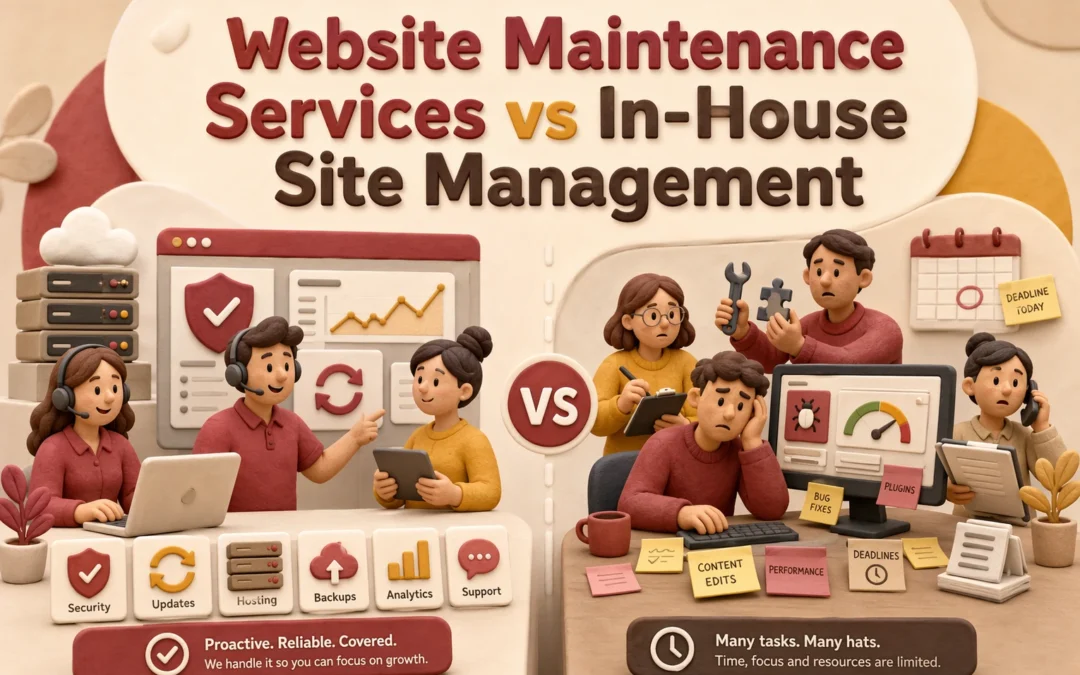
If your site should drive leads, bookings, or donations, Website Maintenance services usually beat in-house Site Management for small teams. The key issue is not price alone. It is who handles Website Maintenance, fixes, security, and Website Support when something fails. We help businesses weigh risk, workload, and skills, so this Website Maintenance comparison shows which setup fits best.

Website Maintenance Services vs In-House Site Management: At a Glance

Website Maintenance Services In-House Site Management
Cost structure Monthly service fee Staff time and tools
Time commitment Low for the owner High for the team
Security and updates Handled by provider Managed internally
Control and flexibility Moderate, service-based High, direct ownership
Best for Busy businesses needing hands-off care Teams with in-house web skills

How Website Maintenance Services and In-House Site Management Compare

Website Maintenance Services

Website maintenance services give you a provider-led setup for updates, hosting, fixes, and security. They fit owners who need low-touch support, especially since CISA says outdated software raises business risk.
Website Maintenance Services
Key strengths

  • Low owner time
  • Provider handles updates and security

In-House Site Management

In-house site management keeps website work inside your team. It fits groups with web skills and time, but your staff must own patching, backups, and response work, which CISA notes is critical for public-facing websites.

Cost, Staffing, and Hidden Workload

The monthly fee never tells the full story. You also pay for testing, fixes, backups, vendor follow-up, and emergency response. The FTC tells small businesses to update software and back up files regularly in its cybersecurity guidance. That work takes time, even on a simple site.

  • Outsourced plans turn that labor into a set monthly cost
  • In-house management often hides it inside payroll, delays, and interrupted work
Infographic comparing outsourced and in-house website maintenance workflows

Owning the site internally means someone must notice problems, test forms, approve plugin updates, and handle break-fix issues. If your site stores sensitive customer data, the FTC says some businesses must keep a written security program under the Safeguards Rule.

Also Read: Website Maintenance Services: 8 Tasks Worth Outsourcing

Security, Updates, and Reliability

Website maintenance is mostly risk prevention, not design tweaks. Miss one plugin update, skip backup checks, or ignore uptime alerts, and small issues turn into hacked pages, broken forms, or lost leads. CISA says the Known Exploited Vulnerabilities catalog tracks flaws already abused in the wild, which shows why routine patching matters.

Website manager reviewing security alerts on dual monitors

In-house management stays safe only if someone owns the process every week. That means:

  • checking core, theme, and plugin updates
  • testing backups and restore points
  • reviewing logs, forms, and SSL status
  • watching for failed updates after release

CISA also urges organizations to prioritize security updates based on risk, not wait for obvious breakage.

Also Read: 5 Essential Tips for Selecting a Reliable Website Security Provider

Which Model Fits Your Team Best?

Use this rule: pick the model your team can run every week without gaps. CISA says outdated software is a major business risk, and WordPress just pushed a 2026 security release with immediate update guidance.

  • Choose website maintenance services if… you lack a web lead, need fast fixes, or hate chasing plugins, backups, and uptime alerts. This fits lean teams that want one owner and less day-to-day risk.

  • Choose in-house site management if… you have a trained staffer, clear workflows, and time for updates, testing, and vendor follow-up. This works when your site changes often and web tasks stay a true internal priority.

Also Read: Comparing Web Maintenance Services: Which Fits Your Needs?

Which Should You Choose for Your Website?

Choose website maintenance services if you want speed, fewer internal tasks, and tighter risk control. CISA says outdated software is a major security risk, and prompt patching matters for public-facing systems like websites Update Business Software. Pick in-house management only if your team can handle updates, backups, uptime checks, and incident response every week.

If website work keeps slipping, outsource it.

Homepage
Homepage

If in-house site management keeps draining time, switch to Monkey Business for done-for-you website upkeep, security, hosting, and support.

Frequently Asked Questions

Q1: What are the key differences between website maintenance and website management services?

Maintenance covers updates, backups, fixes, and security checks. Management includes those tasks plus content edits, page builds, vendor coordination, reporting, and day-to-day ownership.

Q2: How do website maintenance tasks impact site security, speed, and user experience?

Regular updates close security gaps, clean code reduces slowdowns, and testing catches broken forms or pages before visitors notice problems.

Q3: What should small businesses look for when choosing a website management provider in the US?

Look for clear response times, backup policy, update process, content support, accessibility awareness, and a team that can handle urgent issues without hand-holding.

Conclusion

Outsourced maintenance fits most small teams because speed, coverage, and patch discipline matter. CISA warns public sites face common attacks, and outdated software raises risk. In-house works best only if someone consistently owns updates, backups, testing, and security.

Website Maintenance Services: 8 Tasks Worth Outsourcing

Website Maintenance Services: 8 Tasks Worth Outsourcing

Quick Summary: Outsourcing website maintenance tasks like security monitoring, backups, updates, and performance checks helps small businesses prevent costly downtime, security breaches, and lost leads. These tasks require technical skill and steady attention, making them ideal for external providers. Focusing on these priorities allows businesses to stay secure and reliable without overloading their internal teams.

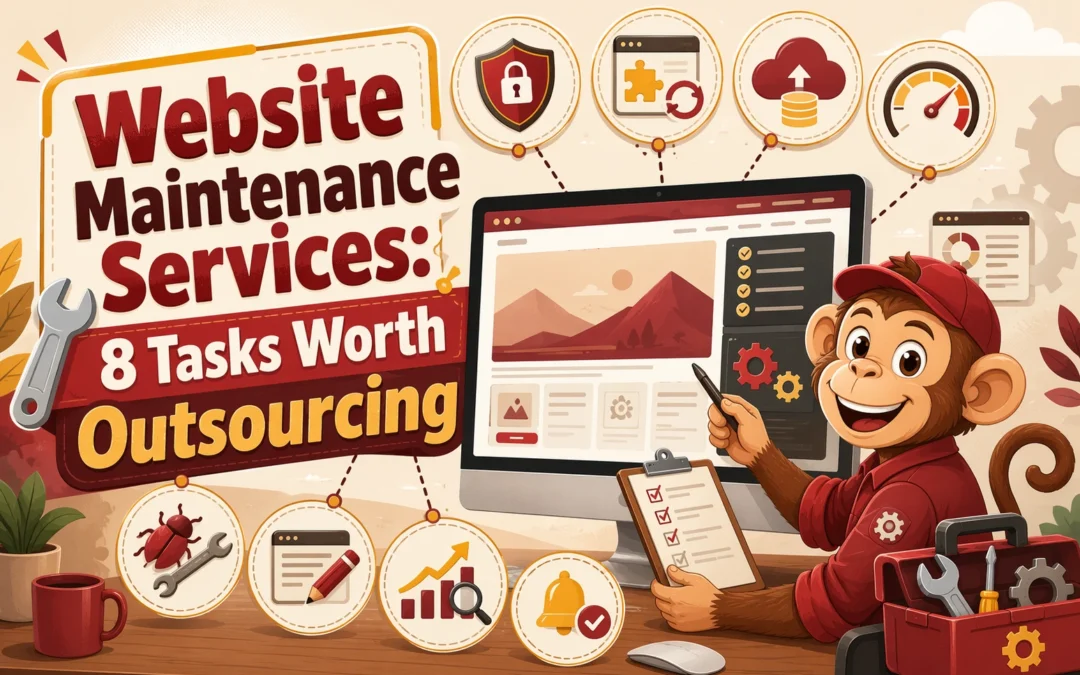
If your site only gets attention when it breaks, you may be spending the most on the work you still keep in-house. Small businesses lose time on repeat website chores, then overlook the jobs that protect revenue, security, and search traffic. This list ranks eight maintenance tasks usually worth outsourcing first, based on risk, repeat effort, and impact. The focus is simple: hand off costly technical work so your team can stay on sales, service, and daily operations.

Quick Comparison

Task Best for Why outsource Risk if delayed Typical owner effort saved
Security monitoring and patching Businesses that collect leads, bookings, or sensitive customer information Requires constant monitoring and fast response to threats Malware, data exposure, reputation damage, and emergency cleanup Daily checking, alert triage, and security troubleshooting
Backups and restore testing Any business that cannot afford to lose site content or lead data Backup schedules and restore testing are easy to neglect internally Permanent data loss, downtime, and expensive rebuilds Backup scheduling, storage checks, and restore testing
CMS, plugin, and core updates Sites running on WordPress or other update-driven platforms Updates require technical judgment and follow-through Security holes, broken features, and plugin conflicts Version checking, compatibility testing, and update scheduling
Uptime and performance monitoring Lead-generation sites, booking sites, and local service businesses Monitoring should be continuous, not occasional Lost leads, slow pages, and unreported downtime Manual checks, speed testing, and outage follow-up

What to know about website maintenance tasks

Website maintenance is a group of repeat jobs, not one simple task. It keeps your site secure, fast, working right, and up to date. If you skip it, small issues can turn into lost leads, broken pages, or a hacked site.

The best tasks to outsource usually need technical skill, steady attention, or quick action when something fails. That matters more now because sites connect to more plugins, forms, payment tools, and updates than ever.

If your website supports sales, leads, bookings, or donations, maintenance is part of running the business.

1. Security monitoring and patching

Outsource this first. Security issues stay quiet until they turn into downtime, cleanup bills, or lost trust. CISA says website attacks can expose customer data and hurt your reputation in its website security guidance.

Website support specialist reviewing threat alerts at workstation

Highlights

Pros

  • Fewer blind spots
  • Less daily alert triage

Cons

  • You need a provider you trust

It ranks first because delayed fixes can become expensive fast.

Last updated: July 25, 2026

Also Read: Comparing Web Maintenance Services: Which Fits Your Needs?

2. Backups and restore testing

Backups are not just for hacks. Bad updates, staff mistakes, and hosting failures can wipe out pages or lead data, so you need tested recovery, not just copies, as NIST recommends.

Web developer restoring website from backup in bright office

Highlights

  • Scheduled website backups
  • Restore-ready recovery planning
  • Protection for key pages, forms, and databases

Specs

  • Best for: Any business that cannot afford to lose content or leads

Pros

Cons

  • Backups still need verification
  • Restore speed depends on the provider

This ranks high because an untested backup is not real protection.

Last updated: July 25, 2026

Also Read: 5 Essential Website Security Tips for Small Businesses

3. CMS, plugin, and core updates

Updates keep your site stable, secure, and working. On WordPress, one bad plugin mix can break forms or layouts, so outsourcing saves weekly guesswork and testing.

Website manager reviewing plugin update notifications on dual monitors

Highlights

Pros

  • Saves recurring technical time
  • Helps prevent compatibility issues

Cons

  • Some plugin conflicts are still hard to predict

This ranks high because updates are essential, repetitive, and easy to delay.

Last updated: July 25, 2026

Also Read: 5 Essential Tips for Selecting a Reliable Website Security Provider

4. Uptime and performance monitoring

Slow pages and outages cost leads fast. Outsourcing website uptime monitoring and website performance monitoring helps you catch issues before customers do. Google’s PageSpeed Insights reports real user speed data, and CrUX tools help track trends over time.

Business owner reviewing website performance dashboard on tablet

Highlights

  • Continuous uptime checks
  • Speed and load-time tracking
  • Early alerts before complaints

Pros

  • Improves reliability
  • Protects conversions

Cons

  • Monitoring does not fix root causes
  • May need separate speed work

This ranks high because owners rarely monitor performance well by hand.

Last updated: July 25, 2026

Also Read: What is Website as a Service (WaaS) and How Does It Work?

Other tasks worth outsourcing

If you can only fund the top priorities first, keep these next. They are smart handoffs once your team starts losing time to routine website upkeep.

  1. Broken link and error-page cleanup – Best for sites with lots of edits, old content, or pages that often move.
  2. Content updates and page refreshes – Useful when your team needs regular changes to pages, bios, hours, or offers.
  3. Accessibility and compliance updates – A smart outsource for public-facing sites that need steadier ADA and policy upkeep.
  4. SEO housekeeping and technical fixes – Best outsourced if no one in-house can keep up with metadata, redirects, and technical SEO details.

How to choose the right website maintenance tasks to outsource

Use this filter first, then outsource the jobs that score highest:

  • High-risk first – Start with security, backups, and software updates. These can fail fast and cause the most damage.
  • Must happen on time – Hand off tasks your team skips when work gets busy.
  • Needs expert judgment – Outsource plugin conflicts, restores, and speed troubleshooting.
  • Keep edits in-house only if your team can post changes correctly and on schedule.
  • Ask clear service questions – What gets monitored, how often do backups run, and who responds first?

If your site drives leads, bookings, or donations, protect uptime and trust before anything else.

For most small teams, Monkey Business is the safest pick because its done-for-you model covers the core work owners usually miss.

Homepage
Homepage

Stop juggling updates, backups, and fixes yourself. Monkey Business handles design, hosting, maintenance, security, and support, so your site stays current while you focus on running your business.

Frequently Asked Questions

Q1: What are the top 8 website maintenance tasks small businesses should outsource?

Core tasks include updates, backups, security scans, uptime checks, speed fixes, broken link repair, form testing, and content edits. These jobs need steady attention. Outsourcing them cuts risk and keeps your site useful.

Q2: How can outsourcing website maintenance improve security and site performance?

A good provider patches plugins fast, watches for malware, and fixes speed issues before they hurt leads. That means fewer hacks, faster pages, better form delivery, and less downtime for your business.

Q3: What are the cost-effective benefits of outsourcing website maintenance for US small businesses?

You avoid hiring in-house, reduce emergency repair bills, and save owner time. Predictable monthly support often costs less than one major outage, hacked site cleanup, or lost sales from a broken website.

California Web Design Agency vs Freelancer: Startup Budget Costs

California Web Design Agency vs Freelancer: Startup Budget Costs

Quick Summary: Freelancers are cheaper upfront and suitable for simple sites, but agencies cost more initially and offer better support, fewer surprises, and ongoing maintenance. Agencies typically charge between $5,000 and $15,000 in California, while freelancers can be as low as $2,000. Startups should choose based on their need for certainty and support rather than just initial cost, as hidden expenses like revisions and scope creep can increase total spending.

For a lean California launch, Freelancer Web Design often looks cheapest first. A California Web Agency usually costs more up front, but it can cut surprise fees, weak handoff, and budget creep. I have seen California startups compare both paths, and this guide shows how a California Web Agency or California Web Agency affects your Web Design Budget once revisions, support, hosting, and updates hit.

California Web Design Agency vs Freelancer: Startup Budget at a Glance

California web design agency Freelancer web design
Upfront cost Higher; usually several thousand dollars or more Lower; often the cheapest launch option
Ongoing cost Predictable monthly retainer or plan Can be lower, but support is often separate
Scope and team Strategy, design, development, and support in one place Usually one person handling most tasks
Support and maintenance Included or easier to bundle Varies by availability and contract
Best fit Startups needing hands-off management and accountability Lean launches and simple brochure-style sites
Budget risk Lower surprise risk, higher initial commitment Lower upfront, but higher risk of change-order creep

How California web design agency and Freelancer web design Compare

California web design agency

A California web design agency gives startups a managed path. You pay more upfront, but you usually get design, build, hosting, support, and updates in one plan. This fits founders who want less hands-on work and fewer gaps after launch.
California web design agency
Key strengths

  • One team for strategy, design, development, and support
  • Predictable monthly ownership
  • Lower surprise risk

Freelancer web design

Freelancer web design is often the cheapest way to launch, with many small business sites falling in the lower pricing bands shown by 2026 cost benchmarks. It suits simple brochure sites, lean MVPs, and owners who can manage scope, feedback, and post-launch support themselves.

What You Actually Pay at Launch

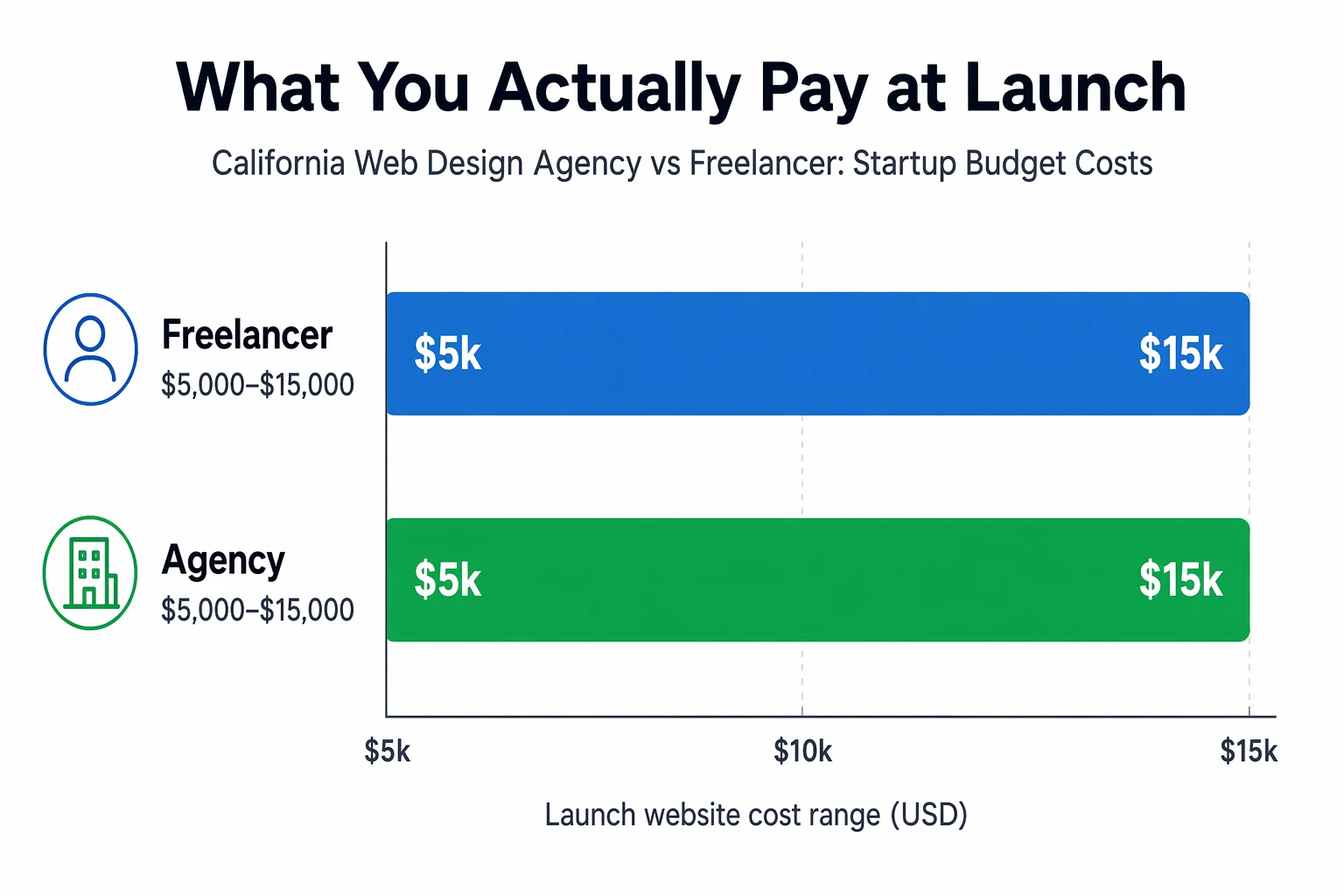
Agency quotes cost more because you fund a team on day one. That usually means strategy, custom design, development, QA, project management, and launch support in one price. Current 2026 guides put small business agency builds around $5,000 to $15,000 in California and beyond, depending on scope and features, according to LinkTech Solutions and Media Search Group.

Bar chart comparing startup website costs for freelancers and agencies in California

Freelancer quotes look cheaper because they often cover less upfront. You may get design and build, but not messaging, copy, SEO setup, revisions, training, or post-launch fixes. That lower entry price can still work for a simple site. Just ask what is excluded before you compare bids.

Cheap launch pricing is only cheap if you do not need to rebuild six months later.

Also Read: California Web Design Agency: 7 Services That Drive Leads

Hidden Costs That Change the Real Budget

Cheap quotes rise fast once the project starts.

Hidden cost Why it hits Budget effect
Extra revisions Too many feedback rounds More billed hours
Scope creep New pages, forms, features Delays and change fees
Rescue work Fixing broken handoff or bad code Higher one-time cost
Support Ongoing edits and fixes Monthly spend

Revisions, scope creep, and rescue work often break the first budget. A vague scope leads to extra pages, new features, and rework, which YourWebTeam flags as a common cost driver in website projects scope checklist.

Ask how many revision rounds are included, what counts as a change request, and what rescue work costs.

Hosting, updates, and post-launch support keep charging after launch. Recent 2026 maintenance benchmarks show even small business sites often need a monthly budget for updates, backups, monitoring, and support maintenance benchmarks. Monkey Business stands out here because bundled support cuts surprise invoices.

Also Read: 5 Essential Tips for Selecting a Reliable Website Security Provider

Which Option Fits Your Startup Budget Better?

Choose a freelancer when cash is tight and your site is simple. A basic brochure site, one landing page, or a fast refresh usually fits this path. Upwork’s comparison notes freelancers often cost less because they carry less overhead. That works if you can manage feedback, content, and a few risks yourself.

California startup founder reviewing website proposals at office desk

Choose an agency when you need fewer surprises. If timing, QA, and support matter more than the lowest bid, agency pricing can make sense. AgencyPro’s 2026 guide says agencies fit complex, ongoing work because they bring process, backup, and wider skills.

If a missed deadline would hurt sales, fundraising, or trust, pay for predictability.

Homepage
Homepage

Want agency-level support without agency overhead? See how Monkey Business gives California startups predictable website costs, design, hosting, maintenance, and support in one done-for-you plan.

Frequently Asked Questions

Q1: What are the typical startup costs for hiring a California web design agency versus a freelancer?

Freelancers often start around $2,000 to $8,000. Agencies often land near $6,000 to $25,000+.

Q2: How do California web design agency prices compare to freelancer rates for small businesses?

Agencies cost more, but usually include strategy, copy help, project management, and support.

Q3: What are the key factors influencing web design costs in California for startups?

Scope, custom design, number of pages, content needs, SEO, ADA work, and monthly upkeep drive price.

Conclusion

Freelancers cut upfront cost. Agencies raise certainty, support, and process. Most California startups should choose by risk, not price alone, since 2026 pricing ranges still vary widely.