
Quick Summary: Make a privacy-compliant website by mapping all data collection points, creating accurate legal pages, and configuring cookies and tracking tools to honor user choices. Keep vendor agreements and request processes simple, and regularly review your setup to stay compliant with laws like CCPA and GDPR. Proper documentation and ongoing maintenance are key to protecting user data and avoiding legal issues.
If your site has a contact form, Meta pixel, or newsletter signup, you are already collecting personal data under Website Privacy Regulations like the CCPA and GDPR. The hard part is knowing what to fix first. This guide gives practical Privacy Compliance Tips for consent, notices, and daily controls. It draws on real GDPR Compliance Website requirements and proven Privacy Compliance Tips small businesses can actually use, with more Privacy Compliance Tips built for website owners.
Step 1: Map Every Place Your Website Collects Personal Data
Start with a plain list of every place your site collects personal data. The FTC says websites may collect data through cookies, pixels, analytics, and forms through online tracking tools. Include contact forms, newsletter signups, donations, checkout, chat, account logins, booking tools, and embedded videos.
Then trace where that data goes after collection. The Library of Congress notes sites and third parties may use cookies, pixels, APIs, and fingerprinting to collect and link user data across systems and vendors. Map each flow from website to email platform, CRM, payment processor, analytics tool, ad platform, and support inbox.
If you cannot map it, you cannot disclose it well or control it.
Step 2: Build the Core Legal Pages and Notices
Write a privacy policy that matches reality. List what you collect, why you collect it, where it comes from, who gets it, and how long you keep it. California says a privacy policy must explain consumer rights and how to use them in CPPA notice guidance.
Add California and other state-required notices. If you collect data on forms, bookings, donations, or analytics, show a notice at collection before or when data is taken. California also requires clear opt-out and sensitive data notices in some cases under the 2026 CCPA text.
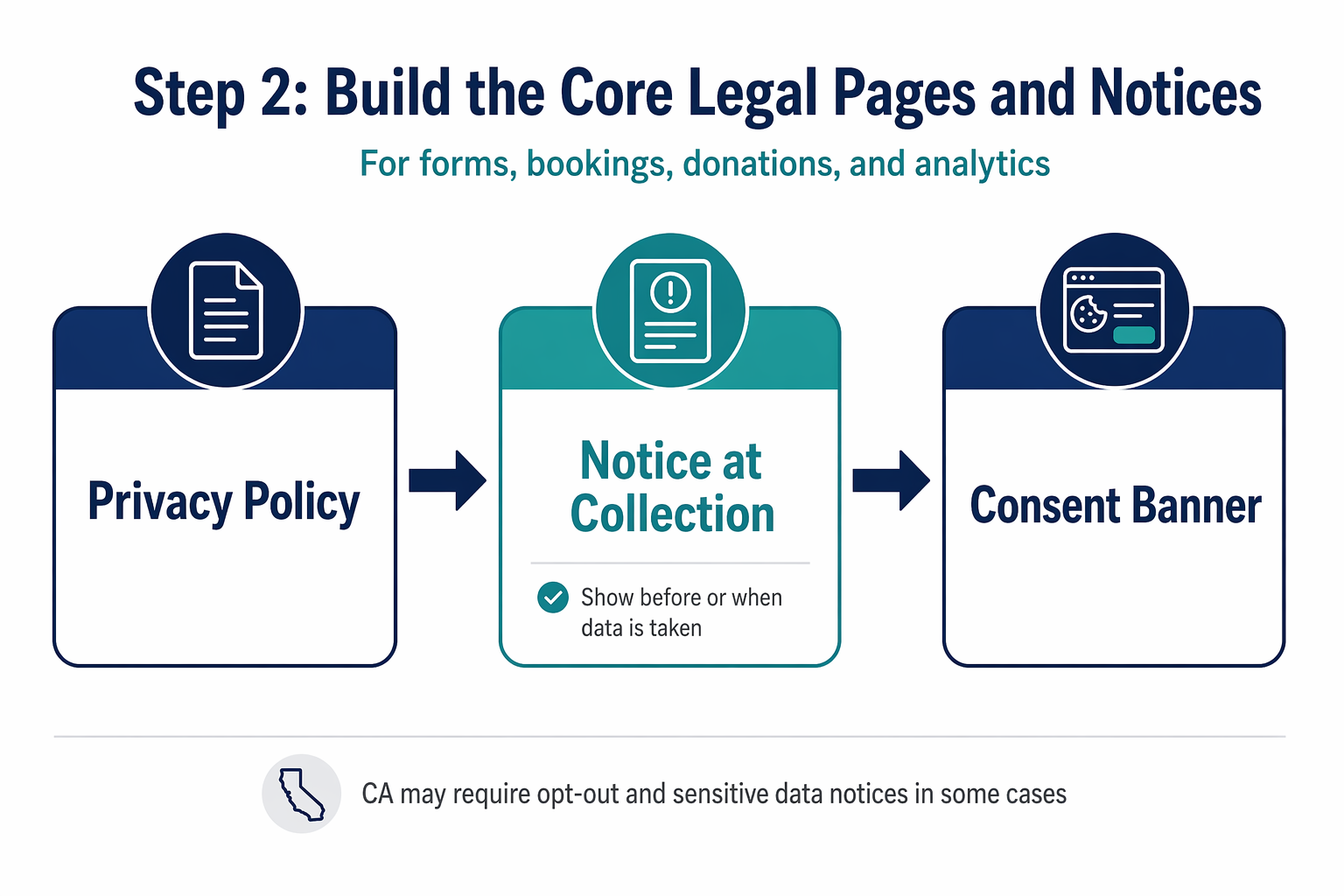
Handle EU visitors with GDPR-ready consent language. If you attract EU traffic, use plain cookie and tracking language, name purposes, and let people choose before non-essential tracking starts. > Your banner, policy, and actual scripts must all say the same thing.
Step 3: Configure Cookies, Analytics, and Opt-Out Tools Correctly
Split your tags into essential and non-essential first. Essential tools keep the site working. Analytics, ad pixels, heatmaps, and retargeting tags are usually non-essential, so they should wait until consent or a valid opt-out check runs.
Make choices real. If a user rejects tracking, your site must stop those tags, not just hide them. California regulators are actively checking whether businesses honor Global Privacy Control signals, and the CCPA regulations require clear opt-out methods.
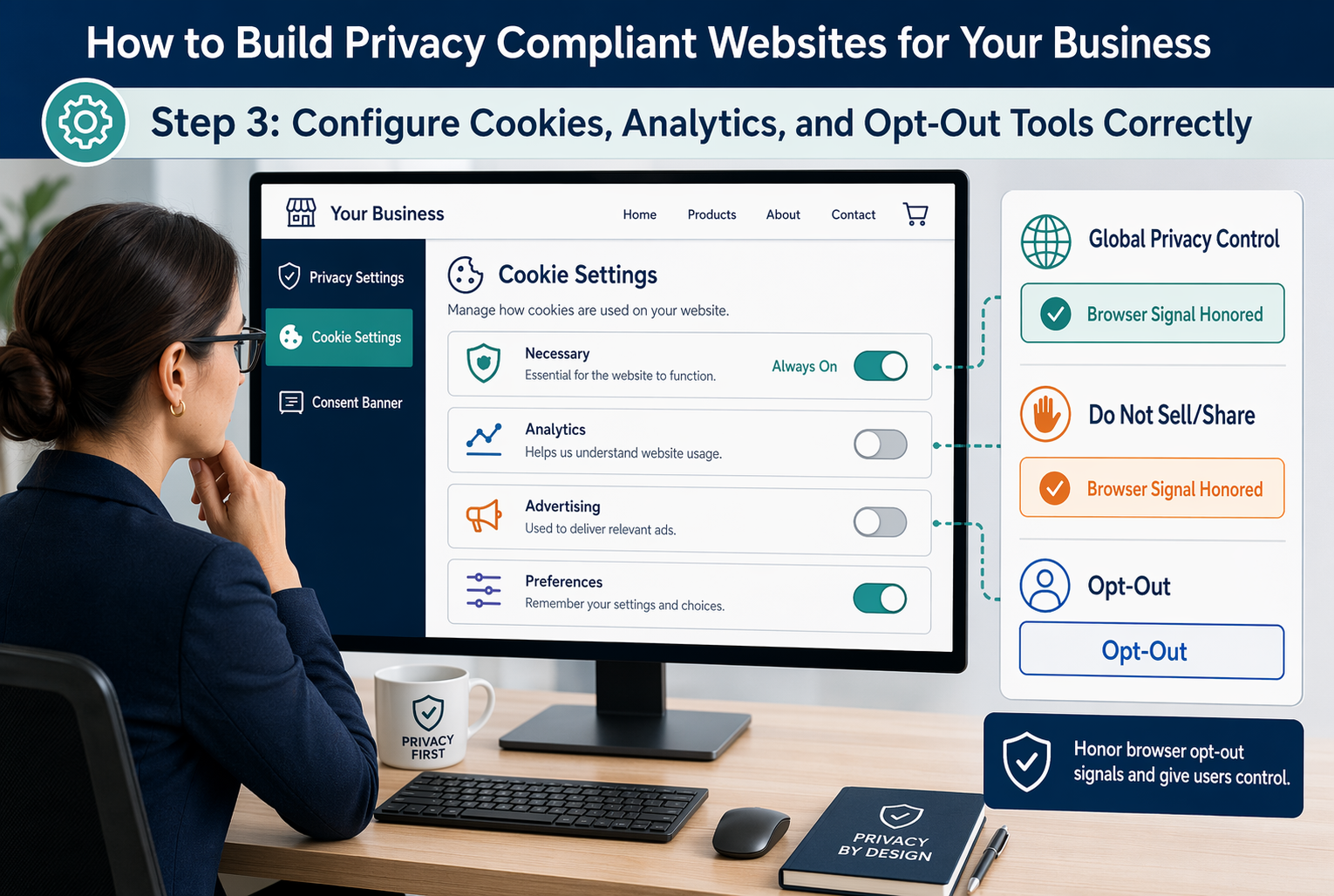
Test the banner on desktop and mobile. Check first visit, return visit, and California traffic. Keep screenshots, tag audit notes, consent logs, and change dates.
If your banner says “reject,” your analytics and ad tools should actually stay off.
Step 4: Set Up Rights Requests, Vendors, and Ongoing Maintenance
Build a simple intake process first. Give people one clear way to submit privacy requests, route each request to one owner, and track deadlines in one log. California rules require businesses to offer methods for requests and set response timelines under the CCPA regulations effective January 1, 2026.
Check every vendor that touches personal data. Your contracts should limit use, require notice if the vendor cannot comply, and let you stop misuse. California law also says you must disclose retention periods, or the criteria for them, and use reasonable security practices under the California Civil Code text.
Keep a vendor list with purpose, data types, contract status, retention rule, and owner.
Set a repeat schedule. Review forms, cookies, notices, vendors, backups, and access rights every quarter. Train staff yearly, and rerun checks after any redesign, new plugin, or marketing tool change.

Need a privacy compliant website without the legal and technical mess? Monkey Business builds, hosts, maintains, and supports compliant websites for California businesses.
Frequently Asked Questions
Q1: What are the essential legal components for building a privacy-compliant website in the U.S.?
You need a clear privacy policy, cookie notice, consent setup where required, data request process, secure forms, vendor agreements, and records of what you collect, why you collect it, and how long you keep it.
Q2: How can small businesses implement GDPR and CCPA compliance on their websites?
Map data first. Then add consent controls, disclosure notices, opt-out options, request workflows, and vendor checks. If you serve California or EU visitors, set rules by location and make updates part of normal site maintenance.
Q3: What are the best practices for creating a privacy policy that complies with US privacy laws?
Write in plain English. List categories of data, purposes, sharing, retention, rights, contact details, and state-specific disclosures. Review it whenever forms, cookies, tools, or services change so the policy matches actual website behavior.
Conclusion
Privacy compliance works when your site, notices, consent choices, and internal process match. California rules still require clear notices and consumer rights handling, according to the CPPA regulations and California DOJ CCPA overview.