Quick Summary: Adding clear calls to action, prominent contact options, and customer reviews can significantly boost conversions for small business websites. Making sure the site is mobile-friendly and easy to navigate also helps visitors act quickly. Small tweaks focusing on trust and simplicity often outperform major redesigns.
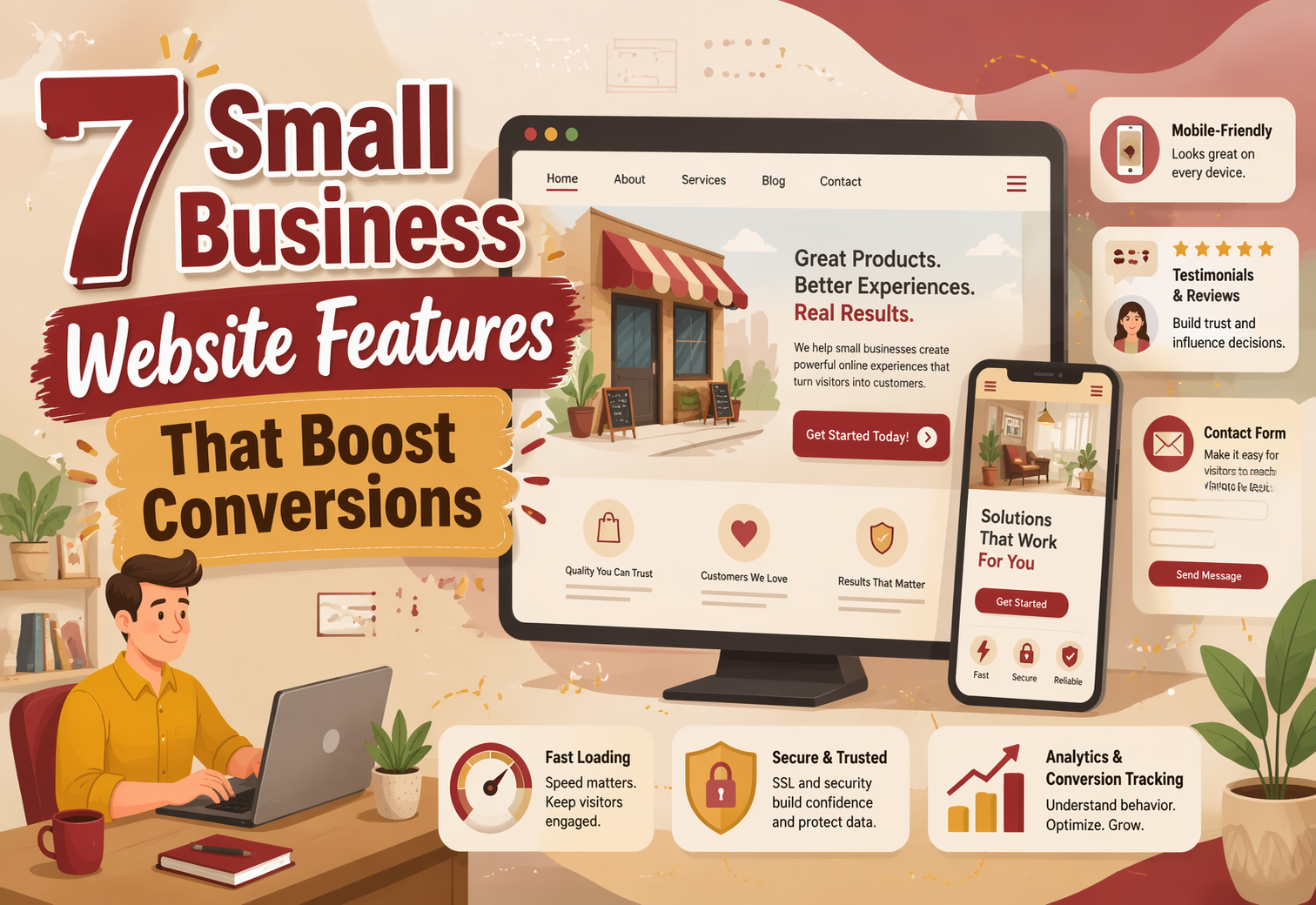
If your site gets visits but few calls, Small Business Websites often miss the features that turn interest into action. Many Small Business Websites look good, yet people cannot confirm trust, find the next step, or reach out fast. These Website Conversion Tips focus on the seven Website Feature Strategies that matter most in 2026. We picked features for Small Business Websites that cut doubt, speed decisions, and help visitors contact you sooner.
Quick Comparison
| Feature | Best for | Primary conversion impact | Implementation effort |
|---|---|---|---|
| Clear primary call-to-action | Any small business that wants more calls, bookings, or quote requests | Reduces decision friction and increases click-throughs | Low to moderate |
| Prominent contact and booking options | Service businesses, consultants, nonprofits, and appointment-based companies | Shortens the path from interest to inquiry | Low to moderate |
| Customer reviews and testimonials | Businesses that need trust before a visitor will inquire or buy | Reduces anxiety and boosts perceived credibility | Low to moderate |
| Mobile-first responsive layout | Businesses with heavy mobile traffic | Prevents friction and abandonment on phones | Moderate |
What to know about small business website conversions
A high-converting website does more than look good. It shows visitors what to do next, makes that step feel easy, and gives them a clear reason to act now.
For small businesses, that usually means fewer roadblocks, faster trust, and simple contact options on mobile. Small fixes often beat big redesigns.
The best conversion gains usually come from clarity, speed, trust, and ease – not extra pages or flashy effects.
1. Clear primary call-to-action
Make the next step obvious on every key page. A single, high-contrast CTA cuts friction, and NN/G shows strong homepages should clearly prompt action.
Highlights
- One primary action per page
- Place it above the fold and repeat it naturally
- Match words to intent like Book or Request
Specs
- Best for: More calls, bookings, or quotes
- Impact: High
- Effort: Low to moderate
Last updated: July 10, 2026
Also Read: What is Website as a Service (WaaS) and How Does It Work?
2. Prominent contact and booking options
Let visitors reach you without hunting. Put phone, email, and booking where intent peaks, like the header or hero. Google Business Profile also lets customers book an appointment and book services directly from your profile.

Highlights
- Add tap-to-call, email, and booking in high-visibility spots
- Keep contact paths to 1-2 clicks, especially on mobile
Specs
- Best for: Service businesses, consultants, nonprofits, appointment-based firms
- Primary conversion impact: Shortens the path from interest to inquiry
- Implementation effort: Low to moderate
- Best placement: Header, homepage hero, service pages, footer
Pros
- Fast lead lift, especially on mobile
Cons
- Too many choices can slow action
It ranks here because hidden contact paths kill ready-to-buy leads fast.
Last updated: July 10, 2026
Also Read: 10 Must-Have Professional Website Design Elements for U.S. Small Businesses
3. Customer reviews and testimonials
Real customer proof lowers doubt fast. Reviews, results, and specific quotes help new visitors feel safe enough to click, call, or ask for a quote. BrightLocal reports that 97% of consumers read reviews for local businesses in 2026.

Highlights
- Place reviews near CTAs and service details.
- Use specific outcomes, not vague praise.
- Keep proof fresh. Shopify notes recent reviews shape first impressions and local visibility.
Specs
- Best for: Businesses that need trust before inquiries or sales
- Conversion impact: Reduces anxiety and lifts credibility
- Effort: Low to moderate
Pros
- Builds trust quickly
- Helps clicks and inquiries
Cons
- Weak testimonials feel fake
- Needs regular updates
It ranks third because social proof directly answers doubt.
Last updated: July 10, 2026
Also Read: ADA Compliant Website Design: What Your Business Needs to Know
4. Mobile-first responsive layout
Many small businesses get most visits from phones, and mobile still edges desktop worldwide on Statcounter in 2026 device share data. If text, buttons, forms, or menus fight the screen, people leave. Google also recommends responsive design and uses the mobile version for indexing mobile-first guidance.
Highlights
- Readable type, thumb-sized buttons, simple menus, tested forms
Specs - Best for: Businesses with heavy mobile traffic
- Impact: Prevents friction and abandonment on phones
- Effort: Moderate
Pros - Better usability sitewide
Cons - Older pages may break and need cleanup
It ranks fourth because mobile usability touches almost every conversion path.
Last updated: July 10, 2026
More features that can help
If your main conversion pieces already work, these extras can still lift results. They support visitors who need less friction, faster answers, or one last bit of trust before they act.
- 5. Short lead capture forms – Fewer fields make it easier to finish.
- 6. Live chat or instant messaging – Quick replies can save near-bounce visitors.
- 7. FAQ and objection-handling content – Clear answers reduce doubt and help people commit.
How to choose the right conversion features
Pick the feature that fixes your biggest leak first.
- Lots of visits, few leads? Start with stronger CTAs and easier contact paths.
- Service business? Prioritize booking tools, short forms, and trust signals before extra content blocks.
- Careful buyers? Place testimonials, FAQs, and proof right next to quote, booking, or contact buttons.
- Mostly mobile traffic? Check tap targets, load speed, form length, and click-to-call first.
- Match the goal. Choose features built for calls, bookings, quote requests, donations, or sales.
- Change less, measure more. Monkey Business stands out here because its done-for-you setup helps small teams improve one or two high-impact features first.

Need these conversion features done right without adding more work? Monkey Business builds, hosts, maintains, and supports done-for-you websites that help small businesses turn more visitors into leads.
Frequently Asked Questions
Q1: What are the top small business website features that increase conversion rates in 2026?
Clear calls to action, fast mobile load speed, trust signals, simple forms, strong service pages, live chat or quick contact options, and local proof drive the most conversions.
Q2: How does website design and layout impact conversions for small businesses in the US?
Good layout removes friction. Visitors should spot your offer, proof, and next step in seconds. Clean mobile design, readable text, and clear page flow help more people act.
Q3: What role does social proof play in boosting conversions on small business websites?
Social proof lowers doubt. Reviews, testimonials, case results, and client logos show that real people trust you, which helps first-time visitors feel safe enough to contact or buy.